-
Vue--移动端--随着手指滑动动态设置元素的高度
效果:初始化高度为0,随着手指滑动高度改变,有最大限制(不是一个固定值,因为设备高度不一样,至少需要适用于各个主流设备),最大为:屏幕视区高度-某个固定元素的高度。
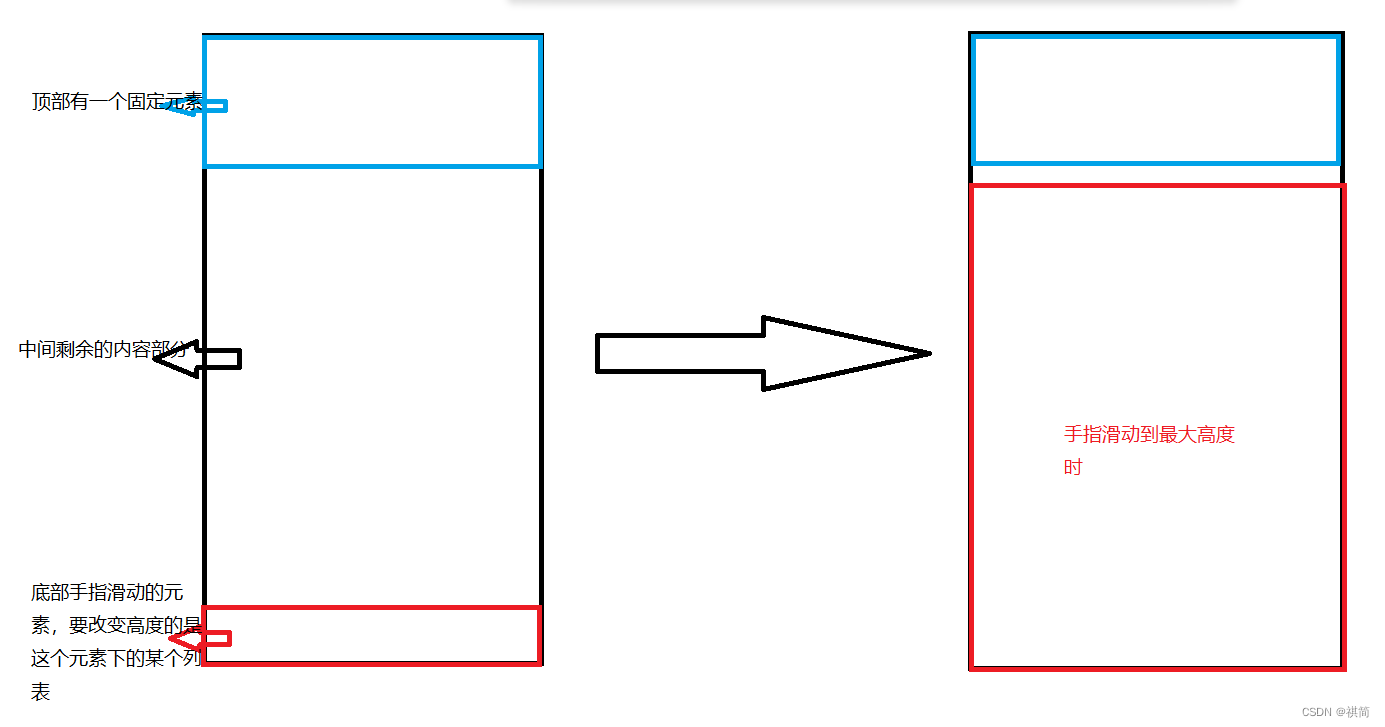
注:可以在代码中打印值,通过打印出来的值理解属性含义
//监听手指动作开始 touchstart (event) { this.touch = event.touches[0].pageY this.startY = this.touch //存储开始时的位置 //在这里绑定 手指移动事件 this.$el.querySelector('.list-title').addEventListener('touchmove', this.handleTouch, { passive: false }) }, //监听手指动作结束 touchend () { this.endY = 0 //在结束时 将滑动结果清0 //滑动结束时 解绑手指移动事件 this.$el.querySelector('.list-title').removeEventListener('touchmove', this.handleTouch, { passive: false }) }, //监听移动过程 即touchmove 为了方便绑定监听和解绑监听 单独抽出来 handleTouch (e) { this.touch = e.touches[0].pageY // 当前的pageY this.endY = this.startY - this.touch //移动的距离 用来判断向上滑动还是向下滑动 let dValue = this.bodyHeight - this.touch //可以理解为 要给元素动态设置的高度 //下面代码中,35(手指touch滑动的元素的高度)和186(固定元素的高度,包含手指滑动的高度,即包含35)是固定元素的高度 if (this.endY > 0) { // 手指向上滑动 window.innerHeight获取到整个视区的高度,ios不会包含屏幕上的刘海、工具栏的高度 if (dValue > 35 && dValue < (window.innerHeight - 186)) { this.$refs.listUl.style.height = dValue + 'px' //获取到元素,赋值高度 } else if (dValue >= (window.innerHeight - 186)) { //这里是最大高度 设置为固定值:整个高度-固定高度 this.$refs.listUl.style.height = (window.innerHeight - 186) + 'px' } } else if (this.endY < 0) { // 手指向下滑动 if (dValue < (window.innerHeight - 186) && dValue > 35) { this.$refs.listUl.style.height = dValue + 'px' } else if (dValue <= 35) { //这里是最小高度,小于等于手指移动部分的高度的时候就相当于 不显示下面的列表 this.$refs.listUl.style.height = '' } else if (dValue >= (window.innerHeight - 186)) { this.$refs.listUl.style.height = (window.innerHeight - 186) + 'px' } } //阻止默认事件。ios系统在滑动时,会连带着整个页面一起滑动,阻止之后解决 e.preventDefault() }, -
相关阅读:
C++:基于文件流拷贝文件(附完整源码)
PyQt-Fluent-Widgets:一个 Fluent Design 风格的组件库
最新,2022年国自然立项数量统计出炉
【华为机试真题 Python实现】喊 7 的次数重排
Hadoop----------大数据单机伪集群搭建(这一篇就够了)
什么是设计模式?你了解的设计模式是什么?
Android 中的 安全模式(safe mode)
两年独立开发经验程序员告诉我们赚钱的经验(听听真正赚到钱的高手做法)
Elasticsearch数据迁移从aliyun到aws
matlab神经网络求解最优化,matlab神经网络应用设计
- 原文地址:https://blog.csdn.net/weixin_45406850/article/details/127102091