-
UE4插件-读取png图片
一、简介
在UE4中有多种类型的插件,适用于不同的场景。既可以放到引擎中还可以放到项目中,放到引擎中的插件可以被所有项目使用,放到项目中的插件只能被当前项目使用。插件的类型可以在【Edit】->【Plugins】->【New Plugin】中查看

二、创建插件
1.创建一个蓝图插件Blueprint Library命名:ReadImageBP,功能:读取图片并且显示在界面上显示出来

UReadImageBPBPLibrary 类中的代码参考网上的示例代码,并且加以修改
ReadImageBPBPLibrary.h// Copyright Epic Games, Inc. All Rights Reserved. #pragma once #include "Kismet/BlueprintFunctionLibrary.h" #include "ReadImageBPBPLibrary.generated.h" /* * Function library class. * Each function in it is expected to be static and represents blueprint node that can be called in any blueprint. * * When declaring function you can define metadata for the node. Key function specifiers will be BlueprintPure and BlueprintCallable. * BlueprintPure - means the function does not affect the owning object in any way and thus creates a node without Exec pins. * BlueprintCallable - makes a function which can be executed in Blueprints - Thus it has Exec pins. * DisplayName - full name of the node, shown when you mouse over the node and in the blueprint drop down menu. * Its lets you name the node using characters not allowed in C++ function names. * CompactNodeTitle - the word(s) that appear on the node. * Keywords - the list of keywords that helps you to find node when you search for it using Blueprint drop-down menu. * Good example is "Print String" node which you can find also by using keyword "log". * Category - the category your node will be under in the Blueprint drop-down menu. * * For more info on custom blueprint nodes visit documentation: * https://wiki.unrealengine.com/Custom_Blueprint_Node_Creation */ UCLASS() class UReadImageBPBPLibrary : public UBlueprintFunctionLibrary { GENERATED_UCLASS_BODY() UFUNCTION(BlueprintCallable, meta = (DisplayName = "Execute Sample function", Keywords = "ReadImageBP sample test testing"), Category = "ReadImageBPTesting") static float ReadImageBPSampleFunction(float Param); //获取开发工程目录 UFUNCTION(BlueprintCallable, Category = "Image") static FString getProjectDir(); //获取打包之后的路径 UFUNCTION(BlueprintCallable, Category = "Image") static FString getPakRootDir(); UFUNCTION(BlueprintCallable, Category = "Image") static class UTexture2D* loadTexture2D(const FString path, bool&isValid, int32&outWidth, int32&outHeight); private: static TArray<FColor> uint8ToFColor(const TArray<uint8> origin); static class UTexture2D* TextureFromImage(const int32 SrcWidth, const int32 SrcHeight, const TArray<FColor>& SrcData, const bool UseAlpha); };- 1
- 2
- 3
- 4
- 5
- 6
- 7
- 8
- 9
- 10
- 11
- 12
- 13
- 14
- 15
- 16
- 17
- 18
- 19
- 20
- 21
- 22
- 23
- 24
- 25
- 26
- 27
- 28
- 29
- 30
- 31
- 32
- 33
- 34
- 35
- 36
- 37
- 38
- 39
- 40
- 41
- 42
- 43
- 44
- 45
- 46
- 47
- 48
ReadImageBPBPLibrary.cpp
// Copyright Epic Games, Inc. All Rights Reserved. #include "ReadImageBPBPLibrary.h" #include "ReadImageBP.h" #include "Engine/Texture2D.h" #include "Core\Public\HAL\PlatformFilemanager.h" #include "IImageWrapper.h" #include "IImageWrapperModule.h" UReadImageBPBPLibrary::UReadImageBPBPLibrary(const FObjectInitializer& ObjectInitializer) : Super(ObjectInitializer) { } float UReadImageBPBPLibrary::ReadImageBPSampleFunction(float Param) { return Param; } FString UReadImageBPBPLibrary::getProjectDir() { FString dirPath = FPaths::ConvertRelativePathToFull(FPaths::ProjectDir()); return dirPath; } FString UReadImageBPBPLibrary::getPakRootDir() { FString dirPath = FPaths::ConvertRelativePathToFull(FPaths::RootDir()); return dirPath; } #pragma region TEXT("通过本地图片转换成UTexture2D") UTexture2D* UReadImageBPBPLibrary::loadTexture2D(const FString path, bool& isValid, int32& outWidth, int32& outHeight) { UTexture2D* texture2D = nullptr; IImageWrapperModule& imageWrapperModule = FModuleManager::LoadModuleChecked<IImageWrapperModule>(FName("ImageWrapper")); IImageWrapperPtr imageWrapper = imageWrapperModule.CreateImageWrapper(EImageFormat::PNG); TArray<uint8> OutArray; if (FFileHelper::LoadFileToArray(OutArray, *path)) { if (imageWrapper.IsValid() && imageWrapper->SetCompressed(OutArray.GetData(), OutArray.Num())) { TArray<uint8> uncompressedRGBA; if (imageWrapper->GetRaw(ERGBFormat::RGBA, 8, uncompressedRGBA)) { const TArray<FColor> uncompressedFColor = uint8ToFColor(uncompressedRGBA); outWidth = imageWrapper->GetWidth(); outHeight = imageWrapper->GetHeight(); texture2D = TextureFromImage(imageWrapper->GetWidth(), imageWrapper->GetHeight(), uncompressedFColor, true); } } } return texture2D; } #pragma endregion #pragma region TEXT("将uint8数组转为颜色数组") TArray<FColor> UReadImageBPBPLibrary::uint8ToFColor(const TArray<uint8> origin) { TArray<FColor> uncompressedFColor; uint8 auxOrigin; FColor auxDst; for (int i = 0; i < origin.Num(); i++) { auxOrigin = origin[i]; auxDst.R = auxOrigin; i++; auxOrigin = origin[i]; auxDst.G = auxOrigin; i++; auxOrigin = origin[i]; auxDst.B = auxOrigin; i++; auxOrigin = origin[i]; auxDst.A = auxOrigin; uncompressedFColor.Add(auxDst); } return uncompressedFColor; } #pragma endregion #pragma region TEXT("将颜色数组赋值给Texture") UTexture2D* UReadImageBPBPLibrary::TextureFromImage(const int32 SrcWidth, const int32 SrcHeight, const TArray<FColor>& SrcData, const bool UseAlpha) { // 创建Texture2D纹理 UTexture2D* MyScreenshot = UTexture2D::CreateTransient(SrcWidth, SrcHeight, PF_B8G8R8A8); // 锁住他的数据,以便修改 uint8* MipData = static_cast<uint8*>(MyScreenshot->PlatformData->Mips[0].BulkData.Lock(LOCK_READ_WRITE)); // 创建纹理数据 uint8* DestPtr = NULL; const FColor* SrcPtr = NULL; for (int32 y = 0; y < SrcHeight; y++) { DestPtr = &MipData[(SrcHeight - 1 - y) * SrcWidth * sizeof(FColor)]; SrcPtr = const_cast<FColor*>(&SrcData[(SrcHeight - 1 - y) * SrcWidth]); for (int32 x = 0; x < SrcWidth; x++) { *DestPtr++ = SrcPtr->B; *DestPtr++ = SrcPtr->G; *DestPtr++ = SrcPtr->R; if (UseAlpha) { *DestPtr++ = SrcPtr->A; } else { *DestPtr++ = 0xFF; } SrcPtr++; } } // 解锁纹理 MyScreenshot->PlatformData->Mips[0].BulkData.Unlock(); MyScreenshot->UpdateResource(); return MyScreenshot; } #pragma endregion- 1
- 2
- 3
- 4
- 5
- 6
- 7
- 8
- 9
- 10
- 11
- 12
- 13
- 14
- 15
- 16
- 17
- 18
- 19
- 20
- 21
- 22
- 23
- 24
- 25
- 26
- 27
- 28
- 29
- 30
- 31
- 32
- 33
- 34
- 35
- 36
- 37
- 38
- 39
- 40
- 41
- 42
- 43
- 44
- 45
- 46
- 47
- 48
- 49
- 50
- 51
- 52
- 53
- 54
- 55
- 56
- 57
- 58
- 59
- 60
- 61
- 62
- 63
- 64
- 65
- 66
- 67
- 68
- 69
- 70
- 71
- 72
- 73
- 74
- 75
- 76
- 77
- 78
- 79
- 80
- 81
- 82
- 83
- 84
- 85
- 86
- 87
- 88
- 89
- 90
- 91
- 92
- 93
- 94
- 95
- 96
- 97
- 98
- 99
- 100
- 101
- 102
- 103
- 104
- 105
- 106
- 107
- 108
- 109
- 110
- 111
- 112
修改ReadImageBP.uplugin文件
{ "FileVersion": 3, "Version": 1, "VersionName": "1.0", "FriendlyName": "ReadImageBP", "Description": "", "Category": "AAA", "CreatedBy": "", "CreatedByURL": "", "DocsURL": "", "MarketplaceURL": "", "SupportURL": "", "CanContainContent": true, "IsBetaVersion": false, "IsExperimentalVersion": false, "Installed": false, "Modules": [ { "Name": "ReadImageBP", "Type": "Runtime", "LoadingPhase": "PreLoadingScreen", "WhitelistPlatforms": [ "Win64" ] } ] }- 1
- 2
- 3
- 4
- 5
- 6
- 7
- 8
- 9
- 10
- 11
- 12
- 13
- 14
- 15
- 16
- 17
- 18
- 19
- 20
- 21
- 22
- 23
- 24
- 25
- 26
- 27
-
图片
在Pingins下面新建一个文件夹Image,并且在里面添加一直图片

-
使用插件功能
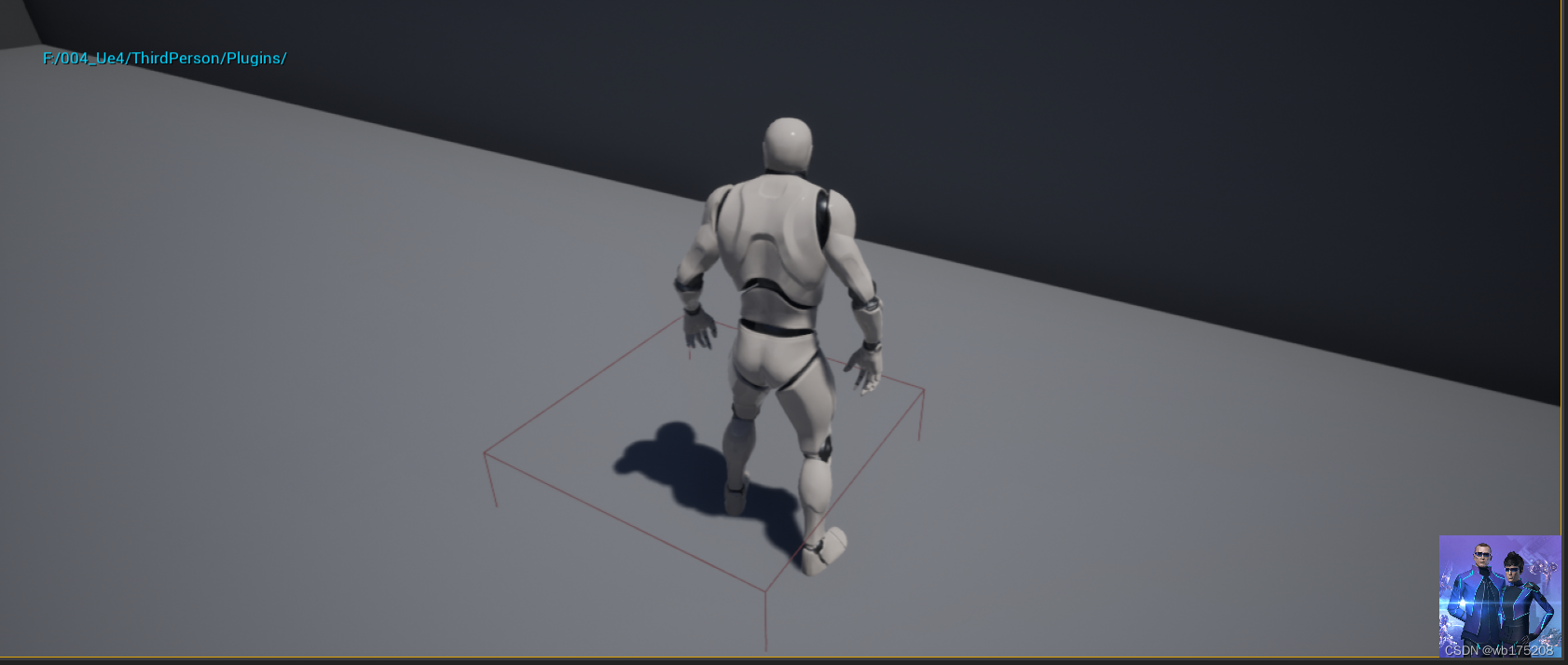
在对应的插件文件夹下面,新建一个空的Actor,只有一个Box(触发盒子),新建一个UserWidget,在上面添加一个Image控件,当小白人走进Box的时候,就会调用插件中的函数加载图片,并且在HUD中的Image控件中显示出来

BP_TestReadImage

游戏一启动就把HUD添加到注游戏界面上

当游戏角色进入到触发盒子的时候,就会加载图片并且在Image控件上显示出来,图片路径写固定值/Iamge/2.png


运行结果:
aaa
-
相关阅读:
实战:Spring Boot 环境准备
MySQL数据库、表的基本操作和常用数据类型
使用IIS创建WEB服务
结构型-代理模式
Nodejs进程间通信
6 张图告诉你 RocketMQ 是怎么保存偏移量的
Containerd高级命令行工具nerdctl安装及使用
视频图像处理算法opencv模块硬件设计图像颜色识别模块
windows hello人脸识别设置没反应的解决办法
毕业设计整理:高校就业信息管理系统的设计与实现
- 原文地址:https://blog.csdn.net/wb175208/article/details/127885653

- 最新文章
-
沪漂五周年了:我越来越迷茫了
Agentic Skill Routing 实战:别再把所有 Skill 塞进 AI Agent 上下文
MySQL-Seconds_behind_master的精度误差
[MAF预定义ChatClient中间件-03]CachingChatClient——利用缓存省钱省时间
AI的至暗历史:从万众期待到被政府撤资,AI的两次死亡徘徊
Agent OS :五种驯服不确定性的范式
PortSwigger SQL注入LAB11
数据库即时编译JIT
[Begin]AI Learn Data Day 0
深度学习进阶(二十七)现代 LLM 的核心架构设计其二:SwiGLU