-
【Linux】常见指令(二)
mv指令
mv命令是move的缩写,可以用来移动文件或者将文件改名(move (rename) files),是Linux系统下常用的命令,经常用来备份文件
或者目录。
功能:
- 视mv命令中第二个参数类型的不同(是目标文件还是目标目录), mv命令将文件重命名或将其移至一个新的目录中。
- 当第二个参数类型是文件时, mv命令完成文件重命名,此时,源文件只能有一个(也可以是源目录名),它将所给的源文件或目录重命名为给定的目标文件名。
- 当第二个参数是已存在的目录名称时,源文件或目录参数可以有多个, mv命令将各参数指定的源文件均移至目标目录中。
简单来说:
1.类似剪切功能,移动文件或者目录
2.对文件或者目录进行重命名
常用选项:
-f : force 强制的意思,如果目标文件已经存在,不会询问而直接覆盖
-i :若目标文件 (destination) 已经存在时,就会询问是否覆盖语法: mv [选项] 源文件或目录 目标文件或目录
我们来简单看一下移动文件和目录:
[root@VM-8-3-centos test]# tree .
.
|-- dir
|   `-- my_test
|       |-- file1.txt
|       `-- file.txt
|-- file2.txt
|-- file3.txt
|-- file.txt
|-- my_test
`-- toot4

[root@VM-8-3-centos test]# mv file2.txt ./my_test/
[root@VM-8-3-centos test]# tree .
.
|-- dir
|   `-- my_test
|       |-- file1.txt
|       `-- file.txt
|-- file3.txt
|-- file.txt
|-- my_test
|   `-- file2.txt
`-- toot4
[root@VM-8-3-centos test]# tree . . |-- file1.txt |-- file2.txt |-- file3.txt |-- file.txt |-- my_test | |-- file1.txt | `-- file.txt `-- toot4 1 directory, 7 files [root@VM-8-3-centos test]# mkdir dir [root@VM-8-3-centos test]# tree . . |-- dir |-- file1.txt |-- file2.txt |-- file3.txt |-- file.txt |-- my_test | |-- file1.txt | `-- file.txt `-- toot4 2 directories, 7 files //带与不带/是等价的 [root@VM-8-3-centos test]# mv my_test/ dir [root@VM-8-3-centos test]# ll total 12 drwxr-xr-x 3 root root 4096 Sep 25 17:11 dir -rw-r--r-- 1 root root 0 Sep 25 14:28 file1.txt -rw-r--r-- 1 root root 1 Sep 25 14:28 file2.txt -rw-r--r-- 1 root root 0 Sep 25 14:49 file3.txt -rw-r--r-- 1 root root 12 Sep 25 14:46 file.txt -rw-r--r-- 1 root root 0 Sep 24 22:56 toot4 [root@VM-8-3-centos test]# tree . . |-- dir | `-- my_test | |-- file1.txt | `-- file.txt |-- file1.txt |-- file2.txt |-- file3.txt |-- file.txt `-- toot4我们在来看一下文件和目录的重命名:
文件
[root@VM-8-3-centos test]# ll
total 12
drwxr-xr-x 3 root root 4096 Sep 25 17:11 dir
-rw-r--r-- 1 root root    0 Sep 25 14:49 file3.txt
-rw-r--r-- 1 root root   12 Sep 25 14:46 file.txt
drwxr-xr-x 2 root root 4096 Sep 25 17:27 my_test
-rw-r--r-- 1 root root    0 Sep 24 22:56 toot4
[root@VM-8-3-centos test]# mv file.txt test.txt
[root@VM-8-3-centos test]# ll
total 12
drwxr-xr-x 3 root root 4096 Sep 25 17:11 dir
-rw-r--r-- 1 root root    0 Sep 25 14:49 file3.txt
drwxr-xr-x 2 root root 4096 Sep 25 17:27 my_test
-rw-r--r-- 1 root root   12 Sep 25 14:46 test.txt
-rw-r--r-- 1 root root    0 Sep 24 22:56 toot4
目录
[root@VM-8-3-centos test]# ll total 12 drwxr-xr-x 3 root root 4096 Sep 25 17:11 dir -rw-r--r-- 1 root root 0 Sep 25 14:49 file3.txt drwxr-xr-x 2 root root 4096 Sep 25 17:27 my_test -rw-r--r-- 1 root root 12 Sep 25 14:46 test.txt -rw-r--r-- 1 root root 0 Sep 24 22:56 toot4 [root@VM-8-3-centos test]# mv dir DIR [root@VM-8-3-centos test]# ll total 12 drwxr-xr-x 3 root root 4096 Sep 25 17:11 DIR -rw-r--r-- 1 root root 0 Sep 25 14:49 file3.txt drwxr-xr-x 2 root root 4096 Sep 25 17:27 my_test -rw-r--r-- 1 root root 12 Sep 25 14:46 test.txt -rw-r--r-- 1 root root 0 Sep 24 22:56 toot4 [root@VM-8-3-centos test]#cat指令
语法: cat [选项][文件]
功能: 查看目标文件的内容
常用选项:
-b 对非空输出行编号
-n 对输出的所有行编号
-s 不输出多行空行
查看内容:
[root@VM-8-3-centos test]# ll
total 12
drwxr-xr-x 3 root root 4096 Sep 25 17:11 DIR
-rw-r--r-- 1 root root    0 Sep 25 14:49 file3.txt
drwxr-xr-x 2 root root 4096 Sep 25 17:27 my_test
-rw-r--r-- 1 root root   12 Sep 25 14:46 test.txt
-rw-r--r-- 1 root root    0 Sep 24 22:56 toot4
[root@VM-8-3-centos test]# cat test.txt
hello world
查看文件内容:(nano可以直接打开文件,可以查看,记得安装:sudo yum install -y nano)
[root@VM-8-3-centos test]# cnt=0; while [ $cnt -le 10000 ] ; do echo "hello world [$cnt]"; let cnt++; done > test.txt
[root@VM-8-3-centos test]# ll
total 196
drwxr-xr-x 3 root root   4096 Sep 25 17:11 DIR
-rw-r--r-- 1 root root      0 Sep 25 14:49 file3.txt
drwxr-xr-x 2 root root   4096 Sep 25 17:27 my_test
-rw-r--r-- 1 root root 188910 Sep 25 18:10 test.txt
-rw-r--r-- 1 root root      0 Sep 24 22:56 toot4
[root@VM-8-3-centos test]# nano test.txt
    //查看文件的内容
[root@VM-8-3-centos test]# cat test.txt
    //带行号                cat -n test.txt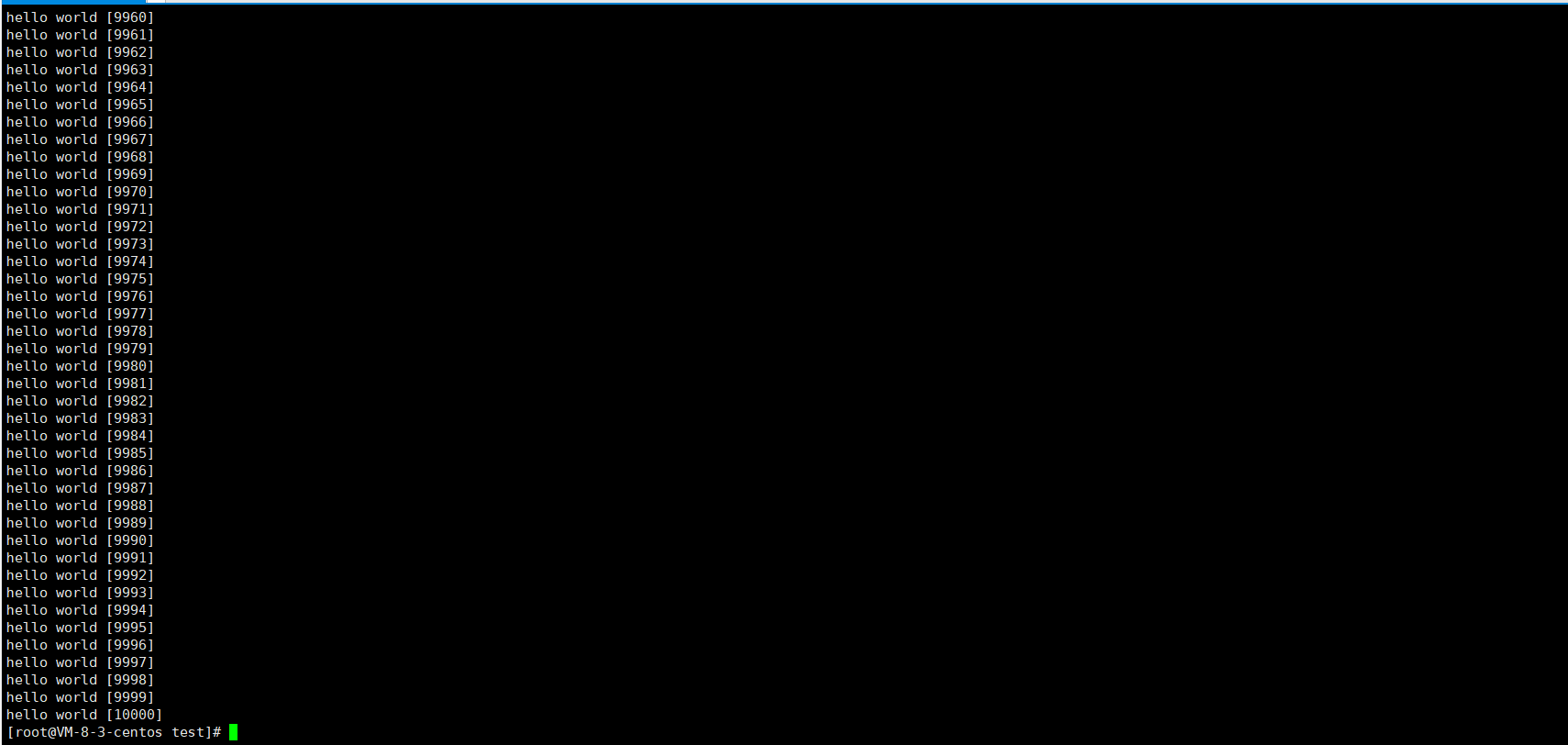
这里cat要与tac做个对比:
命令本省是反过来的,内容本身也是反过来的。tac是逆序打印出来的。
**cat打印的是所有内容,并不适合查看大文本,适合小文本或者代码片段。**适合查看大文本的是more指令。👇
more指令
语法: more [选项][文件]
功能: more命令,功能类似 cat.
常用选项:
-n 对输出的所有行编号
q 退出more
[root@VM-8-3-centos test]# more test.txt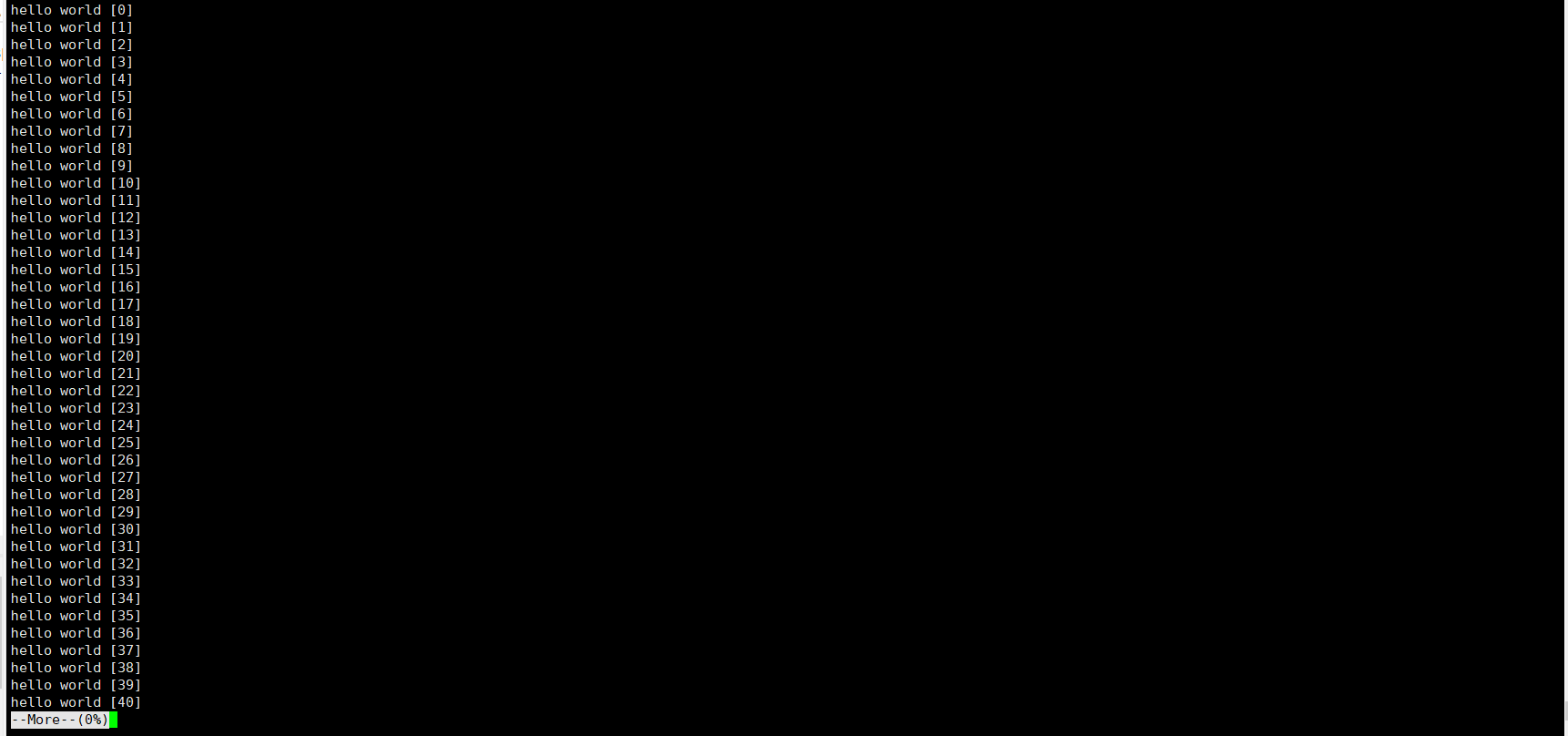
不支持上下翻,只能回车
more - 多少,就会输出多少行:
[root@VM-8-3-centos test]# more -10 test.txt
hello world [0]
hello world [1]
hello world [2]
hello world [3]
hello world [4]
hello world [5]
hello world [6]
hello world [7]
hello world [8]
hello world [9]
    //这里加上/可以进行搜索
与more功能类似就是less👇
less指令
- less 工具也是对文件或其它输出进行分页显示的工具,应该说是linux正统查看文件内容的工具,功能极其强大。
- less 的用法比起 more 更加的有弹性。在 more 的时候,我们并没有办法向前面翻, 只能往后面看
- 但若使用了 less 时,就可以使用 [pageup][pagedown] 等按键的功能来往前往后翻看文件,更容易用来查看一个文件的内容!
- 除此之外,在 less 里头可以拥有更多的搜索功能,不止可以向下搜,也可以向上搜
语法: less [参数] 文件
[root@VM-8-3-centos test]# less test.txt功能:less与more类似,但使用less可以随意浏览文件,而more仅能向前移动,却不能向后移动,而且less在查看之前不会加载整个文件。
选项:
-i 忽略搜索时的大小写
-N 显示每行的行号
/字符串:向下搜索“字符串”的功能
?字符串:向上搜索“字符串”的功能
n:重复前一个搜索(与 / 或 ? 有关)
N:反向重复前一个搜索(与 / 或 ? 有关)
q:quit
head指令
head 与 tail 就像它的名字一样的浅显易懂,它是用来显示开头或结尾某个数量的文字区块, head 用来显示档案的开头至标准输出中,而 tail 当然就是看档案的结尾。
语法: head [参数]… [文件]…
功能:head 用来显示档案的开头至标准输出中,默认head命令打印其相应文件的开头10行。
选项:-n<行数> 显示的行数
[root@VM-8-3-centos test]# head test.txt
hello world [0]
hello world [1]
hello world [2]
hello world [3]
hello world [4]
hello world [5]
hello world [6]
hello world [7]
hello world [8]
hello world [9]
[root@VM-8-3-centos test]#
[root@VM-8-3-centos test]# head -6 test.txt hello world [0] hello world [1] hello world [2] hello world [3] hello world [4] hello world [5] [root@VM-8-3-centos test]#tail指令
tail 命令从指定点开始将文件写到标准输出.使用tail命令的-f选项可以方便的查阅正在改变的日志文件,tail -f filename会把filename里最尾部的内容显示在屏幕上,并且不但刷新,使你看到最新的文件内容.
语法: tail[必要参数][选择参数][文件]
功能: 用于显示指定文件末尾内容,不指定文件时,作为输入信息进行处理。常用查看日志文件。
选项:- -f 循环读取
- -n<行数> 显示行数
[root@VM-8-3-centos test]# tail test.txt
hello world [9991]
hello world [9992]
hello world [9993]
hello world [9994]
hello world [9995]
hello world [9996]
hello world [9997]
hello world [9998]
hello world [9999]
hello world [10000]
[root@VM-8-3-centos test]# tail -6 test.txt
hello world [9995]
hello world [9996]
hello world [9997]
hello world [9998]
hello world [9999]
hello world [10000]
[root@VM-8-3-centos test]#
到了这里,我们已经能够定位头和尾,以及查看全部。那中间的部分该怎么办呢❓
我们可以创建一个临时文件,这里举个例子:
[root@VM-8-3-centos test]# head -1010 test.txt > tmp.txt
[root@VM-8-3-centos test]# tail -10 tmp.txt
hello world [1000]
hello world [1001]
hello world [1002]
hello world [1003]
hello world [1004]
hello world [1005]
hello world [1006]
hello world [1007]
hello world [1008]
hello world [1009]
[root@VM-8-3-centos test]#
不创建临时文件呢。
[root@VM-8-3-centos test]# head -1010 test.txt | tail -10
hello world [1000]
hello world [1001]
hello world [1002]
hello world [1003]
hello world [1004]
hello world [1005]
hello world [1006]
hello world [1007]
hello world [1008]
hello world [1009]
这里的|称为管道。管道都是传送"资源"的,都有着一个入口和一个出口。head默认是往显示器打印的,tail默认是从文件中读取数据的。而在这个地方,相当于head打印到了管道里,而tail往管道中读取。
通过管道可以将多个信息流组合在一起:
[root@VM-8-3-centos test]# head -1010 test.txt | tail -10 | tac | head -3
hello world [1009]
hello world [1008]
hello world [1007]
[root@VM-8-3-centos test]#
时间相关的指令
date显示
date 指定格式显示时间: date +%Y:%m:%d
date 用法: date [OPTION]… [+FORMAT]
[root@VM-8-3-centos test]# date
Sun Sep 25 23:09:40 CST 2022
[root@VM-8-3-centos test]# date +%Y/%m/%d
2022/09/25
在显示方面,使用者可以设定欲显示的格式,格式设定为一个加号后接数个标记,其中常用的标记列表如下
%H : 小时(00…23)
%M : 分钟(00…59)
%S : 秒(00…61)
%X : 相当于 %H:%M:%S
%d : 日 (01…31)
%m : 月份 (01…12)
%Y : 完整年份 (0000…9999)
%F : 相当于 %Y-%m-%d[root@VM-8-3-centos test]# date +%Y/%m/%d-%H:%M:%S 2022/09/25-23:18:12 [root@VM-8-3-centos test]# date +%Y/%m/%d-%X 2022/09/25-11:18:22 PM时间戳
时间->时间戳: date +%s[root@VM-8-3-centos test]# date +%s 1664119445时间戳->时间: date -d@
Unix时间戳(英文为Unix epoch, Unix time, POSIX time 或 Unix timestamp)是从1970年1月1日(UTC/GMT的午夜)开始所经过的秒数,不考虑闰秒[root@VM-8-3-centos test]# date +%s 1664119445 [root@VM-8-3-centos test]# date +%Y/%m/%d-%H:%M:%S -d@1664119445 2022/09/25-23:24:05Cal指令
cal命令可以用来显示公历(阳历)日历。公历是现在国际通用的历法,又称格列历,通称阳历。 “阳历”又名“太阳历”,系以地球绕行太阳一周为一年,为西方各国所通用,故又名“西历”。
这里只是顺便说一下而已。
命令格式: cal [参数][月份][年份]
功能: 用于查看日历等时间信息,如只有一个参数,则表示年份(1-9999),如有两个参数,则表示月份和年份
[root@VM-8-3-centos test]# cal September 2022 Su Mo Tu We Th Fr Sa 1 2 3 4 5 6 7 8 9 10 11 12 13 14 15 16 17 18 19 20 21 22 23 24 25 26 27 28 29 30 [root@VM-8-3-centos test]# cal 2022 2022 January February March Su Mo Tu We Th Fr Sa Su Mo Tu We Th Fr Sa Su Mo Tu We Th Fr Sa 1 1 2 3 4 5 1 2 3 4 5 2 3 4 5 6 7 8 6 7 8 9 10 11 12 6 7 8 9 10 11 12 9 10 11 12 13 14 15 13 14 15 16 17 18 19 13 14 15 16 17 18 19 16 17 18 19 20 21 22 20 21 22 23 24 25 26 20 21 22 23 24 25 26 23 24 25 26 27 28 29 27 28 27 28 29 30 31 30 31 April May June Su Mo Tu We Th Fr Sa Su Mo Tu We Th Fr Sa Su Mo Tu We Th Fr Sa 1 2 1 2 3 4 5 6 7 1 2 3 4 3 4 5 6 7 8 9 8 9 10 11 12 13 14 5 6 7 8 9 10 11 10 11 12 13 14 15 16 15 16 17 18 19 20 21 12 13 14 15 16 17 18 17 18 19 20 21 22 23 22 23 24 25 26 27 28 19 20 21 22 23 24 25 24 25 26 27 28 29 30 29 30 31 26 27 28 29 30 July August September Su Mo Tu We Th Fr Sa Su Mo Tu We Th Fr Sa Su Mo Tu We Th Fr Sa 1 2 1 2 3 4 5 6 1 2 3 3 4 5 6 7 8 9 7 8 9 10 11 12 13 4 5 6 7 8 9 10 10 11 12 13 14 15 16 14 15 16 17 18 19 20 11 12 13 14 15 16 17 17 18 19 20 21 22 23 21 22 23 24 25 26 27 18 19 20 21 22 23 24 24 25 26 27 28 29 30 28 29 30 31 25 26 27 28 29 30 31 October November December Su Mo Tu We Th Fr Sa Su Mo Tu We Th Fr Sa Su Mo Tu We Th Fr Sa 1 1 2 3 4 5 1 2 3 2 3 4 5 6 7 8 6 7 8 9 10 11 12 4 5 6 7 8 9 10 9 10 11 12 13 14 15 13 14 15 16 17 18 19 11 12 13 14 15 16 17 16 17 18 19 20 21 22 20 21 22 23 24 25 26 18 19 20 21 22 23 24 23 24 25 26 27 28 29 27 28 29 30 25 26 27 28 29 30 31 30 31 [root@VM-8-3-centos test]# -
相关阅读:
时间戳转换为正常时间
每天一个数据分析题(一百七十九)
ubuntu20.04 nerf Instant-ngp (下) 复现,自建数据集,导出mesh
【Cherno的C++视频】Continuous integration in C++
io.lettuce.core.RedisCommandTimeoutException: Command timed out 解决办法
创建数据库报错--MySQL server is running with the --super-read-only option
荟味齐鲁鲁菜网站/美食网站/菜谱网站
(八)Spring源码解析:Spring MVC
【探索Spring底层】10.Spring选择代理
微服务实战声明式服务调用OpenFeign实践
- 原文地址:https://blog.csdn.net/weixin_60478154/article/details/127047477
- 最新文章
-
沪漂五周年了:我越来越迷茫了
Agentic Skill Routing 实战:别再把所有 Skill 塞进 AI Agent 上下文
MySQL-Seconds_behind_master的精度误差
[MAF预定义ChatClient中间件-03]CachingChatClient——利用缓存省钱省时间
AI的至暗历史:从万众期待到被政府撤资,AI的两次死亡徘徊
Agent OS :五种驯服不确定性的范式
PortSwigger SQL注入LAB11
数据库即时编译JIT
[Begin]AI Learn Data Day 0
深度学习进阶(二十七)现代 LLM 的核心架构设计其二:SwiGLU