-
unity UGUI系统梳理 - Button
Button组件
用来响应来自用户的点击来启动或确认操作

属性
1、 Interactable 是否接受事件响应
如果这个不勾选的话,那么这个Button在场景中将无法被点击(当新建一个Canvas或UI组件时Unity会自动创建一个EventSystem,这个EventSystem就是用来监听你的鼠标在UI触发事件的,如果你不需要button的事件交互可以把这个EventSystem删除掉)

2、Transition 按键与用户交互时的过渡
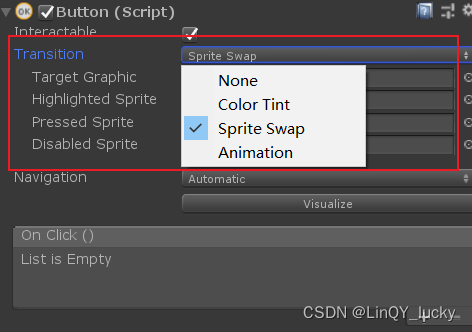
2.1 None(不使用过渡)

2.2 Color Tint(颜色着色过渡)
Color Tint模式是通过定义不同行为时的颜色来进行过渡的

-
Target Graphic:目标图形
通常与Button身上的Image组件绑定,可以把它理解为Button的底纹(就是button上的image组件) -
Normal Color:正常颜色
-
Highlighted Color:高亮颜色(控件突出显示时的颜色)
当鼠标划过Button时的颜色 -
Pressed Color:
按下颜色控件按下时的颜色 -
Selected Color:选择颜色
-
Disabled Color:已禁用颜色
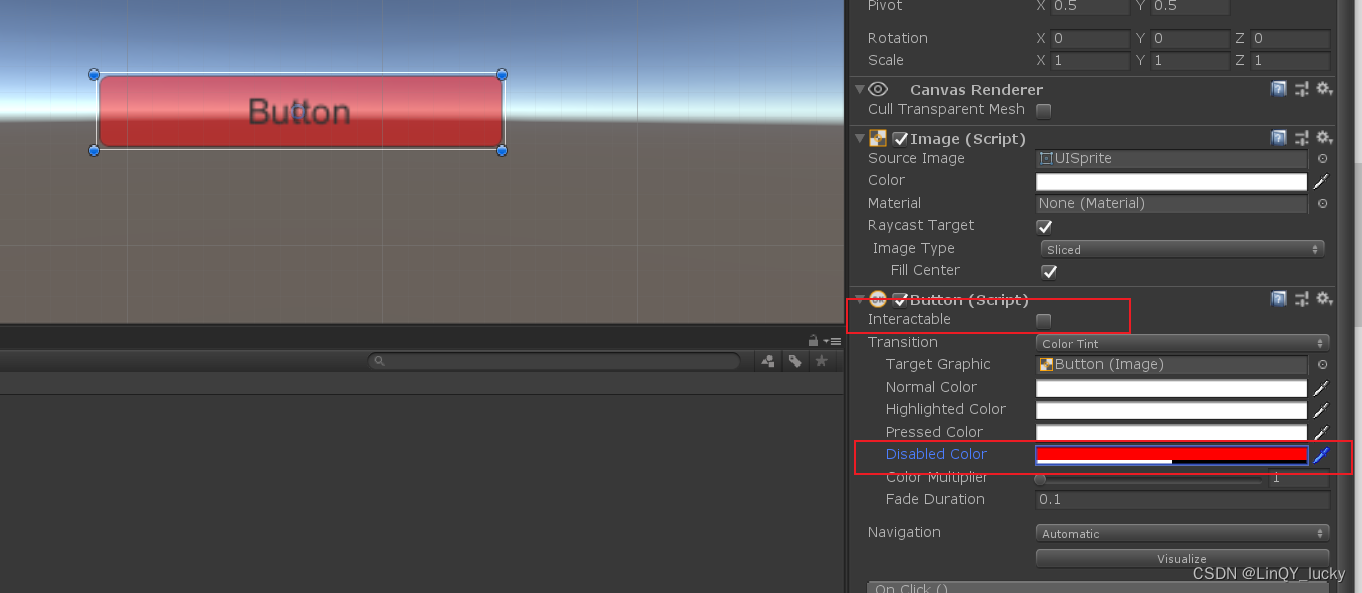
-
Color Multiplier:色彩乘数
经过实际操作后,我自己将它的效果理解为,让当前状态的颜色更明亮


-
Fade Duration:淡化持续时间
从一个状态淡入淡出到另一个状态所需的时间(以秒为单位)
2.3 Sprite Swap(通过按钮上的背景图片变换实现过渡)
它通常与Button身上的Image组件绑定,可以把它理解为Button的底纹

2.4 Animation 动画
点击事件
写一个单击按钮要执行的方法。
using System.Collections; using System.Collections.Generic; using UnityEngine; using UnityEngine.UI; public class TestUI : MonoBehaviour { public void MyButtonEvent() { Debug.Log("OK"); } }- 1
- 2
- 3
- 4
- 5
- 6
- 7
- 8
- 9
- 10
- 11
- 12
将绑定了脚本的物体拖拽到按钮组件指定位置。

使用代码动态添加事件
using System.Collections; using System.Collections.Generic; using UnityEngine; using UnityEngine.UI; public class TestButton : MonoBehaviour { void Start () { GetComponent<Button>().onClick.AddListener(ButtonClick); } void ButtonClick() { Debug.Log("OK"); } }- 1
- 2
- 3
- 4
- 5
- 6
- 7
- 8
- 9
- 10
- 11
- 12
- 13
- 14
- 15
- 16
- 17
- 18
-
-
相关阅读:
企业管理 - 现代管理學之父
数据压缩和归档(三)、tarfile
数位DP day45
Easyrecovery2022硬盘磁盘U盘免费数据恢复软件
《PostgreSQL备份与恢复:步骤与最佳实践》
线性表的应用 —— 静态链表
[SDK]Unity接入Sign in with Apple
05-在Idea中编写Servlet程序
GBJ2510-ASEMI电机专用25A整流桥GBJ2510
Linux wait函数用法
- 原文地址:https://blog.csdn.net/Brave_boy666/article/details/126916282
- 最新文章
-
沪漂五周年了:我越来越迷茫了
Agentic Skill Routing 实战:别再把所有 Skill 塞进 AI Agent 上下文
MySQL-Seconds_behind_master的精度误差
[MAF预定义ChatClient中间件-03]CachingChatClient——利用缓存省钱省时间
AI的至暗历史:从万众期待到被政府撤资,AI的两次死亡徘徊
Agent OS :五种驯服不确定性的范式
PortSwigger SQL注入LAB11
数据库即时编译JIT
[Begin]AI Learn Data Day 0
深度学习进阶(二十七)现代 LLM 的核心架构设计其二:SwiGLU