-
SPA项目开发--表单校验+增删改功能
目录
一、表单校验
1.1表单组件 el-form
拷贝代码改⑧改⑧,改成需要的样子就好了

拷贝到Articles.vue
- <el-dialog :title="title" :visible.sync="editFormVisible" width="30%" @before-close="closeDialog">
- <el-form label-width="120px" :model="editForm" :rules="rules" ref="editForm">
- <el-form-item label="文章标题" prop="title">
- <el-input size="small" v-model="editForm.title" auto-complete="off" placeholder="请输入文章标题">el-input>
- el-form-item>
- <el-form-item label="文章内容" prop="body">
- <el-input size="small" v-model="editForm.body" auto-complete="off" placeholder="请输入文章内容">el-input>
- el-form-item>
- el-form>
- <div slot="footer" class="dialog-footer">
- <el-button size="small" @click="closeDialog">取消el-button>
- <el-button size="small" type="primary" class="title" @click="submitForm('editForm')">保存el-button>
- div>
- el-dialog>
Form组件提供了表单验证的功能,只需要通过 rules 属性传入约定的验证规则,
并将Form-Item的prop属性设置为需校验的字段名即可


1.2通过点击新增/编辑将表单对应窗口弹出

- handleEdit(){
- //展示新增加文章的表单窗体
- this.editFormVisible = true;
- }

1.3给表单设置规则 rules
有多个表单,怎么在提交时进行区分?
我们在rules这里写了对表单的验证规则,但是我们如何在methods里进行指定的表单进行认证,
所以我们一开始就在el-form里写了 ref="ruleForm",我们在methods里就可以用
- rules: {
- title: [{
- required: true,
- message: '请输入文章标题',
- trigger: 'blur'
- },
- {
- min: 5,
- max: 10,
- message: '长度在 5 到 10 个字符',
- trigger: 'blur'
- }
- ],
- body: [{
- required: true,
- message: '请输入文章内容',
- trigger: 'blur'
- }],
- },

1.4当表单提交时要校验规则
清空表单验证信息
this.$refs[formName].resetFields();

- submitForm(formName) {
- this.$refs[formName].validate((valid) => {
- if (valid) {
- alert('submit!');
- } else {
- console.log('error submit!!');
- return false;
- }
- });
- }

 表单校验通过⬇⬇
二、增删改功能实现
增删改功能实现首先保证编辑窗口的正常弹出...
2.1保证编辑窗口的正常弹出
2.2表单校验通过后,调用后台数据接口完成新增功能
Articles.vue:
- <template>
- <div>
- <el-form :inline="true" :model="formInline" class="user-search">
- <el-form-item label="搜索:">
- <el-input size="small" v-model="formInline.title" placeholder="输入文章标题">el-input>
- el-form-item>
- <el-form-item>
- <el-button size="small" type="primary" icon="el-icon-search" @click="search">搜索el-button>
- <el-button size="small" type="primary" icon="el-icon-plus" @click="handleEdit()">添加el-button>
- el-form-item>
- el-form>
- <el-table size="small" :data="listData" highlight-current-row style="width: 100%;">
- <el-table-column align="center" type="selection" min-width="60">
- el-table-column>
- <el-table-column sortable prop="id" label="文章ID" min-width="300">
- el-table-column>
- <el-table-column sortable prop="title" label="文章标题" min-width="300">
- el-table-column>
- <el-table-column sortable prop="body" label="文章内容" min-width="300">
- el-table-column>
- <el-table-column align="center" label="操作" min-width="300">
- <template slot-scope="scope">
- <el-button size="mini" @click="handleEdit(scope.$index, scope.row)">编辑el-button>
- <el-button size="mini" type="danger" @click="deleteUser(scope.$index, scope.row)">删除el-button>
- template>
- el-table-column>
- el-table>
- <el-pagination style="margin-top: 20px;" @size-change="handleSizeChange" @current-change="handleCurrentChange"
- :current-page="formInline.page" :page-sizes="[10, 20, 30, 50]" :page-size="100"
- layout="total, sizes, prev, pager, next, jumper"
- :total="formInline.total">
- el-pagination>
- <el-dialog :title="title" :visible.sync="editFormVisible" width="30%" @before-close="closeDialog">
- <el-form label-width="120px" :model="editForm" :rules="rules" ref="editForm">
- <el-form-item label="文章标题" prop="title">
- <el-input size="small" v-model="editForm.title" auto-complete="off" placeholder="请输入文章标题">el-input>
- el-form-item>
- <el-form-item label="文章内容" prop="body">
- <el-input size="small" v-model="editForm.body" auto-complete="off" placeholder="请输入文章内容">el-input>
- el-form-item>
- el-form>
- <div slot="footer" class="dialog-footer">
- <el-button size="small" @click="closeDialog">取消el-button>
- <el-button size="small" type="primary" class="title" @click="submitForm('editForm')">保存el-button>
- div>
- el-dialog>
- div>
- template>
- <script>
- export default {
- name: 'Articles',
- data() {
- return {
- title: '',
- editFormVisible: false,
- editForm: {
- title: '',
- body: '',
- id:0
- },
- rules: {
- title: [
- {required: true, message: '请输入文章标题', trigger: 'blur'},
- {min: 5, max: 10, message: '长度须在 5 到 10 个字符之间', trigger: 'blur'}
- ],
- body: [
- {required: true, message: '请输入文章内容', trigger: 'blur'}
- ],
- },
- listData: [],
- formInline: {
- page: 1,
- total: 10,
- title: ''
- }
- }
- },
- methods: {
- handleSizeChange(rows) {
- // console.log("页面发生改变")
- this.formInline.page = 1;
- this.formInline.rows = rows;
- this.search();
- },
- handleCurrentChange(page) {
- // console.log("当前页码发生改变")
- this.formInline.page = page;
- this.search();
- },
- //是为了代码复用
- doSearch(param) {
- // 获取树形节点的数据
- let url = this.axios.urls.SYSTEM_ARTICLE_LIST;
- //this指的是vue实例
- this.axios.post(url, param)
- .then(resp => {//代表成功 箭头函数 jdk8的语法
- console.log(resp);
- this.listData = resp.data.result;
- this.formInline.total = resp.data.pageBean.total;
- }).catch(function () {//代表失败
- });
- },
- search() {
- // 按照条件进行查询
- this.doSearch(this.formInline);
- },
- closeDialog() {
- // 关闭窗体
- this.clearData();
- },
- clearData(){
- // 清楚编辑窗体的缓存数据
- this.editForm.title='';
- this.editForm.id=0;
- this.editForm.body='';
- this.title='';
- this.editFormVisible=false;
- },
- handleEdit(index,row) {
- this.clearData();
- // 展示新增文章的表单
- this.editFormVisible = true;
- if(row){
- // 编辑
- this.title='编辑窗体';
- this.editForm.id = row.id;
- this.editForm.title = row.title;
- this.editForm.body=row.body
- }else{
- //新增
- this.title='新增窗体';
- }
- },
- deleteUser(index,row){
- this.$confirm('此操作将永久删除该文章, 是否继续?', '提示', {
- confirmButtonText: '确定',
- cancelButtonText: '取消',
- type: 'warning'
- }).then(() => {
- let url =this.axios.urls.SYSTEM_ARTICLE_DEL;
- this.axios.post(url, {id:row.id}).then(r=>{
- // 新增成功之后,1、关闭窗体 ,清空数据 2、重新查询
- this.$message({
- message: r.data.msg,
- type: 'success'
- });
- this.closeDialog();
- this.search();
- }).catch(e=>{
- })
- }).catch(() => {
- this.$message({
- type: 'info',
- message: '已取消删除'
- });
- });
- },
- submitForm(formName) {
- this.$refs[formName].validate((valid) => {
- if (valid) {
- let url ;
- if(this.editForm.id==0){
- //新增
- url=this.axios.urls.SYSTEM_ARTICLE_ADD;
- }else {
- url=this.axios.urls.SYSTEM_ARTICLE_EDIT;
- }
- this.axios.post(url,this.editForm).then(r=>{
- // 新增成功之后,1、关闭窗体 ,清空数据 2、重新查询
- this.$message({
- message: r.data.msg,
- type: 'success'
- });
- this.closeDialog();
- this.search();
- }).catch(e=>{
- })
- } else {
- console.log('error submit!!');
- return false;
- }
- });
- }
- },
- created() {
- this.doSearch({});
- }
- }
- script>
- <style scoped>
- style>
页面运行效果:
删除功能我们在官网上找到需要的或效果相近的

测试一下:随便删除一条数据

当我点击取消

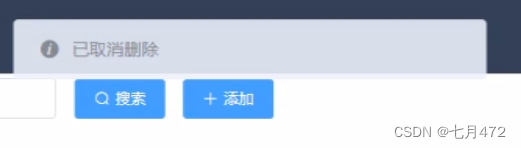
当我点击确定

-
相关阅读:
Spinnaker调用Jenkins API 返回403错误
Angular tsconfig.json 文件里的 paths 用途
gltf格式数据获取
阿里、腾讯、京东齐降价:云计算迎来新拐点
第 6 章: Spring 中的 JDBC
37-Spring
CodeForces刷题C语言:Next Test、Spit Problem、Traffic Lights、Reconnaissance、Borze
IO多路转接之select和poll
ps 命令 快捷键 知识点汇总
vue3 使用 mitt 插件实现非父子组件传值
- 原文地址:https://blog.csdn.net/weixin_67450855/article/details/126836532

- 最新文章
-
V8引擎 精品漫游指南--Ignition篇(下 二) JavaScript 栈帧详解
【JVM】编译执行与解释执行的区别是什么?JVM 使用哪种方式?
用 Hashids 优雅解决 C 端自增 ID 暴露问题
V8引擎 精品漫游指南--Ignition篇(上) 指令 栈帧 槽位 调用约定 内存布局 基础内容
LLVM Pass快速入门(四):代码插桩
milkup:桌面端 markdown AI续写和即时渲染
基于项目工程构建SBOM(软件物料清单)的研究
鸿蒙应用开发UI基础第二节:鸿蒙应用程序框架核心解析与实操
.NET 中如何快速实现 List 集合去重?
扣子Coze实战:从0到1打造抖音+小红书热点监控智能体