-
MogDB秘籍 之 乾坤大挪移
MogDB秘籍 之 乾坤大挪移

引子
前文“MogDB企业应用 之 七种武器”介绍了MogDB客户端七种驱动,文章末尾提到“除了武器之外MogDB的一些拳脚功夫”今天先填个“坑”。
“乾坤大挪移”是明教呼叫神功,除了运劲巧妙、善于挪移,乾坤大挪移更是集合了一切武功之大成,一法通,万法通,任何武功在他面前都已无秘奥之可言。不论哪一家哪一派的武功都能取而为用。在光明顶之战中,张无忌曾以乾坤大挪移复制了龙爪手,以同样的招式战胜了少林派四大神僧之一的空性。
江湖
虽说“乾坤大挪移”可以复制任何武功,但MogDB尚未修炼到“大圆满”境界,因此MogDB目前只能“复制”自家宗门的功法。
宗门与辈分
说“复制”自家宗门的功法,那就先聊聊宗门与辈分。
公元1986年,POSTGRES初出江湖经过六(6.0)代传人的努力,于1996年正是开宗立派“PostgreSQL”,版本号从6.0开始。
公元2020年6月30日,PostgreSQL第九(9.2.4)代传人自立门户创建了“openGauss”,号称改造了七层以上的门派功法(C–>C++).
公元2020年9月30日,openGauss“大弟子”另立门派“MogDB”,MogDB属于江湖上势力最大的DBA“帮会”——云和恩墨,恩墨旗下门客众多,且各个身怀绝技。MogDB是云和恩墨基于openGauss开源数据库进行定制、推出的企业发行版。
三者属于同宗,从辈分上看MogDB的师傅是openGauss,师祖是PostgreSQL,所以MogDB的“乾坤大挪移”是可以复制其“师傅”和“师祖”的武功,同样可以借鉴或复制“师兄弟”、“师叔伯”(人大金仓、PolarDB-PG、TDSQL-PG、Vastbase等等)的武功。
功法

“乾坤大挪移”功法博大精深,复制“师傅”、“师祖”的功法还算灵光,但是如果想复制“师叔伯”、“师兄弟”的功法也并非易事,因为有些功法可能是“独创的绝学”。
下面主要介绍如何复制“师傅”、“师祖”的功法。
插件移植
移植openGauss
原则上相同内核版本的openGauss插件是直接可以在MogDB上使用的。所以从师傅哪里移植插件其实也谈不上复制。师傅有的徒弟都可以直接拿来用。
- 获取MogDB现有插件

wget https://cdn-mogdb.enmotech.com/mogdb-media/3.0.1/Plugins-3.0.1-openEuler-arm64.tar.gz tar -zxvf Plugins-3.0.1-openEuler-arm64.tar.gz cd plugins ls -l- 1
- 2
- 3
- 4

共10款插件,其中大部分是MogDB自己开发的插件。
- 查看openGauss现有插件
frank@DESKTOP-6NF3B9K:~/git/openGauss-server/contrib$ ll total 288 drwxr-xr-x 67 frank frank 4096 May 20 21:22 ./ drwxr-xr-x 15 frank frank 4096 Aug 28 20:39 ../ -rw-r--r-- 1 frank frank 693 May 20 21:22 .gitignore -rw-r--r-- 1 frank frank 1611 May 20 21:22 CMakeLists.txt -rw-r--r-- 1 frank frank 1141 May 20 21:22 Makefile -rw-r--r-- 1 frank frank 1133 May 20 21:22 README drwxr-xr-x 2 frank frank 4096 May 20 21:22 adminpack/ drwxr-xr-x 2 frank frank 4096 May 20 21:22 auth_delay/ drwxr-xr-x 2 frank frank 4096 May 20 21:22 auto_explain/ drwxr-xr-x 4 frank frank 4096 May 20 21:22 btree_gin/ drwxr-xr-x 5 frank frank 4096 May 20 21:22 btree_gist/ drwxr-xr-x 2 frank frank 4096 May 20 21:22 chkpass/ drwxr-xr-x 4 frank frank 4096 May 20 21:22 citext/ -rw-r--r-- 1 frank frank 85 May 20 21:22 contrib-global.mk drwxr-xr-x 5 frank frank 4096 May 20 21:22 cube/ drwxr-xr-x 5 frank frank 4096 May 20 21:22 dblink/ drwxr-xr-x 4 frank frank 4096 May 20 21:22 dict_int/ drwxr-xr-x 4 frank frank 4096 May 20 21:22 dict_xsyn/ drwxr-xr-x 2 frank frank 4096 May 20 21:22 dummy_seclabel/ drwxr-xr-x 4 frank frank 4096 May 20 21:22 earthdistance/ drwxr-xr-x 5 frank frank 4096 May 20 21:22 file_fdw/ drwxr-xr-x 2 frank frank 4096 May 20 21:22 fuzzystrmatch/ drwxr-xr-x 2 frank frank 4096 May 20 21:22 gauss_connector/ drwxr-xr-x 2 frank frank 4096 May 20 21:22 gc_fdw/ drwxr-xr-x 3 frank frank 4096 May 20 21:22 hdfs_fdw/ drwxr-xr-x 5 frank frank 4096 May 20 21:22 hstore/ drwxr-xr-x 2 frank frank 4096 May 20 21:22 intagg/ drwxr-xr-x 6 frank frank 4096 May 20 21:22 intarray/ drwxr-xr-x 2 frank frank 4096 May 20 21:22 isn/ drwxr-xr-x 2 frank frank 4096 May 20 21:22 lo/ drwxr-xr-x 2 frank frank 4096 May 20 21:22 log_fdw/ drwxr-xr-x 5 frank frank 4096 May 20 21:22 ltree/ drwxr-xr-x 2 frank frank 4096 May 20 21:22 mppdb_decoding/ drwxr-xr-x 2 frank frank 4096 May 20 21:22 mysql_fdw/ drwxr-xr-x 2 frank frank 4096 Aug 28 20:39 oid2name/ drwxr-xr-x 2 frank frank 4096 May 20 21:22 oracle_fdw/ drwxr-xr-x 2 frank frank 4096 May 20 21:22 pagehack/ drwxr-xr-x 2 frank frank 4096 May 20 21:22 pageinspect/ drwxr-xr-x 2 frank frank 4096 May 20 21:22 passwordcheck/ drwxr-xr-x 2 frank frank 4096 May 20 21:22 pg_archivecleanup/ drwxr-xr-x 2 frank frank 4096 May 20 21:22 pg_buffercache/ drwxr-xr-x 2 frank frank 4096 May 20 21:22 pg_check_clog/ drwxr-xr-x 2 frank frank 4096 May 20 21:22 pg_check_replslot/ drwxr-xr-x 2 frank frank 4096 May 20 21:22 pg_freespacemap/ drwxr-xr-x 2 frank frank 4096 May 20 21:22 pg_standby/ drwxr-xr-x 2 frank frank 4096 May 20 21:22 pg_stat_statements/ drwxr-xr-x 2 frank frank 4096 May 20 21:22 pg_test_fsync/ drwxr-xr-x 2 frank frank 4096 May 20 21:22 pg_test_timing/ drwxr-xr-x 5 frank frank 4096 Aug 28 20:39 pg_trgm/ drwxr-xr-x 2 frank frank 4096 May 20 21:22 pg_upgrade_support/ drwxr-xr-x 2 frank frank 4096 May 20 21:22 pg_xlogdump/ drwxr-xr-x 2 frank frank 4096 May 20 21:22 pgbench/ drwxr-xr-x 4 frank frank 4096 May 20 21:22 pgcrypto/ drwxr-xr-x 2 frank frank 4096 May 20 21:22 pgrowlocks/ drwxr-xr-x 4 frank frank 4096 Aug 28 20:39 pgstattuple/ drwxr-xr-x 4 frank frank 4096 Aug 28 20:39 postgres_fdw/ drwxr-xr-x 3 frank frank 4096 May 20 21:22 roach_api/ drwxr-xr-x 2 frank frank 4096 May 20 21:22 security_plugin/ drwxr-xr-x 5 frank frank 4096 May 20 21:22 seg/ drwxr-xr-x 4 frank frank 4096 May 20 21:22 sepgsql/ drwxr-xr-x 2 frank frank 4096 May 20 21:22 spi/ drwxr-xr-x 2 frank frank 4096 May 20 21:22 sql_decoding/ drwxr-xr-x 2 frank frank 4096 May 20 21:22 sslinfo/ drwxr-xr-x 3 frank frank 4096 May 20 21:22 start-scripts/ drwxr-xr-x 5 frank frank 4096 May 20 21:22 tablefunc/ drwxr-xr-x 2 frank frank 4096 May 20 21:22 tcn/ drwxr-xr-x 2 frank frank 4096 May 20 21:22 test_decoding/ drwxr-xr-x 4 frank frank 4096 May 20 21:22 test_parser/ drwxr-xr-x 5 frank frank 4096 May 20 21:22 tsearch2/ drwxr-xr-x 4 frank frank 4096 May 20 21:22 unaccent/ drwxr-xr-x 2 frank frank 4096 May 20 21:22 vacuumlo/ drwxr-xr-x 4 frank frank 4096 May 20 21:22 xml2/- 1
- 2
- 3
- 4
- 5
- 6
- 7
- 8
- 9
- 10
- 11
- 12
- 13
- 14
- 15
- 16
- 17
- 18
- 19
- 20
- 21
- 22
- 23
- 24
- 25
- 26
- 27
- 28
- 29
- 30
- 31
- 32
- 33
- 34
- 35
- 36
- 37
- 38
- 39
- 40
- 41
- 42
- 43
- 44
- 45
- 46
- 47
- 48
- 49
- 50
- 51
- 52
- 53
- 54
- 55
- 56
- 57
- 58
- 59
- 60
- 61
- 62
- 63
- 64
- 65
- 66
- 67
- 68
- 69
- 70
- 71
- 72
- 73
- 74
编译安装openGauss源码
我这有个一键编译安装openGauss源码的“秘籍”供大家参考,包括:
- 安装必备软件包
- 获取openGauss源码
- 获取openGauss第三方依赖包
- 编译openGauss源码
- 创建omm用户和dbgrp组
- 设置系统环境变量
- 初始化openGauss数据库
#! /bin/bash set -e # 安装依赖 yum install --skip-broken --allowerasing -y libaio-devel flex bison ncurses-devel glibc-devel patch readline-devel python3 python3-devel libaio-devel pam-devel libffi-devel golang autoconf automake cmake diffutils openssl-devel libtool libtool-devel bison-devel libatomic mkdir git cd git # openGauss的代码仓库 # git clone https://gitee.com/xk_git_admin/openGauss-server.git git clone https://gitee.com/opengauss/openGauss-server.git # openGauss依赖的开源第三方软件仓库 # git clone https://gitee.com/xk_git_admin/openGauss-third_party.git openGauss-third_party # git clone https://gitee.com/opengauss/openGauss-third_party.git openGauss-third_party #cd openGauss-third_party/build #sh build_all.sh wget -c https://opengauss.obs.cn-south-1.myhuaweicloud.com/3.0.0/openGauss-third_party_binarylibs.tar.gz tar -xzvf openGauss-third_party_binarylibs.tar.gz mv openGauss-third_party_binarylibs binarylibs cd openGauss-server sh build.sh -m debug -3rd /root/git/binarylibs make install make clean ulimit -n 655350 groupadd dbgrp useradd omm -G dbgrp cd mv git/ /home/omm cd /home/omm chown -R omm:dbgrp git echo "export LD_LIBRARY_PATH=/home/omm/git/openGauss-server/mppdb_temp_install/lib:$LD_LIBRARY_PATH" >> /home/omm/.bashrc echo "export PATH=/home/omm/git/openGauss-server/mppdb_temp_install/bin:$PATH" >> /home/omm/.bashrc echo "export GAUSSHOME=/home/omm/data/single_node" >> home/omm/.bashrc ################ su - omm cd /home/omm/git/openGauss-server/simpleInstall sh install.sh -w "xk.XMX190035"- 1
- 2
- 3
- 4
- 5
- 6
- 7
- 8
- 9
- 10
- 11
- 12
- 13
- 14
- 15
- 16
- 17
- 18
- 19
- 20
- 21
- 22
- 23
- 24
- 25
- 26
- 27
- 28
- 29
- 30
- 31
- 32
- 33
- 34
- 35
- 36
- 37
- 38
- 39
- 40
- 41
- 42
- 43
- 44
- 45
- 46
编译openGauss插件
[root@host-10-208-7-168 contrib]# cd /root/git/openGauss-server/contrib [root@host-10-208-7-168 contrib]# make -j8 [root@host-10-208-7-168 citext]# cd citext [root@host-10-208-7-168 citext]# ls citext--1.0.sql citext.control citext.cpp citext.so citext--unpackaged--1.0.sql expected Makefile sql [root@host-10-208-7-168 citext]# make install /usr/bin/mkdir -p '/root/git/openGauss-server/mppdb_temp_install/share/postgresql/extension' /usr/bin/mkdir -p '/root/git/openGauss-server/mppdb_temp_install/share/postgresql/extension' /usr/bin/mkdir -p '/root/git/openGauss-server/mppdb_temp_install/lib/postgresql' /bin/sh ../../config/install-sh -c -m 644 ./citext.control '/root/git/openGauss-server/mppdb_temp_install/share/postgresql/extension/' /bin/sh ../../config/install-sh -c -m 644 ./citext--1.0.sql ./citext--unpackaged--1.0.sql '/root/git/openGauss-server/mppdb_temp_install/share/postgresql/extension/' /bin/sh ../../config/install-sh -c -m 755 citext.so '/root/git/openGauss-server/mppdb_temp_install/lib/postgresql/'- 1
- 2
- 3
- 4
- 5
- 6
- 7
- 8
- 9
- 10
- 11
- 12
注:可以在
/root/git/openGauss-server/contrib编译所有插件,也可以进入到具体插件目录进行单独编译。以citext插件为例,该插件需要将
citext.control和citext--1.0.sqlcopy到$GAUSS_HOME/share/postgresql/extension下,将citext.socopy到$GAUSS_HOME/lib/postgresql下。安装MogDB
这里用最简单的PTK方法安装:
- 安装PTK
[root@host-10-208-7-168 ~]# curl --proto '=https' --tlsv1.2 -sSf https://cdn-mogdb.enmotech.com/ptk/install.sh | sh Downloading ptk package... Detected shell: bash Shell profile: /root/.bash_profile ptk has been added to PATH in /root/.bash_profile open a new terminal or source /root/.bash_profile to active it Installed path: /root/.ptk/bin/ptk [root@host-10-208-7-168 ~]# source /root/.bash_profile- 1
- 2
- 3
- 4
- 5
- 6
- 7
- 8
- 编辑配置文件config.yaml
[root@host-10-208-7-168 ~]# cat config.yaml # config.yaml global: cluster_name: mogdb1 user: omm group: omm base_dir: /opt/mogdb db_servers: - host: 127.0.0.1 db_port: 26000- 1
- 2
- 3
- 4
- 5
- 6
- 7
- 8
- 9
- 10
- 11
- 主机设置检查
ptk checkos -f config.yaml- 1
Q:有两个错误

A:1.关闭防火墙;2.关闭大页内存
systemctl stop firewalld.service systemctl disable firewalld.service echo never >/sys/kernel/mm/transparent_hugepage/enabled # 如果出现A6.Check_SysCtl_Parameter | Abnormal,则使用下面方法{in Kylin 10 sp1} echo "RemoveIPC=no" >> /etc/systemd/logind.conf- 1
- 2
- 3
- 4
- 5
- 6
- 再次检查
ptk checkos -f config.yaml- 1

注:warning可以暂时不处理
- 执行安装
ptk install -f config.yaml- 1

- 切换omm用户
su - omm- 1
- 执行pg_config,查看相关信息
[omm@host-10-208-7-168 ~]$ pg_config BINDIR = /opt/mogdb/app/bin DOCDIR = /opt/mogdb/app/share/doc/postgresql HTMLDIR = /opt/mogdb/app/share/doc/postgresql INCLUDEDIR = /opt/mogdb/app/include PKGINCLUDEDIR = /opt/mogdb/app/include/postgresql INCLUDEDIR-SERVER = /opt/mogdb/app/include/postgresql/server LIBDIR = /opt/mogdb/app/lib PKGLIBDIR = /opt/mogdb/app/lib/postgresql LOCALEDIR = /opt/mogdb/app/share/locale MANDIR = /opt/mogdb/app/share/man SHAREDIR = /opt/mogdb/app/share/postgresql SYSCONFDIR = /opt/mogdb/app/etc/postgresql- 1
- 2
- 3
- 4
- 5
- 6
- 7
- 8
- 9
- 10
- 11
- 12
- 13
其中
PKGLIBDIR = /opt/mogdb/app/lib/postgresql和SHAREDIR = /opt/mogdb/app/share/postgresql是存放插件相关文件的目录。- 手动移植openGauss插件到MogDB插件目录
[root@host-10-208-7-168 citext]# cp citext.so /opt/mogdb/app/lib/postgresql [root@host-10-208-7-168 citext]# chown omm:omm /opt/mogdb/app/lib/postgresql/citext.so [root@host-10-208-7-168 citext]# cp citext.control citext--1.0.sql /opt/mogdb/app/share/postgresql/extension/ [root@host-10-208-7-168 citext]# chown omm:omm /opt/mogdb/app/share/postgresql/extension/citext.control [root@host-10-208-7-168 citext]# chown omm:omm /opt/mogdb/app/share/postgresql/extension/citext--1.0.sql- 1
- 2
- 3
- 4
- 5
移植插件
- 当前插件
MogDB=# \dx List of installed extensions Name | Version | Schema | Description -----------------+---------+------------+-------------------------------------------------- dist_fdw | 1.0 | pg_catalog | foreign-data wrapper for distfs access file_fdw | 1.0 | pg_catalog | foreign-data wrapper for flat file access hdfs_fdw | 1.0 | pg_catalog | foreign-data wrapper for flat file access hstore | 1.1 | pg_catalog | data type for storing sets of (key, value) pairs log_fdw | 1.0 | pg_catalog | Foreign Data Wrapper for accessing logging data mot_fdw | 1.0 | pg_catalog | foreign-data wrapper for MOT access plpgsql | 1.0 | pg_catalog | PL/pgSQL procedural language security_plugin | 1.0 | pg_catalog | provides security functionality (8 rows)- 1
- 2
- 3
- 4
- 5
- 6
- 7
- 8
- 9
- 10
- 11
- 12
- 13
- 可用插件,可以看到移植过来的citext插件。

MogDB=# create extension citext; CREATE EXTENSION MogDB=# \dx List of installed extensions Name | Version | Schema | Description -----------------+---------+------------+-------------------------------------------------- citext | 1.0 | public | data type for case-insensitive character strings dist_fdw | 1.0 | pg_catalog | foreign-data wrapper for distfs access file_fdw | 1.0 | pg_catalog | foreign-data wrapper for flat file access hdfs_fdw | 1.0 | pg_catalog | foreign-data wrapper for flat file access hstore | 1.1 | pg_catalog | data type for storing sets of (key, value) pairs log_fdw | 1.0 | pg_catalog | Foreign Data Wrapper for accessing logging data mot_fdw | 1.0 | pg_catalog | foreign-data wrapper for MOT access plpgsql | 1.0 | pg_catalog | PL/pgSQL procedural language security_plugin | 1.0 | pg_catalog | provides security functionality (9 rows)- 1
- 2
- 3
- 4
- 5
- 6
- 7
- 8
- 9
- 10
- 11
- 12
- 13
- 14
- 15
- 16
- 17
测试插件
MogDB=# SELECT 'a'::citext = 'a'::citext AS t; t --- t (1 row) MogDB=# SELECT 'a'::citext = 'b'::citext AS f; f --- f (1 row) MogDB=# SELECT 'a'::citext = 'ab'::citext AS f; f --- f (1 row) MogDB=# SELECT 'a'::citext <> 'ab'::citext AS t; t --- t (1 row)- 1
- 2
- 3
- 4
- 5
- 6
- 7
- 8
- 9
- 10
- 11
- 12
- 13
- 14
- 15
- 16
- 17
- 18
- 19
- 20
- 21
- 22
- 23
- 24
移植PostgreSQL
- 查看现有PostgreSQL的插件列表
[root@host-10-208-7-168 contrib]# pwd /root/git/postgres/contrib [root@host-10-208-7-168 contrib]# ll total 248K drwxr-xr-x 4 root root 4.0K Sep 4 12:23 adminpack drwxr-xr-x 5 root root 4.0K Sep 4 12:23 amcheck drwxr-xr-x 2 root root 4.0K Sep 4 12:23 auth_delay drwxr-xr-x 3 root root 4.0K Sep 4 12:23 auto_explain drwxr-xr-x 3 root root 4.0K Sep 4 12:23 basebackup_to_shell drwxr-xr-x 4 root root 4.0K Sep 4 12:23 basic_archive drwxr-xr-x 5 root root 4.0K Sep 4 12:23 bloom drwxr-xr-x 4 root root 4.0K Sep 4 12:23 bool_plperl drwxr-xr-x 4 root root 4.0K Sep 4 12:23 btree_gin drwxr-xr-x 5 root root 4.0K Sep 4 12:23 btree_gist drwxr-xr-x 4 root root 4.0K Sep 4 12:23 citext -rw-r--r-- 1 root root 85 Sep 4 12:23 contrib-global.mk drwxr-xr-x 5 root root 4.0K Sep 4 12:23 cube drwxr-xr-x 4 root root 4.0K Sep 4 12:23 dblink drwxr-xr-x 4 root root 4.0K Sep 4 12:23 dict_int drwxr-xr-x 4 root root 4.0K Sep 4 12:23 dict_xsyn drwxr-xr-x 4 root root 4.0K Sep 4 12:23 earthdistance drwxr-xr-x 5 root root 4.0K Sep 4 12:23 file_fdw drwxr-xr-x 4 root root 4.0K Sep 4 12:23 fuzzystrmatch drwxr-xr-x 5 root root 4.0K Sep 4 12:23 hstore drwxr-xr-x 4 root root 4.0K Sep 4 12:23 hstore_plperl drwxr-xr-x 4 root root 4.0K Sep 4 12:23 hstore_plpython drwxr-xr-x 2 root root 4.0K Sep 4 12:23 intagg drwxr-xr-x 6 root root 4.0K Sep 4 12:23 intarray drwxr-xr-x 4 root root 4.0K Sep 4 12:23 isn drwxr-xr-x 4 root root 4.0K Sep 4 12:23 jsonb_plperl drwxr-xr-x 4 root root 4.0K Sep 4 12:23 jsonb_plpython drwxr-xr-x 4 root root 4.0K Sep 4 12:23 lo drwxr-xr-x 5 root root 4.0K Sep 4 12:23 ltree drwxr-xr-x 4 root root 4.0K Sep 4 12:23 ltree_plpython -rw-r--r-- 1 root root 1.6K Sep 4 12:23 Makefile drwxr-xr-x 3 root root 4.0K Sep 4 12:23 oid2name drwxr-xr-x 2 root root 4.0K Sep 4 12:23 old_snapshot drwxr-xr-x 4 root root 4.0K Sep 4 12:23 pageinspect drwxr-xr-x 4 root root 4.0K Sep 4 12:23 passwordcheck drwxr-xr-x 4 root root 4.0K Sep 4 12:23 pg_buffercache drwxr-xr-x 4 root root 4.0K Sep 4 12:23 pgcrypto drwxr-xr-x 4 root root 4.0K Sep 4 12:23 pg_freespacemap drwxr-xr-x 3 root root 4.0K Sep 4 12:23 pg_prewarm drwxr-xr-x 4 root root 4.0K Sep 4 12:23 pgrowlocks drwxr-xr-x 4 root root 4.0K Sep 4 12:23 pg_stat_statements drwxr-xr-x 4 root root 4.0K Sep 4 12:23 pgstattuple drwxr-xr-x 4 root root 4.0K Sep 4 12:23 pg_surgery drwxr-xr-x 5 root root 4.0K Sep 4 12:23 pg_trgm drwxr-xr-x 4 root root 4.0K Sep 4 12:23 pg_visibility drwxr-xr-x 4 root root 4.0K Sep 4 12:23 pg_walinspect drwxr-xr-x 4 root root 4.0K Sep 4 12:23 postgres_fdw -rw-r--r-- 1 root root 1.2K Sep 4 12:23 README drwxr-xr-x 5 root root 4.0K Sep 4 12:23 seg drwxr-xr-x 4 root root 4.0K Sep 4 12:23 sepgsql drwxr-xr-x 2 root root 4.0K Sep 4 12:26 spi drwxr-xr-x 2 root root 4.0K Sep 4 12:23 sslinfo drwxr-xr-x 3 root root 4.0K Sep 4 12:23 start-scripts drwxr-xr-x 5 root root 4.0K Sep 4 12:23 tablefunc drwxr-xr-x 4 root root 4.0K Sep 4 12:23 tcn drwxr-xr-x 6 root root 4.0K Sep 4 12:23 test_decoding drwxr-xr-x 4 root root 4.0K Sep 4 12:23 tsm_system_rows drwxr-xr-x 4 root root 4.0K Sep 4 12:23 tsm_system_time drwxr-xr-x 4 root root 4.0K Sep 4 12:23 unaccent drwxr-xr-x 4 root root 4.0K Sep 4 12:23 uuid-ossp drwxr-xr-x 3 root root 4.0K Sep 4 12:23 vacuumlo drwxr-xr-x 4 root root 4.0K Sep 4 12:23 xml2- 1
- 2
- 3
- 4
- 5
- 6
- 7
- 8
- 9
- 10
- 11
- 12
- 13
- 14
- 15
- 16
- 17
- 18
- 19
- 20
- 21
- 22
- 23
- 24
- 25
- 26
- 27
- 28
- 29
- 30
- 31
- 32
- 33
- 34
- 35
- 36
- 37
- 38
- 39
- 40
- 41
- 42
- 43
- 44
- 45
- 46
- 47
- 48
- 49
- 50
- 51
- 52
- 53
- 54
- 55
- 56
- 57
- 58
- 59
- 60
- 61
- 62
- 63
- 64
- 65
- 66
- 67
- 68
如上节openGauss已经迁移了几乎所有PostgreSQL的插件,所以现有PostgreSQL的插件几乎都可以从openGauss上移植到MogDB,那么我们用一个自己实现的PostgreSQL插件进行移植。
编译安装postgres
git clone https://github.com/postgres/postgres.git cd postgres/ ./configure --prefix=/root/pgsql make -j8 make install- 1
- 2
- 3
- 4
- 5
编译PostgreSQL插件
可以参考之前的一篇文章“postgresql自定义函数实现,通过contrib模块进行扩展”,这里就简单介绍一下过程。
主要过程:
- 在contrib目录下创建插件目录
- 编写c代码
- 编写.sql文件
- 编写.control文件
- 编写Makefile
- 编译
- 安装
- 验证
移植插件
敲黑板,划重点。这个是本文的重点。
之前一篇文章是在MogDB上直接开发插件可以参考“openGauss/MogDB调用C FUNCTION”,这里主要将移植的注意事项。
- 核心差异
- PostgreSQL以C开发,MogDB/openGauss以C++,导出符号时可能存在ABI不兼容的问题。因此开发插件时C++代码需要使用
extern "C" - 编译是需要使用g++代替gcc。(如果使用cmake,需要把.c后缀还差.cpp,从而自动识别编译器)
extern "C" Datum add_ab(PG_FUNCTION_ARGS);- 1
分享一个MogDB/openGauss插件编译的CMakeLists.txt。
cmake_minimum_required (VERSION 2.8) project (gs_plug) set(CMAKE_CXX_FLAGS "-Wall -std=c++11 -Wall") set(CMAKE_CXX_FLAGS_DEBUG "-g3") set(CMAKE_CXX_FLAGS_RELEASE "-O2") set(CMAKE_BUILD_TYPE Debug) set(MOG_INCLUDE /opt/mogdb/app/include/postgresql/server) set(MOG_LIBPATH /opt/mogdb/app/lib/postgresql) set(MOG_EXTENSION /opt/mogdb/app/share/postgresql/extension) include_directories(${MOG_INCLUDE}) aux_source_directory(. DIR_SRCS) add_library (${PROJECT_NAME} SHARED ${DIR_SRCS}) install(TARGETS ${PROJECT_NAME} DESTINATION ${MOG_LIBPATH})- 1
- 2
- 3
- 4
- 5
- 6
- 7
- 8
- 9
- 10
- 11
- 12
- 13
- 14
- 15
- 16
- 17
- 18
- 安装
cp *.control *.sql /opt/mogdb/app/share/postgresql/extension/ cp *.so /opt/mogdb/app/lib/postgresql/- 1
- 2
测试插件
- 安装前状态

- 安装插件

测试插件

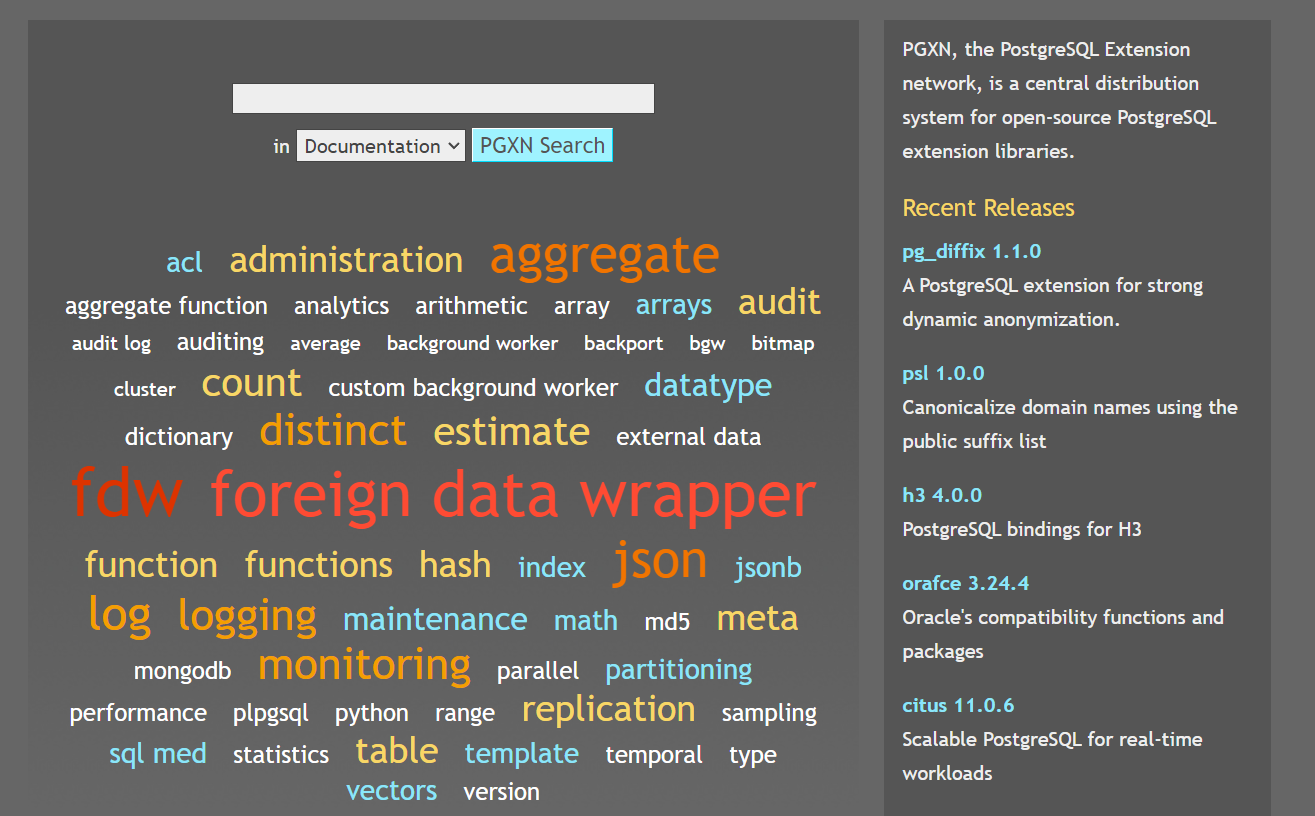
以上关于PostgreSQL插件移植到MogDB算是抛砖引玉吧。PostgreSQL有着丰富的插件,大部分是非官方的。推荐个网站给大家,可以自己动手试试迁移。
MogDB插件安装工具
可以参考前文“openGauss/MogDB脚本源码浅析(2)—— gs_install_plugin/gs_install_plugin_local”,介绍了如何通过gs_install_plugin_local迁移openGauss的插件。
以lo插件为例,进行迁移
- 创建lo目录
[omm@host-10-208-76-194 plugins]$ cd /opt/mogdb/tool/script/static/plugins/plugins [omm@host-10-208-76-194 plugins]$ ls dblink desc.json dolphin orafce pg_bulkload pg_prewarm pg_repack pg_trgm postgis wal2json whale [omm@host-10-208-76-194 plugins]$ mkdir lo [omm@host-10-208-76-194 plugins]$ ls dblink desc.json dolphin lo orafce pg_bulkload pg_prewarm pg_repack pg_trgm postgis wal2json whale [omm@host-10-208-76-194 plugins]$- 1
- 2
- 3
- 4
- 5
- 6
- 7
- 将openGauss插件复制到MogDB插件目录,并修改属组
[root@host-10-208-76-194 lo]# cp lo.so lo.control lo--1.0.sql /opt/mogdb/tool/script/static/plugins/plugins/lo [root@host-10-208-76-194 lo]# chown -R omm:omm /opt/mogdb/tool/script/static/plugins/plugins/lo- 1
- 2
- 修改desc.json

- 重新打包
tar -zcvf Plugins-3.0.1-openEuler-arm64.tar.gz plugins/- 1
注:这里重新打包有点麻烦,也可以修改代码,注释掉解压的步骤,或者优雅一点,则可以增加参数控制是否重新解压,如果不重新打包则解压是desc.json会被覆盖成老版本,导致安装新插件失败。
总结
希望这篇文章能把PostgreSQL、openGauss和MogDB关于插件开发和迁移相关的问题能够尽量的讲清晰,需要结合之前的几篇(“postgresql自定义函数实现,通过contrib模块进行扩展”、“openGauss/MogDB调用C FUNCTION”、“openGauss/MogDB脚本源码浅析(2)—— gs_install_plugin/gs_install_plugin_local”)文章一起学习了解。
-
相关阅读:
FPGA零基础学习:数字电路中的时序逻辑
Word控件Spire.Doc 【文档操作】教程(十一):如何在C#中按分页符拆分word文档
【Python大数据笔记_day11_Hadoop进阶之MR和YARN&ZooKeeper】
tiup cluster template
【springBoot】博客系统
javascript字符串对象之字符串
一文扫尽检测类评估指标:AP、mAP、ReCall、OKS和IoU
顺序的分数 Ordered Fractions
Anaconda配置镜像源
前端面试,备考第 13 天 - 执行上下文 | 作用域链 | 闭包
- 原文地址:https://blog.csdn.net/xk_xx/article/details/126848475
- 最新文章
-
沪漂五周年了:我越来越迷茫了
Agentic Skill Routing 实战:别再把所有 Skill 塞进 AI Agent 上下文
MySQL-Seconds_behind_master的精度误差
[MAF预定义ChatClient中间件-03]CachingChatClient——利用缓存省钱省时间
AI的至暗历史:从万众期待到被政府撤资,AI的两次死亡徘徊
Agent OS :五种驯服不确定性的范式
PortSwigger SQL注入LAB11
数据库即时编译JIT
[Begin]AI Learn Data Day 0
深度学习进阶(二十七)现代 LLM 的核心架构设计其二:SwiGLU