-
【JAVA UI】【HarmonyOS】 鸿蒙setBindStateChangedListener的基本使用
参数讲解
setBindStateChangedListener(Component.BindStateChangedListener)
方法说明:该组件是否添加到窗口的组件树上
示例
- findComponentById(ResourceTable.Id_text_helloworld).setBindStateChangedListener(new Component.BindStateChangedListener() {
- @Override
- public void onComponentBoundToWindow(Component component) {
- //todo 当组件绑定到窗口时调用
- }
- @Override
- public void onComponentUnboundFromWindow(Component component) {
- //todo 当组件从窗口解除绑定时调用。
- }
- });
【问题描述】
问题1:调用TextField.getLineCount()获取行数闪退
问题2:怎么使用getLineCount(),
【问题解答】
问题1:调用TextField.getLineCount()获取行数闪退
答:
参考如下链接
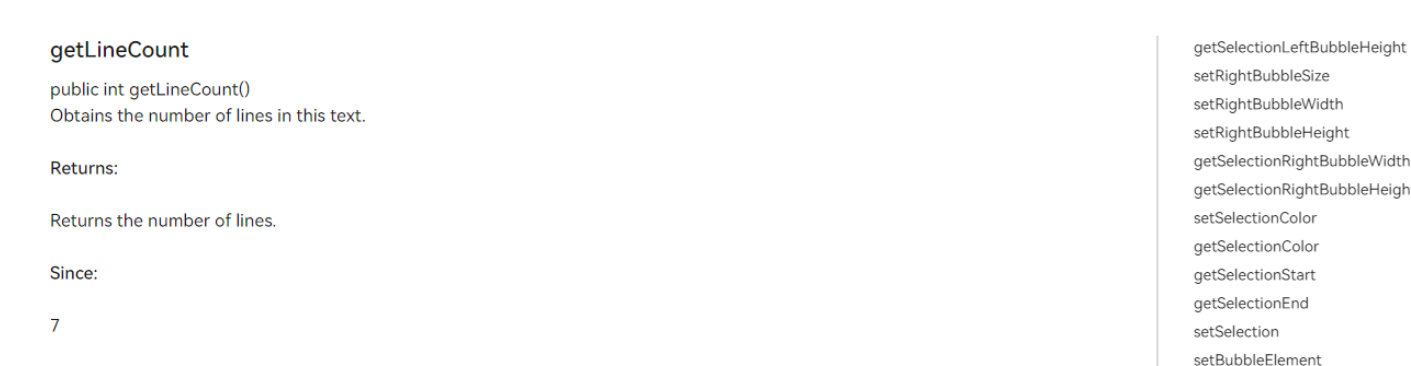
此api从Api Version 7 开始支持
问题2:怎么使用getLineCount(),
答:
代码如下
- textField.setBindStateChangedListener(new Component.BindStateChangedListener() {
- @Override
- public void onComponentBoundToWindow(Component component) {
- int count1=textField.getLineCount();
- Text mytext=findComponentById(ResourceTable.Id_mytext);
- mytext.setText("#####行数"+count1);
- }
- @Override
- public void onComponentUnboundFromWindow(Component component) {
- }
- });
【问题描述】
首页有个动画-安装应用后自动启动动画,执行启动的代码,然后该动画不能启动,单给在点击事件中执行动画的代码,动画生效,这是什么原因?应该怎么处理呢?
【问题解答】
当组件没有添加到窗口的组件树,支持该动画是不生效,需要监听该组件是否添加到窗口的组件树上,代码如下
- findComponentById(ResourceTable.Id_text_helloworld).setBindStateChangedListener(new Component.BindStateChangedListener() {
- @Override
- public void onComponentBoundToWindow(Component component) {
- AnimationImage = findComponentById(ResourceTable.Id_text_helloworld);
- AnimationImage.setRotation(0);
- AnimatorProperty animator = AnimationImage.createAnimatorProperty();
- animator.setCurveType(Animator.CurveType.LINEAR);
- animator.setLoopedCount(AnimatorValue.INFINITE);
- animator.rotate(360);
- animator.setDuration(10000);
- animator.start();
- }
- @Override
- public void onComponentUnboundFromWindow(Component component) {
- }
- });
欲了解更多更全技术文章,欢迎访问https://developer.huawei.com/consumer/cn/forum/?ha_source=zzh
-
相关阅读:
数据结构与算法之矩阵: Leetcode 48. 旋转矩阵 (Typescript版)
cyclictest生成结果统计图
Git clone The requested URL returned error: 403 错误的解决办法
java计算机毕业设计师大家教中心管理系统源程序+mysql+系统+lw文档+远程调试
MyBatis-Plus
Unity中Shader通道ColorMask
JAVA- Acwing -求 1+2+...+n
【深度学习】卷积层填充和步幅以及其大小关系
SpringCloud实战项目(1)---创建空项目 jdk17
14.4、SpringWebFlux-1
- 原文地址:https://blog.csdn.net/weixin_44708240/article/details/126746155

- 最新文章
-
沪漂五周年了:我越来越迷茫了
Agentic Skill Routing 实战:别再把所有 Skill 塞进 AI Agent 上下文
MySQL-Seconds_behind_master的精度误差
[MAF预定义ChatClient中间件-03]CachingChatClient——利用缓存省钱省时间
AI的至暗历史:从万众期待到被政府撤资,AI的两次死亡徘徊
Agent OS :五种驯服不确定性的范式
PortSwigger SQL注入LAB11
数据库即时编译JIT
[Begin]AI Learn Data Day 0
深度学习进阶(二十七)现代 LLM 的核心架构设计其二:SwiGLU