-
宝塔 xdebug idea 调试 php
安装宝塔
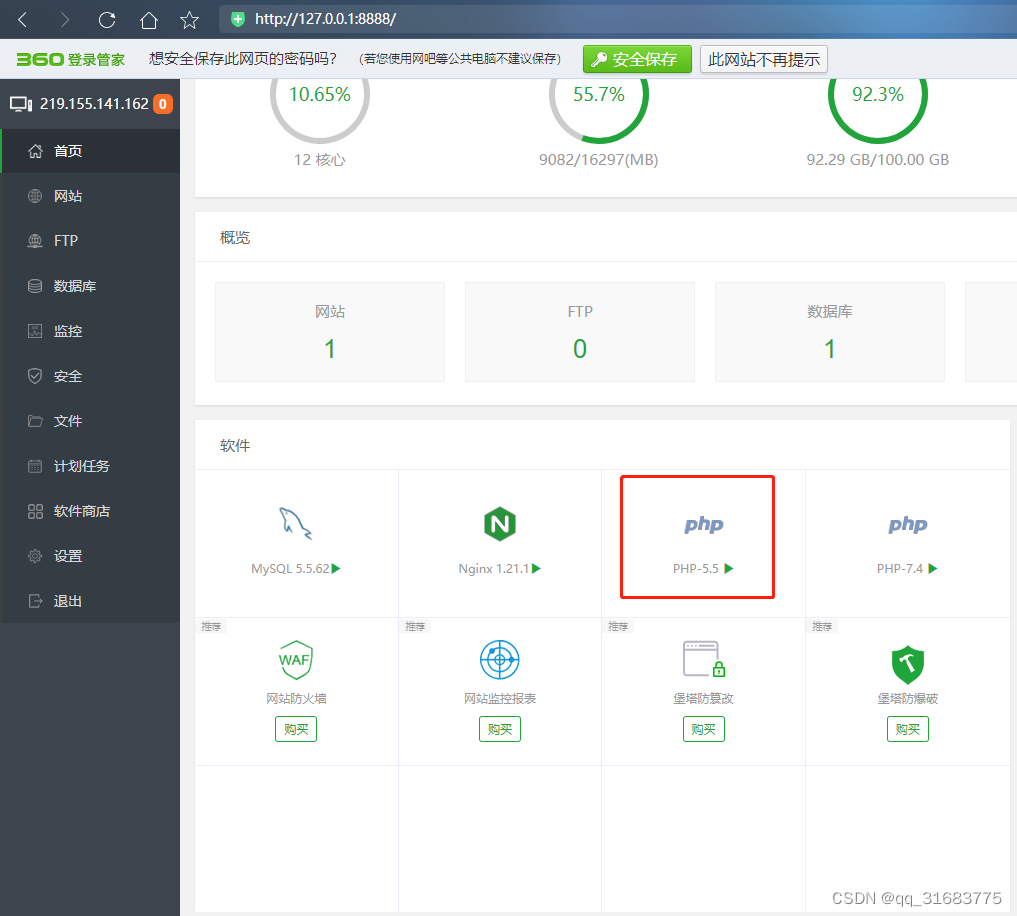
安装php xdebug插件

查看是否安装成功 phpinfo

修改php.ini 配置
- [XDebug]
- ;xdebug.profiler_append = 0
- ;xdebug.profiler_enable = 1
- ;xdebug.profiler_enable_trigger = 0
- ;xdebug.profiler_output_dir ="D:\BtSoft\temp\xdebug"
- ;xdebug.trace_output_dir ="D:\BtSoft\temp\xdebug"
- ;xdebug.profiler_output_name = "cache.out.%t-%s"
- ;xdebug.remote_enable = 1
- ;xdebug.remote_handler = "dbgp"
- ;xdebug.remote_host = "127.0.0.1"
- ;zend_extension=php_xdebug.dll
- zend_extension=php_xdebug.dll
- ;用来显示错误信息
- display_errors = On
- html_errors = On
- ;显示堆栈信息
- xdebug.show_local_vars = 1
- xdebug.max_nesting_level = 50
- xdebug.var_display_max_depth = 6
- xdebug.dump_once = On
- xdebug.dump_globals = On
- xdebug.dump_undefined = On
- xdebug.dump.REQUEST = *
- xdebug.cli_color = 2
- ;显示性能信息
- xdebug.profiler_enable_trigger = on
- xdebug.collect_params = On
- xdebug.collect_return = On
- xdebug.profiler_enable = On
- xdebug.profiler_output_name = cachegrind.out.%t.%p
- xdebug.trace_output_dir = "D:\BtSoft\temp\xdebug"
- xdebug.profiler_output_dir ="D:\BtSoft\temp\xdebug"
- ;远程调试配置信息
- ;开启远程调试
- xdebug.remote_enable = On
- ;远程处理协议
- xdebug.remote_handel = dbgp
- ;IDE所在机器IP
- ;xdebug.remote_host = 127.0.0.1
- ;端口号
- xdebug.remote_port = 9000
- ;IDE KEY
- xdebug.idekey = "mykey"
- xdebug.remote_connect_back= 1
重载配置

安装idea 旗舰版 社区版不能安装php插件

安装 idea 破解插件
链接:https://pan.baidu.com/s/1Qlpscprn1O7kuMofSXrrFA
提取码:2zhj安装idea php插件

安装谷歌浏览器插件
链接:https://pan.baidu.com/s/149NpQl77ezFUPFXL8W2Esw
提取码:2nr8
打开php的页面


填入mykey , 和前面的对应
新建idea 运行项


开始debug


确定断点,去页面刷新页面

断点已经进来了
这下一个方法大几百行,就可以调试了
参考 PHP-PHP和IDEA调试配置_编程秀的博客-CSDN博客_idea 调试php
实际上只要php.ini中 xdebug.remote_port = 9009 配置的端口,和idea中

配置的端口一直,就可以调试
-
相关阅读:
Redis分布式可重入锁实现方案
pytest学习和使用6-fixture如何使用?
信息化发展30
Android开发之线程间通信
Java Web 33道面试题汇总
超标量处理器设计 姚永斌 第3章 虚拟存储器 --3.1~3.2 小节摘录
主机jvisualvm连接到tomcat服务器查看jvm状态
Flutter 之 HTTP3/QUIC 和 Cronet 你了解过吗?
Oracle-后端命令行
阿里云物联网应用层开发:第二部分,云产品流转
- 原文地址:https://blog.csdn.net/qq_31683775/article/details/126555384

- 最新文章
-
沪漂五周年了:我越来越迷茫了
Agentic Skill Routing 实战:别再把所有 Skill 塞进 AI Agent 上下文
MySQL-Seconds_behind_master的精度误差
[MAF预定义ChatClient中间件-03]CachingChatClient——利用缓存省钱省时间
AI的至暗历史:从万众期待到被政府撤资,AI的两次死亡徘徊
Agent OS :五种驯服不确定性的范式
PortSwigger SQL注入LAB11
数据库即时编译JIT
[Begin]AI Learn Data Day 0
深度学习进阶(二十七)现代 LLM 的核心架构设计其二:SwiGLU