-
Netflix SpringCloud-feign & zuul
本篇继续简述Netflix版SpringCloud之feign & zuul。
一些基本组件概念理解:
feign: feign默认集成了ribbon, 也可以实现负载均衡
zuul: 路由网关控制服务器
下面简单演示下以上组件的用法。
准备工作:启动eureka服务注册中心(参见 Netflix SpringCloud-Eureka)
1. feign实现负载均衡
1.1 pom
<dependency><groupId>org.springframework.cloud</groupId><artifactId>spring-cloud-starter-eureka</artifactId></dependency><dependency><groupId>org.springframework.cloud</groupId><artifactId>spring-cloud-starter-openfeign</artifactId></dependency><!--访问http://localhost:9001/hystrix在请求地址栏输入:http://localhost:9001/hystrix.stream,点击Monitor Stream可以监控service层的方法--><dependency><groupId>org.springframework.boot</groupId><artifactId>spring-boot-starter-actuator</artifactId></dependency><dependency><groupId>org.springframework.cloud</groupId><artifactId>spring-cloud-starter-netflix-hystrix</artifactId></dependency><dependency><groupId>org.springframework.cloud</groupId><artifactId>spring-cloud-starter-hystrix-dashboard</artifactId></dependency><dependency><groupId>org.springframework.cloud</groupId><artifactId>spring-cloud-starter-zipkin</artifactId></dependency>1.2 yml
eureka:client:serviceUrl:defaultZone: http://peer1:8888/eureka/,http://peer2:8889/eureka/server:port: 9001spring:application:name: routing-feignzipkin:base-url: http://localhost:9100## Feign是自带断路器的,在D版本的Spring Cloud中,它没有默认打开。需要在配置文件中配置打开它feign:hystrix:enabled: true1.3 application
import org.springframework.boot.SpringApplication;import org.springframework.boot.autoconfigure.SpringBootApplication;import org.springframework.cloud.client.circuitbreaker.EnableCircuitBreaker;import org.springframework.cloud.client.discovery.EnableDiscoveryClient;import org.springframework.cloud.netflix.feign.EnableFeignClients;import org.springframework.cloud.netflix.hystrix.dashboard.EnableHystrixDashboard;@SpringBootApplication@EnableDiscoveryClient@EnableFeignClients@EnableHystrixDashboard // 断路仪表盘@EnableCircuitBreaker // 开启断路器public class RoutingFeignApplication {public static void main(String[] args) {SpringApplication.run(RoutingFeignApplication.class, args);}}1.4 controller & service
import org.springframework.beans.factory.annotation.Autowired;import org.springframework.web.bind.annotation.RequestMapping;import org.springframework.web.bind.annotation.RequestMethod;import org.springframework.web.bind.annotation.RequestParam;import org.springframework.web.bind.annotation.RestController;/*** 在controller层,对外暴露一个”/hello”的API接口,* 通过定义的Feign客户端HelloService来消费服务*/@RestControllerpublic class HelloController {@AutowiredHelloService helloService;@RequestMapping(value = "/hello", method = RequestMethod.GET)public String sayHi(@RequestParam String name){return helloService.sayHelloFromClientOne(name);}}import org.springframework.cloud.netflix.feign.FeignClient;import org.springframework.web.bind.annotation.RequestMapping;import org.springframework.web.bind.annotation.RequestMethod;import org.springframework.web.bind.annotation.RequestParam;/*** 定义一个feign接口,通过@ FeignClient(“服务名”),来指定调用哪个服务* fallback 指定服务断路处理*/@FeignClient(value = "eureka-client", fallback = HelloServiceHystrixImpl.class)public interface HelloService {@RequestMapping(value = "/hello", method = RequestMethod.GET)String sayHelloFromClientOne(@RequestParam(value = "name") String name);}feign hystrix 断路处理:
import org.springframework.stereotype.Component;@Componentpublic class HelloServiceHystrixImpl implements HelloService {@Overridepublic String sayHelloFromClientOne(String name) {return "sorry " + name;}}1.5 feign负载均衡演示
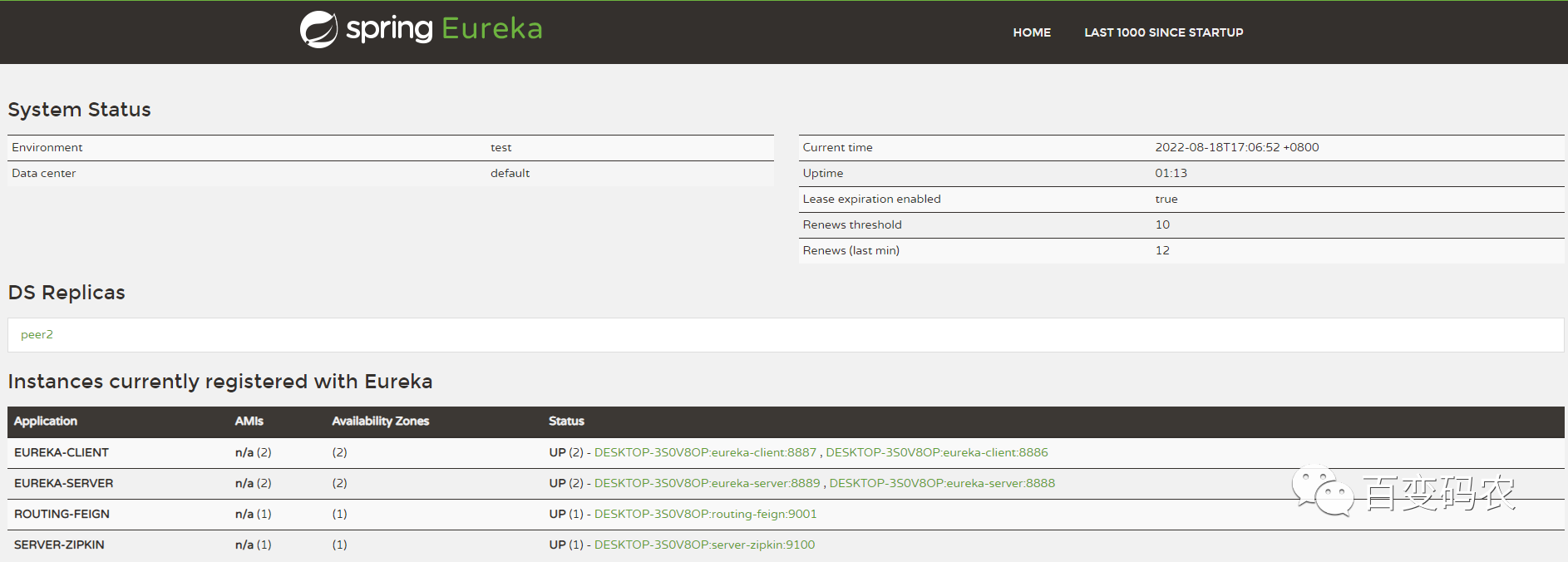
(1)服务注册中心eureka-server集群,端口为8888,8889
eureka-client工程启动两个实例,端口分别为8887,8886
启动server-zipkin,端口为9100,
启动routing-feign, 端口为9001
(2)访问routing-feign服务:
http://localhost:9001/hello?name=bruce
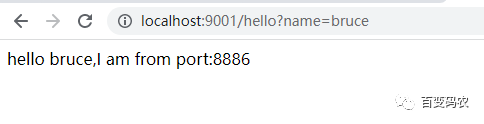
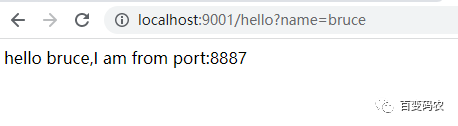
反复刷新访问以上地址,可以看到会交替请求eureka-client两个实例,
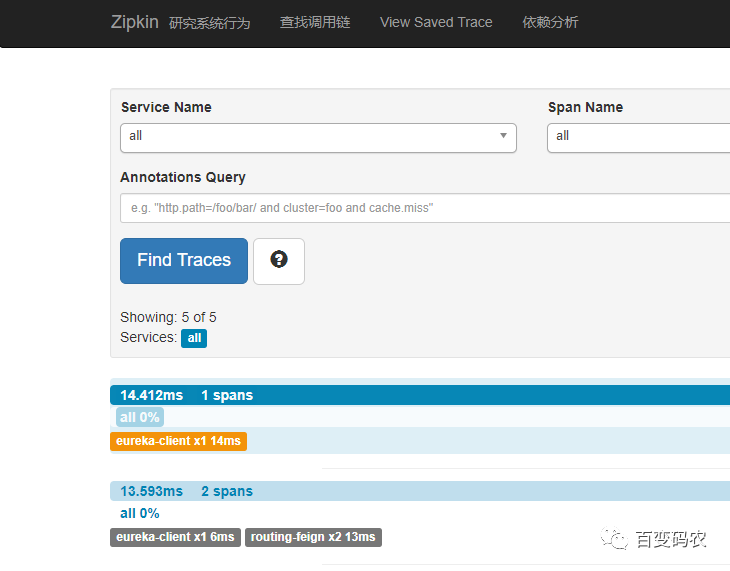
即通过feign, 实现了服务的负载均衡。然后再看下zipkin服务链路:
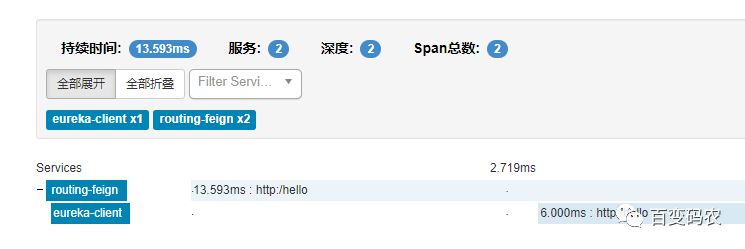
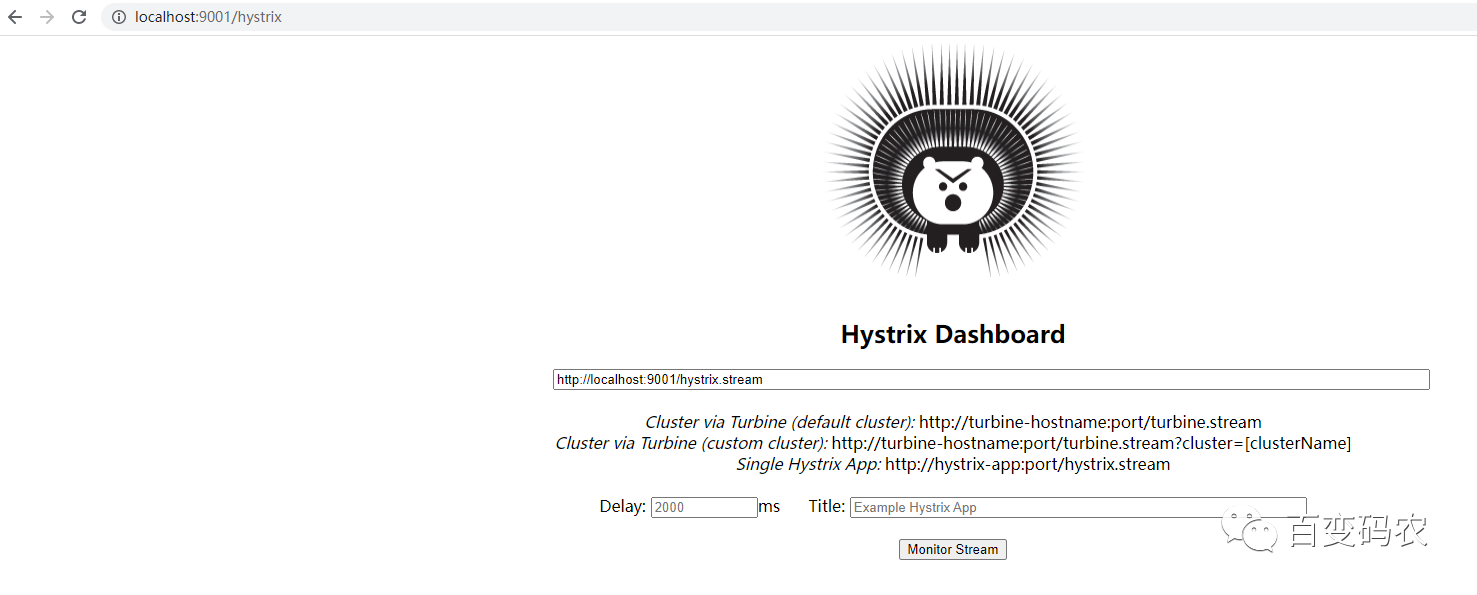
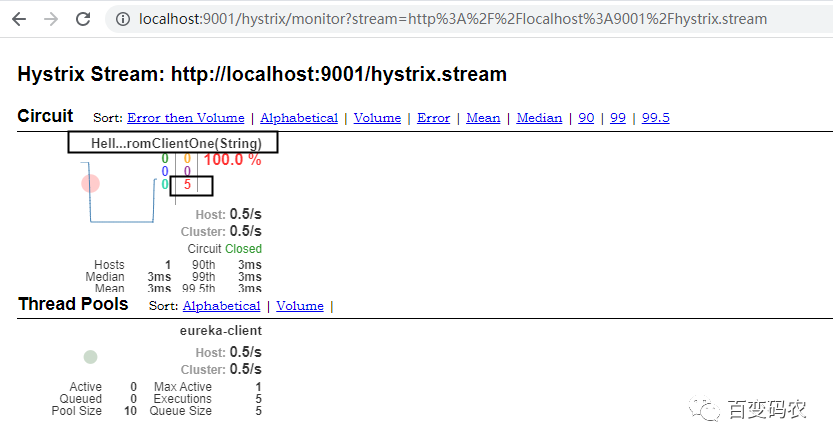
feign hystrix 断路仪表盘监控:
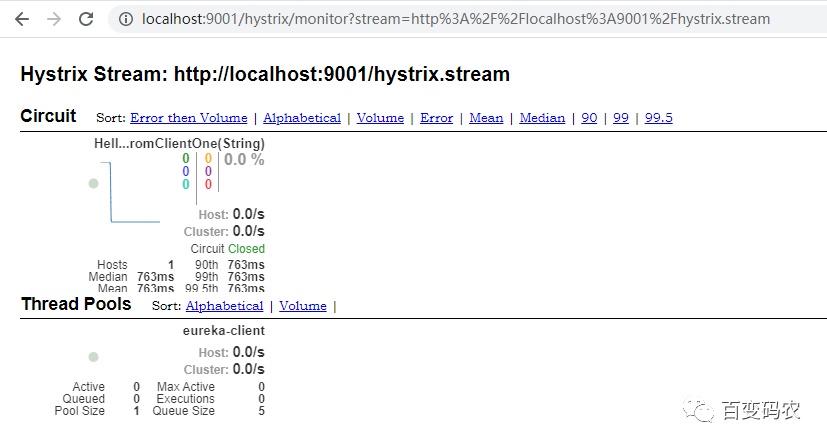
调取服务后,监控断路仪表盘:
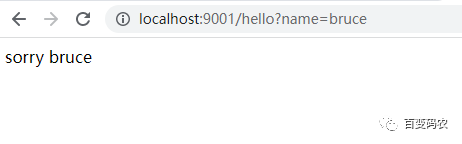
当把eureka-client所有节点的服务都停掉后,再次请求,发现已有断路处理响应:
2. zuul路由控制
2.1 pom
<dependency><groupId>org.springframework.cloud</groupId><artifactId>spring-cloud-starter-netflix-eureka-server</artifactId></dependency><dependency><groupId>org.springframework.cloud</groupId><artifactId>spring-cloud-starter-netflix-zuul</artifactId></dependency>2.2 yml
eureka:client:serviceUrl:defaultZone: http://peer1:8888/eureka/,http://peer2:8889/eureka/server:port: 9002spring:application:name: routing-zuulzuul:routes:api-a:path: /api-ribbon/**serviceId: routing-ribbonapi-b:path: /api-feign/**serviceId: routing-feign2.3 application
import org.springframework.boot.SpringApplication;import org.springframework.boot.autoconfigure.SpringBootApplication;import org.springframework.cloud.client.discovery.EnableDiscoveryClient;import org.springframework.cloud.netflix.zuul.EnableZuulProxy;/*** Zuul是路由控制服务器,feign(ribbon)可以实现负载均衡* 访问 http://localhost:9002/api-feign/hello?name=bruce* 根据yml中配置的zuul路由规则,* 以 /api-ribbon/ 开头的请求都转发给routing-ribbon服务* 以 /api-feign/ 开头的请求都转发给routing-feign服务*/@SpringBootApplication@EnableDiscoveryClient@EnableZuulProxypublic class RoutingZuulApplication {public static void main(String[] args) {SpringApplication.run(RoutingZuulApplication.class, args);}}2.4 zuul filter
import com.netflix.zuul.ZuulFilter;import com.netflix.zuul.context.RequestContext;import org.slf4j.Logger;import org.slf4j.LoggerFactory;import org.springframework.stereotype.Component;import javax.servlet.http.HttpServletRequest;/*** http://localhost:9002/api-ribbon/hello?name=bruce* token is empty** http://localhost:9002/api-ribbon/hello?name=bruce&token=11* hello bruce,I am from port:8887*/@Componentpublic class MyFilter extends ZuulFilter {private static Logger log = LoggerFactory.getLogger(MyFilter.class);/*** filterType:返回一个字符串代表过滤器的类型,在zuul中定义了四种不同生命周期的过滤器类型,具体如下:* pre:路由之前* routing:路由之时* post:路由之后* error:发送错误调用* filterOrder:过滤的顺序* shouldFilter:这里可以写逻辑判断,是否要过滤,本文true,永远过滤。* run:过滤器的具体逻辑。可用很复杂,包括查sql,nosql去判断该请求到底有没有权限访问。* @return*/@Overridepublic String filterType() {return "pre";}@Overridepublic int filterOrder() {return 0;}@Overridepublic boolean shouldFilter() {return true;}@Overridepublic Object run() {RequestContext ctx = RequestContext.getCurrentContext();HttpServletRequest request = ctx.getRequest();log.info(String.format("%s >>> %s", request.getMethod(), request.getRequestURL().toString()));Object accessToken = request.getParameter("token");if(accessToken == null) {log.warn("token is empty");ctx.setSendZuulResponse(false);ctx.setResponseStatusCode(401);try {ctx.getResponse().getWriter().write("token is empty");}catch (Exception e){log.error("response writer error");}return null;}log.info("ok");return null;}}2.5 zuul 路由控制演示
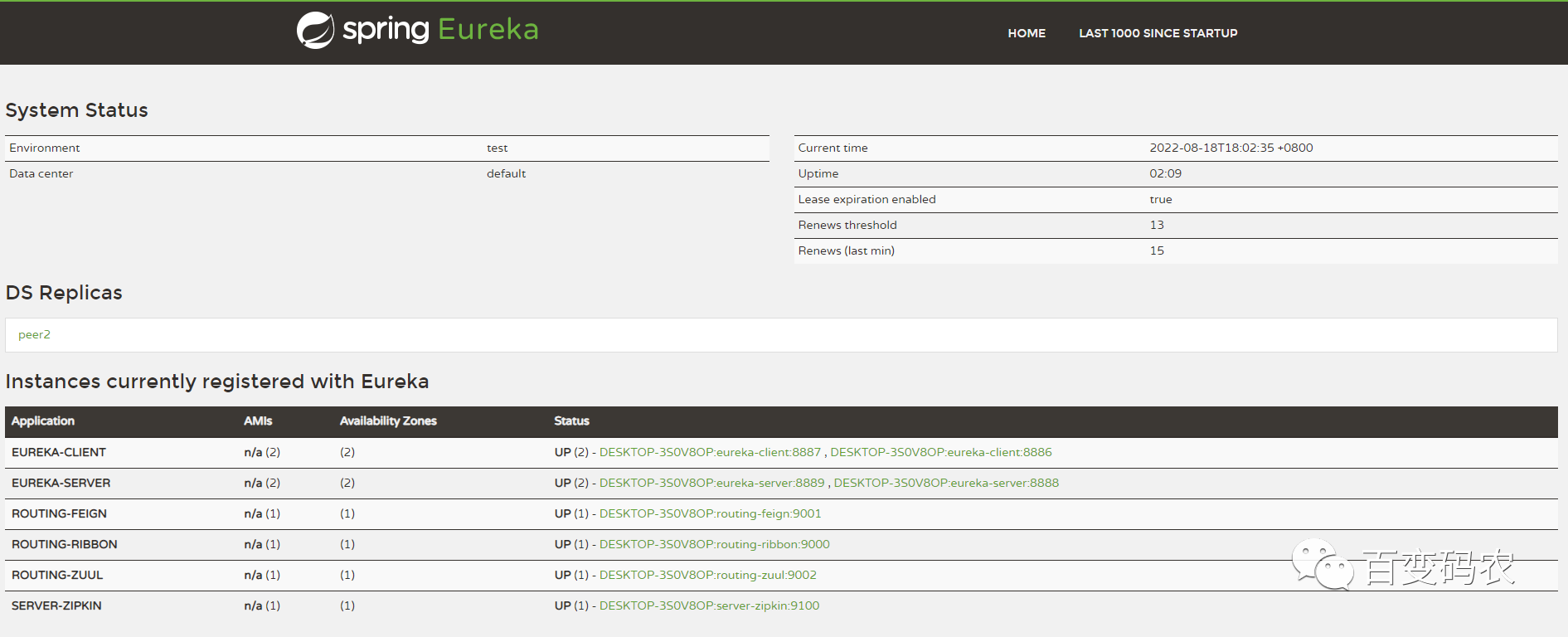
(1)服务注册中心eureka-server集群,端口为8888,8889
eureka-client工程启动两个实例,端口分别为8887,8886
启动routing-ribbon, 端口为9000,
启动routing-feign, 端口为9001,
启动routing-zuul,端口为9002,
启动server-zipkin,端口为9100
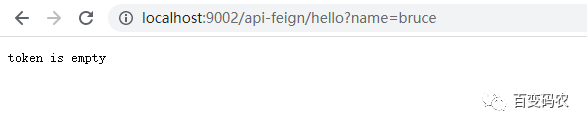
(2)请求访问:http://localhost:9002/api-feign/hello?name=bruce
由于未提供token,会被zuul filter拦截
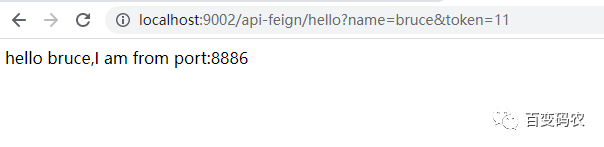
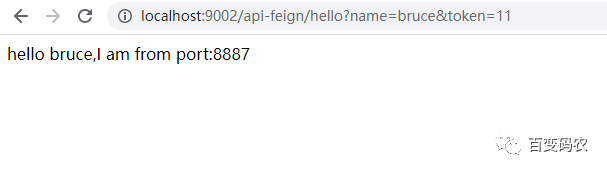
(3)加上请求令牌token后,多次刷新请求,负载均衡:
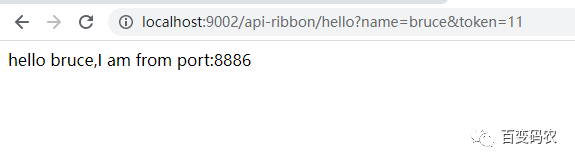
(4)请求地址中,api-feign 换作 api-ribbon后,
请求访问:http://localhost:9002/api-feign/hello?name=bruce
多次刷新请求,负载均衡:
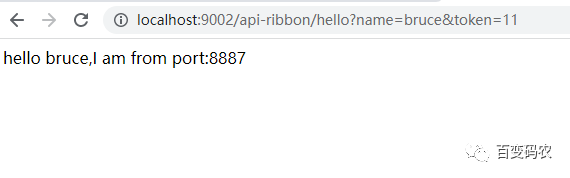
由上测试,可见zuul实现了简单的路由控制转发功能。
以上简单演示集成了ribbon的feign,实现负载均衡的效果,以及feign整合了hystrix的断路处理机制。此外还有zuul的路由网关控制功能。
netflix下的springcloud, 已不再维护,目前只抽取了一些比较典型的功能加以温习,其他的不再赘述。后面抽空会简述下SpringCloud Alibaba。
-
相关阅读:
数据结构:阶段测试(查漏补缺)
漏洞发展趋势摘要
Element-UI el-select下拉框多选实现全选
[附源码]计算机毕业设计JAVA某城市参军和退役军人信息管理系统
【frontend】chrome devtools flex debugger
多线程使用不当导致的 OOM
E. Turtle vs. Rabbit Race: Optimal Trainings-Codeforces Round 929 (Div. 3)
开源轻量级工作流WorkflowCore介绍
嵌入式软件中如何排查bug?
Spring IOC(控制反转)与DI(依赖注入)
- 原文地址:https://blog.csdn.net/CaBCo/article/details/126411555
- 最新文章
-
沪漂五周年了:我越来越迷茫了
Agentic Skill Routing 实战:别再把所有 Skill 塞进 AI Agent 上下文
MySQL-Seconds_behind_master的精度误差
[MAF预定义ChatClient中间件-03]CachingChatClient——利用缓存省钱省时间
AI的至暗历史:从万众期待到被政府撤资,AI的两次死亡徘徊
Agent OS :五种驯服不确定性的范式
PortSwigger SQL注入LAB11
数据库即时编译JIT
[Begin]AI Learn Data Day 0
深度学习进阶(二十七)现代 LLM 的核心架构设计其二:SwiGLU