-
【TypeScript笔记】04 - 在React中使用TypeScript
导读
开发环境
版本号 描述 node -v v14.20.0 npm -v 6.14.6 tsc -v 4.7.4 ts-node -v 10.9.1 使用CRA创建支持TS的项目
项目创建
参考文章:【TypeScript】使用CRA创建支持TS的React项目(从踩坑到放弃) https://blog.csdn.net/kinghzking/article/details/126188004
核心命令:
npx create-react-app react-ts-basic --template typescript。React支持TS的项目目录结构说明
相比非TS项目的三个变化
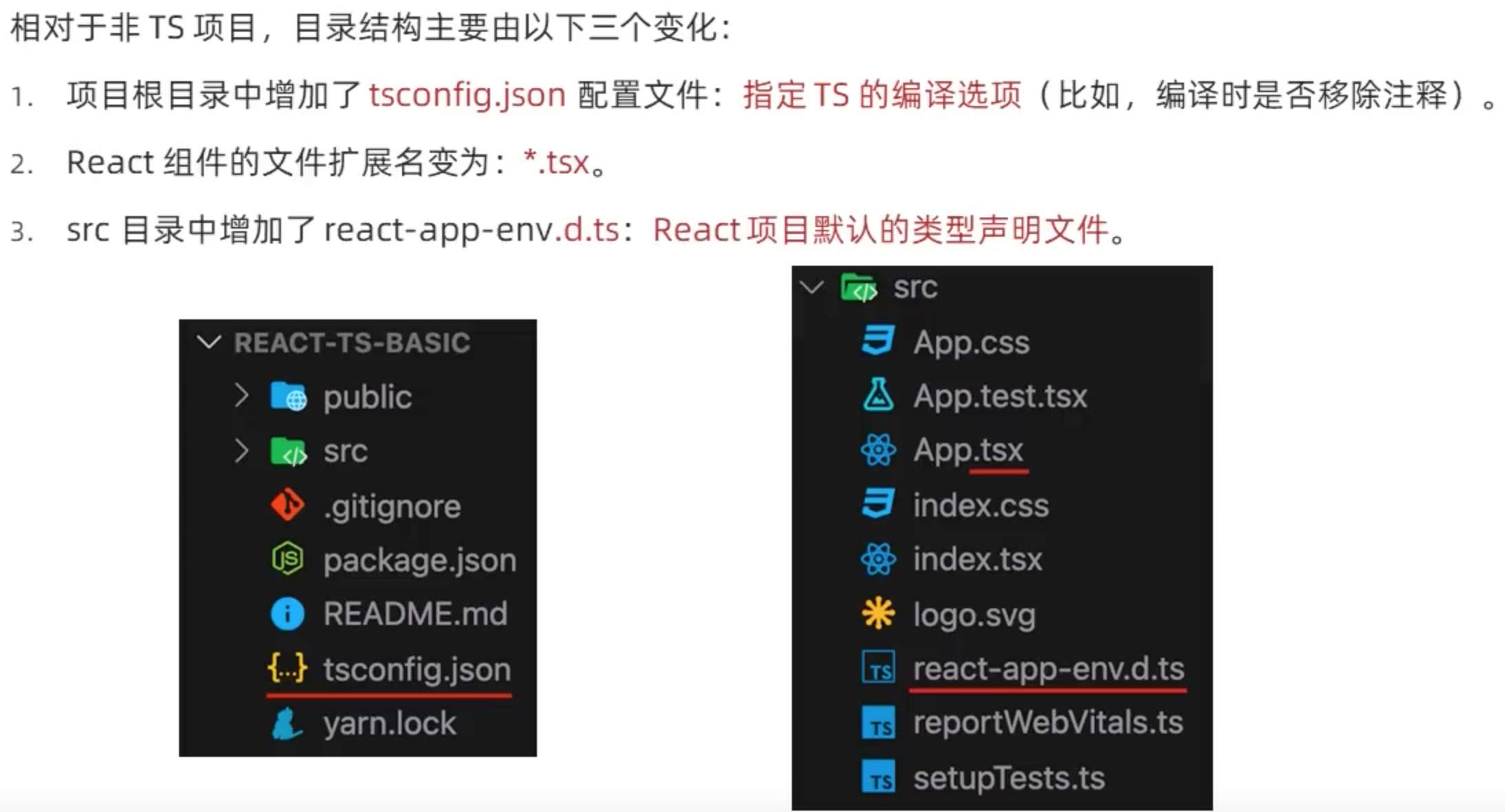
react-app-env.d.ts

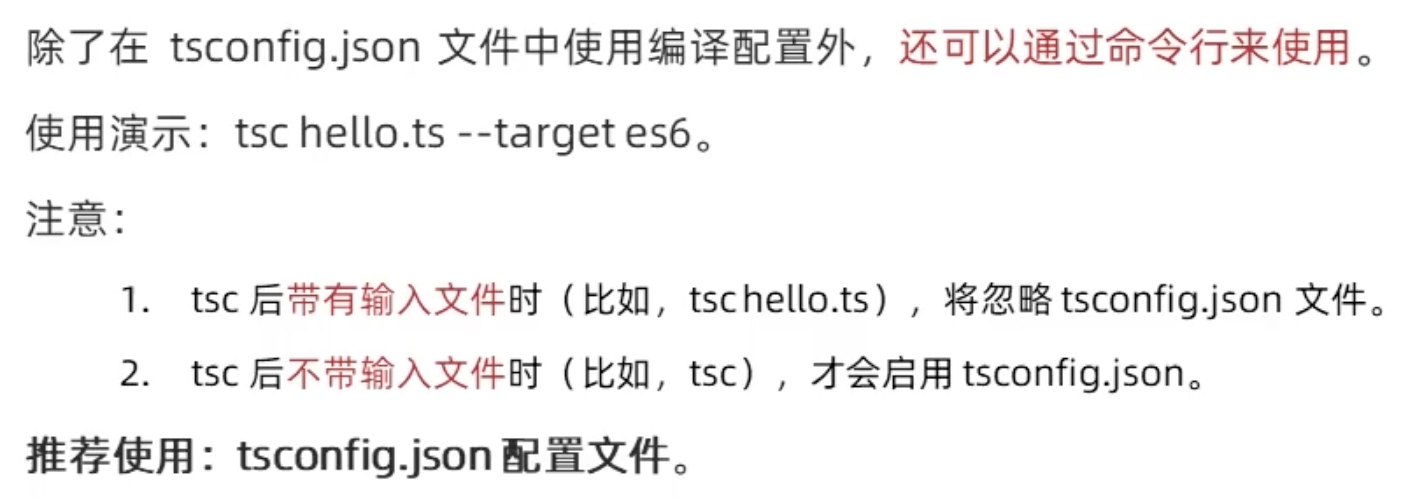
tsconfig.json

https://www.typescriptlang.org/tsconfig
React函数组件
React常用类型及属性

示例代码如下所示:import React from 'react'; import ReactDOM from 'react-dom/client'; import './index.css'; // import App from './App'; import reportWebVitals from './reportWebVitals'; type Props = {name: string, age?: number} const Hello: React.FC<Props> = ({name, age}) => { return <div> 您好,我叫:{name},我{age}岁了。 </div>; } const App = () => { return <div> <Hello name='khz' age={12} /> </div> } const root = ReactDOM.createRoot( document.getElementById('root') as HTMLElement ); root.render(<App />);- 1
- 2
- 3
- 4
- 5
- 6
- 7
- 8
- 9
- 10
- 11
- 12
- 13
- 14
- 15
- 16
- 17
- 18
- 19
- 20
- 21
- 22
- 23
- 24
- 25
- 26
- 27
React函数组件属性的默认值

事件和事件对象

示例代码:

React类组件
组件类型

属性和属性默认值

状态和事件

参考资料
- 《黑马程序员前端TypeScript教程》https://www.bilibili.com/video/BV14Z4y1u7pi
- TypeScript 教程 https://www.runoob.com/typescript/ts-tutorial.html
- DefinitelyTyped https://github.com/DefinitelyTyped/DefinitelyTyped
- TS官方查询
@types/*库的地址:https://www.typescriptlang.org/dt/search?search=
-
相关阅读:
linux 监控硬盘利用率
去中心化应用程序(DApp),引领数字世界的未来
【Mysql】mysql学习之旅06-事务
史上最全的Java进阶书籍推荐
02 pycharts 结果生成为 html 、图片(示例代码+效果图)
探索 GLTF 的世界:3D 内容的未来
JavaScript switch语句
算法之双指针题型:
TablePlus for Mac 数据库管理工具功能介绍
edm开发信
- 原文地址:https://blog.csdn.net/kinghzking/article/details/126183265
- 最新文章
-
沪漂五周年了:我越来越迷茫了
Agentic Skill Routing 实战:别再把所有 Skill 塞进 AI Agent 上下文
MySQL-Seconds_behind_master的精度误差
[MAF预定义ChatClient中间件-03]CachingChatClient——利用缓存省钱省时间
AI的至暗历史:从万众期待到被政府撤资,AI的两次死亡徘徊
Agent OS :五种驯服不确定性的范式
PortSwigger SQL注入LAB11
数据库即时编译JIT
[Begin]AI Learn Data Day 0
深度学习进阶(二十七)现代 LLM 的核心架构设计其二:SwiGLU