-
JavaScript参考手册 String函数 7080字
作者:陈业贵 华为云享专家 51cto(专家博主 明日之星 TOP红人) 阿里云专家博主
文章目录
- JavaScript charAt() 方法
- JavaScript charCodeAt() 方法
- JavaScript concat() 方法
- JavaScript endsWith() 方法
- JavaScript fromCharCode() 方法
- JavaScript indexOf() 方法
- JavaScript includes() 方法
- JavaScript lastIndexOf() 方法
- JavaScript match() 方法
- JavaScript String repeat() 方法
- JavaScript replace() 方法
- JavaScript replaceAll() 方法
- JavaScript search() 方法
- JavaScript String slice() 方法
- JavaScript split() 方法
- JavaScript startsWith() 方法
- JavaScript substr() 方法
- JavaScript substring() 方法
- JavaScript toLowerCase() 方法
- JavaScript trim() 方法
- JavaScript toLocaleLowerCase() 方法
- JavaScript toLocaleUpperCase() 方法
- JavaScript valueOf() 方法
- JavaScript toString() 方法
JavaScript charAt() 方法
<!DOCTYPE html> <html> <head> <meta charset="utf-8"> <title>菜鸟教程(runoob.com)</title> </head> <body> <p id="demo">单击按钮显示字符串的第一个字符。</p> <button onclick="myFunction()">点我</button> <script> function myFunction(){ var str="HELLO WORLD";//字符串赋值给变量 document.getElementById("demo").innerHTML=str.charAt(0); //返回在指定位置的字符。这个函数是从0开始计算的,0看做第一个字符'H'哈 } </script> </body> </html>- 1
- 2
- 3
- 4
- 5
- 6
- 7
- 8
- 9
- 10
- 11
- 12
- 13
- 14
- 15
- 16
- 17
- 18
- 19
- 20

<!DOCTYPE html> <html> <head> <meta charset="utf-8"> <title>菜鸟教程(runoob.com)</title> </head> <body> <p id="demo">单击按钮显示字符串的最后一个字符。</p> <button onclick="myFunction()">点我</button> <script> function myFunction(){ var str="HELLO WORLD";//字符串赋值给变量 console.log(str.length); var n=str.charAt(str.length-1);//str.length当做有几个字符。从1开始计算的那种哦 //浏览器显示出D最后一个字符是因为是从0开始计算的哦.这个函数charAt document.getElementById("demo").innerHTML=n; } </script> </body> </html>- 1
- 2
- 3
- 4
- 5
- 6
- 7
- 8
- 9
- 10
- 11
- 12
- 13
- 14
- 15
- 16
- 17
- 18
- 19
- 20
- 21
- 22

JavaScript charCodeAt() 方法
<!DOCTYPE html> <html> <head> <meta charset="utf-8"> <title>菜鸟教程(runoob.com)</title> </head> <body> <p id="demo">单击按钮显示字符串的第一个字符的编码。</p> <button onclick="myFunction()">点我</button> <script> function myFunction(){ var str="HELLO WORLD"; var n=str.charCodeAt(0);//72==H.为什么呢?因为ascii码中A=65 B=66 C=67 D=68 E=69 F=70 F=71 F=72.返回在指定的位置的字符的 Unicode 编码。 document.getElementById("demo").innerHTML=n; }//赋值给p标签 /** * 1、Unicode码扩展自ASCII字元集。Unicode最初打算作为ASCII的补充,可能的话,最终将代替它。 2、Unicode是一个编码方案,Unicode 编码共有三种具体实现,分别为utf-8,utf-16,utf-32,其中utf-8占用一到四个字节,utf-16占用二或四个字节,utf-32占用四个字节。 * */ </script> </body>- 1
- 2
- 3
- 4
- 5
- 6
- 7
- 8
- 9
- 10
- 11
- 12
- 13
- 14
- 15
- 16
- 17
- 18
- 19
- 20
- 21
- 22
- 23
- 24

JavaScript concat() 方法
<!DOCTYPE html> <html> <head> <meta charset="utf-8"> <title>菜鸟教程(runoob.com)</title> </head> <body> <p id="demo">单击按钮连接两个字符串成新的字符串。</p> <button onclick="myFunction()">点我</button> <script> function myFunction(){ var txt1 = "Hello "; var txt2 = "world!"; var n=txt1.concat(txt2);// 连接两个或更多字符串,并返回新的字符串。 document.getElementById("demo").innerHTML=n; } </script> </body> </html>- 1
- 2
- 3
- 4
- 5
- 6
- 7
- 8
- 9
- 10
- 11
- 12
- 13
- 14
- 15
- 16
- 17
- 18
- 19
- 20
- 21
- 22

<!DOCTYPE html> <html> <head> <meta charset="utf-8"> <title>菜鸟教程(runoob.com)</title> </head> <body> <p id="demo">单击按钮连接2个字符串形成一个新的字符串。</p> <button onclick="myFunction()">点我</button> <script> function myFunction(){ var txt1 = "Hello "; var txt2 = "world!"; var txt3=" Have a nice day!"; var n=txt2.concat(txt1,txt3);//哪个变量在开头哪个变量就一开始显示 document.getElementById("demo").innerHTML=n; }//赋值给p标签 </script> </body> </html>- 1
- 2
- 3
- 4
- 5
- 6
- 7
- 8
- 9
- 10
- 11
- 12
- 13
- 14
- 15
- 16
- 17
- 18
- 19
- 20
- 21
- 22

JavaScript endsWith() 方法
<!DOCTYPE html> <html> <head> <meta charset="utf-8"> <title>菜鸟教程(runoob.com)</title> </head> <body> <h2>JavaScript 字符串</h2> <p id="demo"></p> <p>注意: IE 11 及更早版本不支持 endsWith() 方法。</p> <script> let str = "Hello world"; document.getElementById("demo").innerHTML = str.endsWith("world");//区分大小写. /*如果传入的子字符串在搜索字符串的末尾则返回 true,否则将返回 false*/ </script> </body> </html>- 1
- 2
- 3
- 4
- 5
- 6
- 7
- 8
- 9
- 10
- 11
- 12
- 13
- 14
- 15
- 16
- 17
- 18
- 19
- 20
- 21
- 22
- 23

<!DOCTYPE html> <html> <head> <meta charset="utf-8"> <title>菜鸟教程(runoob.com)</title> </head> <body> <h2>JavaScript 字符串</h2> <p id="demo"></p> <p id="demo1"></p> <p id="demo2"></p> <p>注意: IE 11 及更早版本不支持 endsWith() 方法。</p> <script> let str = "To be, or not to be, that is the question."; document.getElementById("demo").innerHTML = str.endsWith("question."); // true document.getElementById("demo1").innerHTML = str.endsWith("to be"); // false document.getElementById("demo2").innerHTML = str.endsWith("to be", 19); // true /*如果传入的子字符串在搜索字符串的末尾则返回 true,否则将返回 false。第二个参数是:设置字符串的长度。默认值为原始字符串长度 string.length。*/ </script> </body> </html>- 1
- 2
- 3
- 4
- 5
- 6
- 7
- 8
- 9
- 10
- 11
- 12
- 13
- 14
- 15
- 16
- 17
- 18
- 19
- 20
- 21
- 22
- 23
- 24
- 25
- 26
- 27

JavaScript fromCharCode() 方法
<!DOCTYPE html> <html> <head> <meta charset="utf-8"> <title>菜鸟教程(runoob.com)</title> </head> <body> <p id="demo">单击按钮显示一个UNICODE编码的字符</p> <button onclick="myFunction()">点我</button> <script> function myFunction(){ var n=String.fromCharCode(65);//把UNICODE转换成字符串. document.getElementById("demo").innerHTML=n; }//赋值给p标签 </script> </body> </html>- 1
- 2
- 3
- 4
- 5
- 6
- 7
- 8
- 9
- 10
- 11
- 12
- 13
- 14
- 15
- 16
- 17
- 18
- 19

JavaScript indexOf() 方法
<!DOCTYPE html> <html> <head> <meta charset="utf-8"> <title>菜鸟教程(runoob.com)</title> </head> <body> <p id="demo"></p> <button onclick="myFunction()">点我</button> <script> function myFunction(){ var str="Hello world, welcome to the universe."; var n=str.indexOf("welcome");//welcome首次出现的位置.从0开始数起的哦 document.getElementById("demo").innerHTML=n; } </script> </body> </html>- 1
- 2
- 3
- 4
- 5
- 6
- 7
- 8
- 9
- 10
- 11
- 12
- 13
- 14
- 15
- 16
- 17
- 18
- 19
- 20

JavaScript includes() 方法
<!DOCTYPE html> <html> <head> <meta charset="utf-8"> <title>菜鸟教程(runoob.com)</title> </head> <body> <p>点击按钮查看检测结果。</p> <button onclick="myFunction()">点我</button> <p id="demo"></p> <p><strong>注意:</strong> IE 11 及更早版本不支持 includes() 方法 。</p> <script> function myFunction() { var str = "Hello world, welcome to the Runoob."; var n = str.includes("Runoob");//str变量中是否包含Runoob,包含返回true,否则false document.getElementById("demo").innerHTML = n; } </script> </body> </html>- 1
- 2
- 3
- 4
- 5
- 6
- 7
- 8
- 9
- 10
- 11
- 12
- 13
- 14
- 15
- 16
- 17
- 18
- 19
- 20
- 21
- 22
- 23
- 24
- 25
- 26

<!DOCTYPE html> <html> <head> <meta charset="utf-8"> <title>菜鸟教程(runoob.com)</title> </head> <body> <p>点击按钮查看是否包含要查找的字符串,找到的话返回 true,否则返回 false。</p> <button onclick="myFunction()">点我</button> <p id="demo"></p> <p><strong>注意:</strong> IE 11 及更早版本不支持 includes() 方法 。</p> <script> function myFunction() { var str = "Hello world, welcome to the Runoob."; var n = str.includes("world", 12);从下标12的位置开始查找world document.getElementById("demo").innerHTML = n; } </script> </body> </html>- 1
- 2
- 3
- 4
- 5
- 6
- 7
- 8
- 9
- 10
- 11
- 12
- 13
- 14
- 15
- 16
- 17
- 18
- 19
- 20
- 21
- 22
- 23
- 24
- 25
- 26
- 27

JavaScript lastIndexOf() 方法
<!DOCTYPE html> <html> <head> <meta charset="utf-8"> <title>菜鸟教程(runoob.com)</title> </head> <body> <p id="demo"></p> <button onclick="myFunction()">点我</button> <script> function myFunction(){ var str="I am from runoob,welcome to runoob site."; var n=str.lastIndexOf("runoob");//runoob最后一次出现的位置 document.getElementById("demo").innerHTML=n; } </script> </body> </html>- 1
- 2
- 3
- 4
- 5
- 6
- 7
- 8
- 9
- 10
- 11
- 12
- 13
- 14
- 15
- 16
- 17
- 18
- 19
- 20

<!DOCTYPE html> <html> <head> <meta charset="utf-8"> <title>菜鸟教程(runoob.com)</title> </head> <body> <p id="demo"></p> <button onclick="myFunction()">点我</button> <script> function myFunction(){ var str="I am from runoob,welcome to runoob site."; var n=str.lastIndexOf("runoob", 20); //从位置20开始查找给定值最后出现的位置 document.getElementById("demo").innerHTML=n; } </script> </body> </html>- 1
- 2
- 3
- 4
- 5
- 6
- 7
- 8
- 9
- 10
- 11
- 12
- 13
- 14
- 15
- 16
- 17
- 18
- 19
- 20
- 21

<!DOCTYPE html> <html> <head> <meta charset="utf-8"> <title>菜鸟教程(runoob.com)</title> </head> <body> <p id="demo"></p> <button onclick="myFunction()">点我</button> <script> function myFunction(){ var str="I am from runoob,welcome to runoob site."; var n=str.lastIndexOf("runoob", 9); //定位在第 9 个字符,并从第 9 个字符开始往前搜索结果为 -1。-1代表没有啦 document.getElementById("demo").innerHTML=n; } </script> </body> </html>- 1
- 2
- 3
- 4
- 5
- 6
- 7
- 8
- 9
- 10
- 11
- 12
- 13
- 14
- 15
- 16
- 17
- 18
- 19
- 20
- 21
- 22

JavaScript match() 方法
<!DOCTYPE html> <html> <head> <meta charset="utf-8"> <title>菜鸟教程(runoob.com)</title> </head> <body> <p id="demo">单击按钮显示matches</p> <button onclick="myFunction()">点我</button> <script> function myFunction(){ var str="The rain in SPAIN stays mainly in the plain"; var n=str.match(/ain/g);//(查找找到一个或多个正则表达式的匹配。)在字符串中查找 "ain":区分大小写 document.getElementById("demo").innerHTML=n; }//赋值给p标签 </script> </body> </html>- 1
- 2
- 3
- 4
- 5
- 6
- 7
- 8
- 9
- 10
- 11
- 12
- 13
- 14
- 15
- 16
- 17
- 18
- 19
- 20

<!DOCTYPE html> <html> <head> <meta charset="utf-8"> <title>菜鸟教程(runoob.com)</title> </head> <body> <p id="demo">单击按钮显示matches。</p> <button onclick="myFunction()">点我</button> <script> function myFunction(){ var str = "The rain in SPAIN stays mainly in the plain"; var n=str.match(/ain/gi);//不区分大小写.查找找到一个或多个正则表达式的匹配。 document.getElementById("demo").innerHTML=n; } </script> </body> </html>- 1
- 2
- 3
- 4
- 5
- 6
- 7
- 8
- 9
- 10
- 11
- 12
- 13
- 14
- 15
- 16
- 17
- 18
- 19
- 20

JavaScript String repeat() 方法
<!DOCTYPE html> <html> <head> <meta charset="utf-8"> <title>菜鸟教程(runoob.com)</title> </head> <body> <p>点击按钮显示复制连接后的字符串。</p> <button onclick="myFunction()">点我</button> <p id="demo"></p> <p><strong>注意:</strong> IE 11 及更早版本不支持 repeat() 方法 。</p> <script> function myFunction() { var str = "Runoob"; document.getElementById("demo").innerHTML = str.repeat(2);//复制"Runoob"两次 } </script> </body> </html>- 1
- 2
- 3
- 4
- 5
- 6
- 7
- 8
- 9
- 10
- 11
- 12
- 13
- 14
- 15
- 16
- 17
- 18
- 19
- 20
- 21
- 22
- 23
- 24
- 25

JavaScript replace() 方法
<!DOCTYPE html> <html> <head> <meta charset="utf-8"> <title>菜鸟教程(runoob.com)</title> </head> <body> <p>单击按钮将段落中的第一个 Microsoft 替换成 Runoob:</p> <p id="demo">Visit Microsoft!Visit Microsoft!</p> <button onclick="myFunction()">点我</button> <script> function myFunction(){ var str=document.getElementById("demo").innerHTML; //获取到里面的字(Visit Microsoft!Visit Microsoft!)。 var n=str.replace("Microsoft","Runoob"); //把"Microsoft"换成"Runoob" document.getElementById("demo").innerHTML=n; //赋值给p标签 } </script> </body> </html>- 1
- 2
- 3
- 4
- 5
- 6
- 7
- 8
- 9
- 10
- 11
- 12
- 13
- 14
- 15
- 16
- 17
- 18
- 19
- 20
- 21
- 22
- 23
- 24

<!DOCTYPE html> <html> <head> <meta charset="utf-8"> <title>菜鸟教程(runoob.com)</title> </head> <body> <p>单击按钮将段落中的“blue”替换成“red”。</p> <p id="demo">Mr Blue has a blue house and a blue car.</p> <button onclick="myFunction()">点我</button> <script> function myFunction(){ var str=document.getElementById("demo").innerHTML; var n=str.replace(/blue/g,"red");//把标签内所有的blue换成red document.getElementById("demo").innerHTML=n; }//赋值给p标签. </script> </body> </html>- 1
- 2
- 3
- 4
- 5
- 6
- 7
- 8
- 9
- 10
- 11
- 12
- 13
- 14
- 15
- 16
- 17
- 18
- 19
- 20
- 21

<!DOCTYPE html> <html> <head> <meta charset="utf-8"> <title>菜鸟教程(runoob.com)</title> </head> <body> <p>单击按钮将段落中的“blue”替换成“red”。</p> <p id="demo">Mr Blue has a blue house and a blue car.</p> <button onclick="myFunction()">点我</button> <script> function myFunction(){ var str=document.getElementById("demo").innerHTML; var n=str.replace(/blue/gi,"red");//把所有的blue换成red。不区分大小写 document.getElementById("demo").innerHTML=n; } </script> </body> </html>- 1
- 2
- 3
- 4
- 5
- 6
- 7
- 8
- 9
- 10
- 11
- 12
- 13
- 14
- 15
- 16
- 17
- 18
- 19
- 20
- 21

JavaScript replaceAll() 方法
<!DOCTYPE html> <html> <head> <meta charset="utf-8"> <title>菜鸟教程(runoob.com)</title> </head> <body> <p>单击按钮将段落中的所有 Microsoft 替换成 Runoob:</p> <p id="demo">Visit Microsoft!Visit Microsoft!</p> <button onclick="myFunction()">点我</button> <script> function myFunction(){ var str=document.getElementById("demo").innerHTML; //获取到Visit Microsoft!Visit Microsoft! var n=str.replaceAll("Microsoft","Runoob"); //我们将所有 "Microsoft" 替换为 "Runoob": document.getElementById("demo").innerHTML=n; //赋值给标签
} </script> </body> </html>- 1
- 2
- 3
- 4
- 5
- 6
- 7
- 8
- 9
- 10
- 11
- 12
- 13
- 14
- 15
- 16
- 17
- 18
- 19
- 20
- 21
- 22
- 23

JavaScript search() 方法
<!DOCTYPE html> <html> <head> <meta charset="utf-8"> <title>菜鸟教程(runoob.com)</title> </head> <body> <p id="demo">单击显示查找的位置</p> <button onclick="myFunction()">点我</button> <script> function myFunction(){ var str="Visit Runoob!"; var n=str.search("Runoob");//查找Runoob在str变量中出现的位置。下标。以下标0开始计算. document.getElementById("demo").innerHTML=n; }//赋值给p标签 </script> </body> </html>- 1
- 2
- 3
- 4
- 5
- 6
- 7
- 8
- 9
- 10
- 11
- 12
- 13
- 14
- 15
- 16
- 17
- 18
- 19
- 20

<!DOCTYPE html> <html> <head> <meta charset="utf-8"> <title>菜鸟教程(runoob.com)</title> </head> <body> <p id="demo">单击显示查找的位置</p> <button onclick="myFunction()">点我</button> <script> function myFunction(){ var str="Mr. Blue has a blue house" var n=str.search("blue");//这个search函数对大小写是敏感的。 document.getElementById("demo").innerHTML=n; } </script> </body> </html>- 1
- 2
- 3
- 4
- 5
- 6
- 7
- 8
- 9
- 10
- 11
- 12
- 13
- 14
- 15
- 16
- 17
- 18
- 19
- 20

<!DOCTYPE html> <html> <head> <meta charset="utf-8"> <title>菜鸟教程(runoob.com)</title> </head> <body> <p id="demo">单击显示查找的位置</p> <button onclick="myFunction()">点我</button> <script> function myFunction(){ var str="Mr. Blue has a blue house" var n=str.search(/blue/i);//i代表对大小写不敏感 document.getElementById("demo").innerHTML=n; } </script> </body> </html>- 1
- 2
- 3
- 4
- 5
- 6
- 7
- 8
- 9
- 10
- 11
- 12
- 13
- 14
- 15
- 16
- 17
- 18
- 19
- 20

JavaScript String slice() 方法
<!DOCTYPE html> <html> <head> <meta charset="utf-8"> <title>菜鸟教程(runoob.com)</title> </head> <body> <p id="demo">单击按钮显示截取部分</p> <button onclick="myFunction()">点我</button> <script> function myFunction(){ var str="Helloworld!"; //一个字符串类型的变量 var n=str.slice(1,5);//截取是从e开始的,到w之前结束。第一个字符位置为 0个,第二个字符位置为 1, //slice(start, end) 方法可提取字符串的某个部分,并以新的字符串返回被提取的部分。 document.getElementById("demo").innerHTML=n; } </script> </body> </html>- 1
- 2
- 3
- 4
- 5
- 6
- 7
- 8
- 9
- 10
- 11
- 12
- 13
- 14
- 15
- 16
- 17
- 18
- 19
- 20
- 21

<!DOCTYPE html> <html> <head> <meta charset="utf-8"> <title>菜鸟教程(runoob.com)</title> </head> <body> <p id="demo">单击按钮显示截取部分</p> <button onclick="myFunction()">点我</button> <script> function myFunction(){ var str="Hello world!"; var n=str.slice(0);//截取所有的字符串 document.getElementById("demo").innerHTML=n; } </script> </body> </html>- 1
- 2
- 3
- 4
- 5
- 6
- 7
- 8
- 9
- 10
- 11
- 12
- 13
- 14
- 15
- 16
- 17
- 18
- 19
- 20

<!DOCTYPE html> <html> <head> <meta charset="utf-8"> <title>菜鸟教程(runoob.com)</title> </head> <body> <p id="demo">单击按钮显示截取部分</p> <button onclick="myFunction()">点我</button> <script> function myFunction(){ var str="Hello world!"; var n=str.slice(3);//从字符串的第3个位置提取字符串片段:也就是H:0,e:1,l:2,l:3.从l:3哪里开始截取 document.getElementById("demo").innerHTML=n; } </script> </body> </html>- 1
- 2
- 3
- 4
- 5
- 6
- 7
- 8
- 9
- 10
- 11
- 12
- 13
- 14
- 15
- 16
- 17
- 18
- 19
- 20

<!DOCTYPE html> <html> <head> <meta charset="utf-8"> <title>菜鸟教程(runoob.com)</title> </head> <body> <p id="demo">单击按钮显示截取部分</p> <button onclick="myFunction()">点我</button> <script> function myFunction(){ var str="Hello world!"; var n=str.slice(3,8);//从字符串的第3个位置到第8个位置直接的字符串片段:H:0,e:1,l:2,l:3.从l:3哪里开始截取。截取到位置7哪个。也就是o哪里 document.getElementById("demo").innerHTML=n; } </script> </body> </html>- 1
- 2
- 3
- 4
- 5
- 6
- 7
- 8
- 9
- 10
- 11
- 12
- 13
- 14
- 15
- 16
- 17
- 18
- 19
- 20
- 21

<!DOCTYPE html> <html> <head> <meta charset="utf-8"> <title>菜鸟教程(runoob.com)</title> </head> <body> <p id="demo">单击按钮显示截取部分.</p> <button onclick="myFunction()">点我</button> <script> function myFunction(){ var str="Hello world!"; var n=str.slice(0,1);//从H哪里截取一个。额就是H document.getElementById("demo").innerHTML=n; } </script> </body> </html>- 1
- 2
- 3
- 4
- 5
- 6
- 7
- 8
- 9
- 10
- 11
- 12
- 13
- 14
- 15
- 16
- 17
- 18
- 19
- 20

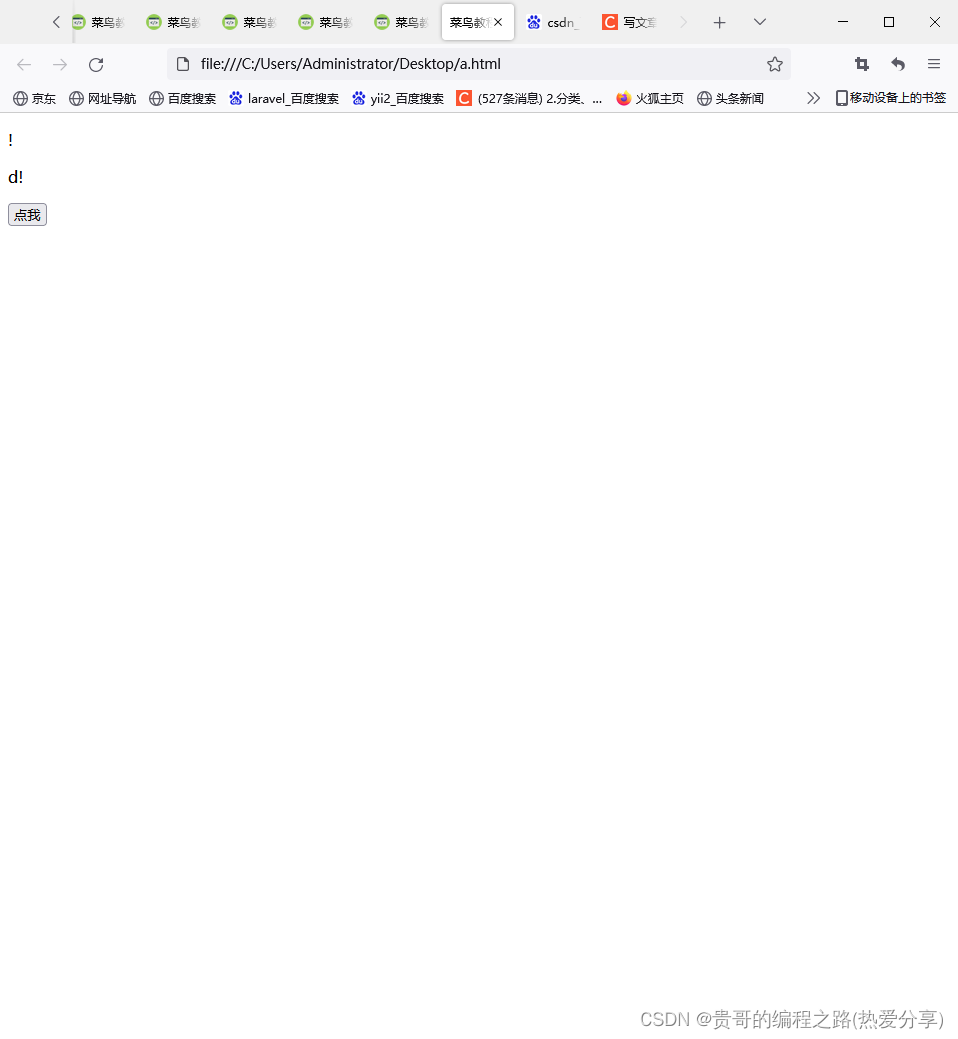
<!DOCTYPE html> <html> <head> <meta charset="utf-8"> <title>菜鸟教程(runoob.com)</title> </head> <body> <p id="demo">单击按钮显示截取部分</p> <p id="demo2"></p> <button onclick="myFunction()">点我</button> <script> function myFunction(){ var str="Hello world!"; var n=str.slice(-1); var n2=str.slice(-2); document.getElementById("demo").innerHTML=n; document.getElementById("demo2").innerHTML=n2; //end 参数如果为负数,-1 指字符串的最后一个字符的位置,-2 指倒数第二个字符,以此类推。 } </script> </body> </html>- 1
- 2
- 3
- 4
- 5
- 6
- 7
- 8
- 9
- 10
- 11
- 12
- 13
- 14
- 15
- 16
- 17
- 18
- 19
- 20
- 21
- 22
- 23
- 24
JavaScript split() 方法
<!DOCTYPE html> <html> <head> <meta charset="utf-8"> <title>菜鸟教程(runoob.com)</title> </head> <body> <p id="demo">单击按钮显示分割后的数组.</p> <button onclick="myFunction()">点我</button> <script> function myFunction(){ var str="How are you doing today?";//一个字符串变量 var n=str.split(" ");//把一个字符串分割成字符串数组,以空格为分割线 document.getElementById("demo").innerHTML=n; console.log(n); } </script> </body> </html>- 1
- 2
- 3
- 4
- 5
- 6
- 7
- 8
- 9
- 10
- 11
- 12
- 13
- 14
- 15
- 16
- 17
- 18
- 19
- 20
- 21

<!DOCTYPE html> <html> <head> <meta charset="utf-8"> <title>菜鸟教程(runoob.com)</title> </head> <body> <p id="demo">单击按钮显示分割后的数组</p> <button onclick="myFunction()">点我</button> <script> function myFunction(){ var str="How are you doing today?"; var n=str.split();//把变量里面的数据看成数组的下标0 document.getElementById("demo").innerHTML=n; console.log(n); } </script> </body> </html>- 1
- 2
- 3
- 4
- 5
- 6
- 7
- 8
- 9
- 10
- 11
- 12
- 13
- 14
- 15
- 16
- 17
- 18
- 19
- 20
- 21

<!DOCTYPE html> <html> <head> <meta charset="utf-8"> <title>菜鸟教程(runoob.com)</title> </head> <body> <p id="demo">单击按钮显示分割后的数组</p> <button onclick="myFunction()">点我</button> <script> function myFunction(){ var str="How are you doing today?"; var n=str.split("");//分割每个字符,包括空格: document.getElementById("demo").innerHTML=n; console.log(n); } </script> </body> </html>- 1
- 2
- 3
- 4
- 5
- 6
- 7
- 8
- 9
- 10
- 11
- 12
- 13
- 14
- 15
- 16
- 17
- 18
- 19
- 20
- 21

<!DOCTYPE html> <html> <head> <meta charset="utf-8"> <title>菜鸟教程(runoob.com)</title> </head> <body> <p id="demo">单击按钮显示分割后的数组</p> <button onclick="myFunction()">点我</button> <script> function myFunction(){ var str="How are you doing today?"; var n=str.split(" ",3);//输出下标0How,下标1are,下标2you的值 document.getElementById("demo").innerHTML=n; console.log(n); } </script> </body> </html>- 1
- 2
- 3
- 4
- 5
- 6
- 7
- 8
- 9
- 10
- 11
- 12
- 13
- 14
- 15
- 16
- 17
- 18
- 19
- 20
- 21

<!DOCTYPE html> <html> <head> <meta charset="utf-8"> <title>菜鸟教程(runoob.com)</title> </head> <body> <p id="demo">单击按钮显示分割后的数组</p> <button onclick="myFunction()">点我</button> <script> function myFunction(){ var str="How are you doing today?"; var n=str.split("o");//以o为分割线。来分割数组. document.getElementById("demo").innerHTML=n; console.log(n); } </script> </body> </html>- 1
- 2
- 3
- 4
- 5
- 6
- 7
- 8
- 9
- 10
- 11
- 12
- 13
- 14
- 15
- 16
- 17
- 18
- 19
- 20
- 21

JavaScript startsWith() 方法
<!DOCTYPE html> <html> <html> <head> <meta charset="utf-8"> <title>菜鸟教程(runoob.com)</title> </head> <body> <p>点击按钮查看字符串是否以指定的子字符串开头。</p> <button onclick="myFunction()">点我</button> <p id="demo"></p> <p><strong>注意:</strong> IE 11 及更早版本不支持 startsWith() 方法 。</p> <script> function myFunction() { var str = "Hello world, welcome to the Runoob."; var n = str.startsWith("Hello");//查看字符串是否为 "Hello" 开头: document.getElementById("demo").innerHTML = n; } </script> </body> </html>- 1
- 2
- 3
- 4
- 5
- 6
- 7
- 8
- 9
- 10
- 11
- 12
- 13
- 14
- 15
- 16
- 17
- 18
- 19
- 20
- 21
- 22
- 23
- 24
- 25
- 26
- 27

<!DOCTYPE html> <html> <head> <meta charset="utf-8"> <title>菜鸟教程(runoob.com)</title> </head> <body> <p>点击按钮查看字符串是否以指定的子字符串开头。</p> <button onclick="myFunction()">点我</button> <p id="demo"></p> <p><strong>注意:</strong> IE 11 及更早版本不支持 startsWith() 方法 。</p> <script> function myFunction() { var str = "Hello world, welcome to the Runoob."; var n = str.startsWith("world", 6); //查看从第 6 个索引位置是否以 "world" 开头: //从位置0开始的哈。位置0是H document.getElementById("demo").innerHTML = n; } </script> </body> </html>- 1
- 2
- 3
- 4
- 5
- 6
- 7
- 8
- 9
- 10
- 11
- 12
- 13
- 14
- 15
- 16
- 17
- 18
- 19
- 20
- 21
- 22
- 23
- 24
- 25
- 26
- 27
- 28

JavaScript substr() 方法
<!DOCTYPE html> <html> <head> <meta charset="utf-8"> <title>菜鸟教程(runoob.com)</title> </head> <body> <p id="demo">点击按钮截取字符串。</p> <button onclick="myFunction()">点我</button> <script> function myFunction(){ var str="Hello world!"; var n=str.substr(2,3);//从l开始截取三个(llo) //从位置0开始的哈,位置0是H document.getElementById("demo").innerHTML=n; } </script> </body> </html>- 1
- 2
- 3
- 4
- 5
- 6
- 7
- 8
- 9
- 10
- 11
- 12
- 13
- 14
- 15
- 16
- 17
- 18
- 19
- 20
- 21

<!DOCTYPE html> <html> <head> <meta charset="utf-8"> <title>菜鸟教程(runoob.com)</title> </head> <body> <p id="demo">点击按钮截取字符串</p> <button onclick="myFunction()">点我</button> <script> function myFunction(){ var str="Hello world!"; var n=str.substr(2);//从下标2开始,截取下标2开始到后面所有的 //从位置0开始的哈,位置0是H document.getElementById("demo").innerHTML=n; } </script> </body> </html>- 1
- 2
- 3
- 4
- 5
- 6
- 7
- 8
- 9
- 10
- 11
- 12
- 13
- 14
- 15
- 16
- 17
- 18
- 19
- 20
- 21

JavaScript substring() 方法
<!DOCTYPE html> <html> <head> <meta charset="utf-8"> <title>菜鸟教程(runoob.com)</title> </head> <body> <script> var str="Hello world!"; document.write(str.substring(3)+"
");//位置0是H,从位置0开始的哈。截取这些(lo world!) document.write(str.substring(3,7));//截取到w哪里7-1=6哪个哈 </script> </body> </html>- 1
- 2
- 3
- 4
- 5
- 6
- 7
- 8
- 9
- 10
- 11
- 12
- 13
- 14
- 15
- 16

JavaScript toLowerCase() 方法
<!DOCTYPE html> <html> <head> <meta charset="utf-8"> <title>菜鸟教程(runoob.com)</title> </head> <body> <script> var txt="Runoob"; document.write(txt.toLowerCase() + "
");//把"Runoob"字符串换成小写. document.write(txt.toUpperCase()); 把"Runoob"字符串换成大写. </script> </body> </html>- 1
- 2
- 3
- 4
- 5
- 6
- 7
- 8
- 9
- 10
- 11
- 12
- 13
- 14
- 15
- 16
- 17

JavaScript trim() 方法
<!DOCTYPE html> <html> <head> <meta charset="utf-8"> <title>菜鸟教程(runoob.com)</title> </head> <body> <p>点击按钮移除字符串的头尾空格。</p> <button onclick="myFunction()">点我</button> <p><strong>注意:</strong> IE 8 及更早版本不支持 trim() 方法 。</p> <script> function myFunction() { var str = " Runoob "; document.write(str.trim());//把str变量中两边的空格去掉 } </script> </body> </html>- 1
- 2
- 3
- 4
- 5
- 6
- 7
- 8
- 9
- 10
- 11
- 12
- 13
- 14
- 15
- 16
- 17
- 18
- 19
- 20
- 21
- 22
- 23

JavaScript toLocaleLowerCase() 方法
<!DOCTYPE html> <html> <head> <meta charset="utf-8"> <title>菜鸟教程(runoob.com)</title> </head> <body> <p>点击按钮将字符串转换为小写。</p> <button onclick="myFunction()">点我</button> <p id="demo"></p> <script> function myFunction() { var str = "Runoob"; var res = str.toLocaleLowerCase();//根据本地主机的语言环境把字符串转换为小写。 document.getElementById("demo").innerHTML = res; } </script> </body> </html>- 1
- 2
- 3
- 4
- 5
- 6
- 7
- 8
- 9
- 10
- 11
- 12
- 13
- 14
- 15
- 16
- 17
- 18
- 19
- 20
- 21
- 22
- 23
- 24

JavaScript toLocaleUpperCase() 方法
<!DOCTYPE html> <html> <head> <meta charset="utf-8"> <title>菜鸟教程(runoob.com)</title> </head> <body> <p>点击按钮将字符串转换为大写。</p> <button onclick="myFunction()">点我</button> <p id="demo"></p> <script> function myFunction() { var str = "Runoob"; var res = str.toLocaleUpperCase();//根据本地主机的语言环境把字符串转换为大写。 document.getElementById("demo").innerHTML = res; } </script> </body> </html>- 1
- 2
- 3
- 4
- 5
- 6
- 7
- 8
- 9
- 10
- 11
- 12
- 13
- 14
- 15
- 16
- 17
- 18
- 19
- 20
- 21
- 22
- 23
- 24

JavaScript valueOf() 方法
<!DOCTYPE html> <html> <head> <meta charset="utf-8"> <title>菜鸟教程(runoob.com)</title> </head> <body> <script> var str="Hello world!"; document.write(str.valueOf());//返回某个字符串对象的原始值。也就是说没有变化 </script> </body> </html>- 1
- 2
- 3
- 4
- 5
- 6
- 7
- 8
- 9
- 10
- 11
- 12
- 13
- 14
- 15

JavaScript toString() 方法
<!DOCTYPE html> <html> <head> <meta charset="utf-8"> <title>菜鸟教程(runoob.com)</title> </head> <body> <p>点击按钮返回一个字符串对象的值。</p> <button onclick="myFunction()">点我</button> <p id="demo"></p> <script> function myFunction() { var str = "Runoob"; var res = str.toString();// 返回一个字符串。 document.getElementById("demo").innerHTML = res; } </script> </body> </html>- 1
- 2
- 3
- 4
- 5
- 6
- 7
- 8
- 9
- 10
- 11
- 12
- 13
- 14
- 15
- 16
- 17
- 18
- 19
- 20
- 21
- 22
- 23
- 24

-
相关阅读:
暑假加餐|有钱人和你想的不一样+风电随机性动态经济调度模型(Python&Matlab代码)
我国有多少个港口?
计算机毕业设计 基于SpringBoot的私人西服定制系统的设计与实现 Java实战项目 附源码+文档+视频讲解
矩阵分析与应用-03-矩阵的基本运算
Spark读取文件性能优化
Tomcat Servlet内存马
Git 常用命令
百度文心一言与谷歌Gemini的对比
2023年,在CSDN拥有10000粉丝有多难?
Linux的luks设备上的分区名字的一个现象
- 原文地址:https://blog.csdn.net/qq_37805832/article/details/126202157

- 最新文章
-
沪漂五周年了:我越来越迷茫了
Agentic Skill Routing 实战:别再把所有 Skill 塞进 AI Agent 上下文
MySQL-Seconds_behind_master的精度误差
[MAF预定义ChatClient中间件-03]CachingChatClient——利用缓存省钱省时间
AI的至暗历史:从万众期待到被政府撤资,AI的两次死亡徘徊
Agent OS :五种驯服不确定性的范式
PortSwigger SQL注入LAB11
数据库即时编译JIT
[Begin]AI Learn Data Day 0
深度学习进阶(二十七)现代 LLM 的核心架构设计其二:SwiGLU