-
集成开发环境Pycharm的安装及模板设置

🐚 作者: 阿伟
💂 个人主页: Flyme awei🐋 希望大家多多支持😘一起进步呀!
💬 文章对你有帮助👉关注✨点赞👍收藏📂
集成开发环境Pycharm的安装

一、Pycharm的下载及安装
jetbrains官网:https://www.jetbrains.com.cn/
PyCharm官方下载网址:https://www.jetbrains.com.cn/pycharm/
PyCharm是一种Python的集成开发环境,带有一整套可以帮助用户在使用Python语言开发时提高效率的工具。
进入官网后:
步骤一

步骤二
 步骤三
步骤三
 步骤四
步骤四
 步骤五
步骤五
 步骤六
步骤六
 步骤七
步骤七
 步骤八
步骤八

二、pycharm的使用
1.双击图标打开


2.选择New Project

3.选择目录

4.选择解释器,OK后点击Create
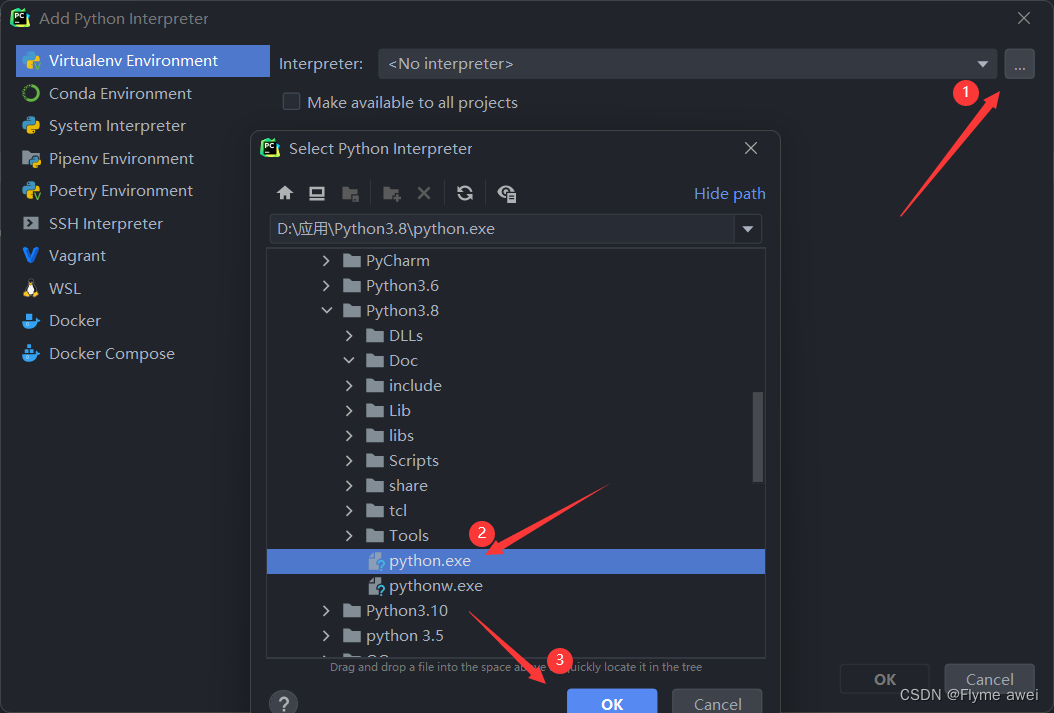 5.系统给我们创建了一个main.py 的文件,里面的代码
# This is a sample Python script. # Press Shift+F10 to execute it or replace it with your code. # Press Double Shift to search everywhere for classes, files, tool windows, actions, and settings. def print_hi(name): # Use a breakpoint in the code line below to debug your script. print(f'Hi, {name}') # Press Ctrl+F8 to toggle the breakpoint. # Press the green button in the gutter to run the script. if __name__ == '__main__': print_hi('PyCharm') # See PyCharm help at https://www.jetbrains.com/help/pycharm/- 1
- 2
- 3
- 4
- 5
- 6
- 7
- 8
- 9
- 10
- 11
- 12
- 13
- 14
- 15
- 16
- 17
直接右键运行
输出:Hi,Pycharm

三、Pycharm模板的设设置
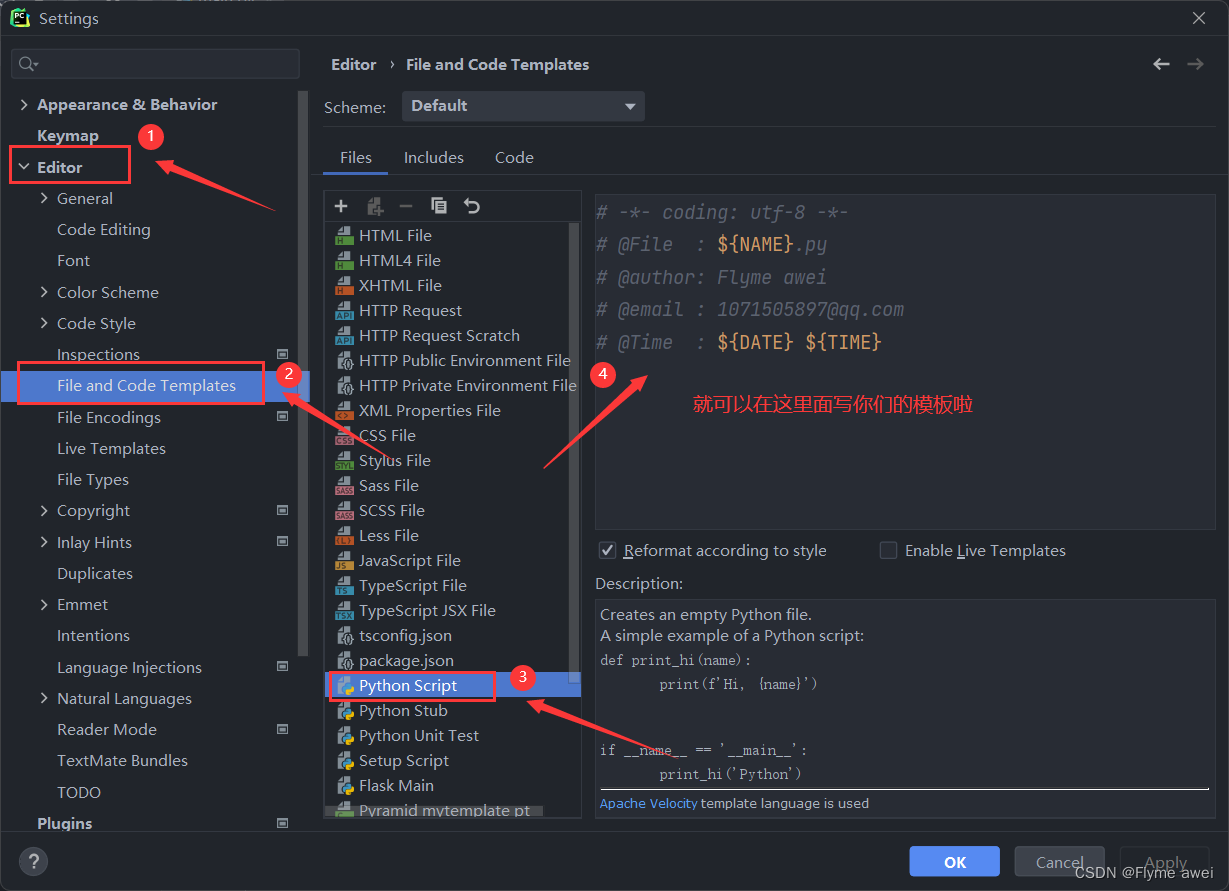
1.File-Settings
 2.直接照着图上详细的步骤走
然后点击OK即可
3.我们来新建一个demo.py文件试试效果
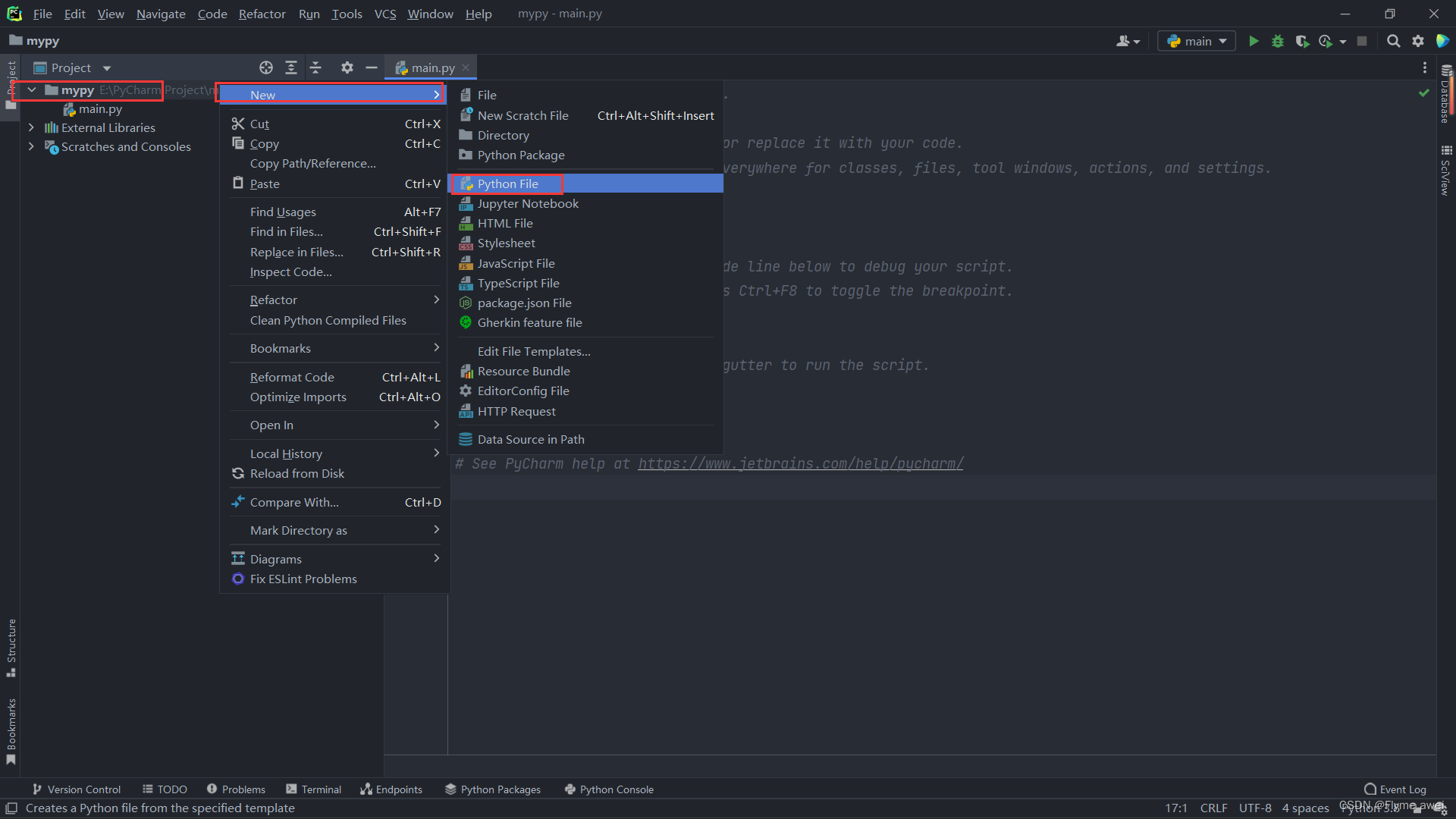

可以看到效果还是不错哒。

好啦,文章到这里就结束啦!
感谢小伙伴你们的支持!
-
相关阅读:
ArcGIS/GeoScene脚本:基于粒子群优化的支持向量机回归模型
操作系统初识
el-table(vue2中)滚动条被固定列盖住
Flink用户自定义连接器(Table API Connectors)学习总结
嵌入式软件架构设计-消息交互
猿创征文|瑞吉外卖——移动端_手机端展示
怎么样利用空闲时间做网赚?
从零开始实现lmax-Disruptor队列(六)Disruptor 解决伪共享、消费者优雅停止实现原理解析
【深入浅出 Yarn 架构与实现】2-1 Yarn 基础库概述
Python:50行代码实现下载小说,图片章节可自动识别转文字保存...
- 原文地址:https://blog.csdn.net/m0_68744965/article/details/125754052

- 最新文章
-
沪漂五周年了:我越来越迷茫了
Agentic Skill Routing 实战:别再把所有 Skill 塞进 AI Agent 上下文
MySQL-Seconds_behind_master的精度误差
[MAF预定义ChatClient中间件-03]CachingChatClient——利用缓存省钱省时间
AI的至暗历史:从万众期待到被政府撤资,AI的两次死亡徘徊
Agent OS :五种驯服不确定性的范式
PortSwigger SQL注入LAB11
数据库即时编译JIT
[Begin]AI Learn Data Day 0
深度学习进阶(二十七)现代 LLM 的核心架构设计其二:SwiGLU