1. 概述
暗示效应告诉我们:
巧妙的暗示会在不知不觉中剥夺我们的判断力,对我们的思维形成一定的影响,造成我们行为的些许改变或者偏差。
例如你的朋友说你脸色不太好,是不是病了,此时,你可能就会感觉浑身不舒服、头重脚轻,想赶紧去看医生。
而如果你的朋友对你说你脸色不太好,应该是没睡好,属于正常现象,一会中午吃点好的,再睡个午觉就没事了,你可能就会感觉只是小事情,不会去在意。
积极的暗示,是有利于身心健康的,因此我们要时刻保持正能量,多对自己做积极的暗示。
言归正传,今天我们来聊聊 VUE 的动态组件。
2. 动态组件
2.1 一个简单的提交例子

<body>
    <div id="myDiv"></div>
</body>
<script>
    const app = Vue.createApp({

        template:`
            <my-input />
            <my-div />
            <button>提交</button>
        `
    });
    app.component("my-input", {

        template: `
                <input />
        `
    });
    app.component("my-div", {

        template: `
            <div>
                提交成功
            </div>
        `
    });
    const vm = app.mount("#myDiv");

这是一个简单的提交例子,需要实现的效果是:“提交成功”几个字先隐藏,我们在文本框中填写内容,点击提交按钮,文本框隐藏,显示“提交成功”几个字,按钮由【提交】变为【重新编辑】
当点击【重新编辑】时,文本框显示,“提交成功”几个字隐藏,按钮由【重新编辑】变为【提交】
2.2 使用 v-show 实现
咱们先使用之前学的 v-show 的语法实现上面的需求
    const app = Vue.createApp({
       data() {
            return {
                showCom : "my-input",
                buttonName : "提交"
            }
       },
       methods : {
            changeInputStatus() {
                if(this.showCom === 'my-input') {
                    this.showCom = "my-div";
                    this.buttonName = "重新编辑";
                } else {
                    this.showCom = "my-input";
                    this.buttonName = "提交";
                }
            }
       },
       template:`
           <my-input v-show="showCom === 'my-input'" />
           <my-div v-show="showCom === 'my-div'" />
           <button @click="changeInputStatus">{{buttonName}}</button>
       `
   });

   app.component("my-input", {

       template: `
            <div>
               <input />
            </div>
       `
   });

   app.component("my-div", {

       template: `
           <div>
               提交成功
           </div>
       `
   });


很明显,用 v-show 的语法是可以实现的,我们只需修改 data 中的 showCom 的值,就能实现组件的隐藏和显示
2.3 使用动态组件实现
   const app = Vue.createApp({
       data() {
            return {
                showCom : "my-input",
                buttonName : "提交"
            }
       },
       methods : {
            changeInputStatus() {
                if(this.showCom === 'my-input') {
                    this.showCom = "my-div";
                    this.buttonName = "重新编辑";
                } else {
                    this.showCom = "my-input";
                    this.buttonName = "提交";
                }
            }
       },
       template:`
           <component :is="showCom" />
           <button @click="changeInputStatus">{{buttonName}}</button>
       `
   });


使用 <component :is="showCom" /> 动态组件标签,将组件与数据 showCom 绑定,showCom 的值,必须是组件的名字,名字是哪个组件,component 就转变成哪个组件
但似乎有点问题,点击【重新编辑】重新显示文本框后,文本框中输入的内容不见了,我们希望文本框中的内容还在
2.4 使用动态组件实现,保留文本框内容
    const app = Vue.createApp({
       data() {
            return {
                showCom : "my-input",
                buttonName : "提交"
            }
       },
       methods : {
            changeInputStatus() {
                if(this.showCom === 'my-input') {
                    this.showCom = "my-div";
                    this.buttonName = "重新编辑";
                } else {
                    this.showCom = "my-input";
                    this.buttonName = "提交";
                }
            }
       },
       template:`
           <keep-alive>
                <component :is="showCom" />
           </keep-alive>
           <button @click="changeInputStatus">{{buttonName}}</button>
       `
   });
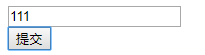


在 component 标签外面包裹一层 keep-alive 标签,文本框的内容就可以保留了
3. 综述
今天聊了一下 VUE3 的 动态组件的使用,希望可以对大家的工作有所帮助,下一节我们继续讲组件的相关知识,敬请期待
欢迎帮忙点赞、评论、转发、加关注 :)
关注追风人聊Java,每天更新Java干货。
4. 个人公众号
追风人聊Java,欢迎大家关注
