-
WPF音乐播放器 零基础4个小时左右
前言:winfrom转wpf用久的熟手说得最多的是,转回去做winfrom难。。当时不明白。。做一个就知道了。
WPF音乐播放器


入口主程序

- FontFamily="Microsoft YaHei" FontSize="12" FontWeight="ExtraLight"
- 居中显示
- WindowStartupLocation="CenterScreen" ResizeMode="NoResize"
- Title="音娱乐行音乐播放器" Height="600" Width="1010"
- 无边框
"1"/>
- StackPanel 块 Orientation="Horizontal" 水平显示 HorizontalAlignment="Center" 居中
"Horizontal" HorizontalAlignment="Center"> "28" Height="28" CornerRadius="10"> "../Assets/Images/Logo.png" Stretch="UniformToFill" - Viewport="-0.3,-0.3,1.6,1.6"
- Opacity="0.5"/>
"" FontFamily="{StaticResource FF}" VerticalAlignment="Center" HorizontalAlignment="Left" - FontSize="20" Foreground="ForestGreen" Height="19" Width="18" Margin="-14,0,0,0">
"5" Color="ForestGreen" ShadowDepth="0" Opacity="0.5"/> "音娱乐行播放器" VerticalAlignment="Center" Margin="10,0,0,0" Foreground="Orange" - FontSize="13" FontWeight="Bold"/>

**************
菜单栏目
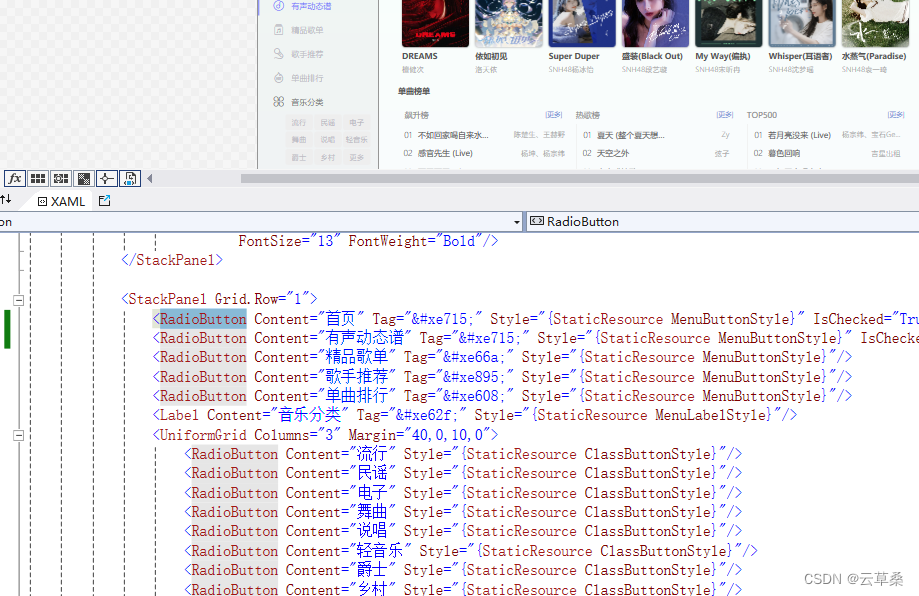
"1"> "首页" Tag="" Style="{StaticResource MenuButtonStyle}" IsChecked="True"/> "有声动态谱" Tag="" Style="{StaticResource MenuButtonStyle}" IsChecked="True"/> "精品歌单" Tag="" Style="{StaticResource MenuButtonStyle}"/> "歌手推荐" Tag="" Style="{StaticResource MenuButtonStyle}"/> "单曲排行" Tag="" Style="{StaticResource MenuButtonStyle}"/> "3" Margin="40,0,10,0"> "流行" Style="{StaticResource ClassButtonStyle}"/> "民谣" Style="{StaticResource ClassButtonStyle}"/> "电子" Style="{StaticResource ClassButtonStyle}"/> "舞曲" Style="{StaticResource ClassButtonStyle}"/> "说唱" Style="{StaticResource ClassButtonStyle}"/> "轻音乐" Style="{StaticResource ClassButtonStyle}"/> "爵士" Style="{StaticResource ClassButtonStyle}"/> "乡村" Style="{StaticResource ClassButtonStyle}"/> "更多" Style="{StaticResource ClassButtonStyle}"/> "{Binding SList}" Margin="40,0,10,0"> "{Binding Header}" Tag="{Binding Icon}" - Style="{StaticResource SheetButtonStyle}"/>
样式控件

- MenuButtonStyle 样式
- //
- //
控件触发器 样式触发器 - MenuLabelStyle 样式
- ClassButtonStyle 样式
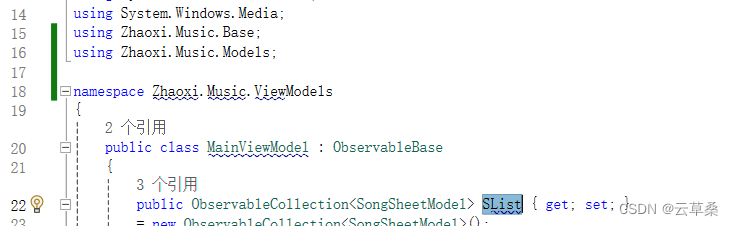
后台绑定数据

指定关系
DataContext = new MainViewModel();


右侧内容

"1"> "50"/> "28" Width="180" HorizontalAlignment="Left" - Style="{StaticResource SearchTextBoxStyle}"
- VerticalContentAlignment="Center" Margin="30,0"/>
"1" VerticalScrollBarVisibility="Hidden"> "30,0">


爬虫
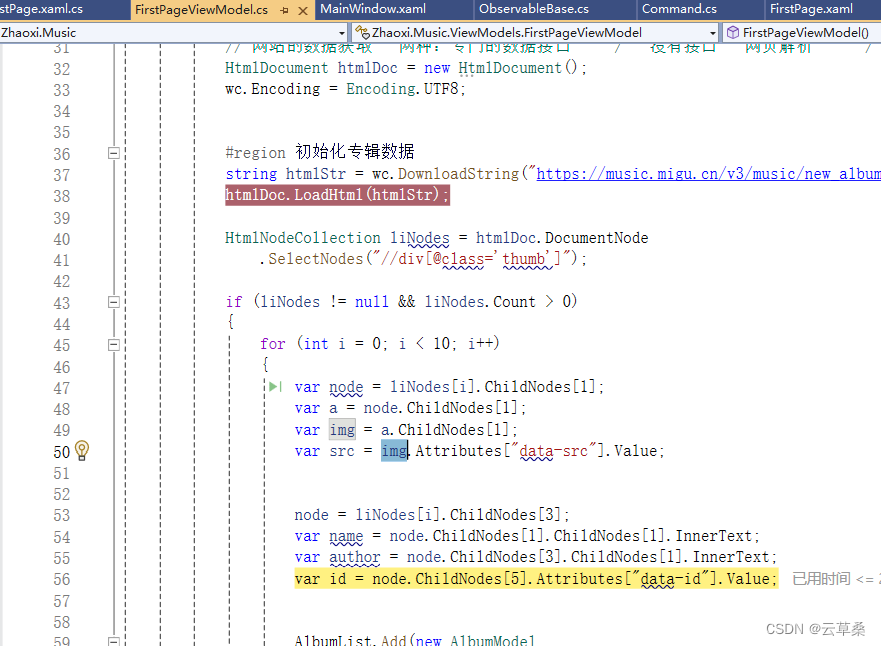
数据绑定

"热门专辑" VerticalAlignment="Center" FontWeight="Bold" - Foreground="#555"/>
"1" BorderThickness="0" Background="Transparent" - ItemsSource="{Binding AlbumList}" ScrollViewer.HorizontalScrollBarVisibility="Hidden">
"Horizontal"/> 水平显示 模板 数据模板 "auto"/> "100" Height="100" CornerRadius="5" > "{Binding Cover}"/> "5" - ShadowDepth="0" Color="Gray" Opacity="0.5"/>
数据列表绑定

数据细节处理


ps:学wpf没有个大屏是个阻力哈哈哈
播放控制器

- DataContext.PlayDownloadCommand,RelativeSource
- 播放命令指向信息
指向信息帮助类 有点深入自己看
- public class Command<T> : ICommand
- {
- public event EventHandler? CanExecuteChanged;
- public bool CanExecute(object? parameter)
- {
- return true;
- }
- public void Execute(object? parameter)
- {
- dynamic param = parameter;
- DoExecute?.Invoke(param);
- }
- public Action
DoExecute { get; set; } - public Command(Action
action ) - {
- DoExecute = action;
- }
- }
- public class Command : Command<object>
- {
- public Command(Action action) : base(obj => action?.Invoke()) { }
- }
其他类似
小经验


分界线 深吭来了


- public async void Play(SongModel song)
- {
- var options = new LaunchOptions { Headless = true };
- // 这里有个深坑哈 先要跑一边 下载运行环境 后 注释掉
- // await new BrowserFetcher().DownloadAsync(BrowserFetcher.DefaultChromiumRevision);
- //注意 两个using
- using (var browser = await Puppeteer.LaunchAsync(options))
- using (var page = await browser.NewPageAsync())
- {
- await page.GoToAsync(song.Url);
- //请求之后 就是用语法 有就获取src
- var jsSelectAllAnchors = @"Array.from(document.querySellectorAll('audio')).map(a=>a.src);";
- var urls=await page.EvaluateExpressionAsync<string[]>(jsSelectAllAnchors);
- if (urls != null&&urls.Length>0)
- {
- wc.DownloadFile(urls[0],"./songs/"+song.SongName+".mp3");
- }
- }
- }


遇到的问题 jsSelectAllAnchors 这里面的命令哪里来的 写错了一个单词 找了有点久

细节UI 播放控制台


双击


跑起来了
简单的播放 可以下载播放 下载延迟很耗时间
小编表示 wpf 界面代码写起来 这还是有点底子 ,写起来 比vue webfrom react 都麻烦=.=。。。。。
.net几行代码音乐API各排行榜 热搜 入库-CSDN博客
ABP.Next系列02 搭个API框架要多久 项目下载 运行 -Fstyle_【abp vnext】下载并运行web api项目详细教程文档-CSDN博客
-
相关阅读:
Vue-04-axios异步通信
position sticky与overflow冲突失效无作用,解决办法
uniapp iOS 真机调试
智能导诊(Intelligent Guidance,IG)源码
jvm八股
龙讯旷腾并行科技签署战略合作协议,将PWmat加入以北京超级云计算中心算力资源为“基座”的超算云平台
觉哥java网站踩坑+bug记录(困扰一分钟以上的问题全记录)
张量的连续性、contiguous函数
GEM5 Garnet DVFS / NoC DVFS教程:ruby.clk_domain ruby.voltage_domain
网络编程的学习初篇
- 原文地址:https://blog.csdn.net/cao919/article/details/139399302
- 最新文章
-
沪漂五周年了:我越来越迷茫了
Agentic Skill Routing 实战:别再把所有 Skill 塞进 AI Agent 上下文
MySQL-Seconds_behind_master的精度误差
[MAF预定义ChatClient中间件-03]CachingChatClient——利用缓存省钱省时间
AI的至暗历史:从万众期待到被政府撤资,AI的两次死亡徘徊
Agent OS :五种驯服不确定性的范式
PortSwigger SQL注入LAB11
数据库即时编译JIT
[Begin]AI Learn Data Day 0
深度学习进阶(二十七)现代 LLM 的核心架构设计其二:SwiGLU