-
鸿蒙Harmony应用开发—ArkTS声明式开发(容器组件:UIExtensionComponent (系统接口))
UIExtensionComponent用于支持在本页面内嵌入其他应用提供的UI。展示的内容在另外一个进程中运行,本应用并不参与其中的布局和渲染。
通常用于有进程隔离诉求的模块化开发场景。
说明:
该组件从API Version 10开始支持。后续版本如有新增内容,则采用上角标单独标记该内容的起始版本。
本模块为系统接口。
使用约束
本组件不支持预览。
被拉起的Ability必须是带UI的Ability扩展,如何实现带UI的Ability扩展请参考实现带UI的Ability扩展。
必须显示设置组件宽高为非0有效值。
子组件
无
接口
UIExtensionComponent(want: Want, options?: UIExtensionOptions)
参数:
参数名 参数类型 必填 参数描述 want Want 是 要加载的Ability。 options11+ UIExtensionOptions 否 需要传递的构造项。 属性
支持通用属性。
事件
不支持通用事件。
将事件经过坐标转换后传递给对端Ability处理。
支持以下事件:
onRemoteReady
onRemoteReady(callback: Callback
) UIExtensionAbility连接完成时的回调,之后可使用proxy向被拉起的Ability发送数据。
参数:
参数名 类型 说明 proxy UIExtensionProxy 用于向对端Ability发送数据。 onReceive
onReceive(callback: Callback<{ [key: string]: Object }>)
收到被拉起的Ability发送的数据时触发的回调。
参数:
参数名 类型 说明 data { [key: string]: Object } 收到来自对端Ability的数据。 onResult
onResult(callback: Callback<{code: number; want?: Want}>)
被拉起的Ability扩展调用terminateSelfWithResult时会先触发本回调函数,再触发OnRelease。
本回调内可处理对端Ability的结果数据,可参考AbilityResult。
参数:
参数名 类型 说明 code number 收到来自对端Ability的处理結果code。 want Want 收到来自对端Ability的处理結果Want。 onRelease
onRelease(callback: Callback
) 用于处理被拉起的Ability销毁时的回调。
被拉起的Ability扩展调用terminateSelfWithResult或者terminateSelf时会触发本回调,此时releaseCode为0,即正常销毁。
被拉起的Ability扩展意外Crash或被kill时,触发本回调,此时releaseCode为1。
参数:
参数名 类型 说明 releaseCode number 对端Ability销毁时的code,0为正常销毁,1为异常销毁。 onError
onError(callback:ErrorCallback)
被拉起的Ability扩展在运行过程中发生异常时触发本回调。可通过回调参数中的code、name和message获取错误信息并做处理。
参数:
参数名 类型 说明 err BusinessError 报错信息。 UIExtensionOptions11+
用于在UIExtensionComponent进行构造的时传递可选的构造参数。
参数:
参数名 参数类型 必填 参数描述 isTransferringCaller boolean 否 在使用UIExtensionComponent嵌套时,设置当前UIExtensionComponent是否转发上一级的Caller信息。 默认值:false。 UIExtensionProxy
用于在双方建立连接成功后,组件使用方向被拉起的Ability发送数据、订阅和取消订阅注册。
send
send(data: { [key: string]: Object }): void
用于在双方建立连接成功后,组件使用方向被拉起的Ability发送数据的场景,提供异步发送数据。
系统能力: SystemCapability.ArkUI.ArkUI.Full
参数:
参数名 参数类型 必填 参数描述 data { [key: string]: Object } 是 异步发送给被拉起的扩展Ability的数据。 sendSync11+
sendSync(data: { [key: string]: Object }): { [key: string]: Object }
用于在双方建立连接成功后,组件使用方向被拉起的Ability发送数据的场景,提供同步发送数据。
系统能力: SystemCapability.ArkUI.ArkUI.Full
参数:
参数名 参数类型 必填 参数描述 data { [key: string]: Object } 是 同步发送给被拉起的扩展Ability的数据。 返回值:
类型 描述 { [key: string]: Object } 扩展Ability回复的数据。 错误码:
错误号 描述 100011 扩展Ability未注册同步回调 100012 数据发送失败 on('asyncReceiverRegister')11+
on(type: 'asyncReceiverRegister', callback: (proxy: UIExtensionProxy) => void): void
用于在双方建立连接成功后,组件使用方订阅被拉起的Ability发生异步注册的场景。
系统能力: SystemCapability.ArkUI.ArkUI.Full
参数:
参数名 参数类型 必填 参数描述 type string 是 代表订阅扩展Ability发生异步注册回调。 callback (proxy: UIExtensionProxy) => void 是 订阅扩展Ability注册setReceiveDataCallback后触发的回调。 on('syncReceiverRegister')11+
on(type: 'syncReceiverRegister', callback: (proxy: UIExtensionProxy) => void): void
用于在双方建立连接成功后,组件使用方订阅被拉起的Ability发生同步注册的场景。
系统能力: SystemCapability.ArkUI.ArkUI.Full
参数:
参数名 参数类型 必填 参数描述 type string 是 订阅扩展Ability发生同步注册回调。 callback (proxy: UIExtensionProxy) => void 是 扩展Ability注册setReceiveDataForResultCallback后触发的回调。 off('asyncReceiverRegister')11+
off(type: 'asyncReceiverRegister', callback?: (proxy: UIExtensionProxy) => void): void
用于在双方建立连接成功后,组件使用方取消订阅被拉起的Ability发生异步注册的场景。
系统能力: SystemCapability.ArkUI.ArkUI.Full
参数:
参数名 参数类型 必填 参数描述 type string 是 取消订阅扩展Ability发生异步注册回调。 callback (proxy: UIExtensionProxy) => void 否 为空代表取消订阅所有扩展Ability异步注册后触发回调。
非空代表取消订阅异步对应回调。off('syncReceiverRegister')11+
off(type: 'syncReceiverRegister', callback?: (proxy: UIExtensionProxy) => void): void
用于在双方建立连接成功后,组件使用方取消订阅被拉起的Ability发生同步注册的场景。
系统能力: SystemCapability.ArkUI.ArkUI.Full
参数:
参数名 参数类型 必填 参数描述 type string 是 取消订阅扩展Ability发生同步注册回调。 callback (proxy: UIExtensionProxy) => void 否 为空代表取消订阅所有扩展Ability同步注册后触发回调
非空代表取消订阅同步对应回调。示例
本示例仅展示组件使用的方法和扩展的Ability,实际运行需在设备中安装bundleName为"com.example.uiextensionprovider",abilityName为"UIExtensionProvider"的Ability扩展。
- // 组件使用示例:
- @Entry
- @Component
- struct Second {
- @State message1: string = 'Hello World 1'
- @State message2: string = 'Hello World 2'
- @State message3: string = 'Hello World 3'
- @State visible: Visibility = Visibility.Hidden
- @State wid: number = 300
- @State hei: number = 300
- private proxy: UIExtensionProxy = undefined
- build() {
- Row() {
- Column() {
- Text(this.message1).fontSize(30)
- Text(this.message2).fontSize(30)
- Text(this.message3).fontSize(30)
- UIExtensionComponent({
- bundleName : "com.example.newdemo",
- abilityName: "UIExtensionProvider",
- parameters: {
- "ability.want.params.uiExtensionType": "dialog"
- }
- })
- .width(this.wid)
- .height(this.hei)
- .border({width: 5, color: Color.Blue})
- .onResult((data)=>{
- this.message1 = JSON.stringify(data['want']['bundleName'])
- })
- .onRelease((code)=>{
- this.message2 = "release code : " + code
- })
- .onReceive((data) => {
- console.info('Lee onReceive, for test')
- this.message3 = JSON.stringify(data['data'])
- })
- .onRemoteReady((proxy) => {
- console.info('onRemoteReady, for test')
- this.proxy = proxy
- this.proxy.on("syncReceiverRegister", syncRegisterCallback1);
- // this.proxy.on("syncReceiverRegister", syncRegisterCallback2);
- // this.proxy.off("syncReceiverRegister");
- // this.proxy.off("syncReceiverRegister", (proxy) => {
- // console.info("off invoke for test, type is syncReceiverRegister");
- // });
- this.proxy.on("asyncReceiverRegister", (proxy1) => {
- console.info("on invoke for test, type is asyncReceiverRegister");
- });
- //
- // this.proxy.off("asyncReceiverRegister");
- })
- Button("点击向UIExtensionAbility发送数据").onClick(() => {
- if (this.proxy != undefined) {
- this.proxy.send({data: "你好1"})
- try {
- let re = this.proxy.sendSync({data: "你好2"})
- console.info("for test, re=" + JSON.stringify(re));
- } catch (err) {
- console.error(`sendSync failed for test. errCode=${err.code}, msg=${err.message}`);
- }
- }
- })
- }
- .width('100%')
- }
- .height('100%')
- }
- }
- function syncRegisterCallback1(proxy: UIExtensionProxy) {
- console.info("on invoke for test, syncRegisterCallback1, type is syncReceiverRegister");
- }
- function syncRegisterCallback2(proxy: UIExtensionProxy) {
- console.info("on invoke for test, syncRegisterCallback2, type is syncReceiverRegister");
- }
- // 扩展入口文件UIExtensionProvider.ts
- import UIExtensionAbility from '@ohos.app.ability.UIExtensionAbility'
- import UIExtensionContentSession from '@ohos.app.ability.UIExtensionContentSession'
- import Want from '@ohos.app.ability.Want';
- const TAG: string = '[UIExtAbility]'
- export default class UIExtAbility extends UIExtensionAbility {
- onCreate() {
- console.log(TAG, `UIExtAbility onCreate`)
- }
- onForeground() {
- console.log(TAG, `UIExtAbility onForeground`)
- }
- onBackground() {
- console.log(TAG, `UIExtAbility onBackground`)
- }
- onDestroy() {
- console.log(TAG, `UIExtAbility onDestroy`)
- }
- onSessionCreate(want: Want, session: UIExtensionContentSession) {
- console.log(TAG, `UIExtAbility onSessionCreate, want: ${JSON.stringify(want)}`)
- let param: Record<string, UIExtensionContentSession> = {
- 'session': session
- };
- let storage: LocalStorage = new LocalStorage(param);
- session.loadContent('pages/extension', storage);
- }
- onSessionDestroy(session: UIExtensionContentSession) {
- console.log(TAG, `UIExtAbility onSessionDestroy`)
- }
- }
- // 扩展Ability入口页面文件extension.ets
- import UIExtensionContentSession from '@ohos.app.ability.UIExtensionContentSession';
- import router from '@ohos.router';
- let storage = LocalStorage.getShared()
- @Entry(storage)
- @Component
- struct Extension {
- @State message: string = 'UIExtensionAbility'
- private session: UIExtensionContentSession = storage.get<UIExtensionContentSession>('session');
- onPageShow() {
- if (this.session != undefined) {
- this.session.setReceiveDataCallback((data)=> {
- this.message = JSON.stringify(data['data'])
- console.info("invoke for test, handle callback set by setReceiveDataCallback successfully");
- })
- this.session.setReceiveDataForResultCallback(func1)
- }
- }
- build() {
- Row() {
- Column() {
- Text(this.message)
- .fontSize(20)
- .fontWeight(FontWeight.Bold)
- Button("点击向Component发送数据").onClick(()=>{
- if (this.session != undefined) {
- this.session.sendData({"data": 543321})
- console.info('send 543321, for test')
- }
- })
- Button("terminate").onClick(()=> {
- if (this.session != undefined) {
- this.session.terminateSelf();
- }
- storage.clear()
- })
- Button("terminate with result").onClick(()=>{
- if (this.session != undefined) {
- this.session.terminateSelfWithResult({
- resultCode: 0,
- want: {
- bundleName: "myBundleName",
- parameters: { "result": 123456 }
- }
- })
- }
- storage.clear()
- })
- Button("点击跳转").onClick(()=> {
- router.pushUrl({url: 'pages/hello'})
- })
- }
- }
- .height('100%')
- }
- }
- function func1(data: { [key: string]: Object; }): { [key: string]: Object; } {
- this.message = JSON.stringify(data['data'])
- console.info("invoke for test, handle callback set by setReceiveDataForResultCallback successfully");
- return data;
- }
最后,有很多小伙伴不知道学习哪些鸿蒙开发技术?不知道需要重点掌握哪些鸿蒙应用开发知识点?而且学习时频繁踩坑,最终浪费大量时间。所以有一份实用的鸿蒙(HarmonyOS NEXT)资料用来跟着学习是非常有必要的。
这份鸿蒙(HarmonyOS NEXT)资料包含了鸿蒙开发必掌握的核心知识要点,内容包含了(ArkTS、ArkUI开发组件、Stage模型、多端部署、分布式应用开发、音频、视频、WebGL、OpenHarmony多媒体技术、Napi组件、OpenHarmony内核、Harmony南向开发、鸿蒙项目实战等等)鸿蒙(HarmonyOS NEXT)技术知识点。
希望这一份鸿蒙学习资料能够给大家带来帮助,有需要的小伙伴自行领取,限时开源,先到先得~无套路领取!!
获取这份完整版高清学习路线,请点击→纯血版全套鸿蒙HarmonyOS学习资料
鸿蒙(HarmonyOS NEXT)最新学习路线

-
HarmonOS基础技能

- HarmonOS就业必备技能

- HarmonOS多媒体技术

- 鸿蒙NaPi组件进阶

- HarmonOS高级技能

- 初识HarmonOS内核
- 实战就业级设备开发

有了路线图,怎么能没有学习资料呢,小编也准备了一份联合鸿蒙官方发布笔记整理收纳的一套系统性的鸿蒙(OpenHarmony )学习手册(共计1236页)与鸿蒙(OpenHarmony )开发入门教学视频,内容包含:ArkTS、ArkUI、Web开发、应用模型、资源分类…等知识点。
获取以上完整版高清学习路线,请点击→纯血版全套鸿蒙HarmonyOS学习资料
《鸿蒙 (OpenHarmony)开发入门教学视频》

《鸿蒙生态应用开发V2.0白皮书》
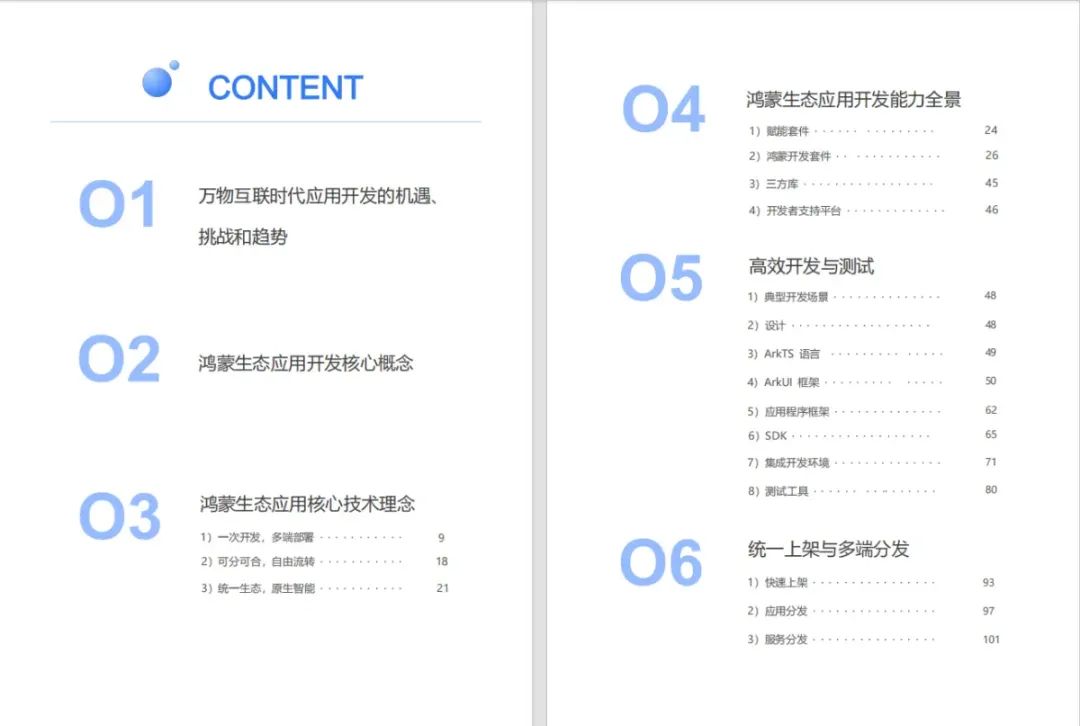
《鸿蒙 (OpenHarmony)开发基础到实战手册》
OpenHarmony北向、南向开发环境搭建
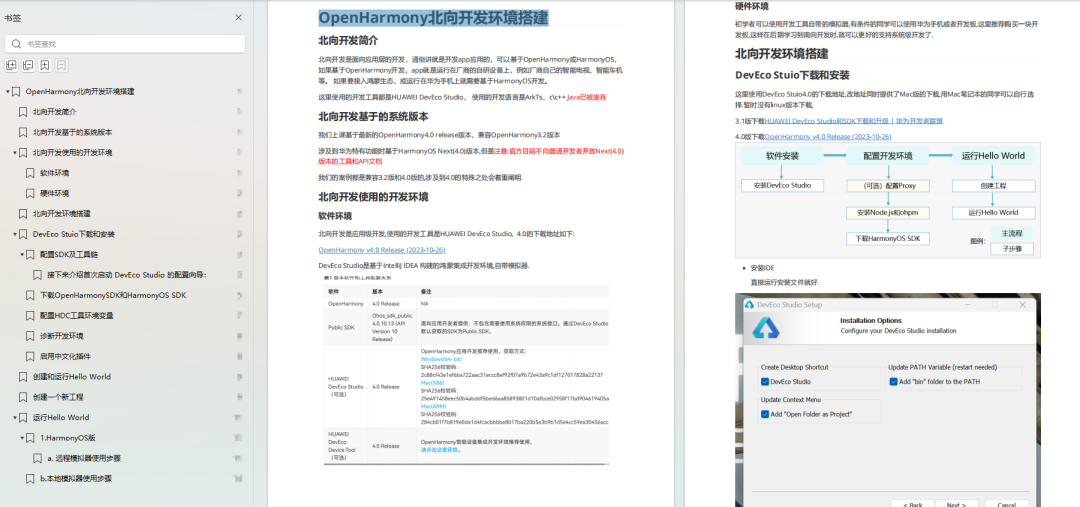
《鸿蒙开发基础》
- ArkTS语言
- 安装DevEco Studio
- 运用你的第一个ArkTS应用
- ArkUI声明式UI开发
- .……
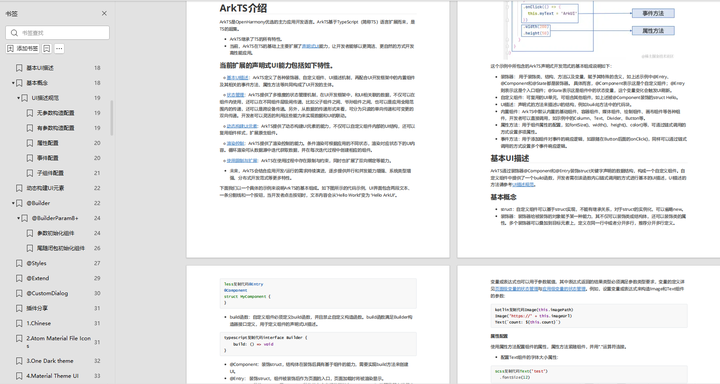
《鸿蒙开发进阶》
- Stage模型入门
- 网络管理
- 数据管理
- 电话服务
- 分布式应用开发
- 通知与窗口管理
- 多媒体技术
- 安全技能
- 任务管理
- WebGL
- 国际化开发
- 应用测试
- DFX面向未来设计
- 鸿蒙系统移植和裁剪定制
- ……
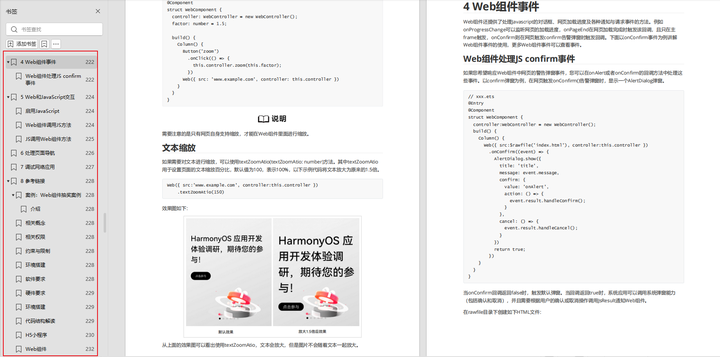
《鸿蒙进阶实战》
- ArkTS实践
- UIAbility应用
- 网络案例
- ……
获取以上完整鸿蒙HarmonyOS学习资料,请点击→纯血版全套鸿蒙HarmonyOS学习资料
总结
总的来说,华为鸿蒙不再兼容安卓,对中年程序员来说是一个挑战,也是一个机会。只有积极应对变化,不断学习和提升自己,他们才能在这个变革的时代中立于不败之地。

-
相关阅读:
Argo项目实战示例:Argo Workflows(when分支,循环,递归等); Argo CD; Argo Events; Argo Rollouts
OpenAI推出首个AI视频模型Sora:重塑视频创作与体验
thymeleaf抽取公共页面
Direct LiDAR-Inertial Odometry
vnodeToString函数把vnode转为string(innerhtml)
.NET MAUI 已在塔架就位 ,4月份发布RC
云备份项目2
02 - 分析一个Android程序以及日志工具的使用
IT行业哪个方向比较好就业?
分布式事务Seata源码解析13:TCC事务模式实现原理
- 原文地址:https://blog.csdn.net/m0_64420071/article/details/136771073

- 最新文章
-
沪漂五周年了:我越来越迷茫了
Agentic Skill Routing 实战:别再把所有 Skill 塞进 AI Agent 上下文
MySQL-Seconds_behind_master的精度误差
[MAF预定义ChatClient中间件-03]CachingChatClient——利用缓存省钱省时间
AI的至暗历史:从万众期待到被政府撤资,AI的两次死亡徘徊
Agent OS :五种驯服不确定性的范式
PortSwigger SQL注入LAB11
数据库即时编译JIT
[Begin]AI Learn Data Day 0
深度学习进阶(二十七)现代 LLM 的核心架构设计其二:SwiGLU