-
远程办公、企业内网服务器的Code-Server上如何配置使用CodeGeeX插件
很多小伙伴都会在工作中使用code-server,比如说远程办公,当你需要在家访问你的工作环境,亦或者是你们公司的Docker是放入服务器中。code-server 无疑是最好的选择,它可以让你通过互联网安全地连接到远程服务器上的开发环境并且使用VS Code。
这也符合code-server的初衷——能够在任何机器上的任何地方运行VS Code,并在浏览器中访问它。(Run VS Code on any machine anywhere and access it in the browser.)但是code-server上很多插件都无法使用,就比如能够提升我们coding效率的CodeGeeX!显示一片空白并且报获取证书错误!

有问题那咱们就解决问题!这里以linux服务器为例:
一、生成并设置ssl证书
cp /etc/ssl/openssl.cnf ~/test_openssl.cnf vim ~/test_openssl.cnf- 1
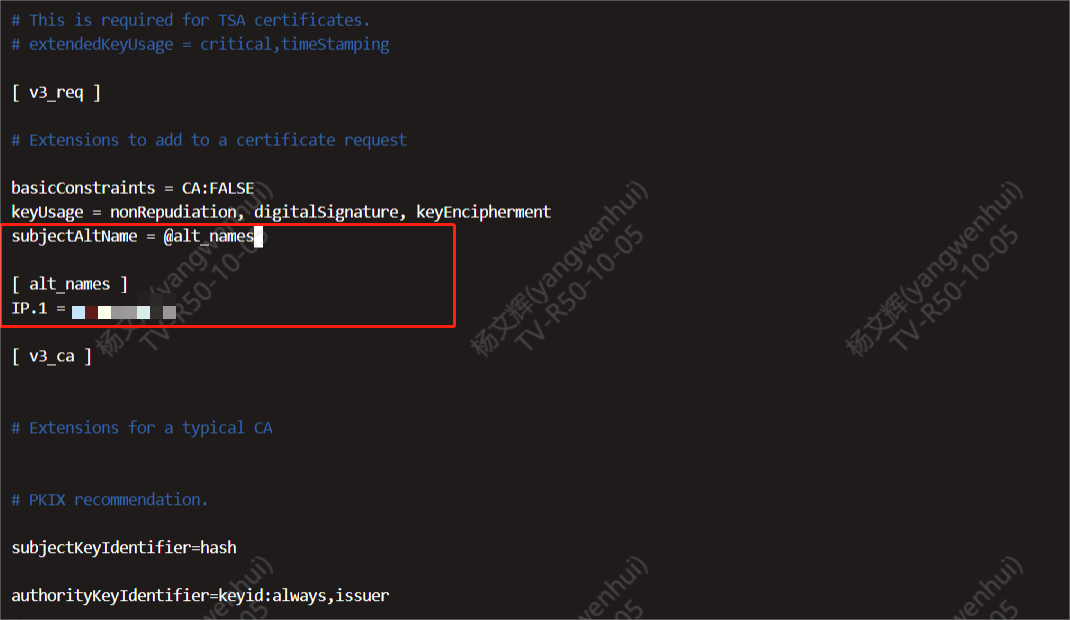
修改的内容有两个地方:
- 去掉
req_extensions = v3_req一行的注释

- 添加如下信息
subjectAltName = @alt_names [ alt_names ] IP.1 = XX.XX.XX.XX- 1
- 2
注意:IP是服务器IP
使用 OpenSSL 工具生成一个新的证书签名请求(CSR)和私钥
openssl req -**new** -nodes -keyout ~/MyKey.key -out ~/server.csr -config ~/test_openssl.cnf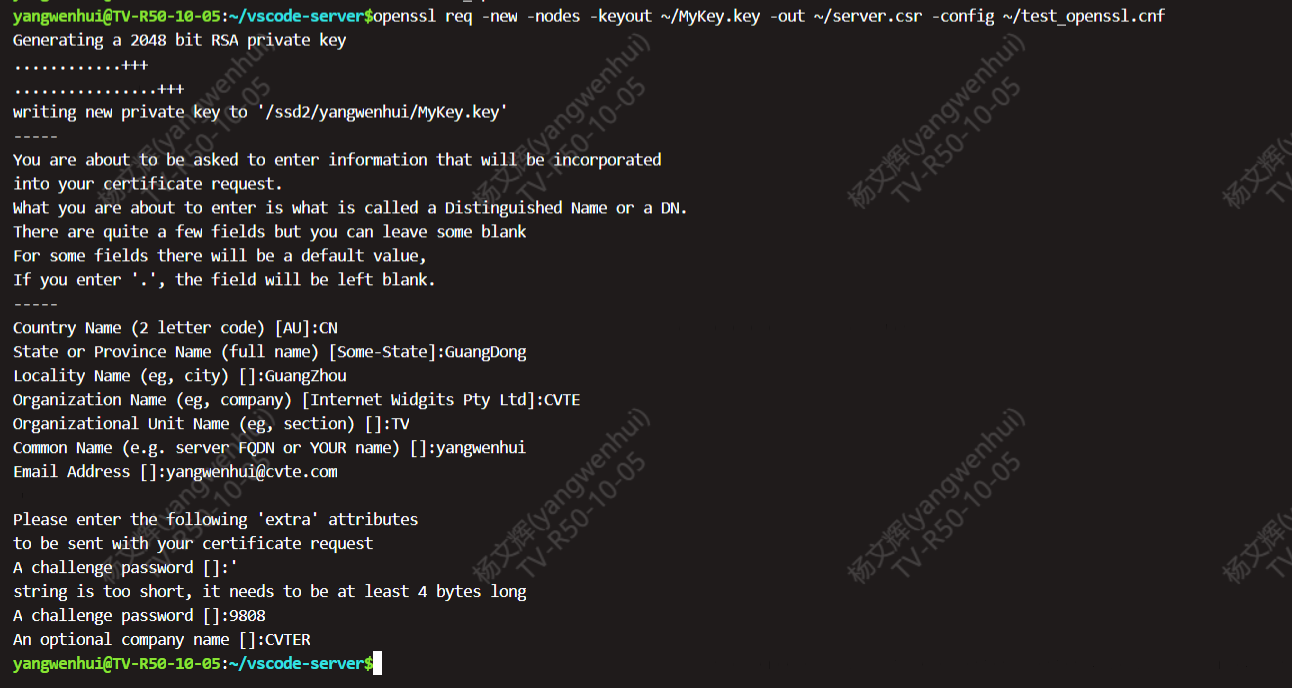
openssl x509 -req -days 3650 -in ~/server.csr -signkey ~/MyKey.key -out ~/MyCertificate.crt -extensions v3_req -extfile ~/test_openssl.cnf
最终
~/MyCertificate.crt就是我们要的证书二、导入证书
在chrome里面导入这个证书

这三个都需要导入

随后重启浏览器和code-server即可正常使用插件。

code-server的插件下载和VSCode体验一致,都可以在插件市场直接搜索CodeGeeX,下载安装就可以了。

-
相关阅读:
PTA递归练习
Python爬虫进阶:提升爬虫效率
Web项目【用户管理系统】完整版
【Shell 系列教程】Shell printf 命令( 六)
stm32 笔记 PWM及HAL库应用
Redis学习笔记——操作Hash
Postman入门基础 —— 接口测试流程!
Flutter 的 showDialog 和 showCupertinoDialog 有什么区别?
网络安全(黑客技术)—2024自学
报错:Could not resolve host: mirrorlist.centos.org;Unknown error
- 原文地址:https://blog.csdn.net/mp817/article/details/136716476
- 最新文章
-
沪漂五周年了:我越来越迷茫了
Agentic Skill Routing 实战:别再把所有 Skill 塞进 AI Agent 上下文
MySQL-Seconds_behind_master的精度误差
[MAF预定义ChatClient中间件-03]CachingChatClient——利用缓存省钱省时间
AI的至暗历史:从万众期待到被政府撤资,AI的两次死亡徘徊
Agent OS :五种驯服不确定性的范式
PortSwigger SQL注入LAB11
数据库即时编译JIT
[Begin]AI Learn Data Day 0
深度学习进阶(二十七)现代 LLM 的核心架构设计其二:SwiGLU