介绍
在使用nest创建项目时,默认使用webpack进行打包,有时候启动项目需要1-2分钟。所以希望采用vite进行快速启动项目进行开发。
本文主要使用NestJs、Vite和swc进行配置。文章实操较多,概念性的东西可访问对应的官方文档进行了解。tips: 个人认为概念性的东西,在文章中指出。对熟悉的人来说直接就实操,节省时间。感兴趣的小伙伴探索性去了解,提升学习乐趣
概念
- 什么是NestJS?
官方地址: NestJS - A progressive Node.js framework
中文地址: NestJS 简介 | NestJS 中文文档 | NestJS 中文网 (bootcss.com)
个人理解: NodeJS的Spring Boot. 结合了面向对象,函数式编程和依赖注入的理念,使用NodeJS 搭建后端应用程序。
联想: express、egg、Spring Boot
- 什么是Vite?
官方地址: Vite | Next Generation Frontend Tooling (vitejs.dev)
中文地址: Vite | 下一代的前端工具链 (vitejs.dev) - 什么是swc?
官方地址:Rust-based platform for the Web – SWC
实操
创建项目
执行命令:
$ npm i -g @nestjs/cli
$ nest new project-name
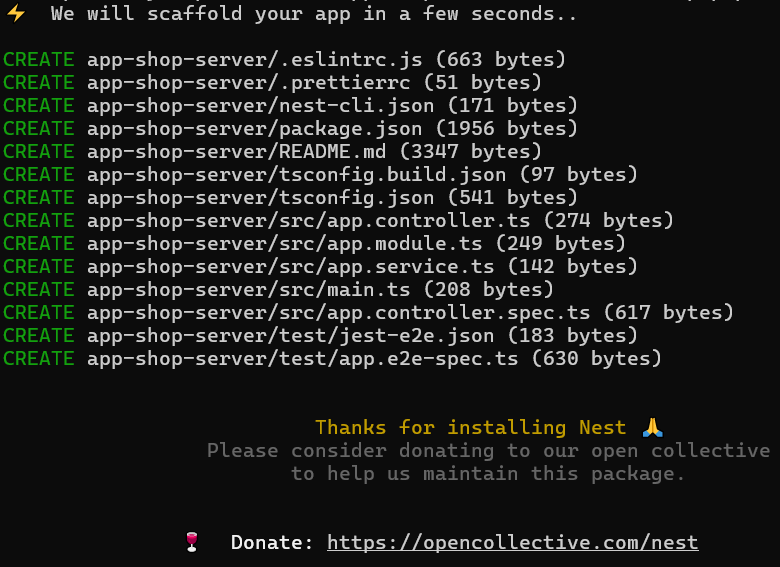
安装完成之后目录结构如下:

在项目的根目录下运行项目

在浏览器上输入localhost:3000可以看到项目的输出:Hello World
安装Vite
pnpm add vite vite-plugin-node -D
配置Vite
参考VitePluginNode配置
export default defineConfig({
  server: {
    port: 3000,
  },
  plugins: [
    ...VitePluginNode({
      // NodeJs 原生请求适配器
      // 支持'express', 'nest', 'koa' 和 'fastify',
      adapter: 'nest',

      // 项目入口文件
      appPath: './src/main',

      // 在项目入口文件中导出的名字
      exportName: 'appServer',

      // 编译方式: esbuild 和 swc,
      // 默认 esbuild. 但esbuild 不支持 'emitDecoratorMetadata'
      // 使用swc需要安装 `@swc/core`
      tsCompiler: 'swc',
    }),
  ],
  optimizeDeps: {
    exclude: [
        '@nestjs/microservices',
        '@nestjs/websockets',
        'cache-manager',
        'class-transformer',
        'class-validator',
        'fastify-swagger'
    ],
  },
});
修改入口文件
import { NestFactory } from '@nestjs/core';
import { AppModule } from './app.module';

if (import.meta.env.PROD) {
  async function bootstrap() {
    const app = await NestFactory.create(AppModule);
    await app.listen(3000);
  }
  bootstrap();
}
export const appServer = NestFactory.create(AppModule);
问题总结
- 无法识别
import.meta

解决方案:修改tsconfig.json
{
 "compilerOptions": {
   "module": "ESNext",
   "declaration": true,
   "moduleResolution": "Node",
   "removeComments": true,
   "emitDecoratorMetadata": true,
   "experimentalDecorators": true,
   "allowSyntheticDefaultImports": true,
   "target": "ES2021",
   "sourceMap": true,
   "outDir": "./dist",
   "baseUrl": "./",
   "incremental": true,
   "skipLibCheck": true,
   "strictNullChecks": true,
   "noImplicitAny": true,
   "strictBindCallApply": true,
   "forceConsistentCasingInFileNames": true,
   "noFallthroughCasesInSwitch": true,
   "types": [
     "vite/client"
   ]
 },
}