• Havoc插件编写


    配置文件的webhook支持discord,所以尝试使用钉钉和企业微信。

    WebHook {
    	Discord {
    		Url = ""
    		AvatarUrl = ""
    		User = "announcer"
    	}
    }

    服务端中判断如果配置了webhook会在自身添加agent之前就转发给discord了。

    func (t *Teamserver) AgentAdd(Agent *agent.Agent) []*agent.Agent {
    	if Agent != nil {
    		if t.WebHooks != nil {
    			t.WebHooks.NewAgent(Agent.ToMap())
    		}
    	}
    ...
    }

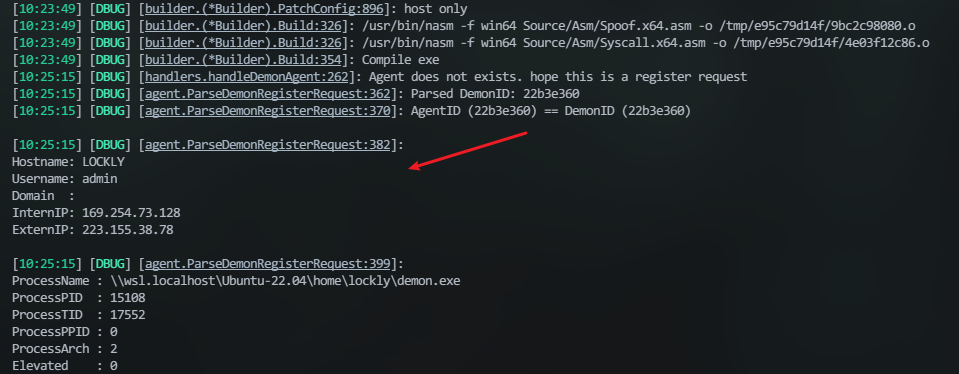
    可以看到在上线时,server的控制台上会有上线的信息。

    image

    借鉴一个老哥的做法:起个子程序来开服务端,同时监听并捕获这个信息:

        process = subprocess.Popen(['./havoc', 'server', '--profile', './profiles/havoc.yaotl', '-v', '--debug'],
                                   stdout=subprocess.PIPE, 
                                   stderr=subprocess.STDOUT,
                                   text=True)
      
        capture = False
    
    // 获取到前四行即可
            if "[DBUG] [agent.ParseDemonRegisterRequest:382]" in line:
                capture = True
                captured_text = ""
                line_count = 0
                continue
    
            if capture:
                if line_count < 5:  
                    captured_text += line + '\n'
                    line_count += 1
                else: # 
                    send_messages('New connection!\n'+captured_text.strip())
                    capture = False

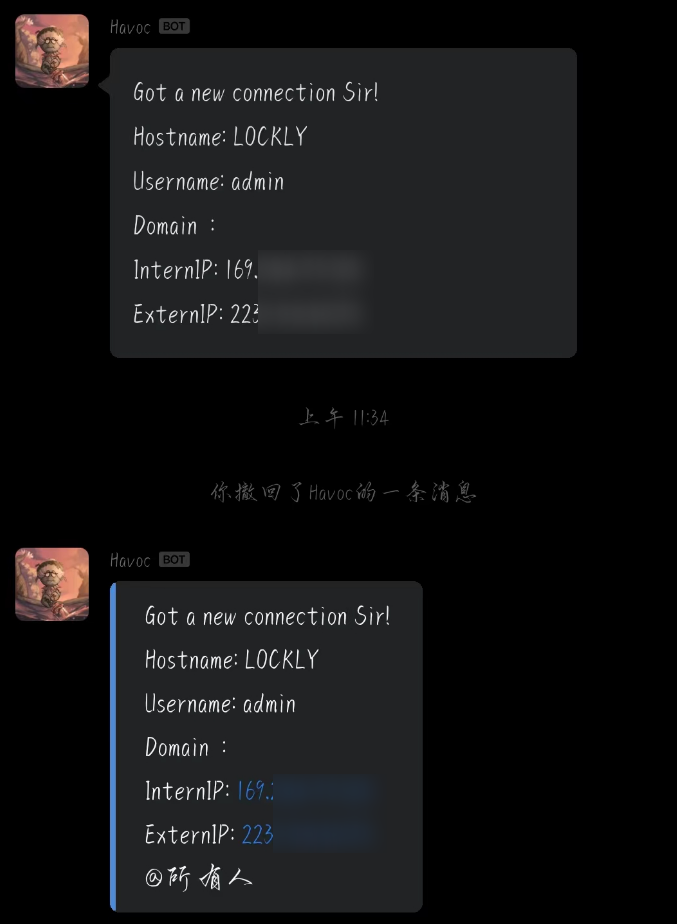
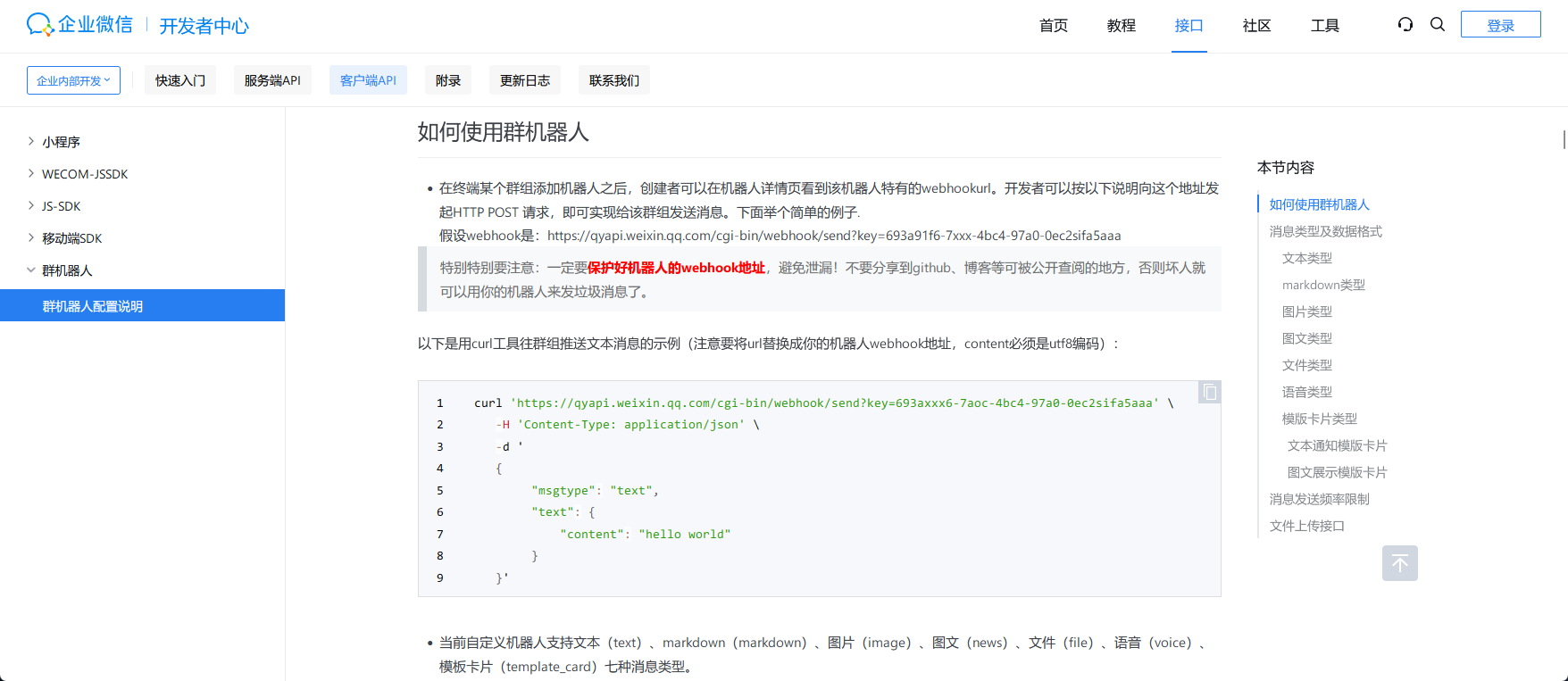
    然后根据官方文档 发送text类型的消息,markdown可以但是在微信中不能正常显示。
    image

    上面是markdown下面是text文本,代码也上传了:gayhub

    ​​image​​

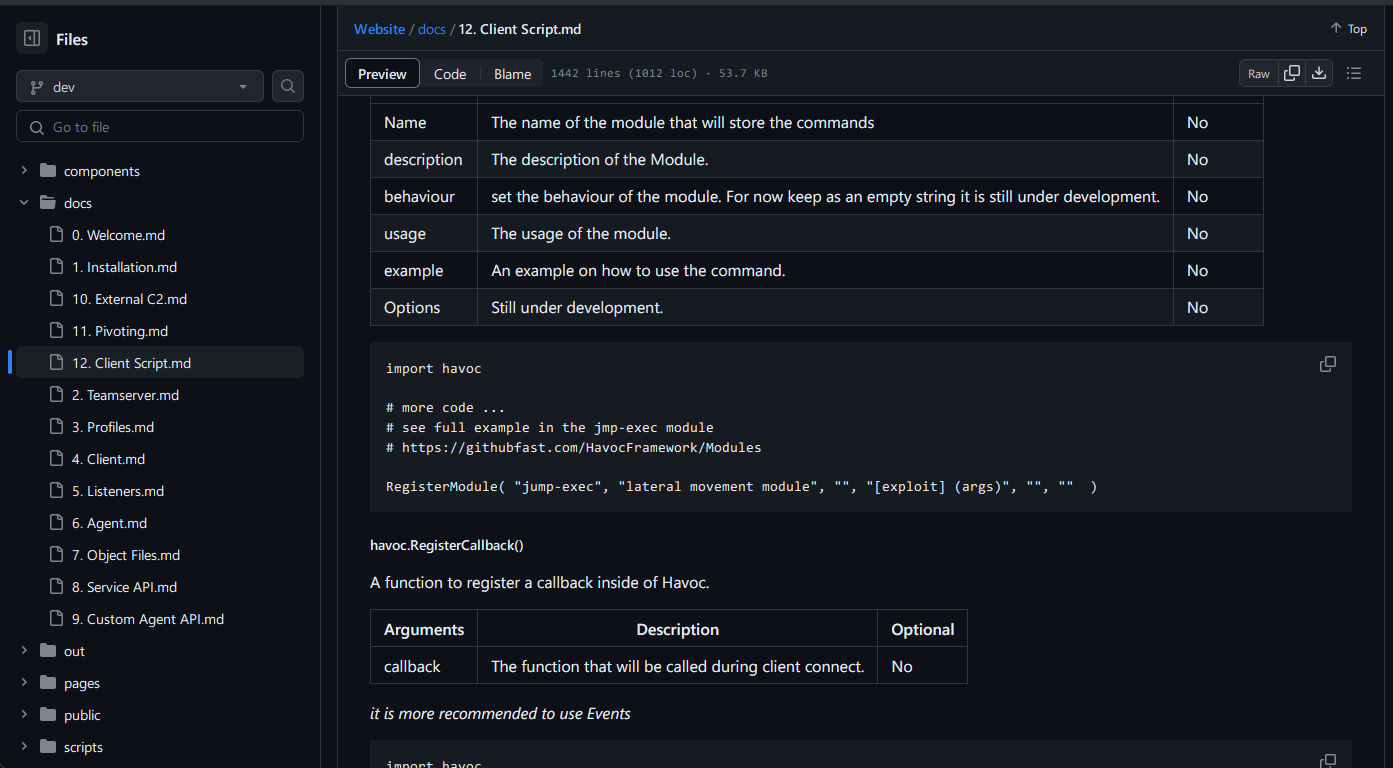
    但这样并不是很好,而翻官方文档,里面有提供对客户端api的详细说明,主要涉及到havoc和havocui这两个。
    image

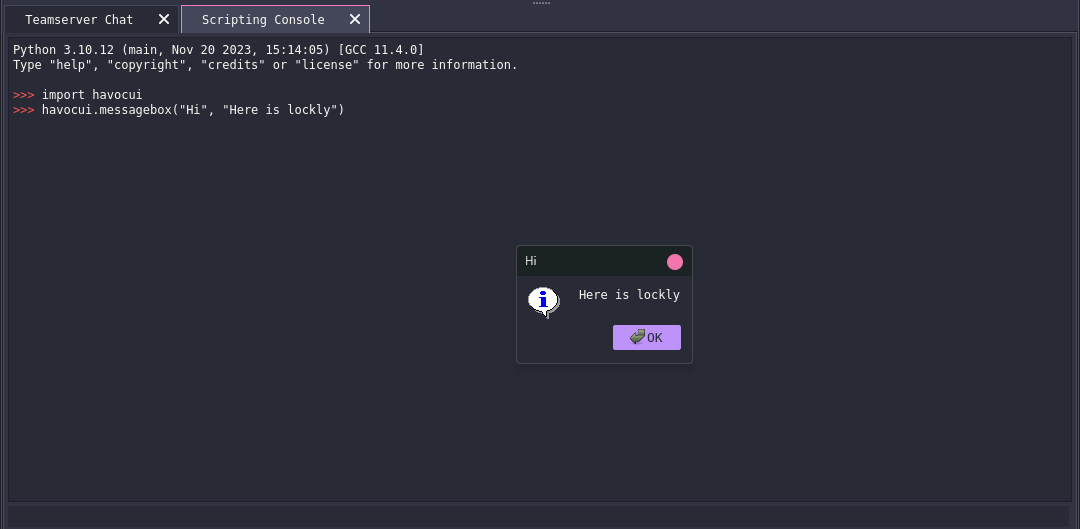
    对于ui可以直接在客户端的console中尝试他的效果:

    image

    像获取demons的数量可以用havoc.GetDemons()

    文档中介绍了一些比较常用的api,在\client\src\Havoc\PythonApi​有更多的调用方向,比如下面的:

    PyMemberDef PyDemonClass_members[] = {
    
            { "Listener",       T_STRING, offsetof( PyDemonClass, Listener ),    0, "Listener name" },
            { "DemonID",        T_STRING, offsetof( PyDemonClass, DemonID ),     0, "Listener name" },
            { "ExternalIP",     T_STRING, offsetof( PyDemonClass, ExternalIP ),  0, "External IP" },
            { "InternalIP",     T_STRING, offsetof( PyDemonClass, InternalIP ),  0, "Internal IP" },
            { "User",           T_STRING, offsetof( PyDemonClass, User ),        0, "Username" },
            { "Computer",       T_STRING, offsetof( PyDemonClass, Computer ),    0, "Computer" },
            { "Domain",         T_STRING, offsetof( PyDemonClass, Domain ),      0, "Domain" },
            { "OS",             T_STRING, offsetof( PyDemonClass, OS ),          0, "Windows Version" },
            { "OSBuild",        T_STRING, offsetof( PyDemonClass, OSBuild ),     0, "Windows OS Build" },
            { "OSArch",         T_STRING, offsetof( PyDemonClass, OSArch ),      0, "Windows Architecture" },
            { "ProcessName",    T_STRING, offsetof( PyDemonClass, ProcessName ), 0, "Process Name" },
            { "ProcessID",      T_STRING, offsetof( PyDemonClass, ProcessID ),   0, "Process ID" },
            { "ProcessArch",    T_STRING, offsetof( PyDemonClass, ProcessArch ), 0, "Process Architecture" },
    
            { "CONSOLE_INFO",   T_INT, offsetof( PyDemonClass, CONSOLE_INFO ),   0, "Console message type info" },
            { "CONSOLE_ERROR",  T_INT, offsetof( PyDemonClass, CONSOLE_ERROR ),  0, "Console message type error" },
            { "CONSOLE_TASK",   T_INT, offsetof( PyDemonClass, CONSOLE_TASK ),   0, "Console message type task" },
    
            { NULL },
    };
    
    PyMethodDef PyDemonClass_methods[] = {
    
            { "ConsoleWrite",           ( PyCFunction ) DemonClass_ConsoleWrite,           METH_VARARGS, "Prints messages to the demon sessions console" },
            { "ProcessCreate",          ( PyCFunction ) DemonClass_ProcessCreate,          METH_VARARGS, "Creates a Process" },
            { "InlineExecute",          ( PyCFunction ) DemonClass_InlineExecute,          METH_VARARGS, "Executes a coff file in the context of the demon sessions" },
            { "InlineExecuteGetOutput", ( PyCFunction ) DemonClass_InlineExecuteGetOutput, METH_VARARGS, "Executes a coff file in the context of the demon sessions and get the output via a callback" },
            { "DllSpawn",               ( PyCFunction ) DemonClass_DllSpawn,               METH_VARARGS, "Spawn and injects a reflective dll and get output from it" },
            { "DllInject",              ( PyCFunction ) DemonClass_DllInject,              METH_VARARGS, "Injects a reflective dll into a specified process" },
            { "DotnetInlineExecute",    ( PyCFunction ) DemonClass_DotnetInlineExecute,    METH_VARARGS, "Executes a dotnet assembly in the context of the demon sessions" },
            { "Command",                ( PyCFunction ) DemonClass_Command,                METH_VARARGS, "Run a command" },
            { "CommandGetOutput",       ( PyCFunction ) DemonClass_CommandGetOutput,                METH_VARARGS, "Run a command and retreive the output" },
            { "ShellcodeSpawn",         ( PyCFunction ) DemonClass_ShellcodeSpawn,         METH_VARARGS, "Executes shellcode spawning a new process" },
    
            { NULL },
    };

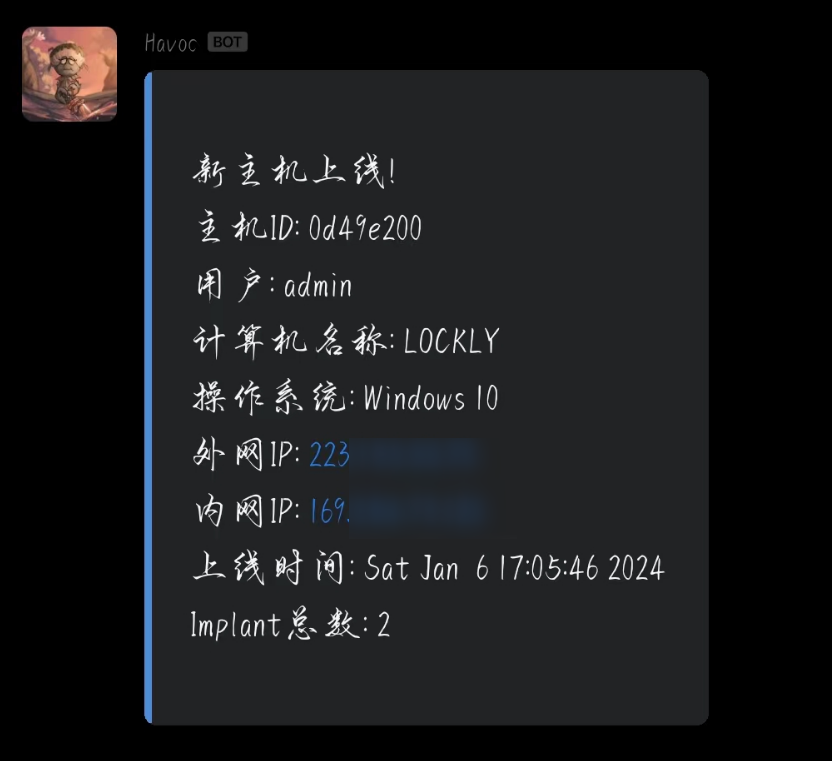
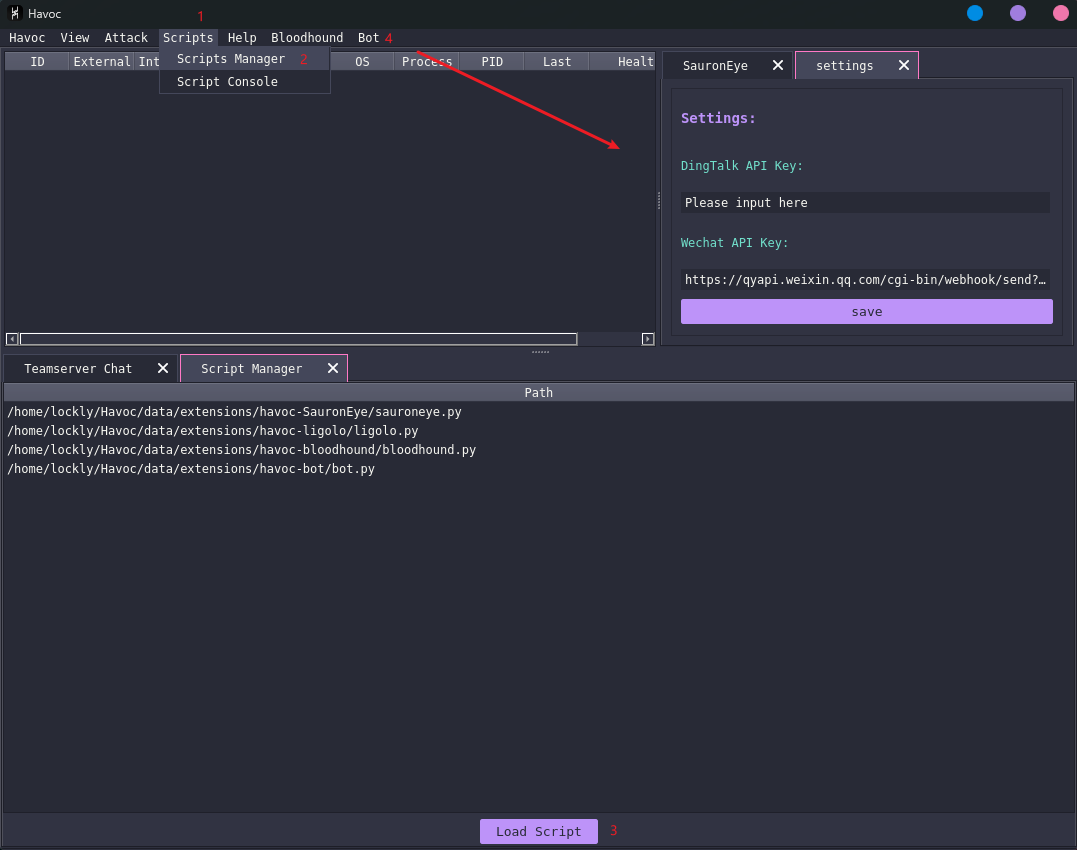
    代码的逻辑也很简单,就是通过havoc.Demon(demon_id)​获取到这个对象,抽出这里面的对象发送即可。代码可以去仓库看看。最终完成的效果如下:
    image

    最后也是正常能提示了,传送门:gayhub(一起交流)

    image


    __EOF__

  • 本文作者: Lockly
  • 本文链接: https://www.cnblogs.com/bktown/p/17949549/plug-in-z92edi
  • 关于博主: 非常沉默非常骄傲
  • 版权声明: 本博客所有文章除特别声明外,均采用 BY-NC-SA 许可协议。转载请注明出处!
  • 声援博主: 如果您觉得文章对您有帮助,可以点击文章右下角推荐一下。
  • 相关阅读:
    【OpenCV】OpenCV (C++) 与 OpenCvSharp (C#) 之间数据通信
    【递归、搜索与回溯算法】第三节.21. 合并两个有序链表和206. 反转链表和24. 两两交换链表中的节点
    SpringBoot SpringBoot 开发实用篇 5 整合第三方技术 5.4 手机验证码案例 - 验证码校验
    沉睡者IT - 什么是NFT?
    什么是API网关?——驱动数字化转型的“隐形冠军”
    linux上部署python环境
    深入解析JavaScript中的变量作用域与声明提升
    下载文件时的文件名中文乱码问题,文件名丢失
    Maven介绍及仓库配置
    全国中职网络安全B模块之国赛题远程代码执行渗透测试 PHPstudy的后门漏洞分析
  • 原文地址:https://www.cnblogs.com/bktown/p/17949549/plug-in-z92edi