-
利用win32的GetLastInputInfo函数实现锁屏(C#)
前两天看到群里面讨论这个问题,刚好我们上一家公司的系统也有这个功能,就研究了一下,我们这边实现这个功能的目的如下:当用户长时间不操作系统时,自动退出系统并退回到登录界面,想要使用系统,就得重新输入账号和密码。
下面是网上搜集到的资料:
https://www.cnblogs.com/riasky/p/3459030.html (检测鼠标的位置及焦点事件)
C#全局监听键盘事件_c#监听键盘输入_木已初夏的博客-CSDN博客 (使用钩子函数)
测试环境:
visual studio 2017
.net framework 3.5
操作步骤如下:
1 新建winform项目,项目名称为:LockScreen
2 新建名为LockScreenManager的操作类,并编辑如下:
- using System;
- using System.Collections.Generic;
- using System.Linq;
- using System.Runtime.InteropServices;
- using System.Text;
- namespace LockScreen
- {
- public class LockScreenManager
- {
- ///
- /// 获取上一次输入的时间
- ///
- /// false为获取失败
- ///
- [DllImport("user32.dll")]
- private static extern bool GetLastInputInfo(ref LastInputInfo plii);
- ///
- /// 获取当前操作系统的时刻计数
- ///
- ///
- [DllImport("kernel32.dll")]
- private static extern ulong GetTickCount64();
- public static ulong GetLastInputTime()
- {
- LastInputInfo lastInputInfo = default(LastInputInfo);
- lastInputInfo.cbSize = Marshal.SizeOf(lastInputInfo);
- bool flag = !GetLastInputInfo(ref lastInputInfo);
- ulong result;
- if (flag)
- {
- result = 0UL;
- }
- else
- {
- //获取当前操作系统的时刻计数
- ulong currentOsTickCount = 0;
- try
- {
- currentOsTickCount=GetTickCount64();
- }
- catch (Exception)
- {
- currentOsTickCount = (ulong)((long)Environment.TickCount);
- }
- //获取最后一个输入事件时的时刻计数
- ulong lastInputEventTickCount = (ulong)lastInputInfo.dwTime;
- ulong gapTickCount = currentOsTickCount - lastInputEventTickCount;
- ulong gapSeconds = gapTickCount / 1000UL;
- bool flag2 = gapSeconds > 86400UL;
- if (flag2)
- {
- result = 0UL;
- }
- else
- {
- result = gapSeconds;
- }
- }
- return result;
- }
- }
- public struct LastInputInfo
- {
- ///
- /// 结构的大小
- ///
- [MarshalAs(UnmanagedType.U4)]
- public int cbSize;
- ///
- /// 收到最后一个输入事件时的时刻计数
- ///
- [MarshalAs(UnmanagedType.U4)]
- public uint dwTime;
- }
- }
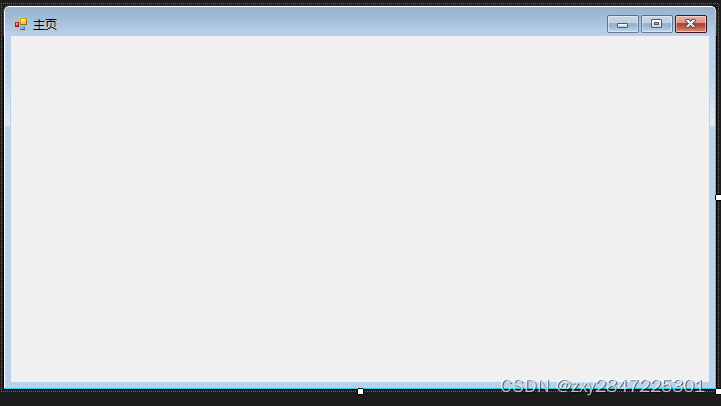
3 把默认的窗体名称修改为:FrmMain,最后界面如下图:
4 新建名为LockScreenWindow的锁屏窗体,最后效果如下图:

4 编辑FrmMain.cs如下图:
- using System;
- using System.Collections.Generic;
- using System.ComponentModel;
- using System.Data;
- using System.Drawing;
- using System.Linq;
- using System.Text;
- using System.Windows.Forms;
- namespace LockScreen
- {
- public partial class FrmMain : Form
- {
- int unlock = 0;
- //锁屏秒数
- ulong lockScreenSecond = 10;
- public FrmMain()
- {
- InitializeComponent();
- Timer timer = new Timer();
- timer.Interval = 1000;
- timer.Tick += Timer_Tick;
- timer.Start();
- }
- private void Timer_Tick(object sender, EventArgs e)
- {
- var lastInputTime=LockScreenManager.GetLastInputTime();
- Console.WriteLine("输出值:"+lastInputTime);
- if (lastInputTime > lockScreenSecond)
- {
- if(System.Threading.Interlocked.Exchange(ref unlock,1)==0)
- {
- LockScreenWindow lockScreenWindow = new LockScreenWindow();
- lockScreenWindow.ShowDialog();
- System.Threading.Interlocked.Exchange(ref unlock, 0);
- }
- }
- }
- }
- }
上述代码启用了一个定时器,定时1秒,其中lockScreenSecond是锁屏的秒数,即超过lockScreenSecond秒都没操作电脑就弹出锁屏界面
5 运行效果如下图:
运行程序后,不做任何操作等待10秒左右弹出锁屏界面

-
相关阅读:
面试时候常说的复杂度到底是什么?
mfc140u.dll丢失的解决方法,以及mfc140u.dll解决方法的优缺点
前端uniapp块样式写法
.Net Core 3.1 解决数据大小限制
jsp自定义通用分页标签(超详细)
线程(中):线程安全
VxWroks I2C Drivers 文档
ESP32设备通信-LoRa通信
Linux相关概念及常见指令
2023-10-10 mysql-{mysql_create_db}-失败后回滚-记录
- 原文地址:https://blog.csdn.net/zxy13826134783/article/details/134163868

- 最新文章
-
沪漂五周年了:我越来越迷茫了
Agentic Skill Routing 实战:别再把所有 Skill 塞进 AI Agent 上下文
MySQL-Seconds_behind_master的精度误差
[MAF预定义ChatClient中间件-03]CachingChatClient——利用缓存省钱省时间
AI的至暗历史:从万众期待到被政府撤资,AI的两次死亡徘徊
Agent OS :五种驯服不确定性的范式
PortSwigger SQL注入LAB11
数据库即时编译JIT
[Begin]AI Learn Data Day 0
深度学习进阶(二十七)现代 LLM 的核心架构设计其二:SwiGLU