-
python openai playground使用教程
playground介绍
OpenAI Playground是一个基于Web的工具,旨在帮助开发人员测试和尝试OpenAI的语言模型,如GPT-3。通过Playground,用户可以在不编写任何代码的情况下与AI模型进行交互,并了解其工作原理。
playground地址:https://platform.openai.com/playgroundPlayground特点
- 灵活性:
Playground提供一个交互式界面,以便用户自定义输入和修改模型参数。 - 定制性:用户可以根据自己的需求选择不同的语言模型和模型设置,以满足特定的应用场景。
- 易用性:
Playground的用户界面简洁直观,无需编写复杂的代码,即可快速上手和进行实验
模型设置和参数选择
Web界面分为左中右三部分- 左侧:
System,You are a helpful assistant.(定义gpt模型的角色) - 中间:
USER,Enter a user meaasge here.(输入想问的问题,或者想要补全的句子),submit即可产出回答。 - 右侧:模型设置和参数选择
Mode:模式选择,chat、Complete and Edit。Model:turbo、davinci、curie、babbage、ada。Temperature:介于0-1之间,越接近1,模型生成的回答越有不确定性(创造性),越接近0,模型的答案越确定。
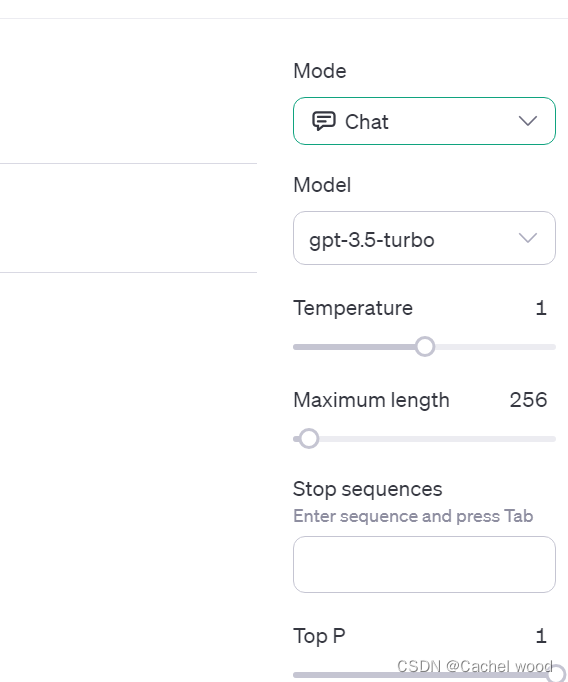
四种语言模型介绍
Ada:Ada是一种基础模型,适合用于提示和短对话。Babbage:Babbage是一个中等规模的模型,适合于更长的对话和创造性写作。Curie:Curie是一个大型模型,适用于复杂的对话和生成性任务。Davinci:Davinci是OpenAI提供的最先进的语言模型,适合处理长篇大论、技术文档和创造性写作等。
playground应用
examples:https://platform.openai.com/examplesOpenAI官网的examples中提供了许多有用的示例,可以了解OpenAI的使用。Emoji Translation(一个表情包翻译器)
作用是将文字转为emoji
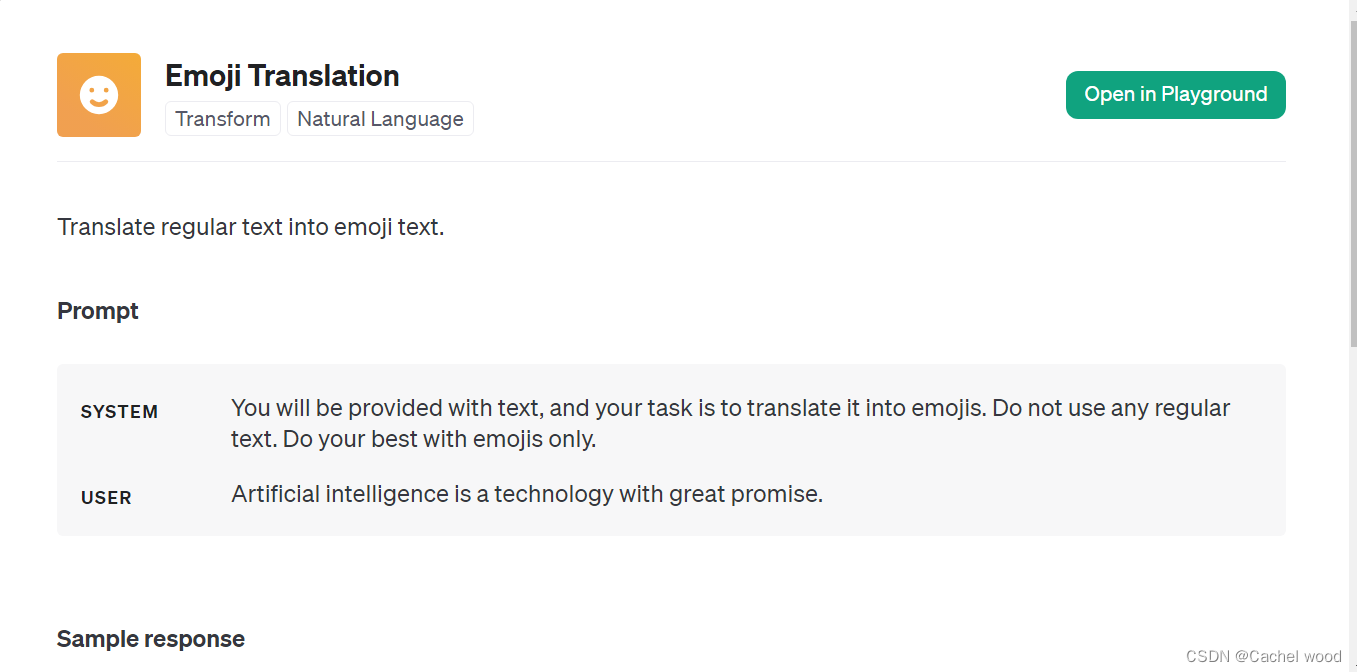
- 设置
Prompt SYSTEM:You will be provided with text, and your task is to translate it into emojis. Do not use any regular text. Do your best with emojis only.USER:Artificial intelligence is a technology with great promise.Open in playground
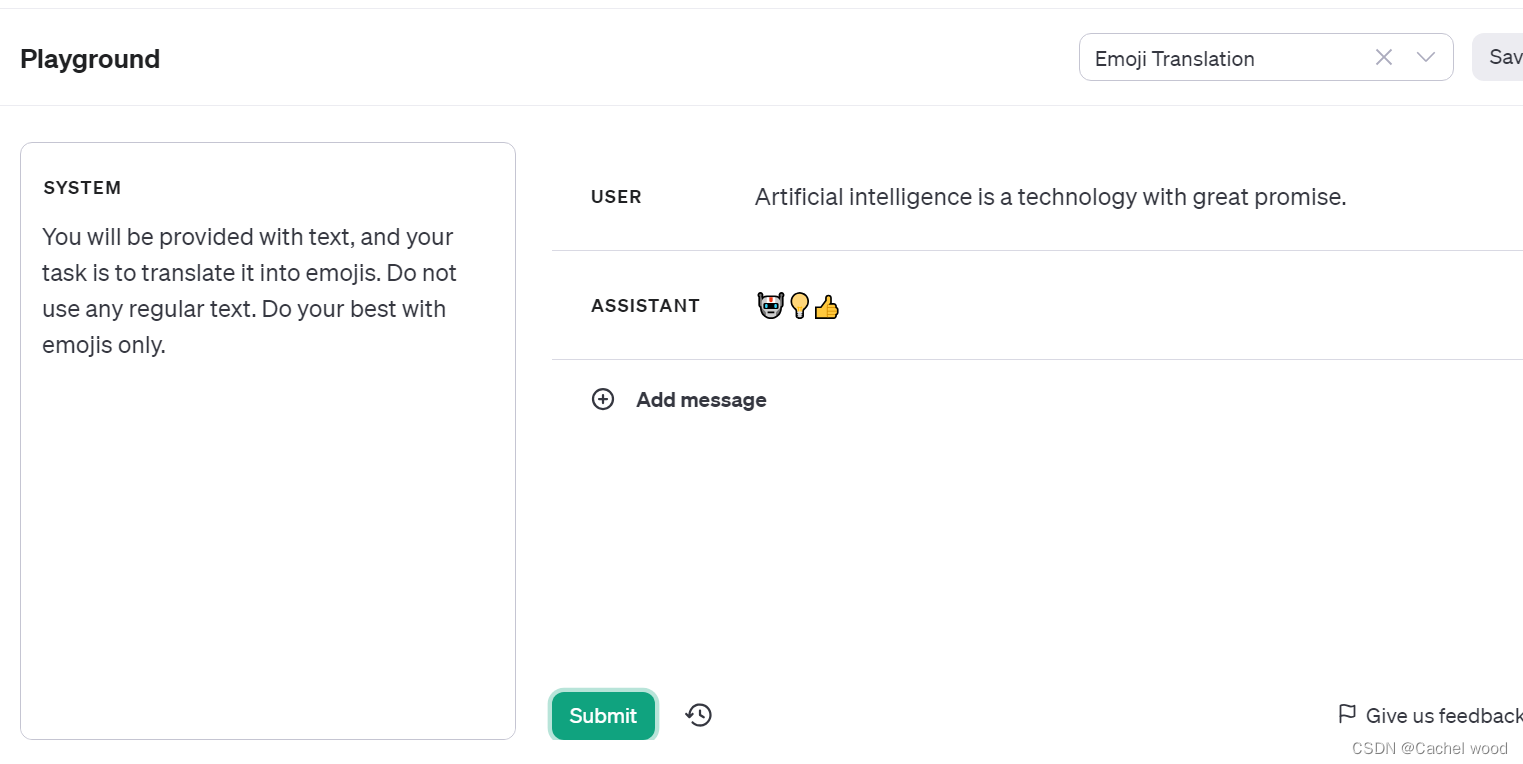
点击submit即可生成对应的转化结果。
构建自己的playground应用
- 定义
System - 定义
user - 点击
submit输出结果 - 右上角点击”
Save"保存
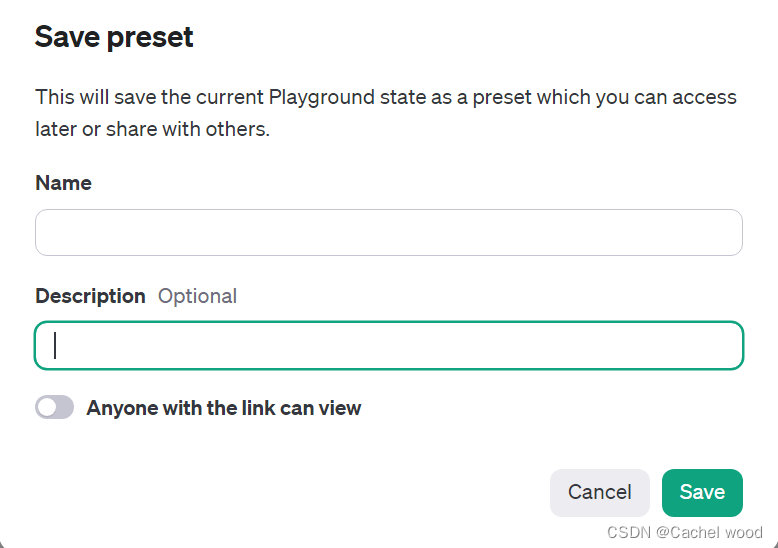
Save preset
This will save the current Playground state as a preset which you can access later or share with others.- 点击
Your presets,即可看到自己的playground列表

playground python使用
一个情感分析
playground

- 点击
View code
You can use the following code to start integrating your current prompt and settings into your application. copy复制python代码
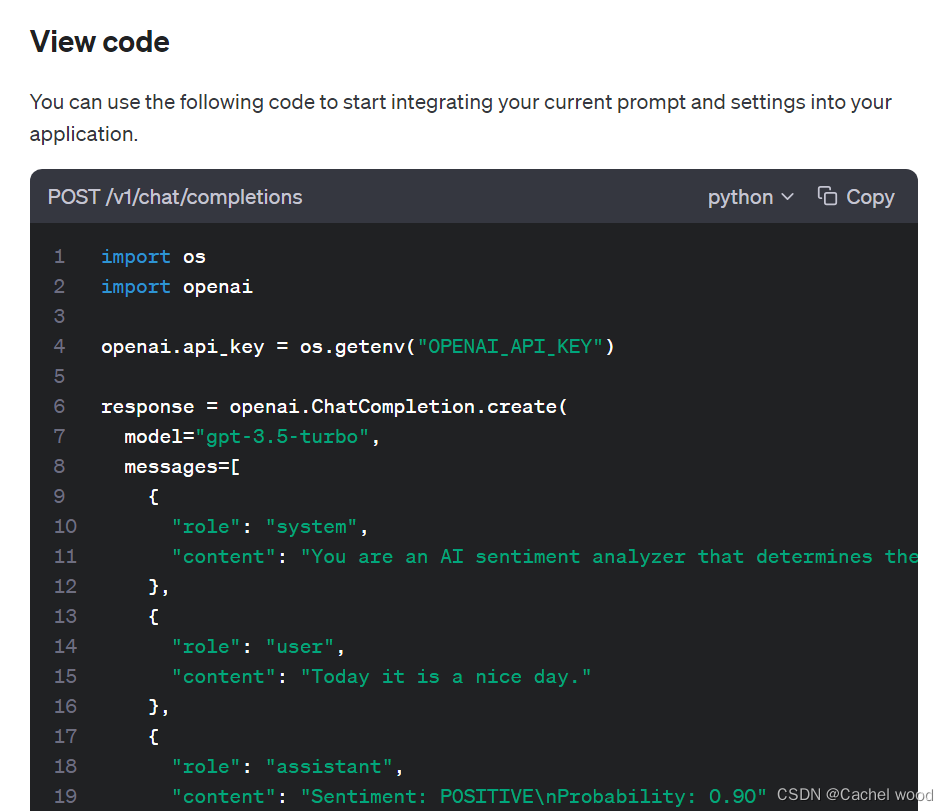
- 本地
python中使用
question:“To be or not to be, this is a question.”
response:
{ "id": "chatcmpl-89lIKZt8UG1aVVBkB9Wo3ECiPoZ9M", "object": "chat.completion", "created": 1697337444, "model": "gpt-3.5-turbo-0613", "choices": [ { "index": 0, "message": { "role": "assistant", "content": "Sentiment: NEUTRAL\nProbability: 0.50" }, "finish_reason": "stop" } ], "usage": { "prompt_tokens": 130, "completion_tokens": 13, "total_tokens": 143 } }- 1
- 2
- 3
- 4
- 5
- 6
- 7
- 8
- 9
- 10
- 11
- 12
- 13
- 14
- 15
- 16
- 17
- 18
- 19
- 20
- 21
包含
role、content、total_tokens等完整输出。可见的是这种方法相当消耗
token(money),因此之后我们会选择微调fine-tuning的形式,OpenAI也已经提供了简便的微调方式。 - 灵活性:
-
相关阅读:
用大顶堆和小顶堆实现优先队列
易点易动设备管理系统:赋能制造企业的数字化转型
react native使用自定义图标iconfont与react-native-vector-icons
Kubernetes Dashboard 用户名密码方式登录
【机器人学-雅可比矩阵】
荧光纳米/多肽/聚合物纳米AIE微球/正电荷/pH响应性AIE荧光纳米微球的相关研究
【数据仓库-零】数据仓库知识体系 ing
Android总结
linux查看cpu与内存
Flow深入浅出系列之在ViewModels中使用Kotlin Flows
- 原文地址:https://blog.csdn.net/weixin_46530492/article/details/133838665

- 最新文章
-
沪漂五周年了:我越来越迷茫了
Agentic Skill Routing 实战:别再把所有 Skill 塞进 AI Agent 上下文
MySQL-Seconds_behind_master的精度误差
[MAF预定义ChatClient中间件-03]CachingChatClient——利用缓存省钱省时间
AI的至暗历史:从万众期待到被政府撤资,AI的两次死亡徘徊
Agent OS :五种驯服不确定性的范式
PortSwigger SQL注入LAB11
数据库即时编译JIT
[Begin]AI Learn Data Day 0
深度学习进阶(二十七)现代 LLM 的核心架构设计其二:SwiGLU