-
ESP32-S3上手开发
1、搭建开发环境
首先搭建开发环境,这里采用了windows下集成开发环境ide进行开发,具体的安装方法:ESP-IDF安装配置
这里使用的乐鑫的esp32s3,N16R8

2、esp32s3模块
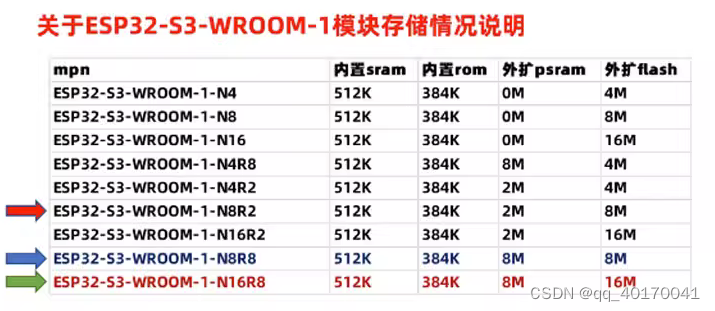 从上面图中可以看到,N16R8这里使用了外扩16M的flash,外扩8M的psram
3、编译demo-helloworld并下载到esp32
(1)下载例程
首先在github下载测试例程:测试例程
然后将examples\get-started\hello_world复制到某个位置,也可以不进行复制,直接编译烧写也可以

这里我为了方便直接放在了D盘
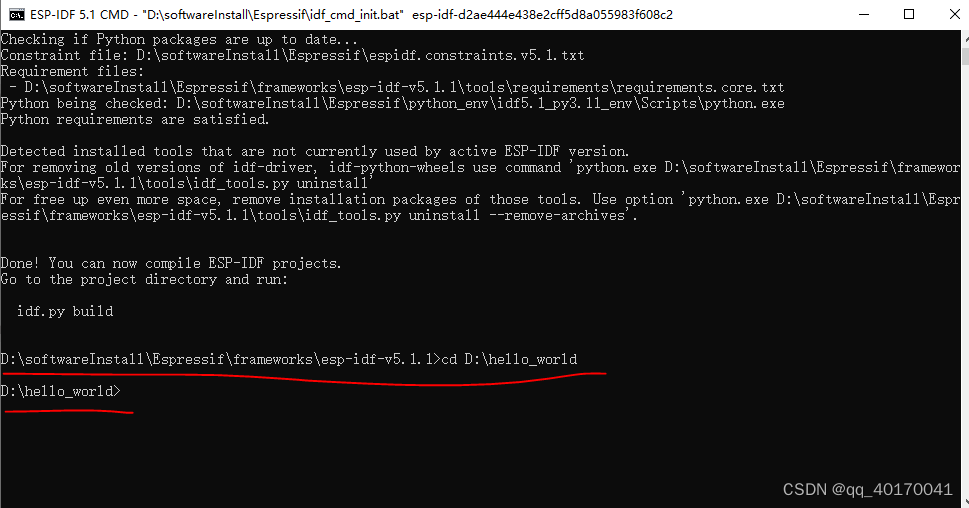
然后启动windows的esp-idf cmd

切换到hello_world目录
(2)配置工程
1、配置选择开发目标
idf.py set-target esp32s3- 1

2、配置参数
idf.py menuconfig- 1
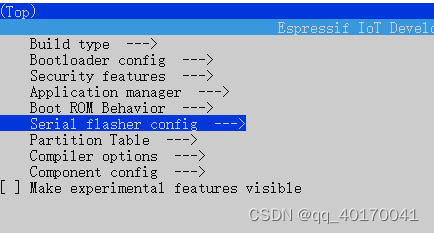
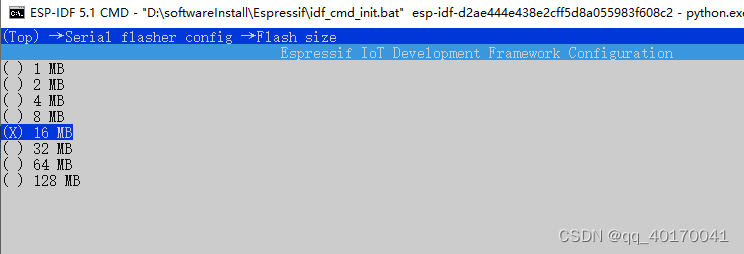
(1)配置flash
根据前面知道了flash为16M
Serial flasher config —>
(2)片外ram
选中设置为片外ram
根据芯片手册还可以知道psram为Octal模式

设置psram为octal

(3)修改提高运行频率

最后按s键保存,按q键退出3、编译并烧写
1、编译
idf.py build- 1
2、烧写
idf.py -p COM9 flash- 1

3、监视串口
idf.py -p COM9 monitor- 1
4、烧写后监视串口
idf.py -p COM9 flash monitor- 1

成功运行!!!!!!!
-
相关阅读:
【linux驱动开发】-gpiolib概念与实践
【18】c++设计模式——>适配器模式
225页10万字政务大数据能力平台项目建议书
LightningChart .NET 10.3.2 Crack 支持旧项目直接升级
第一次使用腾讯云轻量应用服务器配置宝塔面板部署前端vue项目
Nginx反向代理和缓存
【JavaEE】_Spring MVC项目之建立连接
电脑无线网卡连接的无线信号不好的,经常丢包,掉线断网如何优化解决
ICommand命令 mvvm模式事件
java 基于微信小程序的校园互助跑腿平台 uniapp 小程序
- 原文地址:https://blog.csdn.net/qq_40170041/article/details/133787351
- 最新文章
-
沪漂五周年了:我越来越迷茫了
Agentic Skill Routing 实战:别再把所有 Skill 塞进 AI Agent 上下文
MySQL-Seconds_behind_master的精度误差
[MAF预定义ChatClient中间件-03]CachingChatClient——利用缓存省钱省时间
AI的至暗历史:从万众期待到被政府撤资,AI的两次死亡徘徊
Agent OS :五种驯服不确定性的范式
PortSwigger SQL注入LAB11
数据库即时编译JIT
[Begin]AI Learn Data Day 0
深度学习进阶(二十七)现代 LLM 的核心架构设计其二:SwiGLU