-
③. GPT错误:python控制台运行pip list列出安装库,列出:pip install 库1 库2库3...,方便一次性安装错误
原标题 用python写代码:pip list,列出:pip install 库1 库2库3...,方便一次性安装错误- 1
- 2
彻底解决pip安装库问题
用python写代码:pip list 列出:pip install 库1 库2 库3 这种输出- 1
- 2
以下是使用Python编写代码来实现类似
pip list和pip install package1 package2 package3输出的示例:import pkg_resources # 列出已安装的包和版本 installed_packages = [p for p in pkg_resources.working_set] for package in installed_packages: print(f"{package.project_name} ({package.version})") # 安装指定的包 packages_to_install = ["package1", "package2", "package3"] for package in packages_to_install: try: pkg_resources.get_distribution(package) print(f"{package} is already installed") except pkg_resources.DistributionNotFound: print(f"Installing {package}...") # 执行安装命令,这里只是模拟输出 print(f"Successfully installed {package}")- 1
- 2
- 3
- 4
- 5
- 6
- 7
- 8
- 9
- 10
- 11
- 12
- 13
- 14
- 15
- 16
- 17
上述代码中,我们使用了
pkg_resources模块来获取已安装的包列表并显示其名称和版本。然后,我们遍历要安装的包列表,并检查每个包是否已经安装。如果已经安装,则显示相应信息;否则,输出安装命令的模拟结果。请注意,这只是一个简单的演示代码,实际执行安装命令需要使用适当的方法,例如使用
subprocess模块来执行命令行安装命令。/data/user/0/org.qpython.qpy/files/bin/qpy thon3.sh "/storage/emulated/0/qpython/数据 点1.1.1.py" && exit python/数据点1.1.1.py" && exit < certifi (2023.7.22) pytz (2022.6) setuptools (65.5.0) pyzmq (24.0.1) pip (22.3.1) attrs (22.1.0) argon2-cffi (21.3.0) packaging (21.3) argon2-cffi-bindings (21.2.0) virtualenv (20.24.5) Faker (19.6.1) clang (16.0.1.1) rich (13.5.2) Pillow (9.3.0) mss (9.0.1) ipython (8.6.0) tenacity (8.2.3) click (8.1.7) ipywidgets (8.0.2) jupyter-client (7.4.4) nbconvert (7.2.3) ipykernel (6.17.0) importlib-metadata (6.8.0) notebook (6.5.2) jupyter-console (6.4.4) tornado (6.2) ftfy (6.1.1) cowsay (6.0) plotly (5.16.1) psutil (5.9.3) nbformat (5.7.0) traitlets (5.5.0) qtconsole (5.4.0) bleach (5.0.1) dash-table (5.0.0) tqdm (4.66.1) fonttools (4.38.0) jsonschema (4.17.0) jupyter-core (4.11.2) selenium (4.11.2) beautifulsoup4 (4.11.1) lxml (4.9.1) pexpect (4.8.0) typing-extensions (4.7.1) decorator (4.4.2) widgetsnbextension (4.0.3) simplejson (3.19.1) zipp (3.16.2) filelock (3.12.4) platformdirs (3.10.0) prettytable (3.8.0) anyio (3.6.2) matplotlib (3.6.1) Markdown (3.4.4) idna (3.4) charset-normalizer (3.2.0) XlsxWriter (3.1.3) Jinja2 (3.1.2) openpyxl (3.1.2) networkx (3.1) pyscreenshot (3.1) prompt-toolkit (3.0.32) pyparsing (3.0.9) jupyterlab-widgets (3.0.3) colorcet (3.0.1) markdown-it-py (3.0.0) ExifRead (3.0.0) pyttsx3 (2.90) imageio (2.31.2) requests (2.31.0) pycparser (2.21) fastjsonschema (2.16.2) Pygments (2.13.0) dash (2.12.1) Babel (2.12.1) anytree (2.9.0) python-dateutil (2.8.2) emoji (2.8.0) scapy (2.5.0) sortedcontainers (2.4.0) soupsieve (2.3.2.post1) gTTS (2.3.2) termcolor (2.3.0) Flask (2.2.5) Werkzeug (2.2.3) QtPy (2.2.1) itsdangerous (2.1.2) MarkupSafe (2.1.1) asttokens (2.1.0) SciencePlots (2.1.0) rembg (2.0.50) mistune (2.0.4) urllib3 (2.0.4) pyecharts (2.0.3) pyMd2Doc (2.0.2) dash-html-components (2.0.0) dash-core-components (2.0.0) cleverbot (2.0.0) mutagen (1.46.0) numpy (1.23.4) jupyter-server (1.21.0) six (1.16.0) cffi (1.15.1) param (1.13.0) sympy (1.12) pyperclip (1.8.2) Send2Trash (1.8.0) ansi2html (1.8.0) PySocks (1.7.1) treelib (1.7.0) debugpy (1.6.3) blinker (1.6.2) nest-asyncio (1.5.6) pandas (1.5.1) pandocfilters (1.5.0) kiwisolver (1.4.4) pystacker (1.4.4) websocket-client (1.4.2) pydot (1.4.2) ffmpeg (1.4) docxcompose (1.4.0) install (1.3.5) retrying (1.3.4) sniffio (1.3.0) mpmath (1.3.0) arrow (1.2.3) tinycss2 (1.2.1) executing (1.2.0) outcome (1.2.0) XMind (1.2.0) wsproto (1.2.0) schedule (1.2.0) exceptiongroup (1.1.3) et-xmlfile (1.1.0) EasyProcess (1.1) entrypoint2 (1.1) xmindparser (1.0.9) PyMsgBox (1.0.9) pytweening (1.0.7) contourpy (1.0.6) moviepy (1.0.3) pyfiglet (1.0.2) jupyter (1.0.0) pypinyin (0.49.0) jieba (0.42.1) wheel (0.38.2) pydub (0.25.1) trio (0.22.2) graphviz (0.20.1) pyrsistent (0.19.2) future (0.18.3) jedi (0.18.1) EbookLib (0.18) terminado (0.17.0) schemdraw (0.17) docxtpl (0.16.7) prometheus-client (0.15.0) python3-xlib (0.15) h11 (0.14.0) pyqtgraph (0.13.3) bottle (0.12.23) cycler (0.11.0) trio-websocket (0.10.3) PyAutoGUI (0.9.54) tabulate (0.9.0) python-docx (0.8.11) parso (0.8.3) jeepney (0.8.0) pickleshare (0.7.5) defusedxml (0.7.1) nbclient (0.7.0) ptyprocess (0.7.0) mplcyberpunk (0.7.0) stack-data (0.6.0) pyjokes (0.6.0) webencodings (0.5.1) pyct (0.5.0) nbclassic (0.4.8) imageio-ffmpeg (0.4.8) entrypoints (0.4) pytesseract (0.3.10) matplotx (0.3.10) termplotlib (0.3.9) dill (0.3.7) distlib (0.3.7) textrank4zh (0.3) wcwidth (0.2.5) jupyterlab-pygments (0.2.2) notebook-shim (0.2.2) pure-eval (0.2.2) backcall (0.2.0) ipython-genutils (0.2.0) PyRect (0.2.0) ffmpeg-python (0.2.0) PyScreeze (0.1.29) proglog (0.1.10) matplotlib-inline (0.1.6) qbstyles (0.1.4) MouseInfo (0.1.3) mdurl (0.1.2) ffprobe3 (0.1.2) tk (0.1.0) mindmap (0.0.65) cyberpunk-theme (0.0.14) PyGetWindow (0.0.9) apigptcloud (0.0.9) tkstyle (0.0.6) snapshot-selenium (0.0.2) py2flowchart (0.0.2) flowchart (0.0.1) Installing package1... Successfully installed package1 Installing package2... Successfully installed package2 Installing package3... Successfully installed package3 #[QPython] Press enter to exit ...- 1
- 2
- 3
- 4
- 5
- 6
- 7
- 8
- 9
- 10
- 11
- 12
- 13
- 14
- 15
- 16
- 17
- 18
- 19
- 20
- 21
- 22
- 23
- 24
- 25
- 26
- 27
- 28
- 29
- 30
- 31
- 32
- 33
- 34
- 35
- 36
- 37
- 38
- 39
- 40
- 41
- 42
- 43
- 44
- 45
- 46
- 47
- 48
- 49
- 50
- 51
- 52
- 53
- 54
- 55
- 56
- 57
- 58
- 59
- 60
- 61
- 62
- 63
- 64
- 65
- 66
- 67
- 68
- 69
- 70
- 71
- 72
- 73
- 74
- 75
- 76
- 77
- 78
- 79
- 80
- 81
- 82
- 83
- 84
- 85
- 86
- 87
- 88
- 89
- 90
- 91
- 92
- 93
- 94
- 95
- 96
- 97
- 98
- 99
- 100
- 101
- 102
- 103
- 104
- 105
- 106
- 107
- 108
- 109
- 110
- 111
- 112
- 113
- 114
- 115
- 116
- 117
- 118
- 119
- 120
- 121
- 122
- 123
- 124
- 125
- 126
- 127
- 128
- 129
- 130
- 131
- 132
- 133
- 134
- 135
- 136
- 137
- 138
- 139
- 140
- 141
- 142
- 143
- 144
- 145
- 146
- 147
- 148
- 149
- 150
- 151
- 152
- 153
- 154
- 155
- 156
- 157
- 158
- 159
- 160
- 161
- 162
- 163
- 164
- 165
- 166
- 167
- 168
- 169
- 170
- 171
- 172
- 173
- 174
- 175
- 176
- 177
- 178
- 179
- 180
- 181
- 182
- 183
- 184
- 185
- 186
- 187
- 188
- 189
- 190
- 191
- 192
- 193
- 194
- 195
- 196
- 197
- 198
- 199
- 200
- 201
- 202
- 203
- 204
- 205
- 206
- 207
- 208
- 209
- 210
- 211
- 212
- 213
- 214
- 215
- 216
- 217
- 218
- 219
- 220
第2种方法略过
import subprocess import re # 执行 pip list 命令并获取输出结果 output = subprocess.check_output("pip list", shell=True).decode() # 使用正则表达式匹配库名列表 pattern = re.compile(r'^\S+') library_names = pattern.findall(output, re.MULTILINE)[2:] # 拼接库名列表为 pip install 命令 install_command = "pip install " + " ".join(library_names) print(install_command)- 1
- 2
- 3
- 4
- 5
- 6
- 7
- 8
- 9
- 10
- 11
- 12
- 13

其中包括一条提示消息:“A new release of pip available”。这似乎是由
pip命令在执行过程中生成的。
根据这条提示消息,你可以尝试先升级pip,然后再获取库名列表。꧂放大招 ꧁
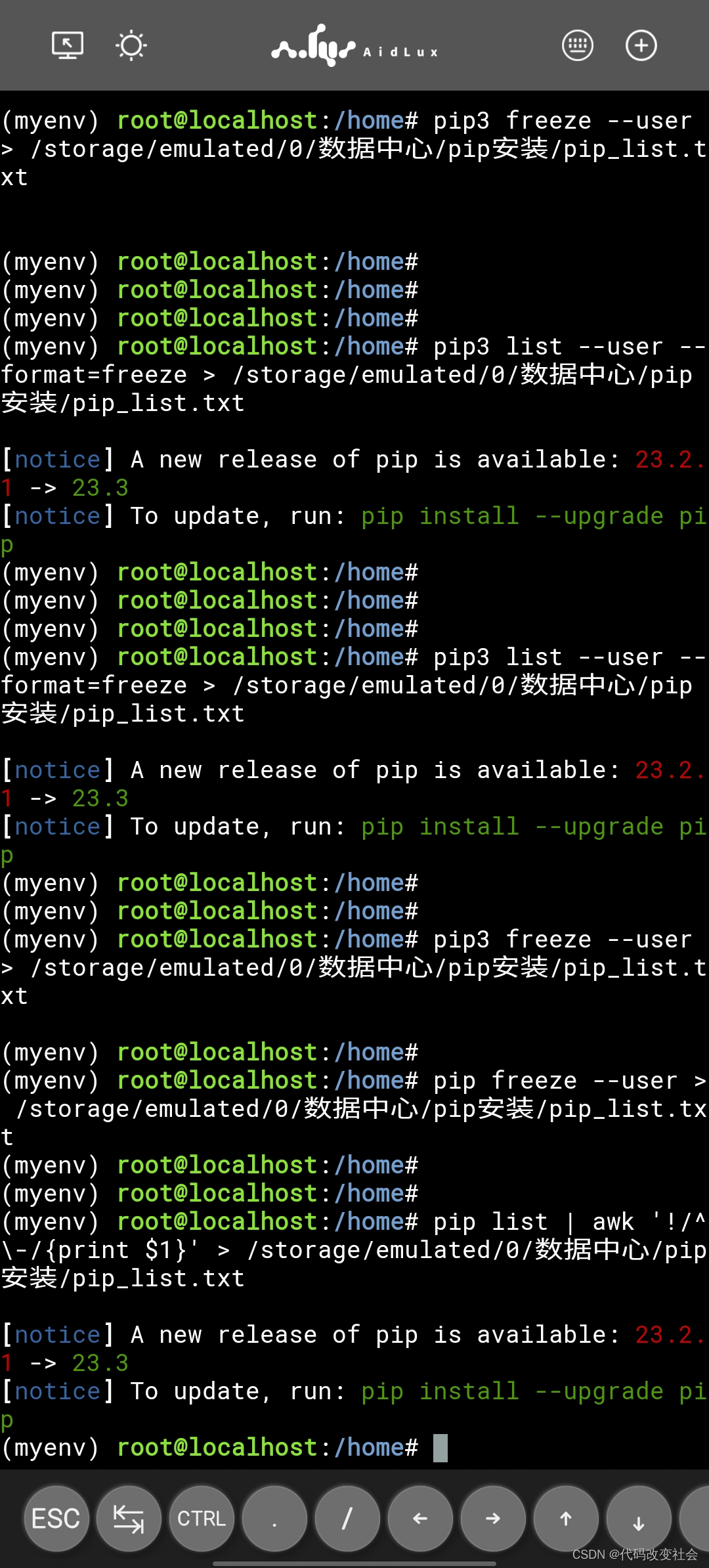
查询pip已经安装库
pip list- 1
保存已安装库列表版本
pip list > /storage/emulated/0/数据中心/pip安装/pip_list.txt- 1
保存已安装库地址,去除库版本
xargs -n 1 pip install < /storage/emulated/0/数据中心/pip安装/pip_list.txt- 1
直接安装
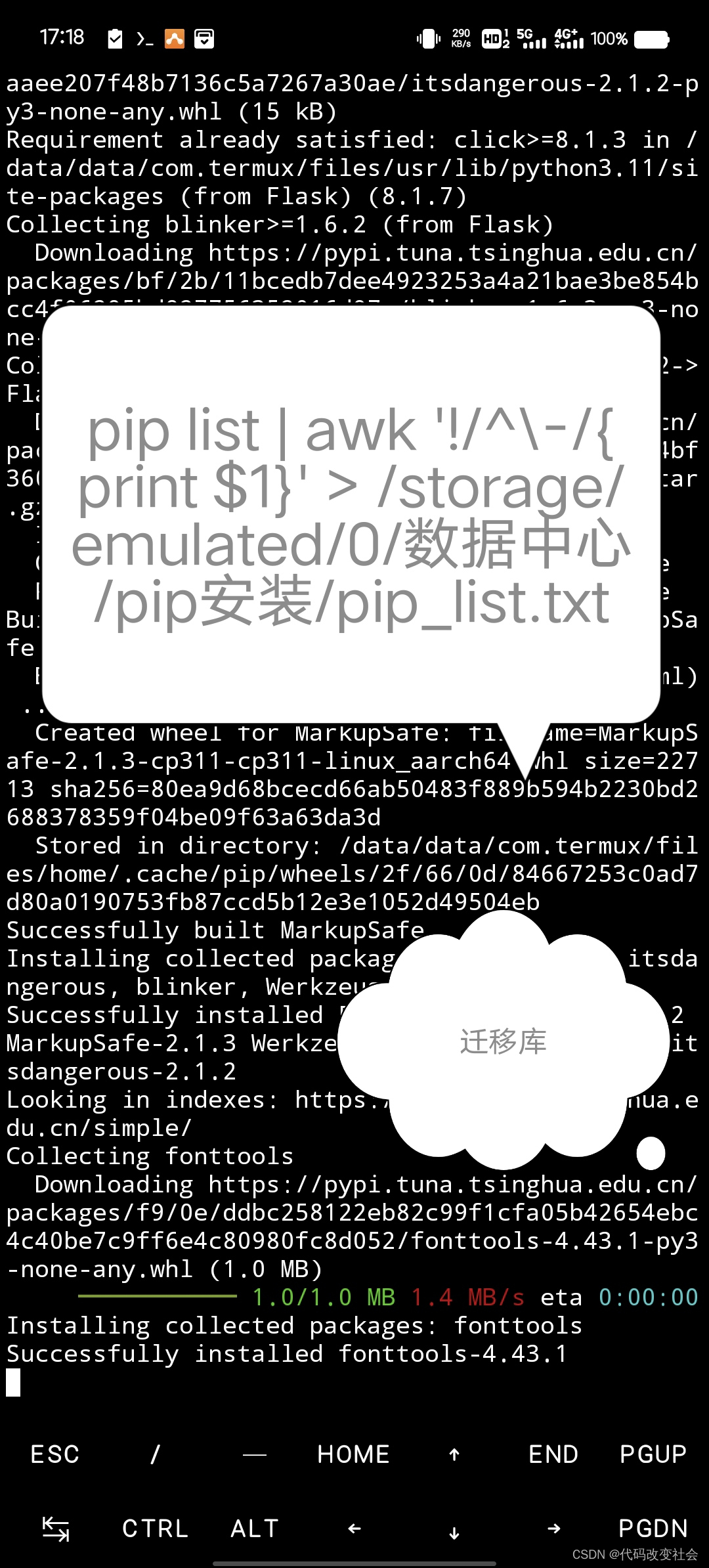
pip list | awk '!/^\-/{print $1}' > /storage/emulated/0/数据中心/pip安装/pip_list.txt- 1
꧂ 图片꧁
-
相关阅读:
Linux:shell编程1(内含:1.shell简介+2.shell实操+3.shell的变量介绍+4.shell变量的定义)
【项目实战】Vue商城
使用IDEA连接mysql
使用OpenCV计算两幅图像的协方差
蓝桥杯2022 [蓝桥杯2022初赛] 求和与纸张尺寸
Linux应用开发 - 线程同步的三种方法
每个前端应该掌握的7个代码优化的小技巧
(十一)人工智能应用--深度学习原理与实战--实现泰坦尼克号生存者预测案例Titanic Survival
力扣刷题(代码回忆录)——动态规划
单片机嵌入式物联网教程
- 原文地址:https://blog.csdn.net/weixin_73675558/article/details/133687338
