-
源码编译postgresql
没什么好研究的了,就试试编译Postgresql源码,按照网站查的资料一步步测试的,方便后期定制数据库时候用,也算是开源的大优势了,只要你愿意折腾,可以自己定制或改进一个数据库来满足特殊业务。后面研究一下他的SQL执行和索引的代码看能不能发布出类似globle的操作接口让程序直接爬行索引节点,或者结合redis或mongodb构建索引的树节点来给程序查询爬行使用。理论上只要能够更新数据后得到索引操作数就能达到Cache索引的爬行效果,从而基于关系库存储提供出nosql的查询解决sql参照关系多查询慢的问题。本次编译基于CentOS7.6。
下载和解压源码
cd / wget https://ftp.postgresql.org/pub/source/v9.6.9/postgresql-9.6.9.tar.gz tar -zxvf postgresql-9.6.9.tar.gz cd postgresql-9.6.9- 1
- 2
- 3
- 4
安装依赖包
yum install -y bison flex readline-devel zlib-devel gcc libxml2 libxml2-devel lz4 systemtap-sdt-devel perl-ExtUtils-Embed perl-ExtUtils-MakeMaker openssl openssl-devel pam pam-devel libxslt libxslt-devel systemd-devel tcl tcl-devel #这两个个需要,网上文档没说 yum -y install openjade* yum -y install docbook*- 1
- 2
- 3
- 4
- 5
授权目录和执行config
chmod -R +777 /postgresql-9.6.9 ./configure --prefix=/usr/local/postgres/ --with-libxml --with-lz4 --enable-debug --with-perl --with-tcl --with-gssapi --with-pam --with-openssl --with-pam --without-ldap --with-libxml --with-libxslt --enable-dtrace --enable-depend --enable-cassert --with-systemd- 1
- 2
编译和编译安装
gmake world gmake install-world- 1
- 2
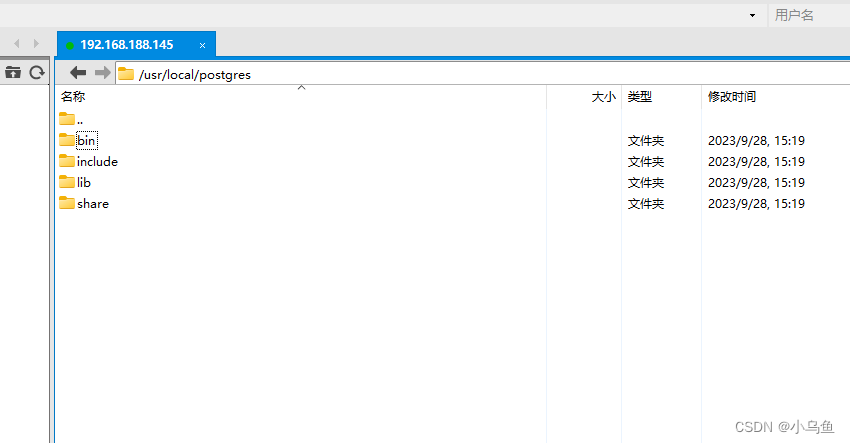
编译安装后默认在下图目录
创建用户和组
groupadd -g 2000 postgres useradd -g 2000 -u 2000 postgres id postgres groupmod -g 2000 postgres usermod -u 2000 -g 2000 postgres- 1
- 2
- 3
- 4
- 5
创建目录和修改权限
mkdir -p /data/pgdata/{data,backups,scripts,archive_wals} mkdir -p /data/pgdata/pg_wal chown -R postgres.postgres /data/pgdata/ chmod +777 /data/pgdata/- 1
- 2
- 3
- 4
- 5
设置环境变量,下面配置加到/etc/profile里之后运行source /etc/profile
export PGHOME=/usr/local/postgresql export PGDATA=/data/pgdata/data export PGLIB=/usr/local/postgresql/lib export LC_ALL=en_US.UTF8 export LANG=en_US.UTF8 PATH=/usr/local/postgres/bin:$PATH export PATH- 1
- 2
- 3
- 4
- 5
- 6
- 7
- 8

初始化数据库
su - postgres /usr/local/postgres/bin/initdb -D /data/pgdata/data/ -X /data/pgdata/pg_wal -W- 1
- 2
修改配置让外部连接,不改的话默认不允许非本机连接
host all all 0.0.0.0/0 md5- 1


启动和停止数据库
su - postgres # 启动数据库 pg_ctl -D /data/pgdata/data/ -l /data/pgdata/data/logfile start # 停止数据库 pg_ctl -D /data/pgdata/data/ -l /data/pgdata/data/logfile stop #查看运行状态 pg_ctl -D /data/pgdata/data/ status- 1
- 2
- 3
- 4
- 5
- 6
- 7
查看进程

开放端口
[root@localhost postgres]# firewall-cmd --zone=public --add-port=5432/tcp --permanent success [root@localhost postgres]# firewall-cmd --reload success- 1
- 2
- 3
- 4
- 5
用pgadmin连接测试
编译删除部分太长日志的的实际Shell
[BEGIN] 2023/9/28 14:44:39 [root@localhost ~]# ls / 14.跨平台文件服务 backup bin boot dev dockerinstall dockersoft dotnet etc home lib lib64 media mnt opt postgresql-9.6.9 proc root run sbin srv sys tmp usr var [root@localhost ~]# cd /postgresql-9.6.9/ [root@localhost postgresql-9.6.9]# ls aclocal.m4 config configure configure.in contrib COPYRIGHT doc GNUmakefile.in HISTORY [root@localhost postgresql-9.6.9]# chmod -R +777 /postgresql-9.6.9 [root@localhost postgresql-9.6.9]# yum install -y bison flex readline-devel zlib-devel gcc libxml2 libxml2-devel lz4 systemtap-sdt-devel perl-ExtUtils-Embed perl-ExtUtils-MakeMaker openssl openssl-devel pam pam-devel libxslt libxslt-devel systemd-devel tcl tcl-devel 已加载插件:fastestmirror Determining fastest mirrors * base: mirrors.ustc.edu.cn * extras: mirrors.ustc.edu.cn * updates: mirrors.ustc.edu.cn base | 3.6 kB 00:00:00 extras | 2.9 kB 00:00:00 updates | 2.9 kB 00:00:00 updates/7/x86_64/primary_db | 23 MB 00:00:03 正在解决依赖关系 --> 正在检查事务 ---> 软件包 bison.x86_64.0.3.0.4-2.el7 将被 安装 --> 正在处理依赖关系 m4 >= 1.4,它被软件包 bison-3.0.4-2.el7.x86_64 需要 作为依赖被升级: e2fsprogs.x86_64 0:1.42.9-19.el7 e2fsprogs-libs.x86_64 0:1.42.9-19.el7 glibc.x86_64 0:2.17-326.el7_9 glibc-common.x86_64 0:2.17-326.el7_9 krb5-libs.x86_64 0:1.15.1-55.el7_9 libcom_err.x86_64 0:1.42.9-19.el7 libdb.x86_64 0:5.3.21-25.el7 libdb-utils.x86_64 0:5.3.21-25.el7 libgcc.x86_64 0:4.8.5-44.el7 libgomp.x86_64 0:4.8.5-44.el7 libselinux.x86_64 0:2.5-15.el7 libselinux-python.x86_64 0:2.5-15.el7 libselinux-utils.x86_64 0:2.5-15.el7 libss.x86_64 0:1.42.9-19.el7 openssl-libs.x86_64 1:1.0.2k-26.el7_9 readline.x86_64 0:6.2-11.el7 systemd.x86_64 0:219-78.el7_9.7 systemd-libs.x86_64 0:219-78.el7_9.7 systemd-sysv.x86_64 0:219-78.el7_9.7 xz.x86_64 0:5.2.2-2.el7_9 xz-libs.x86_64 0:5.2.2-2.el7_9 zlib.x86_64 0:1.2.7-21.el7_9 完毕! [root@localhost postgresql-9.6.9]# yum -y install openjade* 已加载插件:fastestmirror Loading mirror speeds from cached hostfile * base: mirrors.ustc.edu.cn * extras: mirrors.ustc.edu.cn * updates: mirrors.ustc.edu.cn 正在解决依赖关系 --> 正在检查事务 ---> 软件包 openjade.x86_64.0.1.3.2-45.el7 将被 安装 --> 正在处理依赖关系 sgml-common,它被软件包 openjade-1.3.2-45.el7.x86_64 需要 --> 正在处理依赖关系 libosp.so.5()(64bit),它被软件包 openjade-1.3.2-45.el7.x86_64 需要 --> 正在检查事务 ---> 软件包 opensp.x86_64.0.1.5.2-19.el7 将被 安装 ---> 软件包 sgml-common.noarch.0.0.6.3-39.el7 将被 安装 --> 解决依赖关系完成 依赖关系解决 ============================================================================================================================================================================================================================================================================== Package 架构 版本 源 大小 ============================================================================================================================================================================================================================================================================== 正在安装: openjade x86_64 1.3.2-45.el7 base 831 k 为依赖而安装: opensp x86_64 1.5.2-19.el7 base 874 k sgml-common noarch 0.6.3-39.el7 base 55 k 事务概要 ============================================================================================================================================================================================================================================================================== 安装 1 软件包 (+2 依赖软件包) 总下载量:1.7 M 安装大小:7.0 M Downloading packages: (1/3): sgml-common-0.6.3-39.el7.noarch.rpm | 55 kB 00:00:00 (2/3): openjade-1.3.2-45.el7.x86_64.rpm | 831 kB 00:00:00 (3/3): opensp-1.5.2-19.el7.x86_64.rpm | 874 kB 00:00:01 ------------------------------------------------------------------------------------------------------------------------------------------------------------------------------------------------------------------------------------------------------------------------------ 总计 1.5 MB/s | 1.7 MB 00:00:01 Running transaction check Running transaction test Transaction test succeeded Running transaction 正在安装 : sgml-common-0.6.3-39.el7.noarch 1/3 正在安装 : opensp-1.5.2-19.el7.x86_64 2/3 正在安装 : openjade-1.3.2-45.el7.x86_64 3/3 验证中 : openjade-1.3.2-45.el7.x86_64 1/3 验证中 : sgml-common-0.6.3-39.el7.noarch 2/3 验证中 : opensp-1.5.2-19.el7.x86_64 3/3 已安装: openjade.x86_64 0:1.3.2-45.el7 作为依赖被安装: opensp.x86_64 0:1.5.2-19.el7 sgml-common.noarch 0:0.6.3-39.el7 完毕! [root@localhost postgresql-9.6.9]# yum -y install jadetex.noarch 已加载插件:fastestmirror Loading mirror speeds from cached hostfile * base: mirrors.ustc.edu.cn * extras: mirrors.ustc.edu.cn * updates: mirrors.ustc.edu.cn 没有可用软件包 jadetex.noarch。 错误:无须任何处理 [root@localhost postgresql-9.6.9]# yum -y install docbook* 已加载插件:fastestmirror Loading mirror speeds from cached hostfile * base: mirrors.ustc.edu.cn * extras: mirrors.ustc.edu.cn * updates: mirrors.ustc.edu.cn 正在解决依赖关系 --> 正在检查事务 ---> 软件包 docbook-dtds.noarch.0.1.0-60.el7 将被 安装 --> 正在处理依赖关系 xml-common,它被软件包 docbook-dtds-1.0-60.el7.noarch 需要 完毕! nable-cassert --with-systemd configure: WARNING: unrecognized options: --with-lz4 checking build system type... x86_64-pc-linux-gnu checking host system type... x86_64-pc-linux-gnu checking which template to use... linux checking whether to build with 64-bit integer date/time support... yes checking whether NLS is wanted... no checking for default port number... 5432 checking for dtrace... dtrace checking for block size... 8kB checking for segment size... 1GB checking for WAL block size... 8kB checking for WAL segment size... 16MB checking for gcc... gcc checking whether the C compiler works... yes checking for C compiler default output file name... a.out checking for suffix of executables... checking whether we are cross compiling... no checking for suffix of object files... o checking whether we are using the GNU C compiler... yes checking whether gcc accepts -g... yes checking for gcc option to accept ISO C89... none needed checking whether gcc supports -Wdeclaration-after-statement... yes checking whether gcc supports -Wendif-labels... yes checking whether gcc supports -Wmissing-format-attribute... yes checking whether gcc supports -Wformat-security... yes checking whether gcc supports -fno-strict-aliasing... yes checking whether gcc supports -fwrapv... yes checking whether gcc supports -fexcess-precision=standard... yes checking whether gcc supports -funroll-loops... yes checking whether gcc supports -ftree-vectorize... yes checking whether gcc supports -Wunused-command-line-argument... no checking whether the C compiler still works... yes checking how to run the C preprocessor... gcc -E checking allow thread-safe client libraries... yes checking whether to build with Tcl... yes checking whether to build Perl modules... yes checking whether to build Python modules... no checking whether to build with GSSAPI support... yes checking whether to build with PAM support... yes checking whether to build with BSD Authentication support... no checking whether to build with LDAP support... no checking whether to build with Bonjour support... no checking whether to build with OpenSSL support... yes checking whether to build with SELinux support... no checking whether to build with systemd support... yes checking for xml2-config... xml2-config checking for grep that handles long lines and -e... /usr/bin/grep checking for egrep... /usr/bin/grep -E checking for ld used by GCC... /usr/bin/ld checking if the linker (/usr/bin/ld) is GNU ld... yes checking for ranlib... ranlib checking for strip... strip checking whether it is possible to strip libraries... yes checking for ar... ar checking for a BSD-compatible install... /usr/bin/install -c checking for tar... /usr/bin/tar checking whether ln -s works... yes checking for gawk... gawk checking for a thread-safe mkdir -p... /usr/bin/mkdir -p checking for bison... /usr/bin/bison configure: using bison (GNU Bison) 3.0.4 checking for flex... /usr/bin/flex configure: using flex 2.5.37 checking for perl... /usr/bin/perl configure: using perl 5.16.3 checking for Perl archlibexp... /usr/lib64/perl5 checking for Perl privlibexp... /usr/share/perl5 checking for Perl useshrplib... true checking for CFLAGS recommended by Perl... -D_REENTRANT -D_GNU_SOURCE -fno-strict-aliasing -pipe -fstack-protector -I/usr/local/include -D_LARGEFILE_SOURCE -D_FILE_OFFSET_BITS=64 checking for CFLAGS to compile embedded Perl... checking for flags to link embedded Perl... -fstack-protector -L/usr/lib64/perl5/CORE -lperl -lresolv -lnsl -ldl -lm -lcrypt -lutil -lpthread -lc checking for ANSI C header files... yes checking for sys/types.h... yes checking for sys/stat.h... yes checking for stdlib.h... yes checking for string.h... yes checking for memory.h... yes checking for strings.h... yes checking for inttypes.h... yes checking for stdint.h... yes checking for unistd.h... yes checking if compiler needs certain flags to reject unknown flags... no checking for the pthreads library -lpthreads... no checking whether pthreads work without any flags... no checking whether pthreads work with -Kthread... no checking whether pthreads work with -kthread... no checking for the pthreads library -llthread... no checking whether pthreads work with -pthread... yes checking for joinable pthread attribute... PTHREAD_CREATE_JOINABLE checking if more special flags are required for pthreads... no checking for PTHREAD_PRIO_INHERIT... yes checking pthread.h usability... yes checking pthread.h presence... yes checking for pthread.h... yes checking for strerror_r... yes checking for getpwuid_r... yes checking for gethostbyname_r... yes checking whether strerror_r returns int... no checking for main in -lm... yes checking for library containing setproctitle... no checking for library containing dlopen... -ldl checking for library containing socket... none required checking for library containing shl_load... no checking for library containing getopt_long... none required checking for library containing crypt... -lcrypt checking for library containing shm_open... -lrt checking for library containing shm_unlink... none required checking for library containing fdatasync... none required checking for library containing sched_yield... none required checking for library containing gethostbyname_r... none required checking for library containing shmget... none required checking for library containing readline... -lreadline checking for inflate in -lz... yes checking for library containing gss_init_sec_context... -lgssapi_krb5 checking for CRYPTO_new_ex_data in -lcrypto... yes checking for SSL_new in -lssl... yes checking for SSL_get_current_compression... yes checking for OPENSSL_init_ssl... no checking for BIO_get_data... no checking for BIO_meth_new... no checking for ASN1_STRING_get0_data... no checking for RAND_OpenSSL... no checking for CRYPTO_lock... yes checking for pam_start in -lpam... yes checking for xmlSaveToBuffer in -lxml2... yes checking for xsltCleanupGlobals in -lxslt... yes checking atomic.h usability... no checking atomic.h presence... no checking for atomic.h... no checking crypt.h usability... yes checking crypt.h presence... yes checking for crypt.h... yes checking dld.h usability... no checking dld.h presence... no checking for dld.h... no checking fp_class.h usability... no checking fp_class.h presence... no checking for fp_class.h... no checking getopt.h usability... yes checking getopt.h presence... yes checking for getopt.h... yes checking ieeefp.h usability... no checking ieeefp.h presence... no checking for ieeefp.h... no checking ifaddrs.h usability... yes checking ifaddrs.h presence... yes checking for ifaddrs.h... yes checking langinfo.h usability... yes checking langinfo.h presence... yes checking for langinfo.h... yes checking mbarrier.h usability... no checking mbarrier.h presence... no checking for mbarrier.h... no checking poll.h usability... yes checking poll.h presence... yes checking for poll.h... yes checking pwd.h usability... yes checking pwd.h presence... yes checking for pwd.h... yes checking sys/epoll.h usability... yes checking sys/epoll.h presence... yes checking for sys/epoll.h... yes checking sys/ioctl.h usability... yes checking sys/ioctl.h presence... yes checking for sys/ioctl.h... yes checking sys/ipc.h usability... yes checking sys/ipc.h presence... yes checking for sys/ipc.h... yes checking sys/poll.h usability... yes checking sys/poll.h presence... yes checking for sys/poll.h... yes checking sys/pstat.h usability... no checking sys/pstat.h presence... no checking for sys/pstat.h... no checking sys/resource.h usability... yes checking sys/resource.h presence... yes checking for sys/resource.h... yes checking sys/select.h usability... yes checking sys/select.h presence... yes checking for sys/select.h... yes checking sys/sem.h usability... yes checking sys/sem.h presence... yes checking for sys/sem.h... yes checking sys/shm.h usability... yes checking sys/shm.h presence... yes checking for sys/shm.h... yes checking sys/socket.h usability... yes checking sys/socket.h presence... yes checking for sys/socket.h... yes checking sys/sockio.h usability... no checking sys/sockio.h presence... no checking for sys/sockio.h... no checking sys/tas.h usability... no checking sys/tas.h presence... no checking for sys/tas.h... no checking sys/time.h usability... yes checking sys/time.h presence... yes checking for sys/time.h... yes checking sys/un.h usability... yes checking sys/un.h presence... yes checking for sys/un.h... yes checking termios.h usability... yes checking termios.h presence... yes checking for termios.h... yes checking ucred.h usability... no checking ucred.h presence... no checking for ucred.h... no checking utime.h usability... yes checking utime.h presence... yes checking for utime.h... yes checking wchar.h usability... yes checking wchar.h presence... yes checking for wchar.h... yes checking wctype.h usability... yes checking wctype.h presence... yes checking for wctype.h... yes checking for net/if.h... yes checking for sys/ucred.h... no checking netinet/in.h usability... yes checking netinet/in.h presence... yes checking for netinet/in.h... yes checking for netinet/tcp.h... yes checking readline/readline.h usability... yes checking readline/readline.h presence... yes checking for readline/readline.h... yes checking readline/history.h usability... yes checking readline/history.h presence... yes checking for readline/history.h... yes checking zlib.h usability... yes checking zlib.h presence... yes checking for zlib.h... yes checking gssapi/gssapi.h usability... yes checking gssapi/gssapi.h presence... yes checking for gssapi/gssapi.h... yes checking openssl/ssl.h usability... yes checking openssl/ssl.h presence... yes checking for openssl/ssl.h... yes checking openssl/err.h usability... yes checking openssl/err.h presence... yes checking for openssl/err.h... yes checking security/pam_appl.h usability... yes checking security/pam_appl.h presence... yes checking for security/pam_appl.h... yes checking systemd/sd-daemon.h usability... yes checking systemd/sd-daemon.h presence... yes checking for systemd/sd-daemon.h... yes checking libxml/parser.h usability... yes checking libxml/parser.h presence... yes checking for libxml/parser.h... yes checking libxslt/xslt.h usability... yes checking libxslt/xslt.h presence... yes checking for libxslt/xslt.h... yes checking whether byte ordering is bigendian... no checking for inline... inline checking for printf format archetype... gnu_printf checking for flexible array members... yes checking for signed types... yes checking for __func__... yes checking for _Static_assert... yes checking for __builtin_types_compatible_p... yes checking for __builtin_bswap32... yes checking for __builtin_bswap64... yes checking for __builtin_constant_p... yes checking for __builtin_unreachable... yes checking for __VA_ARGS__... yes checking whether struct tm is in sys/time.h or time.h... time.h checking for struct tm.tm_zone... yes checking for tzname... yes checking for union semun... no checking for struct sockaddr_un... yes checking for struct sockaddr_storage... yes checking for struct sockaddr_storage.ss_family... yes checking for struct sockaddr_storage.__ss_family... no checking for struct sockaddr_storage.ss_len... no checking for struct sockaddr_storage.__ss_len... no checking for struct sockaddr.sa_len... no checking for struct addrinfo... yes checking for intptr_t... yes checking for uintptr_t... yes checking for unsigned long long int... yes checking for long long int... yes checking for locale_t... yes checking for struct cmsgcred... no checking for struct option... yes checking for z_streamp... yes checking for special C compiler options needed for large files... no checking for _FILE_OFFSET_BITS value needed for large files... no checking size of off_t... 8 checking for int timezone... yes checking types of arguments for accept()... int, int, struct sockaddr *, socklen_t * checking whether gettimeofday takes only one argument... no checking for wcstombs_l declaration... no checking for cbrt... yes checking for dlopen... yes checking for fdatasync... yes checking for getifaddrs... yes checking for getpeerucred... no checking for getrlimit... yes checking for mbstowcs_l... no checking for memmove... yes checking for poll... yes checking for posix_fallocate... yes checking for pstat... no checking for pthread_is_threaded_np... no checking for readlink... yes checking for setproctitle... no checking for setsid... yes checking for shm_open... yes checking for symlink... yes checking for sync_file_range... yes checking for towlower... yes checking for utime... yes checking for utimes... yes checking for wcstombs... yes checking for wcstombs_l... no checking for fseeko... yes checking for _LARGEFILE_SOURCE value needed for large files... no checking for posix_fadvise... yes checking whether posix_fadvise is declared... yes checking whether fdatasync is declared... yes checking whether strlcat is declared... no checking whether strlcpy is declared... no checking whether F_FULLFSYNC is declared... no checking for struct sockaddr_in6... yes checking for PS_STRINGS... no checking for snprintf... yes checking for vsnprintf... yes checking whether snprintf is declared... yes checking whether vsnprintf is declared... yes checking for isinf... yes checking for crypt... yes checking for fls... no checking for getopt... yes checking for getrusage... yes checking for inet_aton... yes checking for mkdtemp... yes checking for random... yes checking for rint... yes checking for srandom... yes checking for strerror... yes checking for strlcat... no checking for strlcpy... no checking for unsetenv... yes checking for getpeereid... no checking for getaddrinfo... yes checking for getopt_long... yes checking whether sys_siglist is declared... yes checking for syslog... yes checking syslog.h usability... yes checking syslog.h presence... yes checking for syslog.h... yes checking for opterr... yes checking for optreset... no checking for strtoll... yes checking for strtoull... yes checking for rl_completion_append_character... yes checking for rl_completion_matches... yes checking for rl_filename_completion_function... yes checking for rl_reset_screen_size... yes checking for append_history... yes checking for history_truncate_file... yes checking test program... ok checking whether long int is 64 bits... yes checking whether snprintf supports the %z modifier... yes checking size of void *... 8 checking size of size_t... 8 checking size of long... 8 checking whether to build with float4 passed by value... yes checking whether to build with float8 passed by value... yes checking alignment of short... 2 checking alignment of int... 4 checking alignment of long... 8 checking alignment of double... 8 checking for int8... no checking for uint8... no checking for int64... no checking for uint64... no checking for __int128... yes checking for __int128 alignment bug... ok checking alignment of PG_INT128_TYPE... 16 checking for builtin __sync char locking functions... yes checking for builtin __sync int32 locking functions... yes checking for builtin __sync int32 atomic operations... yes checking for builtin __sync int64 atomic operations... yes checking for builtin __atomic int32 atomic operations... yes checking for builtin __atomic int64 atomic operations... yes checking for __get_cpuid... yes checking for __cpuid... no checking for _mm_crc32_u8 and _mm_crc32_u32 with CFLAGS=... no checking for _mm_crc32_u8 and _mm_crc32_u32 with CFLAGS=-msse4.2... yes checking which CRC-32C implementation to use... SSE 4.2 with runtime check checking for tclsh... /usr/bin/tclsh checking for tclConfig.sh... /usr/lib64/tcl8.5/tclConfig.sh checking tcl.h usability... yes checking tcl.h presence... yes checking for tcl.h... yes checking for perl.h... yes checking for libperl... yes checking for onsgmls... onsgmls checking for openjade... openjade checking for DocBook V4.2... yes checking for DocBook stylesheets... /usr/share/sgml/docbook/dsssl-stylesheets checking for collateindex.pl... /usr/bin/collateindex.pl checking for dbtoepub... no checking for xmllint... xmllint checking for xsltproc... xsltproc checking for osx... osx checking thread safety of required library functions... yes checking whether gcc supports -Wl,--as-needed... yes configure: using compiler=gcc (GCC) 4.8.5 20150623 (Red Hat 4.8.5-44) configure: using CFLAGS=-Wall -Wmissing-prototypes -Wpointer-arith -Wdeclaration-after-statement -Wendif-labels -Wmissing-format-attribute -Wformat-security -fno-strict-aliasing -fwrapv -fexcess-precision=standard -g -O2 configure: using CPPFLAGS= -D_GNU_SOURCE -I/usr/include/libxml2 configure: using LDFLAGS= -Wl,--as-needed configure: creating ./config.status config.status: creating GNUmakefile config.status: creating src/Makefile.global config.status: creating src/include/pg_config.h config.status: creating src/include/pg_config_ext.h config.status: creating src/interfaces/ecpg/include/ecpg_config.h config.status: linking src/backend/port/tas/dummy.s to src/backend/port/tas.s config.status: linking src/backend/port/dynloader/linux.c to src/backend/port/dynloader.c config.status: linking src/backend/port/sysv_sema.c to src/backend/port/pg_sema.c config.status: linking src/backend/port/sysv_shmem.c to src/backend/port/pg_shmem.c config.status: linking src/backend/port/dynloader/linux.h to src/include/dynloader.h config.status: linking src/include/port/linux.h to src/include/pg_config_os.h config.status: linking src/makefiles/Makefile.linux to src/Makefile.port configure: WARNING: unrecognized options: --with-lz4 [root@localhost postgresql-9.6.9]# gmake world gmake -C doc all gmake[1]: 进入目录“/postgresql-9.6.9/doc” gmake -C src all gmake[2]: 进入目录“/postgresql-9.6.9/doc/src” gmake -C sgml all gmake[3]: 进入目录“/postgresql-9.6.9/doc/src/sgml” { \ echo "\"9.6.9\">"; \ echo "\"9.6\">"; \ } > version.sgml '/usr/bin/perl' ./mk_feature_tables.pl YES ../../../src/backend/catalog/sql_feature_packages.txt ../../../src/backend/catalog/sql_features.txt > features-supported.sgml '/usr/bin/perl' ./mk_feature_tables.pl NO ../../../src/backend/catalog/sql_feature_packages.txt ../../../src/backend/catalog/sql_features.txt > features-unsupported.sgml '/usr/bin/perl' ./generate-errcodes-table.pl ../../../src/backend/utils/errcodes.txt > errcodes-table.sgml openjade -wall -wno-unused-param -wno-empty -wfully-tagged -wnet -D . -D . -c /usr/share/sgml/docbook/dsssl-stylesheets/catalog -d stylesheet.dsl -t sgml -i output-html -V html-index postgres.sgml LC_ALL=C '/usr/bin/perl' /usr/bin/collateindex.pl -f -g -i 'bookindex' -o bookindex.sgml HTML.index Processing HTML.index... 2705 entries loaded... 0 entries ignored... Done. gmake check-tabs gmake[4]: 进入目录“/postgresql-9.6.9/doc/src/sgml” gmake[4]: 离开目录“/postgresql-9.6.9/doc/src/sgml” /usr/bin/mkdir -p html openjade -wall -wno-unused-param -wno-empty -wfully-tagged -wnet -D . -D . -c /usr/share/sgml/docbook/dsssl-stylesheets/catalog -d stylesheet.dsl -t sgml -i output-html -i include-index postgres.sgml cp ./stylesheet.css html/ touch html-stamp osx -D. -x lower -i include-xslt-index postgres.sgml >postgres.xmltmp '/usr/bin/perl' -p -e 's/\[(aacute|acirc|aelig|agrave|amp|aring|atilde|auml|bull|copy|eacute|egrave|gt|iacute|lt|mdash|nbsp|ntilde|oacute|ocirc|oslash|ouml|pi|quot|scaron|uuml) *\]/\&\1;/gi;' \ -e '$_ .= qq{\n} if $. == 1;' \ <postgres.xmltmp > postgres.xml rm postgres.xmltmp xmllint --noout --valid postgres.xml xsltproc --stringparam pg.version '9.6.9' stylesheet-man.xsl postgres.xml Note: Writing man3/SPI_connect.3 Note: Writing man3/SPI_finish.3 Note: Writing man3/SPI_push.3 Note: Writing man3/SPI_pop.3 Note: Writing man3/SPI_execute.3 Note: Writing man3/SPI_exec.3 [root@localhost ~]# gmake install-world /usr/bin/install -c -m 644 ./libpq-events.h '/usr/local/postgres/include' /usr/bin/install -c -m 644 ./libpq-int.h '/usr/local/postgres/include/internal' /usr/bin/install -c -m 644 ./pqexpbuffer.h '/usr/local/postgres/include/internal' /usr/bin/install -c -m 644 ./pg_service.conf.sample '/usr/local/postgres/share/pg_service.conf.sample' gmake[3]: 离开目录“/postgresql-9.6.9/src/interfaces/libpq” gmake -C ecpg install gmake[3]: 进入目录“/postgresql-9.6.9/src/interfaces/ecpg” gmake -C include install gmake[4]: 进入目录“/postgresql-9.6.9/src/interfaces/ecpg/include” /usr/bin/mkdir -p '/usr/local/postgres/include' '/usr/local/postgres/include/informix/esql' /include/' /usr/bin/install -c -m 644 ./datetime.h ./decimal.h ./sqltypes.h '/usr/local/postgres/include/informix/esql/' /usr/bin/install -c -m 644 ../../../../src/interfaces/ecpg/include/ecpg_config.h '/usr/local/postgres/include' gmake[4]: 离开目录“/postgresql-9.6.9/src/interfaces/ecpg/include” gmake -C pgtypeslib install gmake[4]: 进入目录“/postgresql-9.6.9/src/interfaces/ecpg/pgtypeslib” /usr/bin/mkdir -p '/usr/local/postgres/lib' '/usr/local/postgres/lib/pkgconfig' /usr/bin/install -c -m 755 libpgtypes.so.3.7 '/usr/local/postgres/lib/libpgtypes.so.3.7' cd '/usr/local/postgres/lib' && \ rm -f libpgtypes.so.3 && \ ln -s libpgtypes.so.3.7 libpgtypes.so.3 cd '/usr/local/postgres/lib' && \ rm -f libpgtypes.so && \ ln -s libpgtypes.so.3.7 libpgtypes.so /usr/bin/install -c -m 644 libpgtypes.a '/usr/local/postgres/lib/libpgtypes.a' /usr/bin/install -c -m 644 libpgtypes.pc '/usr/local/postgres/lib/pkgconfig/libpgtypes.pc' gmake[4]: 离开目录“/postgresql-9.6.9/src/interfaces/ecpg/pgtypeslib” gmake -C ecpglib install gmake[4]: 进入目录“/postgresql-9.6.9/src/interfaces/ecpg/ecpglib” gmake -C ../../../../src/interfaces/libpq all gmake[5]: 进入目录“/postgresql-9.6.9/src/interfaces/libpq” gmake[5]: 对“all”无需做任何事。 gmake[5]: 离开目录“/postgresql-9.6.9/src/interfaces/libpq” gmake -C ../../../../src/interfaces/ecpg/pgtypeslib all gmake[5]: 进入目录“/postgresql-9.6.9/src/interfaces/ecpg/pgtypeslib” gmake[5]: 对“all”无需做任何事。 gmake[5]: 离开目录“/postgresql-9.6.9/src/interfaces/ecpg/pgtypeslib” /usr/bin/mkdir -p '/usr/local/postgres/lib' '/usr/local/postgres/lib/pkgconfig' /usr/bin/install -c -m 755 libecpg.so.6.8 '/usr/local/postgres/lib/libecpg.so.6.8' cd '/usr/local/postgres/lib' && \ rm -f libecpg.so.6 && \ ln -s libecpg.so.6.8 libecpg.so.6 cd '/usr/local/postgres/lib' && \ rm -f libecpg.so && \ ln -s libecpg.so.6.8 libecpg.so /usr/bin/install -c -m 644 libecpg.a '/usr/local/postgres/lib/libecpg.a' /usr/bin/install -c -m 644 libecpg.pc '/usr/local/postgres/lib/pkgconfig/libecpg.pc' gmake[4]: 离开目录“/postgresql-9.6.9/src/interfaces/ecpg/ecpglib” gmake -C compatlib install gmake[4]: 进入目录“/postgresql-9.6.9/src/interfaces/ecpg/compatlib” gmake -C ../../../../src/interfaces/ecpg/ecpglib all gmake[5]: 进入目录“/postgresql-9.6.9/src/interfaces/ecpg/ecpglib” gmake -C ../../../../src/interfaces/libpq all gmake[6]: 进入目录“/postgresql-9.6.9/src/interfaces/libpq” gmake[6]: 对“all”无需做任何事。 gmake[6]: 离开目录“/postgresql-9.6.9/src/interfaces/libpq” gmake -C ../../../../src/interfaces/ecpg/pgtypeslib all gmake[6]: 进入目录“/postgresql-9.6.9/src/interfaces/ecpg/pgtypeslib” gmake[6]: 对“all”无需做任何事。 gmake[6]: 离开目录“/postgresql-9.6.9/src/interfaces/ecpg/pgtypeslib” gmake[5]: 离开目录“/postgresql-9.6.9/src/interfaces/ecpg/ecpglib” gmake -C ../../../../src/interfaces/ecpg/pgtypeslib all gmake[5]: 进入目录“/postgresql-9.6.9/src/interfaces/ecpg/pgtypeslib” gmake[5]: 对“all”无需做任何事。 gmake[5]: 离开目录“/postgresql-9.6.9/src/interfaces/ecpg/pgtypeslib” /usr/bin/mkdir -p '/usr/local/postgres/lib' '/usr/local/postgres/lib/pkgconfig' /usr/bin/install -c -m 755 libecpg_compat.so.3.8 '/usr/local/postgres/lib/libecpg_compat.so.3.8' cd '/usr/local/postgres/lib' && \ rm -f libecpg_compat.so.3 && \ ln -s libecpg_compat.so.3.8 libecpg_compat.so.3 cd '/usr/local/postgres/lib' && \ rm -f libecpg_compat.so && \ ln -s libecpg_compat.so.3.8 libecpg_compat.so /usr/bin/install -c -m 644 libecpg_compat.a '/usr/local/postgres/lib/libecpg_compat.a' /usr/bin/install -c -m 644 libecpg_compat.pc '/usr/local/postgres/lib/pkgconfig/libecpg_compat.pc' gmake[4]: 离开目录“/postgresql-9.6.9/src/interfaces/ecpg/compatlib” gmake -C preproc install gmake[4]: 进入目录“/postgresql-9.6.9/src/interfaces/ecpg/preproc” gmake -C ../../../../src/port all gmake[5]: 进入目录“/postgresql-9.6.9/src/port” gmake -C ../backend submake-errcodes gmake[6]: 进入目录“/postgresql-9.6.9/src/backend” gmake[6]: 对“submake-errcodes”无需做任何事。 gmake[6]: 离开目录“/postgresql-9.6.9/src/backend” gmake[5]: 离开目录“/postgresql-9.6.9/src/port” gmake -C ../../../../src/common all gmake[5]: 进入目录“/postgresql-9.6.9/src/common” gmake -C ../backend submake-errcodes gmake[6]: 进入目录“/postgresql-9.6.9/src/backend” gmake[6]: 对“submake-errcodes”无需做任何事。 gmake[6]: 离开目录“/postgresql-9.6.9/src/backend” gmake[5]: 离开目录“/postgresql-9.6.9/src/common” /usr/bin/mkdir -p '/usr/local/postgres/bin' /usr/bin/install -c ecpg '/usr/local/postgres/bin' gmake[4]: 离开目录“/postgresql-9.6.9/src/interfaces/ecpg/preproc” gmake[3]: 离开目录“/postgresql-9.6.9/src/interfaces/ecpg” gmake[2]: 离开目录“/postgresql-9.6.9/src/interfaces” gmake -C backend/replication/libpqwalreceiver install gmake[2]: 进入目录“/postgresql-9.6.9/src/backend/replication/libpqwalreceiver” gmake -C ../../../../src/interfaces/libpq all gmake[3]: 进入目录“/postgresql-9.6.9/src/interfaces/libpq” gmake[3]: 对“all”无需做任何事。 gmake[3]: 离开目录“/postgresql-9.6.9/src/interfaces/libpq” /usr/bin/mkdir -p '/usr/local/postgres/lib' /usr/bin/install -c -m 755 libpqwalreceiver.so '/usr/local/postgres/lib/libpqwalreceiver.so' gmake[2]: 离开目录“/postgresql-9.6.9/src/backend/replication/libpqwalreceiver” gmake -C fe_utils install gmake[2]: 进入目录“/postgresql-9.6.9/src/fe_utils” /usr/bin/mkdir -p '/usr/local/postgres/lib' /usr/bin/install -c -m 644 libpgfeutils.a '/usr/local/postgres/lib/libpgfeutils.a' gmake[2]: 离开目录“/postgresql-9.6.9/src/fe_utils” gmake -C bin install gmake[2]: 进入目录“/postgresql-9.6.9/src/bin” gmake -C initdb install gmake[3]: 进入目录“/postgresql-9.6.9/src/bin/initdb” gmake -C ../../../src/port all gmake[4]: 进入目录“/postgresql-9.6.9/src/port” gmake -C ../backend submake-errcodes gmake[5]: 进入目录“/postgresql-9.6.9/src/backend” gmake[5]: 对“submake-errcodes”无需做任何事。 gmake[5]: 离开目录“/postgresql-9.6.9/src/backend” gmake[4]: 离开目录“/postgresql-9.6.9/src/port” gmake -C ../../../src/common all gmake[4]: 进入目录“/postgresql-9.6.9/src/common” gmake -C ../backend submake-errcodes gmake[5]: 进入目录“/postgresql-9.6.9/src/backend” gmake[5]: 对“submake-errcodes”无需做任何事。 gmake[5]: 离开目录“/postgresql-9.6.9/src/backend” gmake[4]: 离开目录“/postgresql-9.6.9/src/common” /usr/bin/mkdir -p '/usr/local/postgres/bin' /usr/bin/install -c initdb '/usr/local/postgres/bin/initdb' gmake[3]: 离开目录“/postgresql-9.6.9/src/bin/initdb” gmake -C pg_archivecleanup install gmake[3]: 进入目录“/postgresql-9.6.9/src/bin/pg_archivecleanup” gmake -C ../../../src/port all gmake[4]: 进入目录“/postgresql-9.6.9/src/port” gmake -C ../backend submake-errcodes gmake[5]: 进入目录“/postgresql-9.6.9/src/backend” gmake[5]: 对“submake-errcodes”无需做任何事。 gmake[5]: 离开目录“/postgresql-9.6.9/src/backend” gmake[4]: 离开目录“/postgresql-9.6.9/src/port” gmake -C ../../../src/common all gmake[4]: 进入目录“/postgresql-9.6.9/src/common” gmake -C ../backend submake-errcodes gmake[5]: 进入目录“/postgresql-9.6.9/src/backend” gmake[5]: 对“submake-errcodes”无需做任何事。 gmake[5]: 离开目录“/postgresql-9.6.9/src/backend” gmake[4]: 离开目录“/postgresql-9.6.9/src/common” /usr/bin/mkdir -p '/usr/local/postgres/bin' /usr/bin/install -c pg_archivecleanup '/usr/local/postgres/bin/pg_archivecleanup' gmake[3]: 离开目录“/postgresql-9.6.9/src/bin/pg_archivecleanup” gmake -C pg_basebackup install gmake[3]: 进入目录“/postgresql-9.6.9/src/bin/pg_basebackup” gmake -C ../../../src/interfaces/libpq all gmake[4]: 进入目录“/postgresql-9.6.9/src/interfaces/libpq” gmake[4]: 对“all”无需做任何事。 gmake[4]: 离开目录“/postgresql-9.6.9/src/interfaces/libpq” gmake -C ../../../src/port all gmake[4]: 进入目录“/postgresql-9.6.9/src/port” gmake -C ../backend submake-errcodes gmake[5]: 进入目录“/postgresql-9.6.9/src/backend” gmake[5]: 对“submake-errcodes”无需做任何事。 gmake[5]: 离开目录“/postgresql-9.6.9/src/backend” gmake[4]: 离开目录“/postgresql-9.6.9/src/port” gmake -C ../../../src/common all gmake[4]: 进入目录“/postgresql-9.6.9/src/common” gmake -C ../backend submake-errcodes gmake[5]: 进入目录“/postgresql-9.6.9/src/backend” gmake[5]: 对“submake-errcodes”无需做任何事。 gmake[5]: 离开目录“/postgresql-9.6.9/src/backend” gmake[4]: 离开目录“/postgresql-9.6.9/src/common” /usr/bin/mkdir -p '/usr/local/postgres/bin' /usr/bin/install -c pg_basebackup '/usr/local/postgres/bin/pg_basebackup' /usr/bin/install -c pg_receivexlog '/usr/local/postgres/bin/pg_receivexlog' /usr/bin/install -c pg_recvlogical '/usr/local/postgres/bin/pg_recvlogical' gmake[3]: 离开目录“/postgresql-9.6.9/src/bin/pg_basebackup” gmake -C pg_config install gmake[3]: 进入目录“/postgresql-9.6.9/src/bin/pg_config” gmake -C ../../../src/port all gmake[4]: 进入目录“/postgresql-9.6.9/src/port” gmake -C ../backend submake-errcodes gmake[5]: 进入目录“/postgresql-9.6.9/src/backend” gmake[5]: 对“submake-errcodes”无需做任何事。 gmake[5]: 离开目录“/postgresql-9.6.9/src/backend” gmake[4]: 离开目录“/postgresql-9.6.9/src/port” gmake -C ../../../src/common all gmake[4]: 进入目录“/postgresql-9.6.9/src/common” gmake -C ../backend submake-errcodes gmake[5]: 进入目录“/postgresql-9.6.9/src/backend” gmake[5]: 对“submake-errcodes”无需做任何事。 gmake[5]: 离开目录“/postgresql-9.6.9/src/backend” gmake[4]: 离开目录“/postgresql-9.6.9/src/common” /usr/bin/mkdir -p '/usr/local/postgres/bin' /usr/bin/install -c -m 755 pg_config '/usr/local/postgres/bin/pg_config' gmake[3]: 离开目录“/postgresql-9.6.9/src/bin/pg_config” gmake -C pg_controldata install gmake[3]: 进入目录“/postgresql-9.6.9/src/bin/pg_controldata” gmake -C ../../../src/port all gmake[4]: 进入目录“/postgresql-9.6.9/src/port” gmake -C ../backend submake-errcodes gmake[5]: 进入目录“/postgresql-9.6.9/src/backend” gmake[5]: 对“submake-errcodes”无需做任何事。 gmake[5]: 离开目录“/postgresql-9.6.9/src/backend” gmake[4]: 离开目录“/postgresql-9.6.9/src/port” gmake -C ../../../src/common all gmake[4]: 进入目录“/postgresql-9.6.9/src/common” gmake -C ../backend submake-errcodes gmake[5]: 进入目录“/postgresql-9.6.9/src/backend” gmake[5]: 对“submake-errcodes”无需做任何事。 gmake[5]: 离开目录“/postgresql-9.6.9/src/backend” gmake[4]: 离开目录“/postgresql-9.6.9/src/common” /usr/bin/mkdir -p '/usr/local/postgres/bin' /usr/bin/install -c pg_controldata '/usr/local/postgres/bin/pg_controldata' gmake[3]: 离开目录“/postgresql-9.6.9/src/bin/pg_controldata” gmake -C pg_ctl install gmake[3]: 进入目录“/postgresql-9.6.9/src/bin/pg_ctl” gmake -C ../../../src/interfaces/libpq all gmake[4]: 进入目录“/postgresql-9.6.9/src/interfaces/libpq” gmake[4]: 对“all”无需做任何事。 gmake[4]: 离开目录“/postgresql-9.6.9/src/interfaces/libpq” gmake -C ../../../src/port all gmake[4]: 进入目录“/postgresql-9.6.9/src/port” gmake -C ../backend submake-errcodes gmake[5]: 进入目录“/postgresql-9.6.9/src/backend” gmake[5]: 对“submake-errcodes”无需做任何事。 gmake[5]: 离开目录“/postgresql-9.6.9/src/backend” gmake[4]: 离开目录“/postgresql-9.6.9/src/port” gmake -C ../../../src/common all gmake[4]: 进入目录“/postgresql-9.6.9/src/common” gmake -C ../backend submake-errcodes gmake[5]: 进入目录“/postgresql-9.6.9/src/backend” gmake[5]: 对“submake-errcodes”无需做任何事。 gmake[5]: 离开目录“/postgresql-9.6.9/src/backend” gmake[4]: 离开目录“/postgresql-9.6.9/src/common” /usr/bin/mkdir -p '/usr/local/postgres/bin' /usr/bin/install -c pg_ctl '/usr/local/postgres/bin/pg_ctl' gmake[3]: 离开目录“/postgresql-9.6.9/src/bin/pg_ctl” gmake -C pg_dump install gmake[3]: 进入目录“/postgresql-9.6.9/src/bin/pg_dump” gmake -C ../../../src/interfaces/libpq all gmake[4]: 进入目录“/postgresql-9.6.9/src/interfaces/libpq” gmake[4]: 对“all”无需做任何事。 gmake[4]: 离开目录“/postgresql-9.6.9/src/interfaces/libpq” gmake -C ../../../src/port all gmake[4]: 进入目录“/postgresql-9.6.9/src/port” gmake -C ../backend submake-errcodes gmake[5]: 进入目录“/postgresql-9.6.9/src/backend” gmake[5]: 对“submake-errcodes”无需做任何事。 gmake[5]: 离开目录“/postgresql-9.6.9/src/backend” gmake[4]: 离开目录“/postgresql-9.6.9/src/port” gmake -C ../../../src/common all gmake[4]: 进入目录“/postgresql-9.6.9/src/common” gmake -C ../backend submake-errcodes gmake[5]: 进入目录“/postgresql-9.6.9/src/backend” gmake[5]: 对“submake-errcodes”无需做任何事。 gmake[5]: 离开目录“/postgresql-9.6.9/src/backend” gmake[4]: 离开目录“/postgresql-9.6.9/src/common” gmake -C ../../../src/port all gmake[4]: 进入目录“/postgresql-9.6.9/src/port” gmake -C ../backend submake-errcodes gmake[5]: 进入目录“/postgresql-9.6.9/src/backend” gmake[5]: 对“submake-errcodes”无需做任何事。 gmake[5]: 离开目录“/postgresql-9.6.9/src/backend” gmake[4]: 离开目录“/postgresql-9.6.9/src/port” gmake -C ../../../src/common all gmake[4]: 进入目录“/postgresql-9.6.9/src/common” gmake -C ../backend submake-errcodes gmake[5]: 进入目录“/postgresql-9.6.9/src/backend” gmake[5]: 对“submake-errcodes”无需做任何事。 gmake[5]: 离开目录“/postgresql-9.6.9/src/backend” gmake[4]: 离开目录“/postgresql-9.6.9/src/common” gmake -C ../../../src/fe_utils all gmake[4]: 进入目录“/postgresql-9.6.9/src/fe_utils” gmake[4]: 对“all”无需做任何事。 gmake[4]: 离开目录“/postgresql-9.6.9/src/fe_utils” /usr/bin/mkdir -p '/usr/local/postgres/bin' /usr/bin/install -c pg_dump '/usr/local/postgres/bin'/pg_dump /usr/bin/install -c pg_restore '/usr/local/postgres/bin'/pg_restore /usr/bin/install -c pg_dumpall '/usr/local/postgres/bin'/pg_dumpall gmake[3]: 离开目录“/postgresql-9.6.9/src/bin/pg_dump” gmake -C pg_resetxlog install gmake[3]: 进入目录“/postgresql-9.6.9/src/bin/pg_resetxlog” gmake -C ../../../src/port all gmake[4]: 进入目录“/postgresql-9.6.9/src/port” gmake -C ../backend submake-errcodes gmake[5]: 进入目录“/postgresql-9.6.9/src/backend” gmake[5]: 对“submake-errcodes”无需做任何事。 gmake[5]: 离开目录“/postgresql-9.6.9/src/backend” gmake[4]: 离开目录“/postgresql-9.6.9/src/port” gmake -C ../../../src/common all gmake[4]: 进入目录“/postgresql-9.6.9/src/common” gmake -C ../backend submake-errcodes gmake[5]: 进入目录“/postgresql-9.6.9/src/backend” gmake[5]: 对“submake-errcodes”无需做任何事。 gmake[5]: 离开目录“/postgresql-9.6.9/src/backend” gmake[4]: 离开目录“/postgresql-9.6.9/src/common” /usr/bin/mkdir -p '/usr/local/postgres/bin' /usr/bin/install -c pg_resetxlog '/usr/local/postgres/bin/pg_resetxlog' gmake[3]: 离开目录“/postgresql-9.6.9/src/bin/pg_resetxlog” gmake -C pg_rewind install gmake[3]: 进入目录“/postgresql-9.6.9/src/bin/pg_rewind” gmake -C ../../../src/interfaces/libpq all gmake[4]: 进入目录“/postgresql-9.6.9/src/interfaces/libpq” gmake[4]: 对“all”无需做任何事。 gmake[4]: 离开目录“/postgresql-9.6.9/src/interfaces/libpq” gmake -C ../../../src/port all gmake[4]: 进入目录“/postgresql-9.6.9/src/port” gmake -C ../backend submake-errcodes gmake[5]: 进入目录“/postgresql-9.6.9/src/backend” gmake[5]: 对“submake-errcodes”无需做任何事。 gmake[5]: 离开目录“/postgresql-9.6.9/src/backend” gmake[4]: 离开目录“/postgresql-9.6.9/src/port” gmake -C ../../../src/common all gmake[4]: 进入目录“/postgresql-9.6.9/src/common” gmake -C ../backend submake-errcodes gmake[5]: 进入目录“/postgresql-9.6.9/src/backend” gmake[5]: 对“submake-errcodes”无需做任何事。 gmake[5]: 离开目录“/postgresql-9.6.9/src/backend” gmake[4]: 离开目录“/postgresql-9.6.9/src/common” /usr/bin/mkdir -p '/usr/local/postgres/bin' /usr/bin/install -c pg_rewind '/usr/local/postgres/bin/pg_rewind' gmake[3]: 离开目录“/postgresql-9.6.9/src/bin/pg_rewind” gmake -C pg_test_fsync install gmake[3]: 进入目录“/postgresql-9.6.9/src/bin/pg_test_fsync” gmake -C ../../../src/port all gmake[4]: 进入目录“/postgresql-9.6.9/src/port” gmake -C ../backend submake-errcodes gmake[5]: 进入目录“/postgresql-9.6.9/src/backend” gmake[5]: 对“submake-errcodes”无需做任何事。 gmake[5]: 离开目录“/postgresql-9.6.9/src/backend” gmake[4]: 离开目录“/postgresql-9.6.9/src/port” gmake -C ../../../src/common all gmake[4]: 进入目录“/postgresql-9.6.9/src/common” gmake -C ../backend submake-errcodes gmake[5]: 进入目录“/postgresql-9.6.9/src/backend” gmake[5]: 对“submake-errcodes”无需做任何事。 gmake[5]: 离开目录“/postgresql-9.6.9/src/backend” gmake[4]: 离开目录“/postgresql-9.6.9/src/common” /usr/bin/mkdir -p '/usr/local/postgres/bin' /usr/bin/install -c pg_test_fsync '/usr/local/postgres/bin/pg_test_fsync' gmake[3]: 离开目录“/postgresql-9.6.9/src/bin/pg_test_fsync” gmake -C pg_test_timing install gmake[3]: 进入目录“/postgresql-9.6.9/src/bin/pg_test_timing” gmake -C ../../../src/port all gmake[4]: 进入目录“/postgresql-9.6.9/src/port” gmake -C ../backend submake-errcodes gmake[5]: 进入目录“/postgresql-9.6.9/src/backend” gmake[5]: 对“submake-errcodes”无需做任何事。 gmake[5]: 离开目录“/postgresql-9.6.9/src/backend” gmake[4]: 离开目录“/postgresql-9.6.9/src/port” gmake -C ../../../src/common all gmake[4]: 进入目录“/postgresql-9.6.9/src/common” gmake -C ../backend submake-errcodes gmake[5]: 进入目录“/postgresql-9.6.9/src/backend” gmake[5]: 对“submake-errcodes”无需做任何事。 gmake[5]: 离开目录“/postgresql-9.6.9/src/backend” gmake[4]: 离开目录“/postgresql-9.6.9/src/common” /usr/bin/mkdir -p '/usr/local/postgres/bin' /usr/bin/install -c pg_test_timing '/usr/local/postgres/bin/pg_test_timing' gmake[3]: 离开目录“/postgresql-9.6.9/src/bin/pg_test_timing” gmake -C pg_upgrade install gmake[3]: 进入目录“/postgresql-9.6.9/src/bin/pg_upgrade” gmake -C ../../../src/interfaces/libpq all gmake[4]: 进入目录“/postgresql-9.6.9/src/interfaces/libpq” gmake[4]: 对“all”无需做任何事。 gmake[4]: 离开目录“/postgresql-9.6.9/src/interfaces/libpq” gmake -C ../../../src/port all gmake[4]: 进入目录“/postgresql-9.6.9/src/port” gmake -C ../backend submake-errcodes gmake[5]: 进入目录“/postgresql-9.6.9/src/backend” gmake[5]: 对“submake-errcodes”无需做任何事。 gmake[5]: 离开目录“/postgresql-9.6.9/src/backend” gmake[4]: 离开目录“/postgresql-9.6.9/src/port” gmake -C ../../../src/common all gmake[4]: 进入目录“/postgresql-9.6.9/src/common” gmake -C ../backend submake-errcodes gmake[5]: 进入目录“/postgresql-9.6.9/src/backend” gmake[5]: 对“submake-errcodes”无需做任何事。 gmake[5]: 离开目录“/postgresql-9.6.9/src/backend” gmake[4]: 离开目录“/postgresql-9.6.9/src/common” gmake -C ../../../src/port all gmake[4]: 进入目录“/postgresql-9.6.9/src/port” gmake -C ../backend submake-errcodes gmake[5]: 进入目录“/postgresql-9.6.9/src/backend” gmake[5]: 对“submake-errcodes”无需做任何事。 gmake[5]: 离开目录“/postgresql-9.6.9/src/backend” gmake[4]: 离开目录“/postgresql-9.6.9/src/port” gmake -C ../../../src/common all gmake[4]: 进入目录“/postgresql-9.6.9/src/common” gmake -C ../backend submake-errcodes gmake[5]: 进入目录“/postgresql-9.6.9/src/backend” gmake[5]: 对“submake-errcodes”无需做任何事。 gmake[5]: 离开目录“/postgresql-9.6.9/src/backend” gmake[4]: 离开目录“/postgresql-9.6.9/src/common” gmake -C ../../../src/fe_utils all gmake[4]: 进入目录“/postgresql-9.6.9/src/fe_utils” gmake[4]: 对“all”无需做任何事。 gmake[4]: 离开目录“/postgresql-9.6.9/src/fe_utils” /usr/bin/mkdir -p '/usr/local/postgres/bin' /usr/bin/install -c pg_upgrade '/usr/local/postgres/bin/pg_upgrade' gmake[3]: 离开目录“/postgresql-9.6.9/src/bin/pg_upgrade” gmake -C pg_xlogdump install gmake[3]: 进入目录“/postgresql-9.6.9/src/bin/pg_xlogdump” gmake -C ../../../src/port all gmake[4]: 进入目录“/postgresql-9.6.9/src/port” gmake -C ../backend submake-errcodes gmake[5]: 进入目录“/postgresql-9.6.9/src/backend” gmake[5]: 对“submake-errcodes”无需做任何事。 gmake[5]: 离开目录“/postgresql-9.6.9/src/backend” gmake[4]: 离开目录“/postgresql-9.6.9/src/port” gmake -C ../../../src/common all gmake[4]: 进入目录“/postgresql-9.6.9/src/common” gmake -C ../backend submake-errcodes gmake[5]: 进入目录“/postgresql-9.6.9/src/backend” gmake[5]: 对“submake-errcodes”无需做任何事。 gmake[5]: 离开目录“/postgresql-9.6.9/src/backend” gmake[4]: 离开目录“/postgresql-9.6.9/src/common” /usr/bin/mkdir -p '/usr/local/postgres/bin' /usr/bin/install -c pg_xlogdump '/usr/local/postgres/bin/pg_xlogdump' gmake[3]: 离开目录“/postgresql-9.6.9/src/bin/pg_xlogdump” gmake -C pgbench install gmake[3]: 进入目录“/postgresql-9.6.9/src/bin/pgbench” gmake -C ../../../src/interfaces/libpq all gmake[4]: 进入目录“/postgresql-9.6.9/src/interfaces/libpq” gmake[4]: 对“all”无需做任何事。 gmake[4]: 离开目录“/postgresql-9.6.9/src/interfaces/libpq” gmake -C ../../../src/port all gmake[4]: 进入目录“/postgresql-9.6.9/src/port” gmake -C ../backend submake-errcodes gmake[5]: 进入目录“/postgresql-9.6.9/src/backend” gmake[5]: 对“submake-errcodes”无需做任何事。 gmake[5]: 离开目录“/postgresql-9.6.9/src/backend” gmake[4]: 离开目录“/postgresql-9.6.9/src/port” gmake -C ../../../src/common all gmake[4]: 进入目录“/postgresql-9.6.9/src/common” gmake -C ../backend submake-errcodes gmake[5]: 进入目录“/postgresql-9.6.9/src/backend” gmake[5]: 对“submake-errcodes”无需做任何事。 gmake[5]: 离开目录“/postgresql-9.6.9/src/backend” gmake[4]: 离开目录“/postgresql-9.6.9/src/common” gmake -C ../../../src/port all gmake[4]: 进入目录“/postgresql-9.6.9/src/port” gmake -C ../backend submake-errcodes gmake[5]: 进入目录“/postgresql-9.6.9/src/backend” gmake[5]: 对“submake-errcodes”无需做任何事。 gmake[5]: 离开目录“/postgresql-9.6.9/src/backend” gmake[4]: 离开目录“/postgresql-9.6.9/src/port” gmake -C ../../../src/common all gmake[4]: 进入目录“/postgresql-9.6.9/src/common” gmake -C ../backend submake-errcodes gmake[5]: 进入目录“/postgresql-9.6.9/src/backend” gmake[5]: 对“submake-errcodes”无需做任何事。 gmake[5]: 离开目录“/postgresql-9.6.9/src/backend” gmake[4]: 离开目录“/postgresql-9.6.9/src/common” gmake -C ../../../src/fe_utils all gmake[4]: 进入目录“/postgresql-9.6.9/src/fe_utils” gmake[4]: 对“all”无需做任何事。 gmake[4]: 离开目录“/postgresql-9.6.9/src/fe_utils” /usr/bin/mkdir -p '/usr/local/postgres/bin' /usr/bin/install -c pgbench '/usr/local/postgres/bin/pgbench' gmake[3]: 离开目录“/postgresql-9.6.9/src/bin/pgbench” gmake -C psql install gmake[3]: 进入目录“/postgresql-9.6.9/src/bin/psql” gmake -C ../../../src/interfaces/libpq all gmake[4]: 进入目录“/postgresql-9.6.9/src/interfaces/libpq” gmake[4]: 对“all”无需做任何事。 gmake[4]: 离开目录“/postgresql-9.6.9/src/interfaces/libpq” gmake -C ../../../src/port all gmake[4]: 进入目录“/postgresql-9.6.9/src/port” gmake -C ../backend submake-errcodes gmake[5]: 进入目录“/postgresql-9.6.9/src/backend” gmake[5]: 对“submake-errcodes”无需做任何事。 gmake[5]: 离开目录“/postgresql-9.6.9/src/backend” gmake[4]: 离开目录“/postgresql-9.6.9/src/port” gmake -C ../../../src/common all gmake[4]: 进入目录“/postgresql-9.6.9/src/common” gmake -C ../backend submake-errcodes gmake[5]: 进入目录“/postgresql-9.6.9/src/backend” gmake[5]: 对“submake-errcodes”无需做任何事。 gmake[5]: 离开目录“/postgresql-9.6.9/src/backend” gmake[4]: 离开目录“/postgresql-9.6.9/src/common” gmake -C ../../../src/port all gmake[4]: 进入目录“/postgresql-9.6.9/src/port” gmake -C ../backend submake-errcodes gmake[5]: 进入目录“/postgresql-9.6.9/src/backend” gmake[5]: 对“submake-errcodes”无需做任何事。 gmake[5]: 离开目录“/postgresql-9.6.9/src/backend” gmake[4]: 离开目录“/postgresql-9.6.9/src/port” gmake -C ../../../src/common all gmake[4]: 进入目录“/postgresql-9.6.9/src/common” gmake -C ../backend submake-errcodes gmake[5]: 进入目录“/postgresql-9.6.9/src/backend” gmake[5]: 对“submake-errcodes”无需做任何事。 gmake[5]: 离开目录“/postgresql-9.6.9/src/backend” gmake[4]: 离开目录“/postgresql-9.6.9/src/common” gmake -C ../../../src/fe_utils all gmake[4]: 进入目录“/postgresql-9.6.9/src/fe_utils” gmake[4]: 对“all”无需做任何事。 gmake[4]: 离开目录“/postgresql-9.6.9/src/fe_utils” /usr/bin/mkdir -p '/usr/local/postgres/bin' '/usr/local/postgres/share' /usr/bin/install -c psql '/usr/local/postgres/bin/psql' /usr/bin/install -c -m 644 ./psqlrc.sample '/usr/local/postgres/share/psqlrc.sample' gmake[3]: 离开目录“/postgresql-9.6.9/src/bin/psql” gmake -C scripts install gmake[3]: 进入目录“/postgresql-9.6.9/src/bin/scripts” gmake -C ../../../src/interfaces/libpq all gmake[4]: 进入目录“/postgresql-9.6.9/src/interfaces/libpq” gmake[4]: 对“all”无需做任何事。 gmake[4]: 离开目录“/postgresql-9.6.9/src/interfaces/libpq” gmake -C ../../../src/port all gmake[4]: 进入目录“/postgresql-9.6.9/src/port” gmake -C ../backend submake-errcodes gmake[5]: 进入目录“/postgresql-9.6.9/src/backend” gmake[5]: 对“submake-errcodes”无需做任何事。 gmake[5]: 离开目录“/postgresql-9.6.9/src/backend” gmake[4]: 离开目录“/postgresql-9.6.9/src/port” gmake -C ../../../src/common all gmake[4]: 进入目录“/postgresql-9.6.9/src/common” gmake -C ../backend submake-errcodes gmake[5]: 进入目录“/postgresql-9.6.9/src/backend” gmake[5]: 对“submake-errcodes”无需做任何事。 gmake[5]: 离开目录“/postgresql-9.6.9/src/backend” gmake[4]: 离开目录“/postgresql-9.6.9/src/common” gmake -C ../../../src/port all gmake[4]: 进入目录“/postgresql-9.6.9/src/port” gmake -C ../backend submake-errcodes gmake[5]: 进入目录“/postgresql-9.6.9/src/backend” gmake[5]: 对“submake-errcodes”无需做任何事。 gmake[5]: 离开目录“/postgresql-9.6.9/src/backend” gmake[4]: 离开目录“/postgresql-9.6.9/src/port” gmake -C ../../../src/common all gmake[4]: 进入目录“/postgresql-9.6.9/src/common” gmake -C ../backend submake-errcodes gmake[5]: 进入目录“/postgresql-9.6.9/src/backend” gmake[5]: 对“submake-errcodes”无需做任何事。 gmake[5]: 离开目录“/postgresql-9.6.9/src/backend” gmake[4]: 离开目录“/postgresql-9.6.9/src/common” gmake -C ../../../src/fe_utils all gmake[4]: 进入目录“/postgresql-9.6.9/src/fe_utils” gmake[4]: 对“all”无需做任何事。 gmake[4]: 离开目录“/postgresql-9.6.9/src/fe_utils” /usr/bin/mkdir -p '/usr/local/postgres/bin' /usr/bin/install -c createdb '/usr/local/postgres/bin'/createdb /usr/bin/install -c dropdb '/usr/local/postgres/bin'/dropdb /usr/bin/install -c createlang '/usr/local/postgres/bin'/createlang /usr/bin/install -c droplang '/usr/local/postgres/bin'/droplang /usr/bin/install -c createuser '/usr/local/postgres/bin'/createuser /usr/bin/install -c dropuser '/usr/local/postgres/bin'/dropuser /usr/bin/install -c clusterdb '/usr/local/postgres/bin'/clusterdb /usr/bin/install -c vacuumdb '/usr/local/postgres/bin'/vacuumdb /usr/bin/install -c reindexdb '/usr/local/postgres/bin'/reindexdb /usr/bin/install -c pg_isready '/usr/local/postgres/bin'/pg_isready gmake[3]: 离开目录“/postgresql-9.6.9/src/bin/scripts” gmake[2]: 离开目录“/postgresql-9.6.9/src/bin” gmake -C pl install gmake[2]: 进入目录“/postgresql-9.6.9/src/pl” gmake -C plpgsql install gmake[3]: 进入目录“/postgresql-9.6.9/src/pl/plpgsql” gmake -C src install gmake[4]: 进入目录“/postgresql-9.6.9/src/pl/plpgsql/src” /usr/bin/mkdir -p '/usr/local/postgres/lib' /usr/bin/install -c -m 755 plpgsql.so '/usr/local/postgres/lib/plpgsql.so' /usr/bin/mkdir -p '/usr/local/postgres/share/extension' /usr/bin/mkdir -p '/usr/local/postgres/include/server' /usr/bin/install -c -m 644 ./plpgsql.control ./plpgsql--1.0.sql ./plpgsql--unpackaged--1.0.sql '/usr/local/postgres/share/extension/' /usr/bin/install -c -m 644 './plpgsql.h' '/usr/local/postgres/include/server' gmake[4]: 离开目录“/postgresql-9.6.9/src/pl/plpgsql/src” gmake[3]: 离开目录“/postgresql-9.6.9/src/pl/plpgsql” gmake -C plperl install gmake[3]: 进入目录“/postgresql-9.6.9/src/pl/plperl” /usr/bin/mkdir -p '/usr/local/postgres/lib' /usr/bin/install -c -m 755 plperl.so '/usr/local/postgres/lib/plperl.so' /usr/bin/mkdir -p '/usr/local/postgres/share/extension' '/usr/local/postgres/include/server' /usr/bin/install -c -m 644 ./plperl.control ./plperl--1.0.sql ./plperl--unpackaged--1.0.sql ./plperlu.control ./plperlu--1.0.sql ./plperlu--unpackaged--1.0.sql '/usr/local/postgres/share/extension/' /usr/bin/install -c -m 644 ./plperl.h ./ppport.h '/usr/local/postgres/include/server' gmake[3]: 离开目录“/postgresql-9.6.9/src/pl/plperl” gmake -C tcl install gmake[3]: 进入目录“/postgresql-9.6.9/src/pl/tcl” gmake -C modules all gmake[4]: 进入目录“/postgresql-9.6.9/src/pl/tcl/modules” gmake[4]: 对“all”无需做任何事。 gmake[4]: 离开目录“/postgresql-9.6.9/src/pl/tcl/modules” /usr/bin/mkdir -p '/usr/local/postgres/lib' /usr/bin/install -c -m 755 pltcl.so '/usr/local/postgres/lib/pltcl.so' /usr/bin/mkdir -p '/usr/local/postgres/share/extension' gmake -C modules installdirs gmake[4]: 进入目录“/postgresql-9.6.9/src/pl/tcl/modules” /usr/bin/mkdir -p '/usr/local/postgres/bin' '/usr/local/postgres/share' gmake[4]: 离开目录“/postgresql-9.6.9/src/pl/tcl/modules” /usr/bin/install -c -m 644 ./pltcl.control ./pltcl--1.0.sql ./pltcl--unpackaged--1.0.sql ./pltclu.control ./pltclu--1.0.sql ./pltclu--unpackaged--1.0.sql '/usr/local/postgres/share/extension/' gmake -C modules install gmake[4]: 进入目录“/postgresql-9.6.9/src/pl/tcl/modules” /usr/bin/mkdir -p '/usr/local/postgres/bin' '/usr/local/postgres/share' /usr/bin/install -c -m 755 pltcl_loadmod '/usr/local/postgres/bin/pltcl_loadmod' /usr/bin/install -c -m 755 pltcl_delmod '/usr/local/postgres/bin/pltcl_delmod' /usr/bin/install -c -m 755 pltcl_listmod '/usr/local/postgres/bin/pltcl_listmod' /usr/bin/install -c -m 644 ./unknown.pltcl '/usr/local/postgres/share/unknown.pltcl' gmake[4]: 离开目录“/postgresql-9.6.9/src/pl/tcl/modules” gmake[3]: 离开目录“/postgresql-9.6.9/src/pl/tcl” gmake[2]: 离开目录“/postgresql-9.6.9/src/pl” gmake -C makefiles install gmake[2]: 进入目录“/postgresql-9.6.9/src/makefiles” /usr/bin/mkdir -p '/usr/local/postgres/lib/pgxs/src/makefiles' /usr/bin/install -c -m 644 ./pgxs.mk '/usr/local/postgres/lib/pgxs/src/makefiles/' gmake[2]: 离开目录“/postgresql-9.6.9/src/makefiles” gmake -C test/regress install gmake[2]: 进入目录“/postgresql-9.6.9/src/test/regress” gmake -C ../../../src/port all gmake[3]: 进入目录“/postgresql-9.6.9/src/port” gmake -C ../backend submake-errcodes gmake[4]: 进入目录“/postgresql-9.6.9/src/backend” gmake[4]: 对“submake-errcodes”无需做任何事。 gmake[4]: 离开目录“/postgresql-9.6.9/src/backend” gmake[3]: 离开目录“/postgresql-9.6.9/src/port” gmake -C ../../../src/common all gmake[3]: 进入目录“/postgresql-9.6.9/src/common” gmake -C ../backend submake-errcodes gmake[4]: 进入目录“/postgresql-9.6.9/src/backend” gmake[4]: 对“submake-errcodes”无需做任何事。 gmake[4]: 离开目录“/postgresql-9.6.9/src/backend” gmake[3]: 离开目录“/postgresql-9.6.9/src/common” gmake -C ../../../src/backend generated-headers gmake[3]: 进入目录“/postgresql-9.6.9/src/backend” gmake -C catalog schemapg.h gmake[4]: 进入目录“/postgresql-9.6.9/src/backend/catalog” gmake[4]: “schemapg.h”是最新的。 gmake[4]: 离开目录“/postgresql-9.6.9/src/backend/catalog” gmake[3]: 离开目录“/postgresql-9.6.9/src/backend” gmake -C ../../../contrib/spi gmake[3]: 进入目录“/postgresql-9.6.9/contrib/spi” gmake[3]: 对“all”无需做任何事。 gmake[3]: 离开目录“/postgresql-9.6.9/contrib/spi” /usr/bin/mkdir -p '/usr/local/postgres/lib/pgxs/src/test/regress' /usr/bin/install -c pg_regress '/usr/local/postgres/lib/pgxs/src/test/regress/pg_regress' gmake[2]: 离开目录“/postgresql-9.6.9/src/test/regress” gmake -C test/perl install gmake[2]: 进入目录“/postgresql-9.6.9/src/test/perl” gmake[2]: 对“install”无需做任何事。 gmake[2]: 离开目录“/postgresql-9.6.9/src/test/perl” /usr/bin/mkdir -p '/usr/local/postgres/lib/pgxs/src' /usr/bin/install -c -m 644 Makefile.global '/usr/local/postgres/lib/pgxs/src/Makefile.global' /usr/bin/install -c -m 644 Makefile.port '/usr/local/postgres/lib/pgxs/src/Makefile.port' /usr/bin/install -c -m 644 ./Makefile.shlib '/usr/local/postgres/lib/pgxs/src/Makefile.shlib' /usr/bin/install -c -m 644 ./nls-global.mk '/usr/local/postgres/lib/pgxs/src/nls-global.mk' gmake[1]: 离开目录“/postgresql-9.6.9/src” gmake -C config install gmake[1]: 进入目录“/postgresql-9.6.9/config” /usr/bin/mkdir -p '/usr/local/postgres/lib/pgxs/config' /usr/bin/install -c -m 755 ./install-sh '/usr/local/postgres/lib/pgxs/config/install-sh' /usr/bin/install -c -m 755 ./missing '/usr/local/postgres/lib/pgxs/config/missing' gmake[1]: 离开目录“/postgresql-9.6.9/config” gmake -C contrib install gmake[1]: 进入目录“/postgresql-9.6.9/contrib” gmake -C adminpack install gmake[2]: 进入目录“/postgresql-9.6.9/contrib/adminpack” /usr/bin/mkdir -p '/usr/local/postgres/lib' /usr/bin/mkdir -p '/usr/local/postgres/share/extension' /usr/bin/mkdir -p '/usr/local/postgres/share/extension' /usr/bin/install -c -m 755 adminpack.so '/usr/local/postgres/lib/adminpack.so' /usr/bin/install -c -m 644 ./adminpack.control '/usr/local/postgres/share/extension/' /usr/bin/install -c -m 644 ./adminpack--1.0.sql ./adminpack--1.1.sql ./adminpack--1.0--1.1.sql '/usr/local/postgres/share/extension/' gmake[2]: 离开目录“/postgresql-9.6.9/contrib/adminpack” gmake -C auth_delay install gmake[2]: 进入目录“/postgresql-9.6.9/contrib/auth_delay” /usr/bin/mkdir -p '/usr/local/postgres/lib' /usr/bin/install -c -m 755 auth_delay.so '/usr/local/postgres/lib/' gmake[2]: 离开目录“/postgresql-9.6.9/contrib/auth_delay” gmake -C auto_explain install gmake[2]: 进入目录“/postgresql-9.6.9/contrib/auto_explain” /usr/bin/mkdir -p '/usr/local/postgres/lib' /usr/bin/install -c -m 755 auto_explain.so '/usr/local/postgres/lib/auto_explain.so' gmake[2]: 离开目录“/postgresql-9.6.9/contrib/auto_explain” gmake -C bloom install gmake[2]: 进入目录“/postgresql-9.6.9/contrib/bloom” /usr/bin/mkdir -p '/usr/local/postgres/lib' /usr/bin/mkdir -p '/usr/local/postgres/share/extension' /usr/bin/mkdir -p '/usr/local/postgres/share/extension' /usr/bin/install -c -m 755 bloom.so '/usr/local/postgres/lib/bloom.so' /usr/bin/install -c -m 644 ./bloom.control '/usr/local/postgres/share/extension/' /usr/bin/install -c -m 644 ./bloom--1.0.sql '/usr/local/postgres/share/extension/' gmake[2]: 离开目录“/postgresql-9.6.9/contrib/bloom” gmake -C btree_gin install gmake[2]: 进入目录“/postgresql-9.6.9/contrib/btree_gin” /usr/bin/mkdir -p '/usr/local/postgres/lib' /usr/bin/mkdir -p '/usr/local/postgres/share/extension' /usr/bin/mkdir -p '/usr/local/postgres/share/extension' /usr/bin/install -c -m 755 btree_gin.so '/usr/local/postgres/lib/btree_gin.so' /usr/bin/install -c -m 644 ./btree_gin.control '/usr/local/postgres/share/extension/' /usr/bin/install -c -m 644 ./btree_gin--1.0.sql ./btree_gin--unpackaged--1.0.sql '/usr/local/postgres/share/extension/' gmake[2]: 离开目录“/postgresql-9.6.9/contrib/btree_gin” gmake -C btree_gist install gmake[2]: 进入目录“/postgresql-9.6.9/contrib/btree_gist” /usr/bin/mkdir -p '/usr/local/postgres/lib' /usr/bin/mkdir -p '/usr/local/postgres/share/extension' /usr/bin/mkdir -p '/usr/local/postgres/share/extension' /usr/bin/install -c -m 755 btree_gist.so '/usr/local/postgres/lib/btree_gist.so' /usr/bin/install -c -m 644 ./btree_gist.control '/usr/local/postgres/share/extension/' /usr/bin/install -c -m 644 ./btree_gist--1.2.sql ./btree_gist--1.1--1.2.sql ./btree_gist--1.0--1.1.sql ./btree_gist--unpackaged--1.0.sql '/usr/local/postgres/share/extension/' gmake[2]: 离开目录“/postgresql-9.6.9/contrib/btree_gist” gmake -C chkpass install gmake[2]: 进入目录“/postgresql-9.6.9/contrib/chkpass” /usr/bin/mkdir -p '/usr/local/postgres/lib' /usr/bin/mkdir -p '/usr/local/postgres/share/extension' /usr/bin/mkdir -p '/usr/local/postgres/share/extension' /usr/bin/install -c -m 755 chkpass.so '/usr/local/postgres/lib/chkpass.so' /usr/bin/install -c -m 644 ./chkpass.control '/usr/local/postgres/share/extension/' /usr/bin/install -c -m 644 ./chkpass--1.0.sql ./chkpass--unpackaged--1.0.sql '/usr/local/postgres/share/extension/' gmake[2]: 离开目录“/postgresql-9.6.9/contrib/chkpass” gmake -C citext install gmake[2]: 进入目录“/postgresql-9.6.9/contrib/citext” /usr/bin/mkdir -p '/usr/local/postgres/share/extension' /usr/bin/mkdir -p '/usr/local/postgres/share/extension' /usr/bin/mkdir -p '/usr/local/postgres/lib' /usr/bin/install -c -m 644 ./citext.control '/usr/local/postgres/share/extension/' /usr/bin/install -c -m 644 ./citext--1.3.sql ./citext--1.2--1.3.sql ./citext--1.1--1.2.sql ./citext--1.0--1.1.sql ./citext--unpackaged--1.0.sql '/usr/local/postgres/share/extension/' /usr/bin/install -c -m 755 citext.so '/usr/local/postgres/lib/' gmake[2]: 离开目录“/postgresql-9.6.9/contrib/citext” gmake -C cube install gmake[2]: 进入目录“/postgresql-9.6.9/contrib/cube” /usr/bin/mkdir -p '/usr/local/postgres/lib' /usr/bin/mkdir -p '/usr/local/postgres/share/extension' /usr/bin/mkdir -p '/usr/local/postgres/share/extension' /usr/bin/install -c -m 755 cube.so '/usr/local/postgres/lib/cube.so' /usr/bin/install -c -m 644 ./cube.control '/usr/local/postgres/share/extension/' /usr/bin/install -c -m 644 ./cube--1.2.sql ./cube--1.1--1.2.sql ./cube--1.0--1.1.sql ./cube--unpackaged--1.0.sql '/usr/local/postgres/share/extension/' gmake[2]: 离开目录“/postgresql-9.6.9/contrib/cube” gmake -C dblink install gmake[2]: 进入目录“/postgresql-9.6.9/contrib/dblink” gmake -C ../../src/interfaces/libpq all gmake[3]: 进入目录“/postgresql-9.6.9/src/interfaces/libpq” gmake[3]: 对“all”无需做任何事。 gmake[3]: 离开目录“/postgresql-9.6.9/src/interfaces/libpq” /usr/bin/mkdir -p '/usr/local/postgres/lib' /usr/bin/mkdir -p '/usr/local/postgres/share/extension' /usr/bin/mkdir -p '/usr/local/postgres/share/extension' /usr/bin/install -c -m 755 dblink.so '/usr/local/postgres/lib/dblink.so' /usr/bin/install -c -m 644 ./dblink.control '/usr/local/postgres/share/extension/' /usr/bin/install -c -m 644 ./dblink--1.2.sql ./dblink--1.1--1.2.sql ./dblink--1.0--1.1.sql ./dblink--unpackaged--1.0.sql '/usr/local/postgres/share/extension/' gmake[2]: 离开目录“/postgresql-9.6.9/contrib/dblink” gmake -C dict_int install gmake[2]: 进入目录“/postgresql-9.6.9/contrib/dict_int” /usr/bin/mkdir -p '/usr/local/postgres/lib' /usr/bin/mkdir -p '/usr/local/postgres/share/extension' /usr/bin/mkdir -p '/usr/local/postgres/share/extension' /usr/bin/install -c -m 755 dict_int.so '/usr/local/postgres/lib/dict_int.so' /usr/bin/install -c -m 644 ./dict_int.control '/usr/local/postgres/share/extension/' /usr/bin/install -c -m 644 ./dict_int--1.0.sql ./dict_int--unpackaged--1.0.sql '/usr/local/postgres/share/extension/' gmake[2]: 离开目录“/postgresql-9.6.9/contrib/dict_int” gmake -C dict_xsyn install gmake[2]: 进入目录“/postgresql-9.6.9/contrib/dict_xsyn” /usr/bin/mkdir -p '/usr/local/postgres/lib' /usr/bin/mkdir -p '/usr/local/postgres/share/extension' /usr/bin/mkdir -p '/usr/local/postgres/share/extension' /usr/bin/mkdir -p '/usr/local/postgres/share/tsearch_data' /usr/bin/install -c -m 755 dict_xsyn.so '/usr/local/postgres/lib/dict_xsyn.so' /usr/bin/install -c -m 644 ./dict_xsyn.control '/usr/local/postgres/share/extension/' /usr/bin/install -c -m 644 ./dict_xsyn--1.0.sql ./dict_xsyn--unpackaged--1.0.sql '/usr/local/postgres/share/extension/' /usr/bin/install -c -m 644 ./xsyn_sample.rules '/usr/local/postgres/share/tsearch_data/' gmake[2]: 离开目录“/postgresql-9.6.9/contrib/dict_xsyn” gmake -C earthdistance install gmake[2]: 进入目录“/postgresql-9.6.9/contrib/earthdistance” /usr/bin/mkdir -p '/usr/local/postgres/share/extension' /usr/bin/mkdir -p '/usr/local/postgres/share/extension' /usr/bin/mkdir -p '/usr/local/postgres/lib' /usr/bin/install -c -m 644 ./earthdistance.control '/usr/local/postgres/share/extension/' /usr/bin/install -c -m 644 ./earthdistance--1.1.sql ./earthdistance--1.0--1.1.sql ./earthdistance--unpackaged--1.0.sql '/usr/local/postgres/share/extension/' /usr/bin/install -c -m 755 earthdistance.so '/usr/local/postgres/lib/' gmake[2]: 离开目录“/postgresql-9.6.9/contrib/earthdistance” gmake -C file_fdw install gmake[2]: 进入目录“/postgresql-9.6.9/contrib/file_fdw” /usr/bin/mkdir -p '/usr/local/postgres/share/extension' /usr/bin/mkdir -p '/usr/local/postgres/share/extension' /usr/bin/mkdir -p '/usr/local/postgres/lib' /usr/bin/install -c -m 644 ./file_fdw.control '/usr/local/postgres/share/extension/' /usr/bin/install -c -m 644 ./file_fdw--1.0.sql '/usr/local/postgres/share/extension/' /usr/bin/install -c -m 755 file_fdw.so '/usr/local/postgres/lib/' gmake[2]: 离开目录“/postgresql-9.6.9/contrib/file_fdw” gmake -C fuzzystrmatch install gmake[2]: 进入目录“/postgresql-9.6.9/contrib/fuzzystrmatch” /usr/bin/mkdir -p '/usr/local/postgres/lib' /usr/bin/mkdir -p '/usr/local/postgres/share/extension' /usr/bin/mkdir -p '/usr/local/postgres/share/extension' /usr/bin/install -c -m 755 fuzzystrmatch.so '/usr/local/postgres/lib/fuzzystrmatch.so' /usr/bin/install -c -m 644 ./fuzzystrmatch.control '/usr/local/postgres/share/extension/' /usr/bin/install -c -m 644 ./fuzzystrmatch--1.1.sql ./fuzzystrmatch--1.0--1.1.sql ./fuzzystrmatch--unpackaged--1.0.sql '/usr/local/postgres/share/extension/' gmake[2]: 离开目录“/postgresql-9.6.9/contrib/fuzzystrmatch” gmake -C hstore install gmake[2]: 进入目录“/postgresql-9.6.9/contrib/hstore” /usr/bin/mkdir -p '/usr/local/postgres/lib' /usr/bin/mkdir -p '/usr/local/postgres/share/extension' /usr/bin/mkdir -p '/usr/local/postgres/share/extension' /usr/bin/install -c -m 755 hstore.so '/usr/local/postgres/lib/hstore.so' /usr/bin/install -c -m 644 ./hstore.control '/usr/local/postgres/share/extension/' /usr/bin/install -c -m 644 ./hstore--1.4.sql ./hstore--1.3--1.4.sql ./hstore--1.2--1.3.sql ./hstore--1.1--1.2.sql ./hstore--1.0--1.1.sql ./hstore--unpackaged--1.0.sql '/usr/local/postgres/share/extension/' gmake[2]: 离开目录“/postgresql-9.6.9/contrib/hstore” gmake -C intagg install gmake[2]: 进入目录“/postgresql-9.6.9/contrib/intagg” /usr/bin/mkdir -p '/usr/local/postgres/share/extension' /usr/bin/mkdir -p '/usr/local/postgres/share/extension' /usr/bin/install -c -m 644 ./intagg.control '/usr/local/postgres/share/extension/' /usr/bin/install -c -m 644 ./intagg--1.1.sql ./intagg--1.0--1.1.sql ./intagg--unpackaged--1.0.sql '/usr/local/postgres/share/extension/' gmake[2]: 离开目录“/postgresql-9.6.9/contrib/intagg” gmake -C intarray install gmake[2]: 进入目录“/postgresql-9.6.9/contrib/intarray” /usr/bin/mkdir -p '/usr/local/postgres/lib' /usr/bin/mkdir -p '/usr/local/postgres/share/extension' /usr/bin/mkdir -p '/usr/local/postgres/share/extension' /usr/bin/install -c -m 755 _int.so '/usr/local/postgres/lib/_int.so' /usr/bin/install -c -m 644 ./intarray.control '/usr/local/postgres/share/extension/' /usr/bin/install -c -m 644 ./intarray--1.2.sql ./intarray--1.1--1.2.sql ./intarray--1.0--1.1.sql ./intarray--unpackaged--1.0.sql '/usr/local/postgres/share/extension/' gmake[2]: 离开目录“/postgresql-9.6.9/contrib/intarray” gmake -C isn install gmake[2]: 进入目录“/postgresql-9.6.9/contrib/isn” /usr/bin/mkdir -p '/usr/local/postgres/share/extension' /usr/bin/mkdir -p '/usr/local/postgres/share/extension' /usr/bin/mkdir -p '/usr/local/postgres/lib' /usr/bin/install -c -m 644 ./isn.control '/usr/local/postgres/share/extension/' /usr/bin/install -c -m 644 ./isn--1.1.sql ./isn--1.0--1.1.sql ./isn--unpackaged--1.0.sql '/usr/local/postgres/share/extension/' /usr/bin/install -c -m 755 isn.so '/usr/local/postgres/lib/' gmake[2]: 离开目录“/postgresql-9.6.9/contrib/isn” gmake -C lo install gmake[2]: 进入目录“/postgresql-9.6.9/contrib/lo” /usr/bin/mkdir -p '/usr/local/postgres/share/extension' /usr/bin/mkdir -p '/usr/local/postgres/share/extension' /usr/bin/mkdir -p '/usr/local/postgres/lib' /usr/bin/install -c -m 644 ./lo.control '/usr/local/postgres/share/extension/' /usr/bin/install -c -m 644 ./lo--1.1.sql ./lo--1.0--1.1.sql ./lo--unpackaged--1.0.sql '/usr/local/postgres/share/extension/' /usr/bin/install -c -m 755 lo.so '/usr/local/postgres/lib/' gmake[2]: 离开目录“/postgresql-9.6.9/contrib/lo” gmake -C ltree install gmake[2]: 进入目录“/postgresql-9.6.9/contrib/ltree” /usr/bin/mkdir -p '/usr/local/postgres/lib' /usr/bin/mkdir -p '/usr/local/postgres/share/extension' /usr/bin/mkdir -p '/usr/local/postgres/share/extension' /usr/bin/install -c -m 755 ltree.so '/usr/local/postgres/lib/ltree.so' /usr/bin/install -c -m 644 ./ltree.control '/usr/local/postgres/share/extension/' /usr/bin/install -c -m 644 ./ltree--1.1.sql ./ltree--1.0--1.1.sql ./ltree--unpackaged--1.0.sql '/usr/local/postgres/share/extension/' gmake[2]: 离开目录“/postgresql-9.6.9/contrib/ltree” gmake -C oid2name install gmake[2]: 进入目录“/postgresql-9.6.9/contrib/oid2name” /usr/bin/mkdir -p '/usr/local/postgres/bin' /usr/bin/install -c oid2name '/usr/local/postgres/bin' gmake[2]: 离开目录“/postgresql-9.6.9/contrib/oid2name” gmake -C pageinspect install gmake[2]: 进入目录“/postgresql-9.6.9/contrib/pageinspect” /usr/bin/mkdir -p '/usr/local/postgres/lib' /usr/bin/mkdir -p '/usr/local/postgres/share/extension' /usr/bin/mkdir -p '/usr/local/postgres/share/extension' /usr/bin/install -c -m 755 pageinspect.so '/usr/local/postgres/lib/pageinspect.so' /usr/bin/install -c -m 644 ./pageinspect.control '/usr/local/postgres/share/extension/' /usr/bin/install -c -m 644 ./pageinspect--1.5.sql ./pageinspect--1.4--1.5.sql ./pageinspect--1.3--1.4.sql ./pageinspect--1.2--1.3.sql ./pageinspect--1.1--1.2.sql ./pageinspect--1.0--1.1.sql ./pageinspect--unpackaged--1.0.sql '/usr/local/postgres/share/extension/' gmake[2]: 离开目录“/postgresql-9.6.9/contrib/pageinspect” gmake -C passwordcheck install gmake[2]: 进入目录“/postgresql-9.6.9/contrib/passwordcheck” /usr/bin/mkdir -p '/usr/local/postgres/lib' /usr/bin/install -c -m 755 passwordcheck.so '/usr/local/postgres/lib/passwordcheck.so' gmake[2]: 离开目录“/postgresql-9.6.9/contrib/passwordcheck” gmake -C pg_buffercache install gmake[2]: 进入目录“/postgresql-9.6.9/contrib/pg_buffercache” /usr/bin/mkdir -p '/usr/local/postgres/lib' /usr/bin/mkdir -p '/usr/local/postgres/share/extension' /usr/bin/mkdir -p '/usr/local/postgres/share/extension' /usr/bin/install -c -m 755 pg_buffercache.so '/usr/local/postgres/lib/pg_buffercache.so' /usr/bin/install -c -m 644 ./pg_buffercache.control '/usr/local/postgres/share/extension/' /usr/bin/install -c -m 644 ./pg_buffercache--1.2.sql ./pg_buffercache--1.1--1.2.sql ./pg_buffercache--1.0--1.1.sql ./pg_buffercache--unpackaged--1.0.sql '/usr/local/postgres/share/extension/' gmake[2]: 离开目录“/postgresql-9.6.9/contrib/pg_buffercache” gmake -C pg_freespacemap install gmake[2]: 进入目录“/postgresql-9.6.9/contrib/pg_freespacemap” /usr/bin/mkdir -p '/usr/local/postgres/lib' /usr/bin/mkdir -p '/usr/local/postgres/share/extension' /usr/bin/mkdir -p '/usr/local/postgres/share/extension' /usr/bin/install -c -m 755 pg_freespacemap.so '/usr/local/postgres/lib/pg_freespacemap.so' /usr/bin/install -c -m 644 ./pg_freespacemap.control '/usr/local/postgres/share/extension/' /usr/bin/install -c -m 644 ./pg_freespacemap--1.1.sql ./pg_freespacemap--1.0--1.1.sql ./pg_freespacemap--unpackaged--1.0.sql '/usr/local/postgres/share/extension/' gmake[2]: 离开目录“/postgresql-9.6.9/contrib/pg_freespacemap” gmake -C pg_prewarm install gmake[2]: 进入目录“/postgresql-9.6.9/contrib/pg_prewarm” /usr/bin/mkdir -p '/usr/local/postgres/lib' /usr/bin/mkdir -p '/usr/local/postgres/share/extension' /usr/bin/mkdir -p '/usr/local/postgres/share/extension' /usr/bin/install -c -m 755 pg_prewarm.so '/usr/local/postgres/lib/pg_prewarm.so' /usr/bin/install -c -m 644 ./pg_prewarm.control '/usr/local/postgres/share/extension/' /usr/bin/install -c -m 644 ./pg_prewarm--1.1.sql ./pg_prewarm--1.0--1.1.sql '/usr/local/postgres/share/extension/' gmake[2]: 离开目录“/postgresql-9.6.9/contrib/pg_prewarm” gmake -C pg_standby install gmake[2]: 进入目录“/postgresql-9.6.9/contrib/pg_standby” /usr/bin/mkdir -p '/usr/local/postgres/bin' /usr/bin/install -c pg_standby '/usr/local/postgres/bin' gmake[2]: 离开目录“/postgresql-9.6.9/contrib/pg_standby” gmake -C pg_stat_statements install gmake[2]: 进入目录“/postgresql-9.6.9/contrib/pg_stat_statements” /usr/bin/mkdir -p '/usr/local/postgres/lib' /usr/bin/mkdir -p '/usr/local/postgres/share/extension' /usr/bin/mkdir -p '/usr/local/postgres/share/extension' /usr/bin/install -c -m 755 pg_stat_statements.so '/usr/local/postgres/lib/pg_stat_statements.so' /usr/bin/install -c -m 644 ./pg_stat_statements.control '/usr/local/postgres/share/extension/' ension/' gmake[2]: 离开目录“/postgresql-9.6.9/contrib/pg_stat_statements” gmake -C pg_trgm install gmake[2]: 进入目录“/postgresql-9.6.9/contrib/pg_trgm” /usr/bin/mkdir -p '/usr/local/postgres/lib' /usr/bin/mkdir -p '/usr/local/postgres/share/extension' /usr/bin/mkdir -p '/usr/local/postgres/share/extension' /usr/bin/install -c -m 755 pg_trgm.so '/usr/local/postgres/lib/pg_trgm.so' /usr/bin/install -c -m 644 ./pg_trgm.control '/usr/local/postgres/share/extension/' /usr/bin/install -c -m 644 ./pg_trgm--1.3.sql ./pg_trgm--1.2--1.3.sql ./pg_trgm--1.1--1.2.sql ./pg_trgm--1.0--1.1.sql ./pg_trgm--unpackaged--1.0.sql '/usr/local/postgres/share/extension/' gmake[2]: 离开目录“/postgresql-9.6.9/contrib/pg_trgm” gmake -C pgcrypto install gmake[2]: 进入目录“/postgresql-9.6.9/contrib/pgcrypto” /usr/bin/mkdir -p '/usr/local/postgres/lib' /usr/bin/mkdir -p '/usr/local/postgres/share/extension' /usr/bin/mkdir -p '/usr/local/postgres/share/extension' /usr/bin/install -c -m 755 pgcrypto.so '/usr/local/postgres/lib/pgcrypto.so' /usr/bin/install -c -m 644 ./pgcrypto.control '/usr/local/postgres/share/extension/' /usr/bin/install -c -m 644 ./pgcrypto--1.3.sql ./pgcrypto--1.2--1.3.sql ./pgcrypto--1.1--1.2.sql ./pgcrypto--1.0--1.1.sql ./pgcrypto--unpackaged--1.0.sql '/usr/local/postgres/share/extension/' gmake[2]: 离开目录“/postgresql-9.6.9/contrib/pgcrypto” gmake -C pgrowlocks install gmake[2]: 进入目录“/postgresql-9.6.9/contrib/pgrowlocks” /usr/bin/mkdir -p '/usr/local/postgres/lib' /usr/bin/mkdir -p '/usr/local/postgres/share/extension' /usr/bin/mkdir -p '/usr/local/postgres/share/extension' /usr/bin/install -c -m 755 pgrowlocks.so '/usr/local/postgres/lib/pgrowlocks.so' /usr/bin/install -c -m 644 ./pgrowlocks.control '/usr/local/postgres/share/extension/' /usr/bin/install -c -m 644 ./pgrowlocks--1.2.sql ./pgrowlocks--1.1--1.2.sql ./pgrowlocks--1.0--1.1.sql ./pgrowlocks--unpackaged--1.0.sql '/usr/local/postgres/share/extension/' gmake[2]: 离开目录“/postgresql-9.6.9/contrib/pgrowlocks” gmake -C pgstattuple install gmake[2]: 进入目录“/postgresql-9.6.9/contrib/pgstattuple” /usr/bin/mkdir -p '/usr/local/postgres/lib' /usr/bin/mkdir -p '/usr/local/postgres/share/extension' /usr/bin/mkdir -p '/usr/local/postgres/share/extension' /usr/bin/install -c -m 755 pgstattuple.so '/usr/local/postgres/lib/pgstattuple.so' /usr/bin/install -c -m 644 ./pgstattuple.control '/usr/local/postgres/share/extension/' /usr/bin/install -c -m 644 ./pgstattuple--1.4.sql ./pgstattuple--1.3--1.4.sql ./pgstattuple--1.2--1.3.sql ./pgstattuple--1.1--1.2.sql ./pgstattuple--1.0--1.1.sql ./pgstattuple--unpackaged--1.0.sql '/usr/local/postgres/share/extension/' gmake[2]: 离开目录“/postgresql-9.6.9/contrib/pgstattuple” gmake -C pg_visibility install gmake[2]: 进入目录“/postgresql-9.6.9/contrib/pg_visibility” /usr/bin/mkdir -p '/usr/local/postgres/lib' /usr/bin/mkdir -p '/usr/local/postgres/share/extension' /usr/bin/mkdir -p '/usr/local/postgres/share/extension' /usr/bin/install -c -m 755 pg_visibility.so '/usr/local/postgres/lib/pg_visibility.so' /usr/bin/install -c -m 644 ./pg_visibility.control '/usr/local/postgres/share/extension/' /usr/bin/install -c -m 644 ./pg_visibility--1.1.sql ./pg_visibility--1.0--1.1.sql '/usr/local/postgres/share/extension/' gmake[2]: 离开目录“/postgresql-9.6.9/contrib/pg_visibility” gmake -C postgres_fdw install gmake[2]: 进入目录“/postgresql-9.6.9/contrib/postgres_fdw” gmake -C ../../src/interfaces/libpq all gmake[3]: 进入目录“/postgresql-9.6.9/src/interfaces/libpq” gmake[3]: 对“all”无需做任何事。 gmake[3]: 离开目录“/postgresql-9.6.9/src/interfaces/libpq” /usr/bin/mkdir -p '/usr/local/postgres/lib' /usr/bin/mkdir -p '/usr/local/postgres/share/extension' /usr/bin/mkdir -p '/usr/local/postgres/share/extension' /usr/bin/install -c -m 755 postgres_fdw.so '/usr/local/postgres/lib/postgres_fdw.so' /usr/bin/install -c -m 644 ./postgres_fdw.control '/usr/local/postgres/share/extension/' /usr/bin/install -c -m 644 ./postgres_fdw--1.0.sql '/usr/local/postgres/share/extension/' gmake[2]: 离开目录“/postgresql-9.6.9/contrib/postgres_fdw” gmake -C seg install gmake[2]: 进入目录“/postgresql-9.6.9/contrib/seg” /usr/bin/mkdir -p '/usr/local/postgres/lib' /usr/bin/mkdir -p '/usr/local/postgres/share/extension' /usr/bin/mkdir -p '/usr/local/postgres/share/extension' /usr/bin/install -c -m 755 seg.so '/usr/local/postgres/lib/seg.so' /usr/bin/install -c -m 644 ./seg.control '/usr/local/postgres/share/extension/' /usr/bin/install -c -m 644 ./seg--1.1.sql ./seg--1.0--1.1.sql ./seg--unpackaged--1.0.sql '/usr/local/postgres/share/extension/' gmake[2]: 离开目录“/postgresql-9.6.9/contrib/seg” gmake -C spi install gmake[2]: 进入目录“/postgresql-9.6.9/contrib/spi” /usr/bin/mkdir -p '/usr/local/postgres/share/extension' /usr/bin/mkdir -p '/usr/local/postgres/share/extension' /usr/bin/mkdir -p '/usr/local/postgres/lib' /usr/bin/mkdir -p '/usr/local/postgres/share/doc//extension' /usr/bin/install -c -m 644 ./autoinc.control ./insert_username.control ./moddatetime.control ./refint.control ./timetravel.control '/usr/local/postgres/share/extension/' ./timetravel--unpackaged--1.0.sql '/usr/local/postgres/share/extension/' /usr/bin/install -c -m 755 autoinc.so insert_username.so moddatetime.so refint.so timetravel.so '/usr/local/postgres/lib/' /usr/bin/install -c -m 644 ./autoinc.example ./insert_username.example ./moddatetime.example ./refint.example ./timetravel.example '/usr/local/postgres/share/doc//extension/' gmake[2]: 离开目录“/postgresql-9.6.9/contrib/spi” gmake -C tablefunc install gmake[2]: 进入目录“/postgresql-9.6.9/contrib/tablefunc” /usr/bin/mkdir -p '/usr/local/postgres/share/extension' /usr/bin/mkdir -p '/usr/local/postgres/share/extension' /usr/bin/mkdir -p '/usr/local/postgres/lib' /usr/bin/install -c -m 644 ./tablefunc.control '/usr/local/postgres/share/extension/' /usr/bin/install -c -m 644 ./tablefunc--1.0.sql ./tablefunc--unpackaged--1.0.sql '/usr/local/postgres/share/extension/' /usr/bin/install -c -m 755 tablefunc.so '/usr/local/postgres/lib/' gmake[2]: 离开目录“/postgresql-9.6.9/contrib/tablefunc” gmake -C tcn install gmake[2]: 进入目录“/postgresql-9.6.9/contrib/tcn” /usr/bin/mkdir -p '/usr/local/postgres/share/extension' /usr/bin/mkdir -p '/usr/local/postgres/share/extension' /usr/bin/mkdir -p '/usr/local/postgres/lib' /usr/bin/install -c -m 644 ./tcn.control '/usr/local/postgres/share/extension/' /usr/bin/install -c -m 644 ./tcn--1.0.sql '/usr/local/postgres/share/extension/' /usr/bin/install -c -m 755 tcn.so '/usr/local/postgres/lib/' gmake[2]: 离开目录“/postgresql-9.6.9/contrib/tcn” gmake -C test_decoding install gmake[2]: 进入目录“/postgresql-9.6.9/contrib/test_decoding” /usr/bin/mkdir -p '/usr/local/postgres/lib' /usr/bin/install -c -m 755 test_decoding.so '/usr/local/postgres/lib/' gmake[2]: 离开目录“/postgresql-9.6.9/contrib/test_decoding” gmake -C tsm_system_rows install gmake[2]: 进入目录“/postgresql-9.6.9/contrib/tsm_system_rows” /usr/bin/mkdir -p '/usr/local/postgres/lib' /usr/bin/mkdir -p '/usr/local/postgres/share/extension' /usr/bin/mkdir -p '/usr/local/postgres/share/extension' /usr/bin/install -c -m 755 tsm_system_rows.so '/usr/local/postgres/lib/tsm_system_rows.so' /usr/bin/install -c -m 644 ./tsm_system_rows.control '/usr/local/postgres/share/extension/' /usr/bin/install -c -m 644 ./tsm_system_rows--1.0.sql '/usr/local/postgres/share/extension/' gmake[2]: 离开目录“/postgresql-9.6.9/contrib/tsm_system_rows” gmake -C tsm_system_time install gmake[2]: 进入目录“/postgresql-9.6.9/contrib/tsm_system_time” /usr/bin/mkdir -p '/usr/local/postgres/lib' /usr/bin/mkdir -p '/usr/local/postgres/share/extension' /usr/bin/mkdir -p '/usr/local/postgres/share/extension' /usr/bin/install -c -m 755 tsm_system_time.so '/usr/local/postgres/lib/tsm_system_time.so' /usr/bin/install -c -m 644 ./tsm_system_time.control '/usr/local/postgres/share/extension/' /usr/bin/install -c -m 644 ./tsm_system_time--1.0.sql '/usr/local/postgres/share/extension/' gmake[2]: 离开目录“/postgresql-9.6.9/contrib/tsm_system_time” gmake -C tsearch2 install gmake[2]: 进入目录“/postgresql-9.6.9/contrib/tsearch2” /usr/bin/mkdir -p '/usr/local/postgres/share/extension' /usr/bin/mkdir -p '/usr/local/postgres/share/extension' /usr/bin/mkdir -p '/usr/local/postgres/lib' /usr/bin/install -c -m 644 ./tsearch2.control '/usr/local/postgres/share/extension/' /usr/bin/install -c -m 644 ./tsearch2--1.0.sql ./tsearch2--unpackaged--1.0.sql '/usr/local/postgres/share/extension/' /usr/bin/install -c -m 755 tsearch2.so '/usr/local/postgres/lib/' gmake[2]: 离开目录“/postgresql-9.6.9/contrib/tsearch2” gmake -C unaccent install gmake[2]: 进入目录“/postgresql-9.6.9/contrib/unaccent” /usr/bin/mkdir -p '/usr/local/postgres/lib' /usr/bin/mkdir -p '/usr/local/postgres/share/extension' /usr/bin/mkdir -p '/usr/local/postgres/share/extension' /usr/bin/mkdir -p '/usr/local/postgres/share/tsearch_data' /usr/bin/install -c -m 755 unaccent.so '/usr/local/postgres/lib/unaccent.so' /usr/bin/install -c -m 644 ./unaccent.control '/usr/local/postgres/share/extension/' /usr/bin/install -c -m 644 ./unaccent--1.1.sql ./unaccent--1.0--1.1.sql ./unaccent--unpackaged--1.0.sql '/usr/local/postgres/share/extension/' /usr/bin/install -c -m 644 ./unaccent.rules '/usr/local/postgres/share/tsearch_data/' gmake[2]: 离开目录“/postgresql-9.6.9/contrib/unaccent” gmake -C vacuumlo install gmake[2]: 进入目录“/postgresql-9.6.9/contrib/vacuumlo” /usr/bin/mkdir -p '/usr/local/postgres/bin' /usr/bin/install -c vacuumlo '/usr/local/postgres/bin' gmake[2]: 离开目录“/postgresql-9.6.9/contrib/vacuumlo” gmake -C sslinfo install gmake[2]: 进入目录“/postgresql-9.6.9/contrib/sslinfo” /usr/bin/mkdir -p '/usr/local/postgres/lib' /usr/bin/mkdir -p '/usr/local/postgres/share/extension' /usr/bin/mkdir -p '/usr/local/postgres/share/extension' /usr/bin/install -c -m 755 sslinfo.so '/usr/local/postgres/lib/sslinfo.so' /usr/bin/install -c -m 644 ./sslinfo.control '/usr/local/postgres/share/extension/' /usr/bin/install -c -m 644 ./sslinfo--1.2.sql ./sslinfo--1.1--1.2.sql ./sslinfo--1.0--1.1.sql ./sslinfo--unpackaged--1.0.sql '/usr/local/postgres/share/extension/' gmake[2]: 离开目录“/postgresql-9.6.9/contrib/sslinfo” gmake -C xml2 install gmake[2]: 进入目录“/postgresql-9.6.9/contrib/xml2” /usr/bin/mkdir -p '/usr/local/postgres/lib' /usr/bin/mkdir -p '/usr/local/postgres/share/extension' /usr/bin/mkdir -p '/usr/local/postgres/share/extension' /usr/bin/install -c -m 755 pgxml.so '/usr/local/postgres/lib/pgxml.so' /usr/bin/install -c -m 644 ./xml2.control '/usr/local/postgres/share/extension/' /usr/bin/install -c -m 644 ./xml2--1.1.sql ./xml2--1.0--1.1.sql ./xml2--unpackaged--1.0.sql '/usr/local/postgres/share/extension/' gmake[2]: 离开目录“/postgresql-9.6.9/contrib/xml2” gmake -C hstore_plperl install gmake[2]: 进入目录“/postgresql-9.6.9/contrib/hstore_plperl” /usr/bin/mkdir -p '/usr/local/postgres/lib' /usr/bin/mkdir -p '/usr/local/postgres/share/extension' /usr/bin/mkdir -p '/usr/local/postgres/share/extension' /usr/bin/install -c -m 755 hstore_plperl.so '/usr/local/postgres/lib/hstore_plperl.so' /usr/bin/install -c -m 644 ./hstore_plperl.control ./hstore_plperlu.control '/usr/local/postgres/share/extension/' /usr/bin/install -c -m 644 ./hstore_plperl--1.0.sql ./hstore_plperlu--1.0.sql '/usr/local/postgres/share/extension/' gmake[2]: 离开目录“/postgresql-9.6.9/contrib/hstore_plperl” gmake[1]: 离开目录“/postgresql-9.6.9/contrib” PostgreSQL, contrib, and documentation installation complete.- 1
- 2
- 3
- 4
- 5
- 6
- 7
- 8
- 9
- 10
- 11
- 12
- 13
- 14
- 15
- 16
- 17
- 18
- 19
- 20
- 21
- 22
- 23
- 24
- 25
- 26
- 27
- 28
- 29
- 30
- 31
- 32
- 33
- 34
- 35
- 36
- 37
- 38
- 39
- 40
- 41
- 42
- 43
- 44
- 45
- 46
- 47
- 48
- 49
- 50
- 51
- 52
- 53
- 54
- 55
- 56
- 57
- 58
- 59
- 60
- 61
- 62
- 63
- 64
- 65
- 66
- 67
- 68
- 69
- 70
- 71
- 72
- 73
- 74
- 75
- 76
- 77
- 78
- 79
- 80
- 81
- 82
- 83
- 84
- 85
- 86
- 87
- 88
- 89
- 90
- 91
- 92
- 93
- 94
- 95
- 96
- 97
- 98
- 99
- 100
- 101
- 102
- 103
- 104
- 105
- 106
- 107
- 108
- 109
- 110
- 111
- 112
- 113
- 114
- 115
- 116
- 117
- 118
- 119
- 120
- 121
- 122
- 123
- 124
- 125
- 126
- 127
- 128
- 129
- 130
- 131
- 132
- 133
- 134
- 135
- 136
- 137
- 138
- 139
- 140
- 141
- 142
- 143
- 144
- 145
- 146
- 147
- 148
- 149
- 150
- 151
- 152
- 153
- 154
- 155
- 156
- 157
- 158
- 159
- 160
- 161
- 162
- 163
- 164
- 165
- 166
- 167
- 168
- 169
- 170
- 171
- 172
- 173
- 174
- 175
- 176
- 177
- 178
- 179
- 180
- 181
- 182
- 183
- 184
- 185
- 186
- 187
- 188
- 189
- 190
- 191
- 192
- 193
- 194
- 195
- 196
- 197
- 198
- 199
- 200
- 201
- 202
- 203
- 204
- 205
- 206
- 207
- 208
- 209
- 210
- 211
- 212
- 213
- 214
- 215
- 216
- 217
- 218
- 219
- 220
- 221
- 222
- 223
- 224
- 225
- 226
- 227
- 228
- 229
- 230
- 231
- 232
- 233
- 234
- 235
- 236
- 237
- 238
- 239
- 240
- 241
- 242
- 243
- 244
- 245
- 246
- 247
- 248
- 249
- 250
- 251
- 252
- 253
- 254
- 255
- 256
- 257
- 258
- 259
- 260
- 261
- 262
- 263
- 264
- 265
- 266
- 267
- 268
- 269
- 270
- 271
- 272
- 273
- 274
- 275
- 276
- 277
- 278
- 279
- 280
- 281
- 282
- 283
- 284
- 285
- 286
- 287
- 288
- 289
- 290
- 291
- 292
- 293
- 294
- 295
- 296
- 297
- 298
- 299
- 300
- 301
- 302
- 303
- 304
- 305
- 306
- 307
- 308
- 309
- 310
- 311
- 312
- 313
- 314
- 315
- 316
- 317
- 318
- 319
- 320
- 321
- 322
- 323
- 324
- 325
- 326
- 327
- 328
- 329
- 330
- 331
- 332
- 333
- 334
- 335
- 336
- 337
- 338
- 339
- 340
- 341
- 342
- 343
- 344
- 345
- 346
- 347
- 348
- 349
- 350
- 351
- 352
- 353
- 354
- 355
- 356
- 357
- 358
- 359
- 360
- 361
- 362
- 363
- 364
- 365
- 366
- 367
- 368
- 369
- 370
- 371
- 372
- 373
- 374
- 375
- 376
- 377
- 378
- 379
- 380
- 381
- 382
- 383
- 384
- 385
- 386
- 387
- 388
- 389
- 390
- 391
- 392
- 393
- 394
- 395
- 396
- 397
- 398
- 399
- 400
- 401
- 402
- 403
- 404
- 405
- 406
- 407
- 408
- 409
- 410
- 411
- 412
- 413
- 414
- 415
- 416
- 417
- 418
- 419
- 420
- 421
- 422
- 423
- 424
- 425
- 426
- 427
- 428
- 429
- 430
- 431
- 432
- 433
- 434
- 435
- 436
- 437
- 438
- 439
- 440
- 441
- 442
- 443
- 444
- 445
- 446
- 447
- 448
- 449
- 450
- 451
- 452
- 453
- 454
- 455
- 456
- 457
- 458
- 459
- 460
- 461
- 462
- 463
- 464
- 465
- 466
- 467
- 468
- 469
- 470
- 471
- 472
- 473
- 474
- 475
- 476
- 477
- 478
- 479
- 480
- 481
- 482
- 483
- 484
- 485
- 486
- 487
- 488
- 489
- 490
- 491
- 492
- 493
- 494
- 495
- 496
- 497
- 498
- 499
- 500
- 501
- 502
- 503
- 504
- 505
- 506
- 507
- 508
- 509
- 510
- 511
- 512
- 513
- 514
- 515
- 516
- 517
- 518
- 519
- 520
- 521
- 522
- 523
- 524
- 525
- 526
- 527
- 528
- 529
- 530
- 531
- 532
- 533
- 534
- 535
- 536
- 537
- 538
- 539
- 540
- 541
- 542
- 543
- 544
- 545
- 546
- 547
- 548
- 549
- 550
- 551
- 552
- 553
- 554
- 555
- 556
- 557
- 558
- 559
- 560
- 561
- 562
- 563
- 564
- 565
- 566
- 567
- 568
- 569
- 570
- 571
- 572
- 573
- 574
- 575
- 576
- 577
- 578
- 579
- 580
- 581
- 582
- 583
- 584
- 585
- 586
- 587
- 588
- 589
- 590
- 591
- 592
- 593
- 594
- 595
- 596
- 597
- 598
- 599
- 600
- 601
- 602
- 603
- 604
- 605
- 606
- 607
- 608
- 609
- 610
- 611
- 612
- 613
- 614
- 615
- 616
- 617
- 618
- 619
- 620
- 621
- 622
- 623
- 624
- 625
- 626
- 627
- 628
- 629
- 630
- 631
- 632
- 633
- 634
- 635
- 636
- 637
- 638
- 639
- 640
- 641
- 642
- 643
- 644
- 645
- 646
- 647
- 648
- 649
- 650
- 651
- 652
- 653
- 654
- 655
- 656
- 657
- 658
- 659
- 660
- 661
- 662
- 663
- 664
- 665
- 666
- 667
- 668
- 669
- 670
- 671
- 672
- 673
- 674
- 675
- 676
- 677
- 678
- 679
- 680
- 681
- 682
- 683
- 684
- 685
- 686
- 687
- 688
- 689
- 690
- 691
- 692
- 693
- 694
- 695
- 696
- 697
- 698
- 699
- 700
- 701
- 702
- 703
- 704
- 705
- 706
- 707
- 708
- 709
- 710
- 711
- 712
- 713
- 714
- 715
- 716
- 717
- 718
- 719
- 720
- 721
- 722
- 723
- 724
- 725
- 726
- 727
- 728
- 729
- 730
- 731
- 732
- 733
- 734
- 735
- 736
- 737
- 738
- 739
- 740
- 741
- 742
- 743
- 744
- 745
- 746
- 747
- 748
- 749
- 750
- 751
- 752
- 753
- 754
- 755
- 756
- 757
- 758
- 759
- 760
- 761
- 762
- 763
- 764
- 765
- 766
- 767
- 768
- 769
- 770
- 771
- 772
- 773
- 774
- 775
- 776
- 777
- 778
- 779
- 780
- 781
- 782
- 783
- 784
- 785
- 786
- 787
- 788
- 789
- 790
- 791
- 792
- 793
- 794
- 795
- 796
- 797
- 798
- 799
- 800
- 801
- 802
- 803
- 804
- 805
- 806
- 807
- 808
- 809
- 810
- 811
- 812
- 813
- 814
- 815
- 816
- 817
- 818
- 819
- 820
- 821
- 822
- 823
- 824
- 825
- 826
- 827
- 828
- 829
- 830
- 831
- 832
- 833
- 834
- 835
- 836
- 837
- 838
- 839
- 840
- 841
- 842
- 843
- 844
- 845
- 846
- 847
- 848
- 849
- 850
- 851
- 852
- 853
- 854
- 855
- 856
- 857
- 858
- 859
- 860
- 861
- 862
- 863
- 864
- 865
- 866
- 867
- 868
- 869
- 870
- 871
- 872
- 873
- 874
- 875
- 876
- 877
- 878
- 879
- 880
- 881
- 882
- 883
- 884
- 885
- 886
- 887
- 888
- 889
- 890
- 891
- 892
- 893
- 894
- 895
- 896
- 897
- 898
- 899
- 900
- 901
- 902
- 903
- 904
- 905
- 906
- 907
- 908
- 909
- 910
- 911
- 912
- 913
- 914
- 915
- 916
- 917
- 918
- 919
- 920
- 921
- 922
- 923
- 924
- 925
- 926
- 927
- 928
- 929
- 930
- 931
- 932
- 933
- 934
- 935
- 936
- 937
- 938
- 939
- 940
- 941
- 942
- 943
- 944
- 945
- 946
- 947
- 948
- 949
- 950
- 951
- 952
- 953
- 954
- 955
- 956
- 957
- 958
- 959
- 960
- 961
- 962
- 963
- 964
- 965
- 966
- 967
- 968
- 969
- 970
- 971
- 972
- 973
- 974
- 975
- 976
- 977
- 978
- 979
- 980
- 981
- 982
- 983
- 984
- 985
- 986
- 987
- 988
- 989
- 990
- 991
- 992
- 993
- 994
- 995
- 996
- 997
- 998
- 999
- 1000
- 1001
- 1002
- 1003
- 1004
- 1005
- 1006
- 1007
- 1008
- 1009
- 1010
- 1011
- 1012
- 1013
- 1014
- 1015
- 1016
- 1017
- 1018
- 1019
- 1020
- 1021
- 1022
- 1023
- 1024
- 1025
- 1026
- 1027
- 1028
- 1029
- 1030
- 1031
- 1032
- 1033
- 1034
- 1035
- 1036
- 1037
- 1038
- 1039
- 1040
- 1041
- 1042
- 1043
- 1044
- 1045
- 1046
- 1047
- 1048
- 1049
- 1050
- 1051
- 1052
- 1053
- 1054
- 1055
- 1056
- 1057
- 1058
- 1059
- 1060
- 1061
- 1062
- 1063
- 1064
- 1065
- 1066
- 1067
- 1068
- 1069
- 1070
- 1071
- 1072
- 1073
- 1074
- 1075
- 1076
- 1077
- 1078
- 1079
- 1080
- 1081
- 1082
- 1083
- 1084
- 1085
- 1086
- 1087
- 1088
- 1089
- 1090
- 1091
- 1092
- 1093
- 1094
- 1095
- 1096
- 1097
- 1098
- 1099
- 1100
- 1101
- 1102
- 1103
- 1104
- 1105
- 1106
- 1107
- 1108
- 1109
- 1110
- 1111
- 1112
- 1113
- 1114
- 1115
- 1116
- 1117
- 1118
- 1119
- 1120
- 1121
- 1122
- 1123
- 1124
- 1125
- 1126
- 1127
- 1128
- 1129
- 1130
- 1131
- 1132
- 1133
- 1134
- 1135
- 1136
- 1137
- 1138
- 1139
- 1140
- 1141
- 1142
- 1143
- 1144
- 1145
- 1146
- 1147
- 1148
- 1149
- 1150
- 1151
- 1152
- 1153
- 1154
- 1155
- 1156
- 1157
- 1158
- 1159
- 1160
- 1161
- 1162
- 1163
- 1164
- 1165
- 1166
- 1167
- 1168
- 1169
- 1170
- 1171
- 1172
- 1173
- 1174
- 1175
- 1176
- 1177
- 1178
- 1179
- 1180
- 1181
- 1182
- 1183
- 1184
- 1185
- 1186
- 1187
- 1188
- 1189
- 1190
- 1191
- 1192
- 1193
- 1194
- 1195
- 1196
- 1197
- 1198
- 1199
- 1200
- 1201
- 1202
- 1203
- 1204
- 1205
- 1206
- 1207
- 1208
- 1209
- 1210
- 1211
- 1212
- 1213
- 1214
- 1215
- 1216
- 1217
- 1218
- 1219
- 1220
- 1221
- 1222
- 1223
- 1224
- 1225
- 1226
- 1227
- 1228
- 1229
- 1230
- 1231
- 1232
- 1233
- 1234
- 1235
- 1236
- 1237
- 1238
- 1239
- 1240
- 1241
- 1242
- 1243
- 1244
- 1245
- 1246
- 1247
- 1248
- 1249
- 1250
- 1251
- 1252
- 1253
- 1254
- 1255
- 1256
- 1257
- 1258
- 1259
- 1260
- 1261
- 1262
- 1263
- 1264
- 1265
- 1266
- 1267
- 1268
- 1269
- 1270
- 1271
- 1272
- 1273
- 1274
- 1275
- 1276
- 1277
- 1278
- 1279
- 1280
- 1281
- 1282
- 1283
- 1284
- 1285
- 1286
- 1287
- 1288
- 1289
- 1290
- 1291
- 1292
- 1293
- 1294
- 1295
- 1296
- 1297
- 1298
- 1299
- 1300
- 1301
- 1302
- 1303
- 1304
- 1305
- 1306
- 1307
- 1308
- 1309
- 1310
- 1311
- 1312
- 1313
- 1314
- 1315
- 1316
- 1317
- 1318
- 1319
- 1320
- 1321
- 1322
- 1323
- 1324
- 1325
- 1326
- 1327
- 1328
- 1329
- 1330
- 1331
- 1332
- 1333
- 1334
- 1335
- 1336
- 1337
- 1338
- 1339
- 1340
- 1341
- 1342
- 1343
- 1344
- 1345
- 1346
- 1347
- 1348
- 1349
- 1350
- 1351
- 1352
- 1353
- 1354
- 1355
- 1356
- 1357
- 1358
- 1359
- 1360
- 1361
- 1362
- 1363
- 1364
- 1365
- 1366
- 1367
- 1368
- 1369
- 1370
- 1371
- 1372
- 1373
- 1374
- 1375
- 1376
- 1377
- 1378
- 1379
- 1380
- 1381
- 1382
- 1383
- 1384
- 1385
- 1386
- 1387
- 1388
- 1389
- 1390
- 1391
- 1392
- 1393
- 1394
- 1395
- 1396
- 1397
- 1398
- 1399
- 1400
- 1401
- 1402
- 1403
- 1404
- 1405
- 1406
- 1407
- 1408
- 1409
- 1410
- 1411
- 1412
- 1413
- 1414
- 1415
- 1416
- 1417
- 1418
- 1419
- 1420
- 1421
- 1422
- 1423
- 1424
- 1425
- 1426
- 1427
- 1428
- 1429
- 1430
- 1431
- 1432
- 1433
- 1434
- 1435
- 1436
- 1437
- 1438
- 1439
- 1440
- 1441
- 1442
- 1443
- 1444
- 1445
- 1446
- 1447
- 1448
- 1449
- 1450
- 1451
- 1452
- 1453
- 1454
- 1455
- 1456
- 1457
- 1458
- 1459
- 1460
- 1461
- 1462
- 1463
- 1464
- 1465
- 1466
- 1467
- 1468
- 1469
- 1470
- 1471
- 1472
- 1473
- 1474
- 1475
- 1476
- 1477
- 1478
- 1479
- 1480
- 1481
- 1482
- 1483
- 1484
- 1485
- 1486
- 1487
- 1488
- 1489
- 1490
- 1491
- 1492
- 1493
- 1494
- 1495
- 1496
- 1497
- 1498
- 1499
- 1500
- 1501
- 1502
- 1503
- 1504
- 1505
- 1506
- 1507
- 1508
- 1509
- 1510
- 1511
- 1512
- 1513
- 1514
- 1515
- 1516
- 1517
- 1518
- 1519
- 1520
- 1521
- 1522
- 1523
- 1524
- 1525
- 1526
- 1527
- 1528
- 1529
- 1530
- 1531
- 1532
- 1533
- 1534
- 1535
- 1536
- 1537
- 1538
- 1539
- 1540
- 1541
- 1542
- 1543
- 1544
- 1545
- 1546
- 1547
- 1548
- 1549
- 1550
- 1551
- 1552
- 1553
- 1554
- 1555
- 1556
- 1557
- 1558
- 1559
- 1560
- 1561
- 1562
- 1563
- 1564
- 1565
- 1566
- 1567
- 1568
- 1569
- 1570
- 1571
- 1572
- 1573
- 1574
- 1575
- 1576
- 1577
- 1578
- 1579
- 1580
- 1581
- 1582
- 1583
- 1584
- 1585
- 1586
- 1587
- 1588
- 1589
- 1590
- 1591
- 1592
- 1593
- 1594
- 1595
- 1596
- 1597
- 1598
- 1599
- 1600
- 1601
- 1602
- 1603
- 1604
- 1605
- 1606
- 1607
- 1608
- 1609
- 1610
- 1611
- 1612
- 1613
- 1614
- 1615
- 1616
- 1617
- 1618
- 1619
- 1620
- 1621
- 1622
- 1623
- 1624
- 1625
- 1626
- 1627
- 1628
- 1629
- 1630
- 1631
- 1632
- 1633
- 1634
- 1635
- 1636
- 1637
- 1638
- 1639
- 1640
- 1641
- 1642
- 1643
- 1644
- 1645
- 1646
- 1647
编译成功后配置部分的shell
[root@localhost postgresql-9.6.9]# [root@localhost postgresql-9.6.9]# [root@localhost postgresql-9.6.9]# groupadd -g 2000 postgres [root@localhost postgresql-9.6.9]# useradd -g 2000 -u 2000 postgres [root@localhost postgresql-9.6.9]# id postgres uid=2000(postgres) gid=2000(postgres) 组=2000(postgres) [root@localhost postgresql-9.6.9]# groupmod -g 2000 postgres [root@localhost postgresql-9.6.9]# usermod -u 2000 -g 2000 postgres usermod:无改变 [root@localhost postgresql-9.6.9]# [root@localhost postgresql-9.6.9]# [root@localhost postgresql-9.6.9]# [root@localhost postgresql-9.6.9]# mkdir -p /data/pgdata/{data,backups,scripts,archive_wals} [root@localhost postgresql-9.6.9]# mkdir -p /data/pgdata/pg_wal [root@localhost postgresql-9.6.9]# chown -R postgres.postgres /data/pgdata/ [root@localhost postgresql-9.6.9]# chmod +777 /data/pgdata/ [root@localhost postgresql-9.6.9]# [root@localhost postgresql-9.6.9]# [root@localhost postgresql-9.6.9]# [root@localhost postgresql-9.6.9]# export PGHOME=/usr/local/postgresql [root@localhost postgresql-9.6.9]# export PGDATA=/data/pgdata/data [root@localhost postgresql-9.6.9]# export PGLIB=/usr/local/postgresql/lib [root@localhost postgresql-9.6.9]# export LC_ALL=en_US.UTF8 [root@localhost postgresql-9.6.9]# export LANG=en_US.UTF8 [root@localhost postgresql-9.6.9]# PATH=/usr/local/postgres/bin:$PATH [root@localhost postgresql-9.6.9]# export PATH [root@localhost postgresql-9.6.9]# [root@localhost postgresql-9.6.9]# [root@localhost postgresql-9.6.9]# [root@localhost postgresql-9.6.9]# vi [root@localhost postgresql-9.6.9]# vi /etc/profile [root@localhost postgresql-9.6.9]# source /etc/profile [root@localhost postgresql-9.6.9]# su - postgres [postgres@localhost ~]$ /usr/local/postgres/bin/initdb -D /data/pgdata/data/ -X /data/pgdata/pg_wal -W The files belonging to this database system will be owned by user "postgres". This user must also own the server process. The database cluster will be initialized with locale "en_US.UTF8". The default database encoding has accordingly been set to "UTF8". The default text search configuration will be set to "english". Data page checksums are disabled. Enter new superuser password: Enter it again: fixing permissions on existing directory /data/pgdata/data ... ok fixing permissions on existing directory /data/pgdata/pg_wal ... ok creating subdirectories ... ok selecting default max_connections ... 100 selecting default shared_buffers ... 128MB selecting dynamic shared memory implementation ... posix creating configuration files ... ok running bootstrap script ... ok performing post-bootstrap initialization ... ok syncing data to disk ... ok WARNING: enabling "trust" authentication for local connections You can change this by editing pg_hba.conf or using the option -A, or --auth-local and --auth-host, the next time you run initdb. Success. You can now start the database server using: /usr/local/postgres/bin/pg_ctl -D /data/pgdata/data/ -l logfile start [postgres@localhost ~]$ pg_ctl -D /data/pgdata/data/ -l /data/pgdata/data/logfile start server starting [postgres@localhost ~]$ ps -ef|grep postgres root 19363 4825 0 15:45 pts/0 00:00:00 su - postgres postgres 19364 19363 0 15:45 pts/0 00:00:00 -bash postgres 25498 1 0 15:46 pts/0 00:00:00 /usr/local/postgres/bin/postgres -D /data/pgdata/data postgres 25631 25498 0 15:46 ? 00:00:00 postgres: checkpointer process postgres 25633 25498 0 15:46 ? 00:00:00 postgres: writer process postgres 25634 25498 0 15:46 ? 00:00:00 postgres: wal writer process postgres 25635 25498 0 15:46 ? 00:00:00 postgres: autovacuum launcher process postgres 25636 25498 0 15:46 ? 00:00:00 postgres: stats collector process postgres 28371 19364 0 15:46 pts/0 00:00:00 ps -ef postgres 28372 19364 0 15:46 pts/0 00:00:00 grep --color=auto postgres [postgres@localhost ~]$ firewall-cmd --zone=public --add-port=5432/tcp --permanent Authorization failed. Make sure polkit agent is running or run the application as superuser. [postgres@localhost ~]$ sudo firewall-cmd --zone=public --add-port=5432/tcp --permanent We trust you have received the usual lecture from the local System Administrator. It usually boils down to these three things: #1) Respect the privacy of others. #2) Think before you type. #3) With great power comes great responsibility. [sudo] password for postgres: Sorry, try again. [sudo] password for postgres: Sorry, try again. [sudo] password for postgres: sudo: 3 incorrect password attempts [postgres@localhost ~]$ su Password: [root@localhost postgres]# firewall-cmd --zone=public --add-port=5432/tcp --permanent success [root@localhost postgres]# firewall-cmd --reload success [root@localhost postgres]# su - postgres Last login: Thu Sep 28 15:45:18 CST 2023 on pts/0 [postgres@localhost ~]$ pg_isready -p 5432 /tmp:5432 - accepting connections [postgres@localhost ~]$ psql -p 5432 -U postgres -d postgres psql (9.6.9) Type "help" for help. postgres=# postgres=# postgres=# postgres=# postgres=# postgres-# \q Segmentation fault [postgres@localhost ~]$ pg_ctl -D /data/pgdata/data/ reload server signaled [postgres@localhost ~]$ pg_ctl -D /data/pgdata/data/ -l /data/pgdata/data/logfile stop waiting for server to shut down.... done server stopped [postgres@localhost ~]$ pg_ctl -D /data/pgdata/data/ -l /data/pgdata/data/logfile start server starting [postgres@localhost ~]$- 1
- 2
- 3
- 4
- 5
- 6
- 7
- 8
- 9
- 10
- 11
- 12
- 13
- 14
- 15
- 16
- 17
- 18
- 19
- 20
- 21
- 22
- 23
- 24
- 25
- 26
- 27
- 28
- 29
- 30
- 31
- 32
- 33
- 34
- 35
- 36
- 37
- 38
- 39
- 40
- 41
- 42
- 43
- 44
- 45
- 46
- 47
- 48
- 49
- 50
- 51
- 52
- 53
- 54
- 55
- 56
- 57
- 58
- 59
- 60
- 61
- 62
- 63
- 64
- 65
- 66
- 67
- 68
- 69
- 70
- 71
- 72
- 73
- 74
- 75
- 76
- 77
- 78
- 79
- 80
- 81
- 82
- 83
- 84
- 85
- 86
- 87
- 88
- 89
- 90
- 91
- 92
- 93
- 94
- 95
- 96
- 97
- 98
- 99
- 100
- 101
- 102
- 103
- 104
- 105
- 106
- 107
- 108
- 109
- 110
- 111
- 112
- 113
- 114
- 115
- 116
- 117
- 118
- 119
- 120
- 121
- 122
- 123
- 124
- 125
- 126
简单的用C#模拟一下globle效果
using System; using System.Collections.Generic; using System.Linq; using System.Text; using System.Threading.Tasks; namespace LIS.DAL.ORM.Global { ////// [功能描述: 内存global,实现读写global,基于其上面再结合关系库数据构建数据表的Global数据来优化关系库查询]
/// [创建者: zlz]
/// [创建时间: 20230924]
/// <说明> /// /// /// <修改记录> /// <修改时间> /// <修改内容> /// /// /// /// public static class GlobalEngine { ////// 根节点 /// private static GlobalNode rootNode = new GlobalNode(); /// /// 设置Global的值 /// /// 节点名字以逗号分隔 /// public static void Set(string nodePath, object vallue) { List<string> list = nodePath.Split(',').ToList(); SetByList(list, vallue); } /// /// 得到Global的值 /// /// 节点名字以逗号分隔 public static object Get(string nodePath) { List<string> list = nodePath.Split(',').ToList(); return GetByList(list); } /// /// 得到global的节点 /// /// 节点名字以逗号分隔 /// public static GlobalNode GetNode(string nodePath) { List<string> list = nodePath.Split(',').ToList(); return GetNodeByList(list); } /// /// 打印globle信息 /// /// 节点名字以逗号分隔 /// 输出的字符串 public static void PrintGlobal(string nodePath, StringBuilder sbPrint) { List<string> list = nodePath.Split(',').ToList(); PrintGlobalByList(list, sbPrint); } /// /// 设置Global的值 /// /// /// public static void SetByList(List<string> nodes, object vallue) { if (nodes == null || nodes.Count == 0) { throw new Exception("请给出节点路径!"); } //遍历并创建节点 GlobalNode node = OrderGlobal(nodes, true); if (node != null) { node.NodeValue = vallue; } } /// /// 得到Global的值 /// /// /// public static object GetByList(List<string> nodes) { if (nodes == null || nodes.Count == 0) { throw new Exception("请给出节点路径!"); } //遍历并创建节点 GlobalNode node = OrderGlobal(nodes, false); if (node != null) { return node.NodeValue; } return null; } /// /// 得到global的节点 /// /// /// public static GlobalNode GetNodeByList(List<string> nodes) { if (nodes == null || nodes.Count == 0) { throw new Exception("请给出节点路径!"); } //遍历并创建节点 GlobalNode node = OrderGlobal(nodes, false); if (node != null) { return node; } return null; } /// /// 打印globle信息 /// /// 节点 /// 输出的字符串 public static void PrintGlobalByList(List<string> nodes, StringBuilder sbPrint) { GlobalNode printNode = null; //不传节点就是所有Global if (nodes == null || nodes.Count == 0) { printNode = rootNode; if (printNode.Child != null && printNode.Child.Count > 0) { foreach (var v in printNode.Child.Keys) { sbPrint.AppendLine("^" + v + "=" + printNode.Child[v].NodeValue.ToString()); List<string> cNodes = new List<string>(nodes); cNodes.Add(v); PrintGlobalByList(cNodes, sbPrint); } } } else { //遍历并创建节点 GlobalNode node = OrderGlobal(nodes, false); if (node != null) { printNode = node; //得到根路径 string pathBase = ""; //打印节点 if(nodes.Count==1) { pathBase = "^"+nodes[0]; } else { for (int i = 0; i < nodes.Count; i++) { if (i == 0) { pathBase = "^" + nodes[i] + "("; } else { if (i == 1) { pathBase += "\""+nodes[i]+ "\""; } else { pathBase += ",\"" + nodes[i]+ "\""; } } } pathBase += ")"; } sbPrint.AppendLine(pathBase + "=" + printNode.NodeValue.ToString()); //输出子节点 if (printNode.Child != null && printNode.Child.Count > 0) { foreach (var v in printNode.Child.Keys) { List<string> cNodes = new List<string>(nodes); cNodes.Add(v); PrintGlobalByList(cNodes, sbPrint); } } } } } /// /// 遍历globel的节点 /// /// 节点 /// 为空是否创建 /// private static GlobalNode OrderGlobal(List<string> nodes, bool nullNew) { GlobalNode curNode = rootNode; foreach (var v in nodes) { GlobalNode next = NextNode(curNode, v); if (next == null) { //为空的时候创建新节点 if (nullNew == true) { GlobalNode newNode = new GlobalNode(); newNode.NodeName = v; newNode.NodeValue = ""; //挂入当前节点 if (curNode.Child == null) { curNode.Child = new Dictionary<string, GlobalNode>(); } curNode.Child.Add(v, newNode); curNode.Child=curNode.Child.OrderBy(t=>t.Key).ToDictionary(p => p.Key, o => o.Value); next = newNode; } else { return null; } } curNode = next; } return curNode; } /// /// 遍历下一个节点 /// /// 当前节点 /// 下一个节点名称 /// 下一个节点 private static GlobalNode NextNode(GlobalNode curNode, string nextName) { //没有子节点 if (curNode.Child == null) { return null; } //没有子节点 if (curNode.Child.Count == 0) { return null; } //包含子节点 if (curNode.Child.ContainsKey(nextName)) { return curNode.Child[nextName]; } return null; } } ////// global数据节点的数据结构 /// public class GlobalNode { /// /// 节点名字 /// public string NodeName { get; set; } /// /// 节点值 /// public object NodeValue { get; set; } /// /// 子节点 /// public Dictionary<string, GlobalNode> Child { get; set; } } } - 1
- 2
- 3
- 4
- 5
- 6
- 7
- 8
- 9
- 10
- 11
- 12
- 13
- 14
- 15
- 16
- 17
- 18
- 19
- 20
- 21
- 22
- 23
- 24
- 25
- 26
- 27
- 28
- 29
- 30
- 31
- 32
- 33
- 34
- 35
- 36
- 37
- 38
- 39
- 40
- 41
- 42
- 43
- 44
- 45
- 46
- 47
- 48
- 49
- 50
- 51
- 52
- 53
- 54
- 55
- 56
- 57
- 58
- 59
- 60
- 61
- 62
- 63
- 64
- 65
- 66
- 67
- 68
- 69
- 70
- 71
- 72
- 73
- 74
- 75
- 76
- 77
- 78
- 79
- 80
- 81
- 82
- 83
- 84
- 85
- 86
- 87
- 88
- 89
- 90
- 91
- 92
- 93
- 94
- 95
- 96
- 97
- 98
- 99
- 100
- 101
- 102
- 103
- 104
- 105
- 106
- 107
- 108
- 109
- 110
- 111
- 112
- 113
- 114
- 115
- 116
- 117
- 118
- 119
- 120
- 121
- 122
- 123
- 124
- 125
- 126
- 127
- 128
- 129
- 130
- 131
- 132
- 133
- 134
- 135
- 136
- 137
- 138
- 139
- 140
- 141
- 142
- 143
- 144
- 145
- 146
- 147
- 148
- 149
- 150
- 151
- 152
- 153
- 154
- 155
- 156
- 157
- 158
- 159
- 160
- 161
- 162
- 163
- 164
- 165
- 166
- 167
- 168
- 169
- 170
- 171
- 172
- 173
- 174
- 175
- 176
- 177
- 178
- 179
- 180
- 181
- 182
- 183
- 184
- 185
- 186
- 187
- 188
- 189
- 190
- 191
- 192
- 193
- 194
- 195
- 196
- 197
- 198
- 199
- 200
- 201
- 202
- 203
- 204
- 205
- 206
- 207
- 208
- 209
- 210
- 211
- 212
- 213
- 214
- 215
- 216
- 217
- 218
- 219
- 220
- 221
- 222
- 223
- 224
- 225
- 226
- 227
- 228
- 229
- 230
- 231
- 232
- 233
- 234
- 235
- 236
- 237
- 238
- 239
- 240
- 241
- 242
- 243
- 244
- 245
- 246
- 247
- 248
- 249
- 250
- 251
- 252
- 253
- 254
- 255
- 256
- 257
- 258
- 259
- 260
- 261
- 262
- 263
- 264
- 265
- 266
- 267
- 268
- 269
- 270
- 271
- 272
- 273
- 274
- 275
- 276
- 277
- 278
- 279
- 280
- 281
- 282
- 283
- 284
- 285
- 286
- 287
- 288
- 289
- 290
- 291
- 292
- 293
- 294
- 295
- 296
- 297
- 298
- 299
- 300
- 301
- 302
- 303
- 304
- 305
- 306
- 307


使用PostgreSQL 逻辑解码获取有关更改的事件,并编写自己的工具来获取事件。
-
相关阅读:
Open3D ICP精配准(点到面)
【Java SE】方法的使用
关于linux多线程fork的理解和学习
Spark中的Structured Streaming
【入门篇】1.3 redis客户端之 jedis 高级使用示例
Insight h2database SQL like 查询
纽扣电池/含纽扣电池产品上架亚马逊各国法规标准要求16 CFR 第 1700.15/20 ANSI C18.3M(瑞西法案认证)
微信小程序发布一个npm包
千里马常有而伯乐不常有啊
Appium自动化环境搭建保姆级教程
- 原文地址:https://blog.csdn.net/zhanglianzhu_91/article/details/133384715

- 最新文章
-
沪漂五周年了:我越来越迷茫了
Agentic Skill Routing 实战:别再把所有 Skill 塞进 AI Agent 上下文
MySQL-Seconds_behind_master的精度误差
[MAF预定义ChatClient中间件-03]CachingChatClient——利用缓存省钱省时间
AI的至暗历史:从万众期待到被政府撤资,AI的两次死亡徘徊
Agent OS :五种驯服不确定性的范式
PortSwigger SQL注入LAB11
数据库即时编译JIT
[Begin]AI Learn Data Day 0
深度学习进阶(二十七)现代 LLM 的核心架构设计其二:SwiGLU