-
QT子线程或自定义类操作访问主界面UI控件的几种方法
前言
QT创建窗体工程,一般在MainWindow或Dialog类里可以直接通过ui指针访问控件,但是添加新的类后又如何访问呢,可以通过以下几种方式:
将ui指针公开后直接访问
(1)例如有个自己定义的类CustomClass,在自定义类里包含主界面指针MainWindow *
class MainWindow;
class CustomClass
{
public:
CustomClass(MainWindow * parent);
MainWindow * mainwidow;
void SetUI();
};
(2)主界面类将成员Ui::MainWindow *ui 从私有private移动到public公共class MainWindow : public QMainWindow
{
Q_OBJECT
public:
MainWindow(QWidget *parent = nullptr);
~MainWindow();
Ui::MainWindow *ui;
CustomClass* customclass;
private:
}
(3)自定义类包含头文件:#include "ui_mainwindow.h",构造的时候传入界面指针MainWindow*,就能通过 mainwidow->ui指针访问UI控件了。#include "mainwindow.h"
#include "ui_mainwindow.h"
CustomClass::CustomClass(MainWindow * parent)
{
this->mainwidow = parent;
}
void CustomClass::SetUI()
{
mainwidow->ui->pushButton->setText("开始");
}
记得要引用ui_mainwindow.h,不然会报错误:error: member access into incomplete type 'Ui::MainWindow'
forward declaration of 'Ui::MainWindow'
封装成公共函数
(1)所有对UI的操作都在主界面MainWindow类中,并封装成公共的函数
class MainWindow : public QMainWindow
{
Q_OBJECT
public:
MainWindow(QWidget *parent = nullptr);
~MainWindow();
void SetUI();
CustomClass* customclass;
private:
Ui::MainWindow *ui;
}
void MainWindow::SetUI()
{
this->ui->pushButton->setText("开始");
}
(2)其他类要访问UI调用函数就好了CustomClass::CustomClass(MainWindow * parent)
{
this->mainwidow = parent;
this->mainwidow->SetUI();
}
通过控件指针访问
如果每次只访问一两个控件的话,也可以直接将控件指针传给自定义类customclass=new CustomClass(this);
customclass->SetUI(ui->pushButton);
void CustomClass::SetUI(QPushButton* btn)
{
btn->setText("开始");
}通过信号和槽访问
前面的方法一般够用了,但如果是多线程就必须用到信号和槽机制,因为非UI线程不能跨线程访问UI,例如定义一个线程类class MyThread :public QThread
{
Q_OBJECT
public:
MyThread(MainWindow *parent);
MainWindow * mainwidow;
void run() override;
};
在主界面MainWindow类里有信号setui,和槽函数SetUI,所有对 UI的操作都封装在槽函数函数中MainWindow::MainWindow(QWidget *parent)
: QMainWindow(parent)
, ui(new Ui::MainWindow)
{
ui->setupUi(this);
//关联信号
connect(this,&MainWindow::setui,this,&MainWindow::SetUI);
mythread = new MyThread(this);
mythread->start();//启动线程
}
void MainWindow::SetUI()
{
this->ui->pushButton->setText("开始");
}
在非UI线程里需要访问Ui通过发送信号就行了,槽函数会在UI线程中被执行void MyThread::run()
{
//发送信号,修改UI
emit this->mainwidow->SetUI();
exec();
}
当然信号和槽很灵活,不一定在多线程中,有需要都可以用。/****************************************
在子线程里控制主界面的UI控件有两种方法:第一种是在子线程中发送信号,然后在主线程中去更新;第二种方法是在子线程中创建同样的对象,然后把主界面中控件的指针赋给创建的对象。
第一种方法在此不做实例展示,在此通过一个简单的例子展示第二种方法:
下面是主界面的初始转态: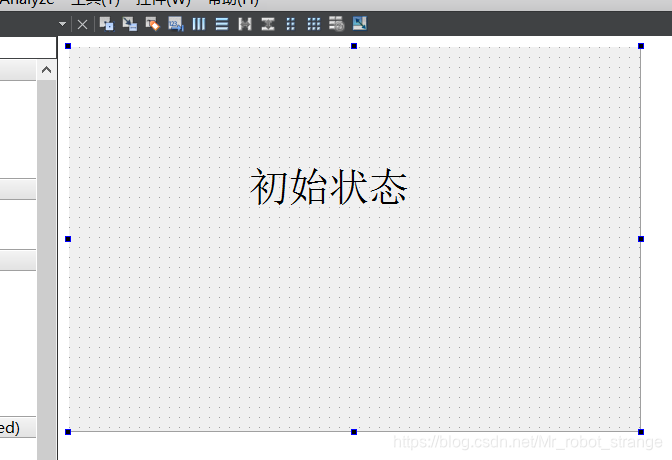
下面这个是继承自QThread类的子线程类
sonthread.h#ifndef SONTHREAD_H
#define SONTHREAD_H#include
#include
#includeclass sonThread : public QThread
{
Q_OBJECT
public:
explicit sonThread(QObject *parent = nullptr);
void run();public:
QLabel *label;
};#endif // SONTHREAD_H
sonthread.cpp#include "sonthread.h"
sonThread::sonThread(QObject *parent) : QThread(parent)
{
label = new QLabel;
}void sonThread::run()
{
qDebug()<<"run()"<
label->setText("更新");
}
下面是主线程类
dialog.h#ifndef DIALOG_H
#define DIALOG_H#include
#include
#include "sonthread.h"namespace Ui {
class Dialog;
}class Dialog : public QDialog
{
Q_OBJECTpublic:
explicit Dialog(QWidget *parent = 0);
~Dialog();
private:
Ui::Dialog *ui;
};#endif // DIALOG_H
dialog.cpp#include "dialog.h"
#include "ui_dialog.h"
Dialog::Dialog(QWidget *parent) :
QDialog(parent),
ui(new Ui::Dialog)
{
ui->setupUi(this);sonThread *sonthread = new sonThread; //创建子线程对象
sonthread->label=ui->label; //将主界面UI指针赋给子线程中的指针对象
sonthread->start(); //启动子线程qDebug()<<"Dialog()"<
}
Dialog::~Dialog()
{
delete ui;
}
下面是运行结果: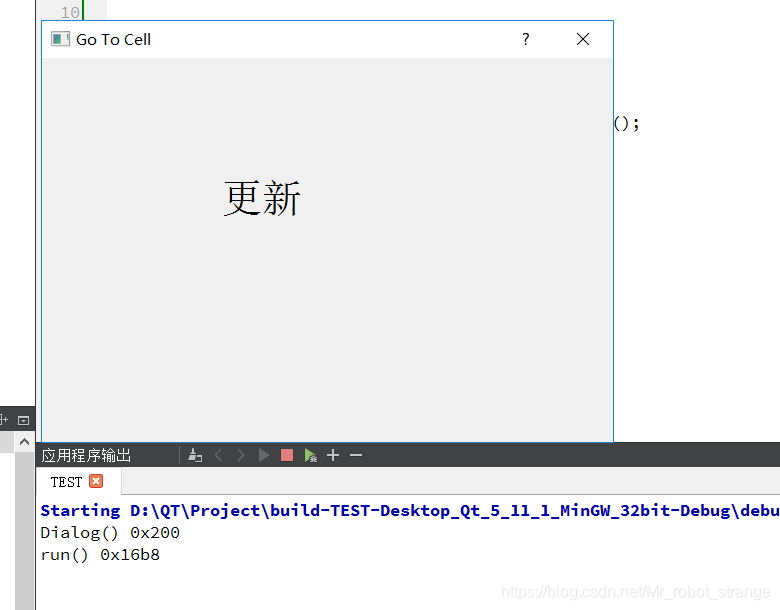
可以看出run()函数与主线程不在同一个线程,而我只在run()中有修改过label的字符,所以实现了在子线程中操作主界面UI控件的目的。
-
相关阅读:
客服回复差评的话术模板
第三章:流程控制
【《On Java 8》学习之路——复用】知识点整理分享
LVS负载均衡集群
LeetCode高频题55. 跳跃游戏
【Flink】关于jvm元空间溢出,mysql binlog冲突的问题解决
Linux系统中输入设备的应用编程实现
视频讲解vue2基础之style样式class类名绑定
UI自动化测试之selenium工具(浏览器窗口的切换)
抖音矩阵系统源码,抖音矩阵系统定制开发look
- 原文地址:https://blog.csdn.net/hulinhulin/article/details/132817859