https://developer.salesforce.com/docs/component-library/bundle/lightning:workspaceAPI/documentation
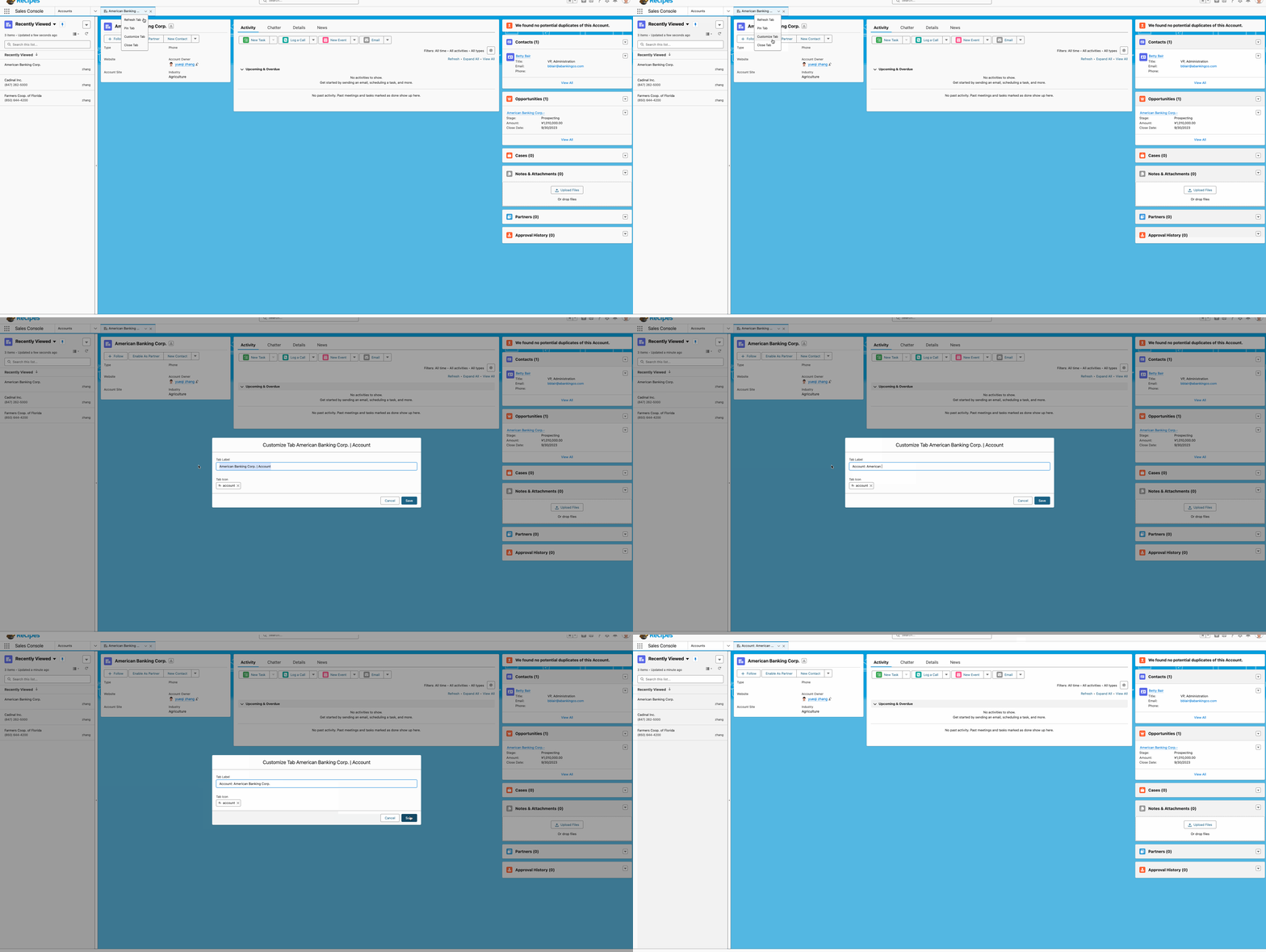
背景: 针对Console App,我们可以看到官方提供的功能可以修改Tab名称,刷新Tab等功能。我们在针对实际开发时,偶尔也需要有需求操作Tab相关信息,比如修改Tab的名称。以前只能通过Aura Component进行修改,lwc并不支持。
CustomizeTabAura.cmp

<aura:component implements="lightning:isUrlAddressable,flexipage:availableForAllPageTypes"
                access="GLOBAL">
    <lightning:workspaceAPI aura:id="workspace" />
    <aura:attribute name="result" type="String">aura:attribute>

    <lightning:card>
        <lightning:buttonGroup>
            <lightning:button onclick="{!c.showTabInfo}" label="显示Tab信息">lightning:button>

            <lightning:button onclick="{!c.changeTabInfo}" label="更改Tab信息">lightning:button>

            <lightning:button onclick="{!c.addSubTabInfo}" label="打开Sub Tab">lightning:button>
        lightning:buttonGroup>
        <div>
            {!v.result}
        div>
    lightning:card>

aura:component>
CustomizeTabAuraController.js
({
    showTabInfo: function(component, event, helper) {
        var workspaceAPI = component.find("workspace");

        workspaceAPI.getFocusedTabInfo().then(function(response) {

            let information = JSON.stringify(response);
            component.set('v.result', information);
        })
        .catch(function(error) {
            console.log(error);
        });
    },
    changeTabInfo: function(component, event, helper) {
        var workspaceAPI = component.find("workspace");

        workspaceAPI.getFocusedTabInfo().then(function(response) {
            let updatedTitle = 'updated tab';
            workspaceAPI.setTabLabel({
                tabId: response.tabId,
                label: updatedTitle
            })
            workspaceAPI.refreshTab({
                tabId: response.tabId
            })
        })
        .catch(function(error) {
            console.log(error);
        });
    },
    addSubTabInfo: function(component, event, helper) {
        var workspaceAPI = component.find("workspace");

        workspaceAPI.getFocusedTabInfo().then(function(response) {
            workspaceAPI.openSubtab({
                parentTabId: response.tabId,
                recordId: $A.get("$SObjectType.CurrentUser.Id"),
                focus: true
            })

        })
        .catch(function(error) {
            console.log(error);
        });
    },
})
将组件放在Account详情页效果展示

Aura操作固然很好,但是lightning现在大部分项目是lwc的,性能上会有很好并且整体代码管理也会容易,一个项目如果参杂着太多的aura和lwc本身也不是好事情,官方也逐渐的将aura的功能向lwc进行迁移,比如lwc目前已经支持quick action。同样的在winter 24 release,官方支持通过lwc来操作tab了,尽管目前是beta版本,相信再过两个release就可以GA了。(目前可以在sandbox进行测试)
注:针对此功能,需要开启Lightning Web Security。

简单的demo如下:
customizeTabLwc.html
<template>
    <lightning-card>
        <lightning-button-group>
            <lightning-button onclick={showTabInfo} label="显示Tab信息">lightning-button>

            <lightning-button onclick={changeTabInfo} label="更改Tab信息">lightning-button>

            <lightning-button onclick={addSubTabInfo} label="打开Sub Tab">lightning-button>
        lightning-button-group>
        <div>
            {result}
        div>
    lightning-card>
template>
customizeTabLwc.js: 需要做两个事情
- 需要引入lightning/messageService,否则会报错 n.connect is not a function
- 引入相关的wire adapter, 将需要的方法引入。
注释部分打开也可以运行,可以通过EnclosingTabId wire adapter获取,也可以通过 getFocusedTabInfo获取tabId
import { LightningElement, track, wire } from 'lwc';
import userId from "@salesforce/user/Id";
import { MessageContext,APPLICATION_SCOPE, publish,subscribe, unsubscribe } from 'lightning/messageService';
import { IsConsoleNavigation,EnclosingTabId, getFocusedTabInfo,setTabLabel,refreshTab,openSubtab } from 'lightning/platformWorkspaceApi';
export default class customizeTabLwc extends LightningElement {
    @wire(IsConsoleNavigation) isConsoleNavigation;
    result;
    @wire(EnclosingTabId) tabId;

    showTabInfo(event) {
        if (this.isConsoleNavigation) {
            getFocusedTabInfo().then((tabInfo) => {
                this.result = JSON.stringify(tabInfo);
            }).catch(function(error) {
                console.log(error);
            });
        }
    }

    changeTabInfo(event) {
        if (this.isConsoleNavigation) {
            // getFocusedTabInfo().then((tabInfo) => {
            //     setTabLabel(tabInfo.tabId, 'updated tab');
            //     refreshTab(tabInfo.tabId);
            // }).catch(function(error) {
            //     console.log(error);
            // });
            setTabLabel(this.tabId, 'updated tab');
        }
    }

    addSubTabInfo(event) {
        if (this.isConsoleNavigation) {
            // getFocusedTabInfo().then((tabInfo) => {
            //     openSubtab(tabInfo.tabId, { recordId: userId, focus: true });
            // }).catch(function(error) {
            //     console.log(error);
            // });
            openSubtab(this.tabId, { recordId: userId, focus: true });
        }
    }
}
运行效果和上述相同。
总结:篇中介绍基于lwc控制tab的方法,官方提供了很多方法,感兴趣的小伙伴可以自行查看。篇中有错误地方欢迎指出,有不懂欢迎留言。