-
mysql修改密码
1.mysql5.7以后和8.0版本的修改方法
摘要:经常会遇到mysql忘记密码,以及在公司中,交接没有完成导致无法进入数据库,下面提供了mysql的修改密码方法和使用图形化工具连接数据库的方法以及不需要密码直接进入数据库。
启动mysqld进程时,为其使用如下选项:
–skip-grant-tables
–skip-networking[root@server ~]# vim /etc/my.cnf [mysqld] skip-grant-tables skip-networking # MySQL8.0不需要 [root@server ~]# systemctl restart mysqld #方法1 mysql> update mysql.user set authentication_string='' where user='root' and host='localhost'; #方法2 mysql> flush privileges; # 再执行下面任意一个命令 mysql> alter user root@'localhost' identified by '123456'; mysql> set password for root@'localhost'='123456';- 1
- 2
- 3
- 4
- 5
- 6
- 7
- 8
- 9
- 10
- 11
- 12
摘要:使用图形化连接工具连接mysql数据库,在8.0以后的版本时不能直接连接的
在MySQL数据库中创建用户并授权后,可以使用相关图形化工具进行远程的管理2.使用root登录
mysql -uroot -p- 1
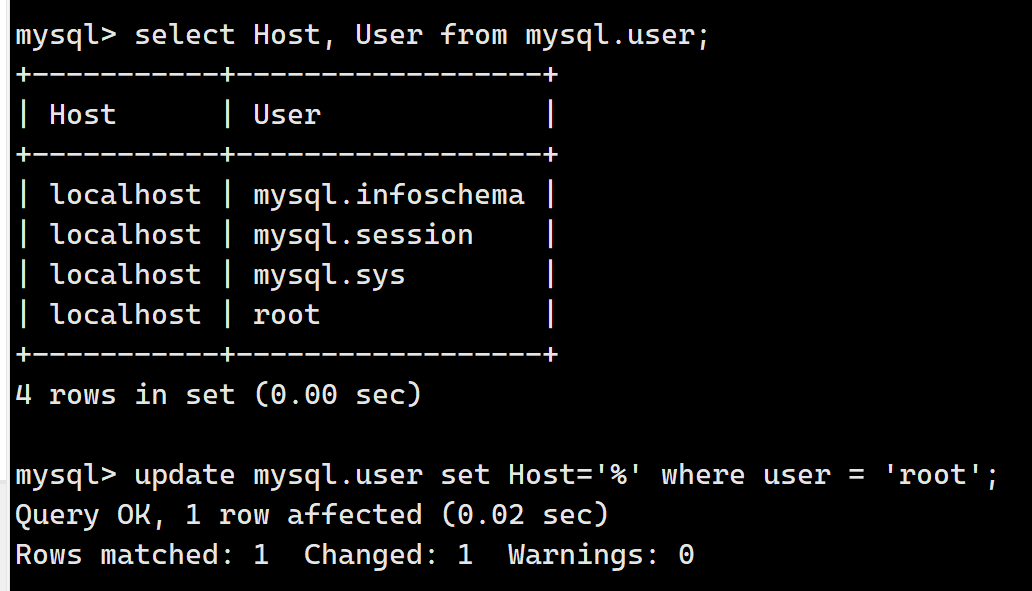
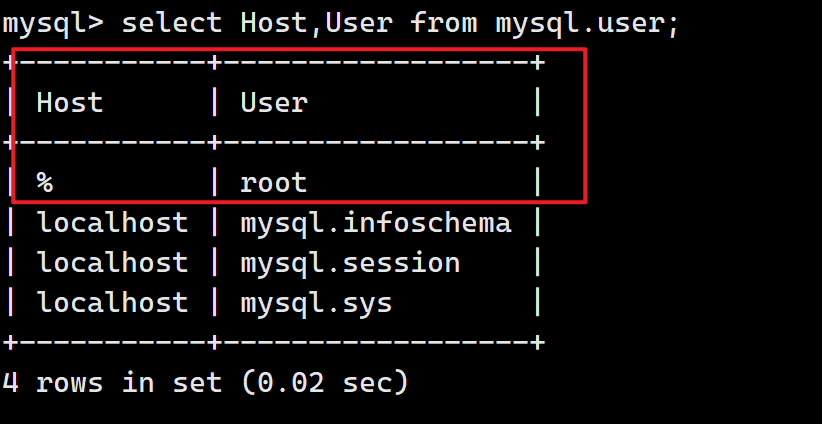
3.设置服务可被所有远程客户端访问
select Host,User from mysql.user; -- 查询到他的host为localhost update mysql.user set Host = '%' where user = 'root'; -- 将其修改为所有或者具体的ip地址 flush privileges;- 1
- 2
- 3
4.关闭防火墙
systemctl disable firewalld ---永久关闭防火墙 systemctl stop firewalld ---暂时关闭防火墙 systemctl status firewalld -- 查看防火墙状态 systemctl restart firewalld.service -- 重启防火墙- 1
- 2
- 3
- 4
- 5
5.重启mysql服务
systemctl restart mysqld ---重启mysql服务- 1
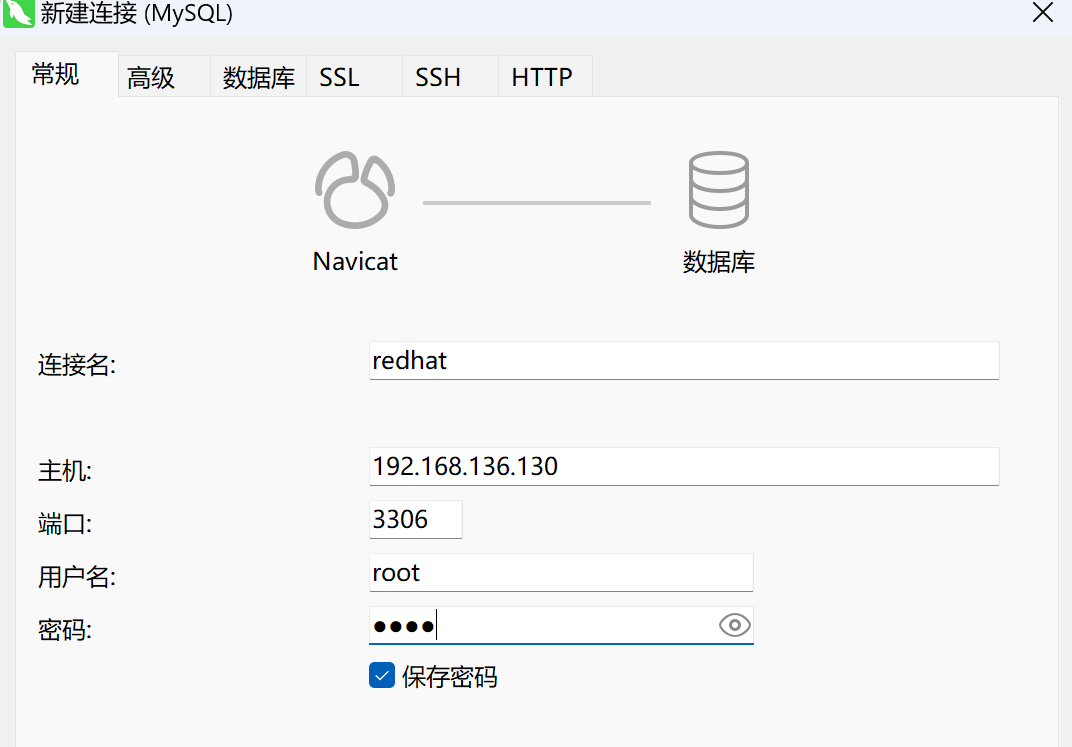
6.使用Navicat 连接
使用虚拟机的ip地址作为主机,输入数据库的用户名和密码,进行测试连接
-
相关阅读:
三菱FX3U系列—原点回归指令
勒索病毒横行下设备该如何进行加密防护
区分stable diffusion中的通道数与张量维度
(22)STM32——RTC时钟笔记(基于正点原子探索者)
开发 Diffusers 库的道德行为指南
(n, 0)维NumPy数组 和 (n, 1)维NumPy数组 有什么区别?
Linux驱动开发——PCI设备驱动
关于Flask高级_WTF自定义验证器的方法
【阿旭机器学习实战】【11】文本分类实战:利用朴素贝叶斯模型进行邮件分类
Map声明、元素访问及遍历、⼯⼚模式、实现 Set - GO语言从入门到实战
- 原文地址:https://blog.csdn.net/m0_50816276/article/details/132793373
- 最新文章
-
沪漂五周年了:我越来越迷茫了
Agentic Skill Routing 实战:别再把所有 Skill 塞进 AI Agent 上下文
MySQL-Seconds_behind_master的精度误差
[MAF预定义ChatClient中间件-03]CachingChatClient——利用缓存省钱省时间
AI的至暗历史:从万众期待到被政府撤资,AI的两次死亡徘徊
Agent OS :五种驯服不确定性的范式
PortSwigger SQL注入LAB11
数据库即时编译JIT
[Begin]AI Learn Data Day 0
深度学习进阶(二十七)现代 LLM 的核心架构设计其二:SwiGLU