-
Java项目:ssm流浪猫狗救助管理系统
作者主页:源码空间站2022
简介:Java领域优质创作者、Java项目、学习资料、技术互助
文末获取源码
项目介绍
流浪猫狗救助管理系统。该项目分为前后台;
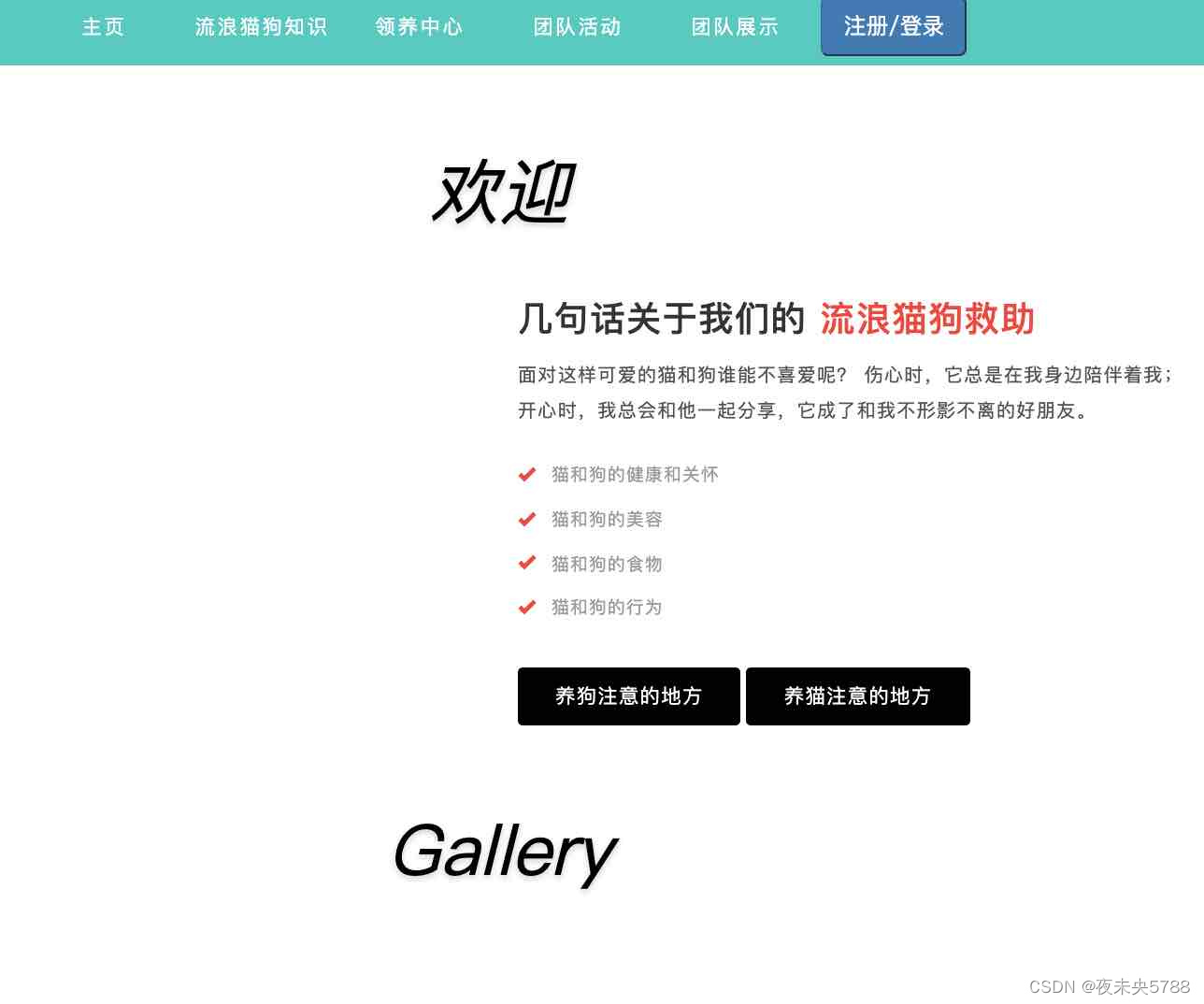
前台主要功能包括:会员的注册登陆,流浪猫狗知识,领养中心,团队活动,流浪宠物详情,申请领养等;
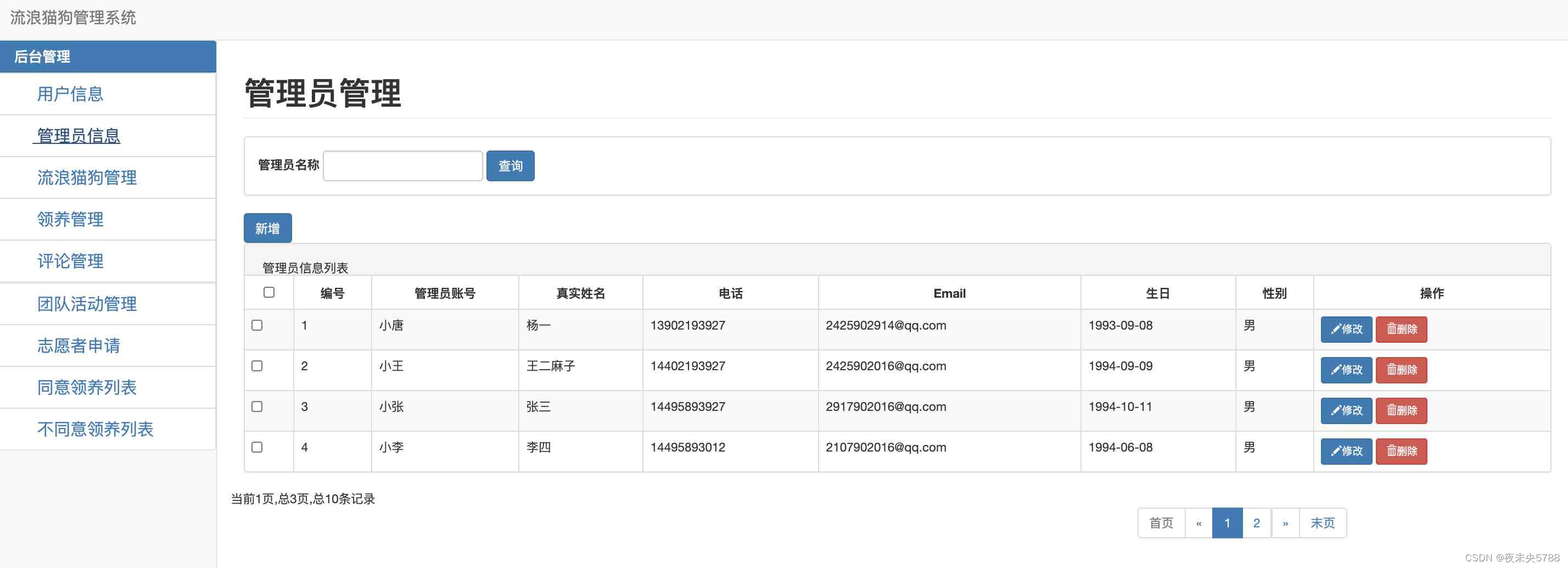
后台主要功能包括:管理员的用户信息管理,流浪猫狗信息管理,管理员信息管理,领养管理,评论管理,团队活动管理,志愿者申请信息管理,同意/不同意领养信息列表等
环境需要
1.运行环境:最好是java jdk 1.8,我们在这个平台上运行的。其他版本理论上也可以。
2.IDE环境:IDEA,Eclipse,Myeclipse都可以。推荐IDEA;
3.tomcat环境:Tomcat 7.x,8.x,9.x版本均可
4.硬件环境:windows 7/8/10 1G内存以上;或者 Mac OS;
5.是否Maven项目: 是;查看源码目录中是否包含pom.xml;若包含,则为maven项目,否则为非maven项目6.数据库:MySql 8.0版本;
技术栈
1. 后端:Spring SpringMVC MyBatis
2. 前端:JSP+bootstrap+jQuery
使用说明
1. 使用Navicat或者其它工具,在mysql中创建对应名称的数据库,并导入项目的sql文件;
2. 将项目中db.properties配置文件中的数据库配置改为自己的配置3. 使用IDEA/Eclipse/MyEclipse导入项目,Eclipse/MyEclipse导入时,若为maven项目请选择maven;
若为maven项目,导入成功后请执行maven clean;maven install命令,配置tomcat,然后运行;
4. 运行项目,
前台地址 http://localhost:8080/web/animal/index.jsp后台地址 http://localhost:8080/web/animal/admin/login.jsp
运行截图
前台页面



后台页面



相关代码
分页管理控制器
- @Controller
- @RequestMapping("apply")
- public class ApplyController {
- @Autowired
- private ApplyService applyService;
- @RequestMapping("applys.action")
- @ResponseBody
- public Message getBlog(@RequestParam(value = "pn",defaultValue = "1") Integer pn){
- // 引入PageHelper分页插件
- // 在查询之前只需要调用,传入页码,以及每页的大小
- PageHelper.startPage(pn,3);
- List
applys = applyService.getApply(); - System.out.println(applys);
- // startPage后面紧跟的这个查询就是一个分页查询
- // 使用pageInfo包装查询后的结果,只需要将pageInfo交给页面就行了。
- // 封装了详细的分页信息,包括有我们查询出来的数据,传入连续显示的页数
- PageInfo page=new PageInfo(applys,2);
- return Message.success().add("pageInfo",page);
- }
- @RequestMapping("create.action")
- @ResponseBody
- public Message addApply(Apply apply){
- apply.setApplyTime(new Date());
- apply.setState(2);
- int i = applyService.addApply(apply);
- if(i>0){
- return Message.success();
- }else{
- return Message.fail();
- }
- }
- @RequestMapping("delete.action")
- @ResponseBody
- public Message deleteApply(Integer id){
- int i = applyService.deleteApply(id);
- if(i>0){
- return Message.success();
- }else {
- return Message.fail();
- }
- }
- @RequestMapping("update.action")
- @ResponseBody
- public Message updateApply(Apply apply){
- if(applyService.updateApply(apply)>0){
- return Message.success();
- }else{
- return Message.fail();
- }
- }
- @RequestMapping("findById.action")
- @ResponseBody
- public Message findById(Integer id){
- Apply apply=applyService.findById(id);
- if(apply!=null){
- return Message.success().add("apply",apply);
- }else{
- return Message.fail();
- }
- }
- @RequestMapping("findByState.action")
- @ResponseBody
- public Message findByTime(@RequestParam(defaultValue ="1",value = "pn") Integer pn,Integer state){
- PageHelper.startPage(pn,4);
- List
states = applyService.findByState(state); - if(states!=null){
- PageInfo page=new PageInfo(states,3);
- return Message.success().add("pageInfo",page);
- }else{
- return Message.fail();
- }
- }
- }
如果也想学习本系统,下面领取。关注并回复:057ssm
-
相关阅读:
【笔录】TVP技术沙龙:寻宝AI时代
3 Cadence R8051XC2 芯片IP的寄存器介绍
golang小游戏:飞翔的小鸟
python基础知识
我的运维笔记之Linux安装篇
P1941 飞扬的小鸟
浅析线程池
「MacOS」Swift 第一章:基础部分
LabVIEW中的数据通信方法
C++ 类和对象 日期类的实现
- 原文地址:https://blog.csdn.net/m0_74967853/article/details/128162074

- 最新文章
-
沪漂五周年了:我越来越迷茫了
Agentic Skill Routing 实战:别再把所有 Skill 塞进 AI Agent 上下文
MySQL-Seconds_behind_master的精度误差
[MAF预定义ChatClient中间件-03]CachingChatClient——利用缓存省钱省时间
AI的至暗历史:从万众期待到被政府撤资,AI的两次死亡徘徊
Agent OS :五种驯服不确定性的范式
PortSwigger SQL注入LAB11
数据库即时编译JIT
[Begin]AI Learn Data Day 0
深度学习进阶(二十七)现代 LLM 的核心架构设计其二:SwiGLU