-
下载整个Yum源的所有安装包到本地指定目录
前言:
由于公司业务大部分都在内网环境下运行,内网环境无法直接使用yum安装升级更新软件,所以需要自建Yum源来满足目前日常工作需要。
下载整个Yum源中所有安装包至本地指定目录
1.准备要下载到本地的Yum源(阿里源、清华源)

2.查看Yum源情况[root@centos ~]# yum repolist 已加载插件:fastestmirror Loading mirror speeds from cached hostfile 仓库标识 仓库名称 状态 extras Qcloud centos extras - x86_64 47 os Qcloud centos os - x86_64 6,713 updates Qcloud centos updates - x86_64 1,169 repolist: 7,929- 1
- 2
- 3
- 4
- 5
- 6
- 7
- 8
可以看到我们准备好的Yum源中有三个仓库,总共有7929个安装包。
3.下载整个Yum源中所有安装包到本地服务器上
reposync:该命令很强大,可以将远端Yum仓库里面的所有安装包全部下载到本地目录中。该命令是来自于 yum-utils 软件包里面的。常用参数说明:
-r :指定已经本地已经配置的 yum 仓库的 repo源的名称
-p :指定下载的路径[root@centos ~]# yum -y install yum-utils #执行安装软件包 [root@centos ~]# mkdir centos6 #创建本地Yum包存放目录 [root@centos ~]# yum repolist #查看Yum源的仓库标识名称 Loading mirror speeds from cached hostfile 仓库标识 仓库名称 状态 extras Qcloud centos extras - x86_64 47 os Qcloud centos os - x86_64 6,713 updates Qcloud centos updates - x86_64 1,169 repolist: 7,929 [root@centos ~]# reposync -r extras -p /root/centos6/ #根据每个据仓库标识下载安装包到本地目录 [extras: 1 of 47 ] Downloading Packages/bakefile-0.2.8-3.el6.centos.x86_64.rpm bakefile-0.2.8-3.el6.centos.x86_64.rpm | 250 kB 00:00 [extras: 2 of 47 ] Downloading Packages/centos-release-azure-1.0-2.el6.centos.noarch.rpm centos-release-azure-1.0-2.el6.centos.noarch.rpm | 4.0 kB 00:00 [extras: 3 of 47 ] Downloading Packages/centos-release-cr-6-0.el6.centos.x86_64.rpm centos-release-cr-6-0.el6.centos.x86_64.rpm ... ... [root@centos ~]# reposync -r os -p /root/centos6/ [os: 1 of 6713 ] Downloading Packages/389-ds-base-1.2.11.15-95.el6_9.x86_64.rpm 389-ds-base-1.2.11.15-95.el6_9.x86_64.rpm | 1.5 MB 00:00 [os: 2 of 6713 ] Downloading Packages/389-ds-base-devel-1.2.11.15-95.el6_9.i686.rpm 389-ds-base-devel-1.2.11.15-95.el6_9.i686.rpm | 149 kB 00:00 [os: 3 of 6713 ] Downloading Packages/389-ds-base-devel-1.2.11.15-95.el6_9.x86_64.rpm 389-ds-base-devel-1.2.11.15-95.el6_9.x86_64.rpm ... ... [root@centos ~]# reposync -r updates -p /root/centos6/- 1
- 2
- 3
- 4
- 5
- 6
- 7
- 8
- 9
- 10
- 11
- 12
- 13
- 14
- 15
- 16
- 17
- 18
- 19
- 20
- 21
- 22
- 23
- 24
- 25
- 26
- 27
- 28
- 29
- 30
- 31

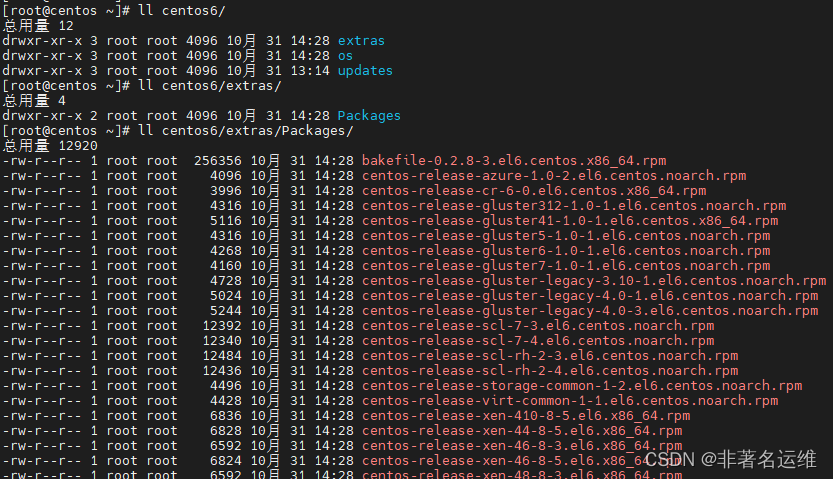
4,查看下载到本地的整个Yum源的安装包[root@centos ~]# ll centos6/ drwxr-xr-x 3 root root 4096 10月 31 14:28 extras drwxr-xr-x 3 root root 4096 10月 31 14:28 os drwxr-xr-x 3 root root 4096 10月 31 13:14 updates [root@centos ~]# ll centos6/extras/ drwxr-xr-x 2 root root 4096 10月 31 14:28 Packages [root@centos ~]# ll centos6/extras/Packages/ -rw-r--r-- 1 root root 256356 10月 31 14:28 bakefile-0.2.8-3.el6.centos.x86_64.rpm -rw-r--r-- 1 root root 4096 10月 31 14:28 centos-release-azure-1.0-2.el6.centos.noarch.rpm -rw-r--r-- 1 root root 3996 10月 31 14:28 centos-release-cr-6-0.el6.centos.x86_64.rpm -rw-r--r-- 1 root root 4316 10月 31 14:28 centos-release-gluster312-1.0-1.el6.centos.noarch.rpm -rw-r--r-- 1 root root 5116 10月 31 14:28 centos-release-gluster41-1.0-1.el6.centos.x86_64.rpm -rw-r--r-- 1 root root 4316 10月 31 14:28 centos-release-gluster5-1.0-1.el6.centos.noarch.rpm -rw-r--r-- 1 root root 4268 10月 31 14:28 centos-release-gluster6-1.0-1.el6.centos.noarch.rpm -rw-r--r-- 1 root root 4160 10月 31 14:28 centos-release-gluster7-1.0-1.el6.centos.noarch.rpm -rw-r--r-- 1 root root 4728 10月 31 14:28 centos-release-gluster-legacy-3.10-1.el6.centos.noarch.rpm ... ...- 1
- 2
- 3
- 4
- 5
- 6
- 7
- 8
- 9
- 10
- 11
- 12
- 13
- 14
- 15
- 16
- 17
- 18
- 19
- 20
[root@centos ~]# ll centos6/extras/Packages/ | wc -l 48 [root@centos ~]# ll centos6/os/Packages/ | wc -l 6714 [root@centos ~]# ll centos6/updates/Packages/ | wc -l 1170- 1
- 2
- 3
- 4
- 5
- 6
- 7
- 8
可以看到本地centos6目录中有三个文件夹,这三个文件夹表示我们下载的Yum源中的三个仓库,每个仓库都有不同的安装包,有了整个Yum源的所有安装包,接下来我们就可以利用它们来搭建属于自己的Yum源了。
【个人公众号】
【微信公众号】搜索: 非著名运维 --》 公众号回复 “资料” 送运维自学资料大礼包哦!上面也会分享一些运维知识,大家点点发财手关注一波,感谢大家。 -
相关阅读:
vue学习之组件传值、自定义事件
任务调度之Timer定时器源码分析
.NET 部署 多域名 Https(SSL)通过代码方式
GPT学习-使用embedding做回归(regression)预测
Vue内置组件之KeepAlive原理
【前端必会】HtmlWebpackPlugin 和 SplitChunksPlugin 是什么?
企业微信hook接口协议,标签变动回调
MySQL高手炼成记:29+超实用监控与优化技巧,你的数据库够快吗?
力扣热题100_链表_141_环形链表
【无标题】
- 原文地址:https://blog.csdn.net/qq_44895681/article/details/127616357

- 最新文章
-
沪漂五周年了:我越来越迷茫了
Agentic Skill Routing 实战:别再把所有 Skill 塞进 AI Agent 上下文
MySQL-Seconds_behind_master的精度误差
[MAF预定义ChatClient中间件-03]CachingChatClient——利用缓存省钱省时间
AI的至暗历史:从万众期待到被政府撤资,AI的两次死亡徘徊
Agent OS :五种驯服不确定性的范式
PortSwigger SQL注入LAB11
数据库即时编译JIT
[Begin]AI Learn Data Day 0
深度学习进阶(二十七)现代 LLM 的核心架构设计其二:SwiGLU