-
【从java到Go】Gin框架整合并部署Vue
【提问】
如何将Vue整合到Go的Web框架Gin中?
【解答】
本文以本文以vue3+vite.config.dev.ts为例,具体步骤如下:
1、vue中修改package.json配置
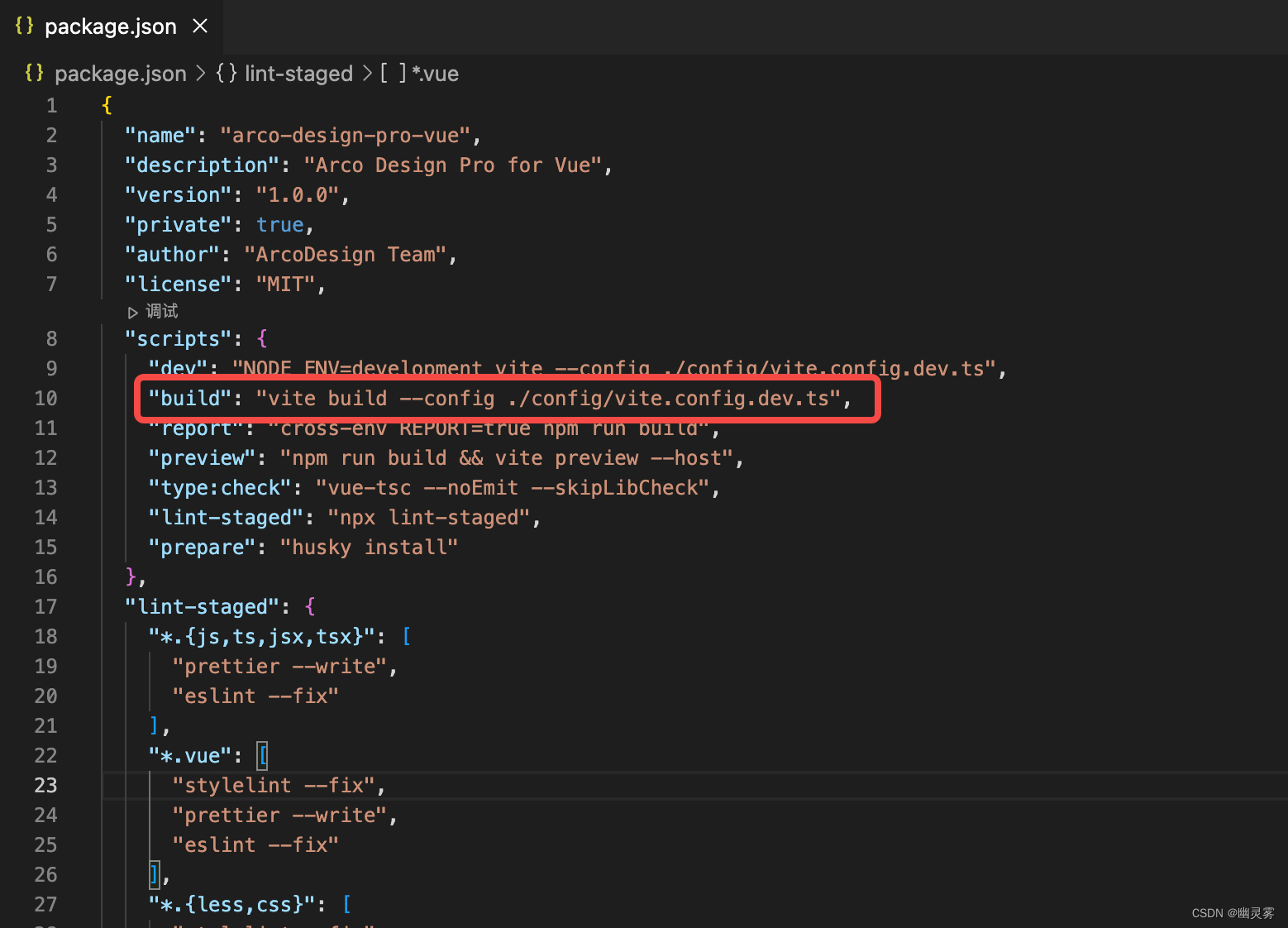
新建Vue工程或打开已有Vue项目,打开package.json文件,在「根.scripts.build」为build命令进行配置,如下:
{ // 省略部分... "scripts": { "dev": "NODE_ENV=development vite --config ./config/vite.config.dev.ts", // 这里配置build命令,根据./config/vite.config.dev.ts文件中的配置运行 "build": "vite build --config ./config/vite.config.dev.ts", "report": "cross-env REPORT=true npm run build", "preview": "npm run build && vite preview --host", "type:check": "vue-tsc --noEmit --skipLibCheck", "lint-staged": "npx lint-staged", "prepare": "husky install" } // 省略部分... }- 1
- 2
- 3
- 4
- 5
- 6
- 7
- 8
- 9
- 10
- 11
- 12
- 13
- 14
2、vue中修改vite.config.dev.ts配置
上述package.json中./config/vite.config.dev.ts文件用来配置运行参数,核心配置如下:
import { mergeConfig } from 'vite'; import requireTransform from 'vite-plugin-require-transform'; import baseConfig from './vite.config.base'; import prismjs from 'vite-plugin-prismjs'; export default mergeConfig( { mode: 'development', server: { host: 'www.fullstars.cn', port: 8000, fs: { strict: true, }, https:false }, plugins: [ prismjs({ languages: 'all', }), requireTransform({ fileRegex: /vuePdfNoSss.vue$/, }), ], }, baseConfig );- 1
- 2
- 3
- 4
- 5
- 6
- 7
- 8
- 9
- 10
- 11
- 12
- 13
- 14
- 15
- 16
- 17
- 18
- 19
- 20
- 21
- 22
- 23
- 24
- 25
- 26
- 27

3、编写Vue中router/index.ts代码
为了方便测试,我们配置一个默认的/v/链接和一个主页面的/v/main链接,如下:
import { createRouter, createWebHistory } from 'vue-router'; import NProgress from 'nprogress'; // progress bar import 'nprogress/nprogress.css'; NProgress.configure({ showSpinner: false }); // NProgress Configuration const router = createRouter({ history: createWebHistory(), routes: [ { path: '/v/', redirect: '/v/main', }, { path: '/v/main', name: 'main', component: () => import('@/views/main/mainView.vue'), }, { path: '/v/:pathMatch(.*)*', name: 'notFound', component: () => import('@/views/not-found/notfoundView.vue'), }, ], scrollBehavior() { return { top: 0 }; }, }); export default router;- 1
- 2
- 3
- 4
- 5
- 6
- 7
- 8
- 9
- 10
- 11
- 12
- 13
- 14
- 15
- 16
- 17
- 18
- 19
- 20
- 21
- 22
- 23
- 24
- 25
- 26
- 27
- 28
- 29
- 30

4、Vue编译打包
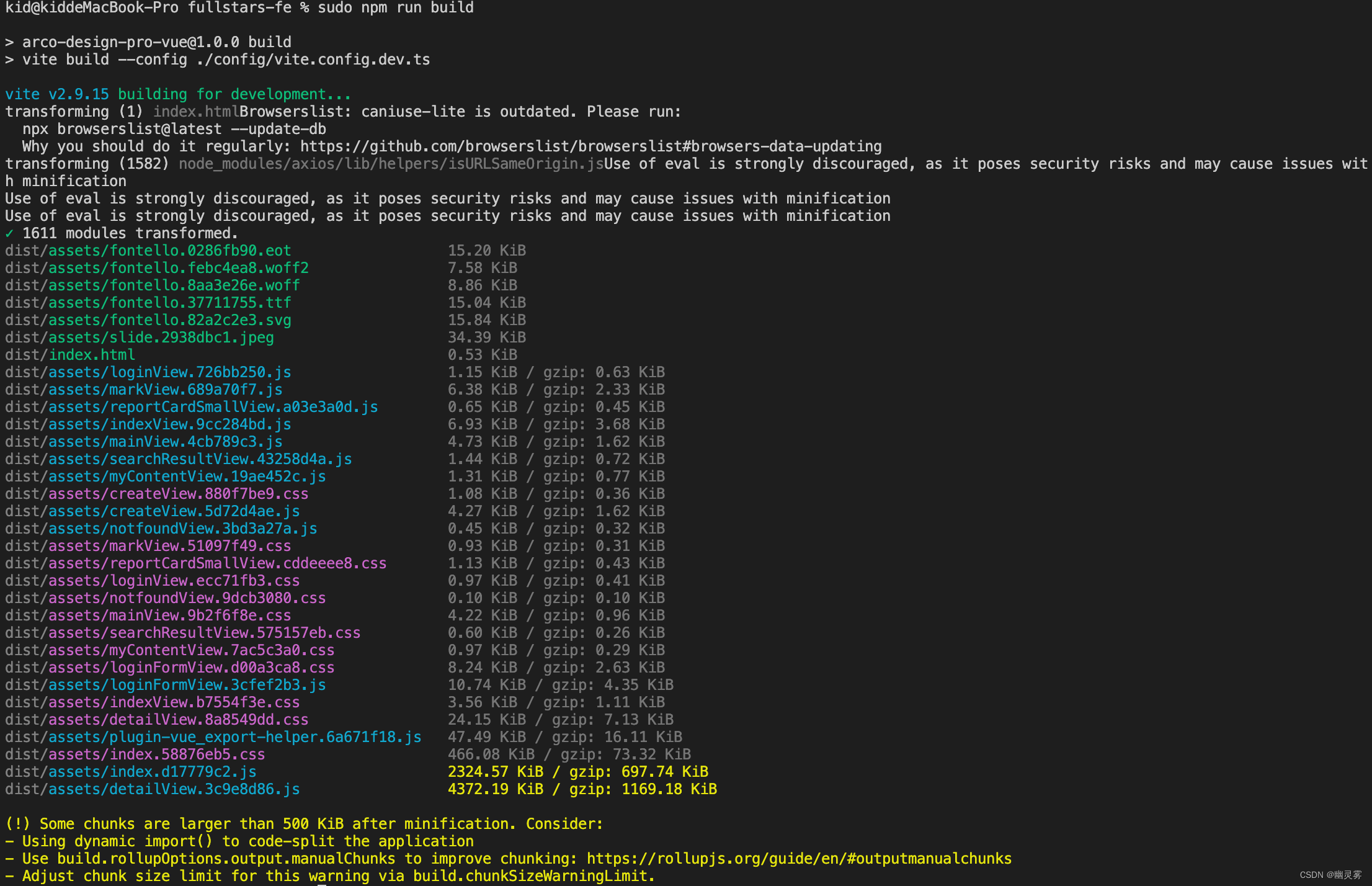
上述配置完成后,进入Vue工程的目录,执行如下代码,进行Vue的编译打包:
sudo npm run build- 1
执行结果如下,打包后的文件会输出到项目的/dist目录中,包含「assets」文件夹和index.html文件:
5、Gin中整合index.html
打开Go项目,在main.go中添加静态资源的载入,以及vue链接的匹配,具体如下:
package main import ( "embed" "github.com/gin-gonic/gin" "net/http" ) //go:embed v.html var Static embed.FS func main() { router := gin.Default() // 加载静态资源 router.StaticFS("/vue", http.FS(Static)) // 匹配vue中的/v/*链接,跳转至vue入口文件,vue会自动进行路由 router.GET("/v/*name", func(c *gin.Context) { c.Request.URL.Path = "/vue/v.html" router.HandleContext(c) }) // 匹配/链接,重定向到主页 router.GET("/", func(c *gin.Context) { c.Redirect(http.StatusFound, "/v/main") }) // 其他接口 router.GET("/other", func(c *gin.Context) { c.String(http.StatusOK, "Hello world!这是一个GET接口") }) router.Run(":80") }- 1
- 2
- 3
- 4
- 5
- 6
- 7
- 8
- 9
- 10
- 11
- 12
- 13
- 14
- 15
- 16
- 17
- 18
- 19
- 20
- 21
- 22
- 23
- 24
- 25
- 26
- 27
- 28
- 29
- 30
- 31
- 32
在代码中,一定要声明embed.FS,同时增加「go:embed」注释,用以载入指定的静态文件,这里的v.html就是Vue打包后的index.html(这里要特别注意,go对关键字很敏感,所以不要使用index作为文件名,这里改为v),其他的静态文件通过远程文件进行引入(传到oss或者其他云,详见另一篇文章:【从java到Go】vue3打包发布到OSS)
//go:embed v.html var Static embed.FS- 1
- 2
上述的配置,v.html要和main.go在同一路径:

6、运行测试
运行Go项目,同时访问http://localhost,会根据Gin中router的配置,自动跳转到http://localhost/v/main(其中/v/main是我在Vue中定义的默认路由):

-
相关阅读:
三维模型几何坐标偏差修正(纠正)的常用方法分析
窗帘导轨轮小柱
安卓JNI怎么使用lua库呢,为何这样不行呢
lambda表达式在实际开发中的使用
Springboot毕设项目环球视野网站92i41(java+VUE+Mybatis+Maven+Mysql)
某安全设备frp流量告警分析
《代码大全2》第17章 不常见的控制结构
北斗GPS卫星时钟同步服务器在银行数据机房应用
5个实用的PyCharm插件
屏幕亮度调节保护您的眼睛
- 原文地址:https://blog.csdn.net/ooppookid/article/details/127454625

- 最新文章
-
【FHE】我们如何实现同态加密推理(八):SiLU 的密文化——两条路径,和一个 8 字节的开关
SQLcl 中 c/old/new 替换变量为何失效?先定位再替换
不让模型写作文,直接从它脑子里读答案:Jev 决策在 .NET 的两条路线
Halo插件:支持GitHub的图床附件策略
电视投屏界的“一股清流”!SimpleTVCast 6.0.0-beta 抢先体验:无需TV端App,界面大换血!✨
华三VXLAN集中式网关实战指南:Spine多活网关 + 双活接入(M-LAG)
软件更好写之后口碑会更重要
大 O、大 Omega、大 Theta 的区别,O(n) 复杂度是什么意思
Java标签跳转:一个鲜为人知但却很实用的小技巧
多智能体系统论文速读