-
How to config secured and stable Jenkins connection
-
Preparation
-
Create VM to run case, such as IST job

2. Config jenkin to connect VM
-
Request management permission and create your jenkins job in your team jenkins server, like this

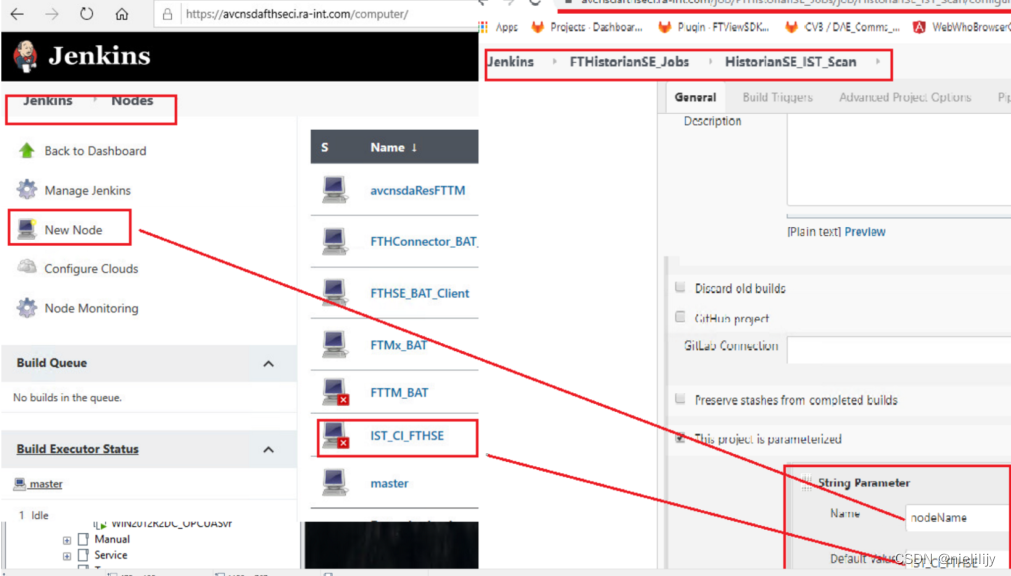
2.Create a new node
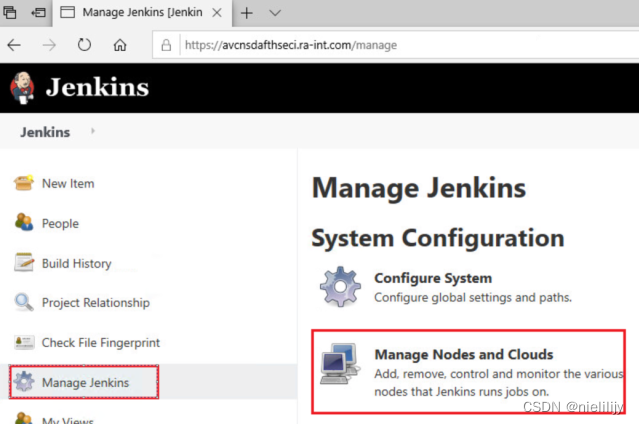 .
.
3. Config your node(pay attention to use websocket check, this will make your connect more stable)
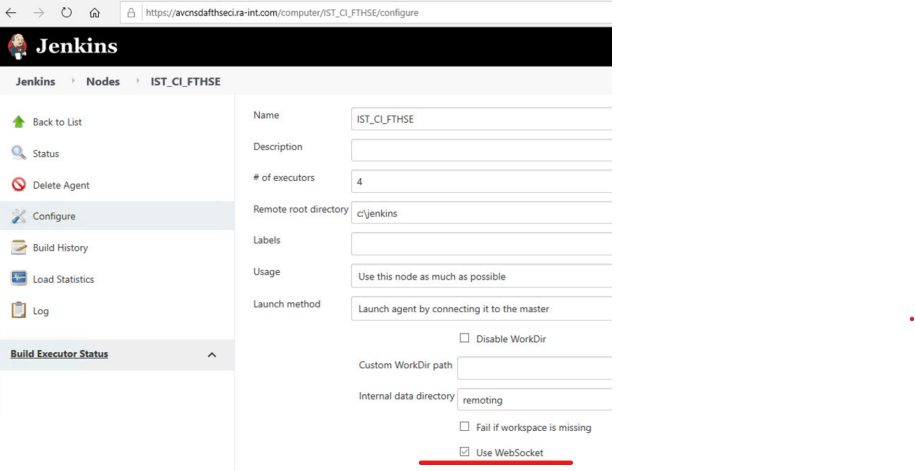
4. Copy your server cacerts file to your client folder(keep same folder)

3. Put your start jenkins_startup.bat into startup folder

Or

note: this need user account, you need to config regedit to auto login.
There are steps to config registry to auto login.
-
open registry and expand to
HKEY_LOCAL_MACHINE\SOFTWARE\Microsoft\WindowsNT\currentversion\Winlogon2. Click Winlogon,
-
Find “AutoAdminLogon“ turn value as '1';
-
Find “DefaultUserName“ turn value as your account;
-
Find “DefaultPassword“ turn value as your password;(if no “DefaultPassword“, create a new one)

4.Then you can take a snapshot for the current VM status and write your pipeline script in your jenkins job.
-
-
相关阅读:
【云开发】给我 10 分钟,带你上手一个 AWS serverless web server
Golang入门笔记(7)—— 函数 func
DeepFace【部署 03】轻量级人脸识别和面部属性分析框架deepface在Linux环境下服务部署(conda虚拟环境+docker)
wavenet及TCN
STM32CubeMX教程10 RTC 实时时钟 - 周期唤醒、闹钟A/B事件和备份寄存器
简论UWB三种定位算法的区别
成熟ICT测试系统与LabVIEW定制开发的比较
Linux CPU调优工具汇总
开源直播美颜SDK工具算法分析
Yakit工具篇:端口探测和指纹扫描的配置和使用
- 原文地址:https://blog.csdn.net/nielilijy/article/details/126903067