-
谷粒商城 (二十六) --------- 商品服务 API 新增商品
一、调试会员等级的接口
此接口是会员系统下的。。。
首先我们在网关服务中配置会员服务的路由

配置完后重启项目,会员等级界面可以正常打开
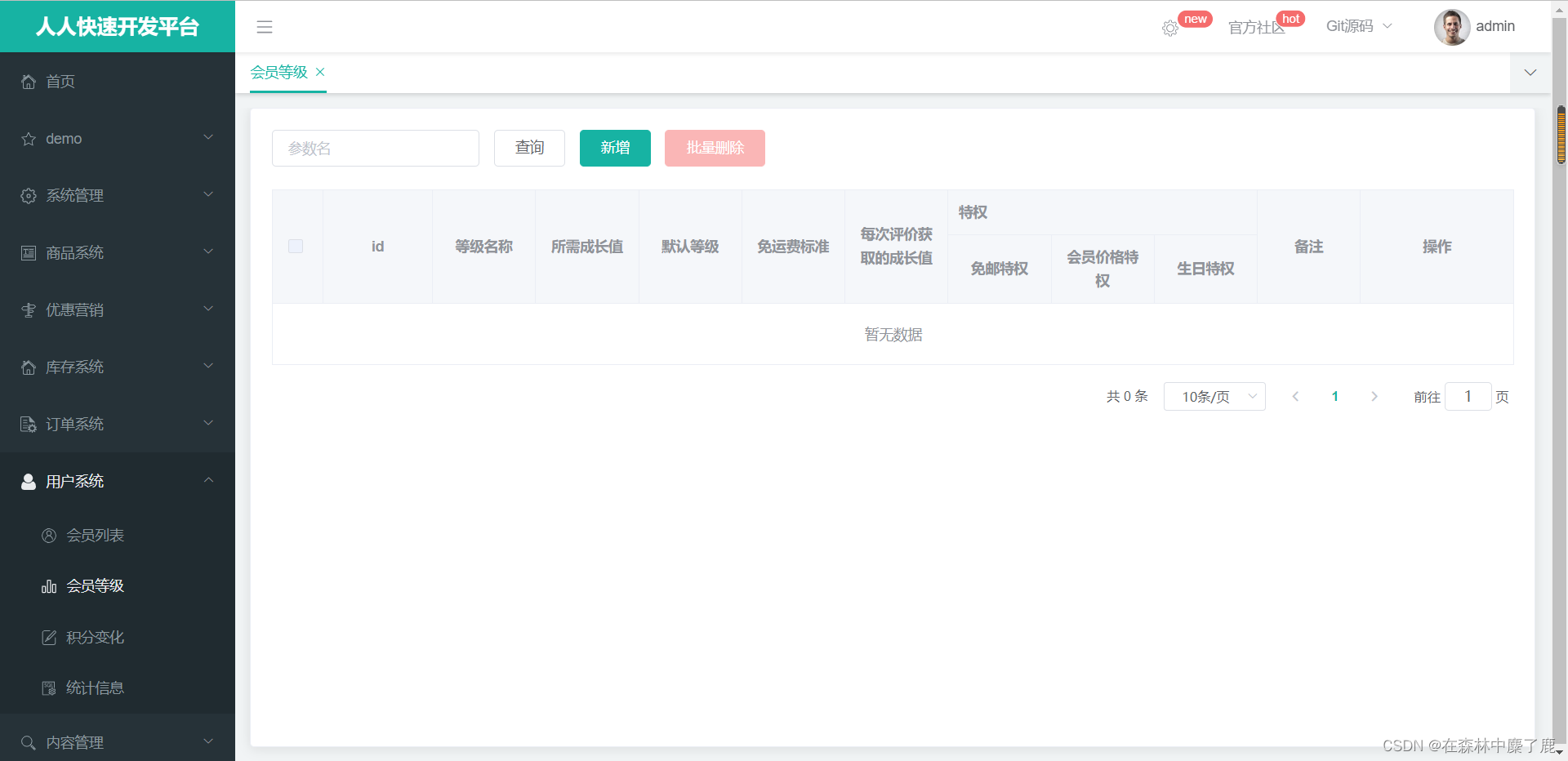
我们来新增几个会员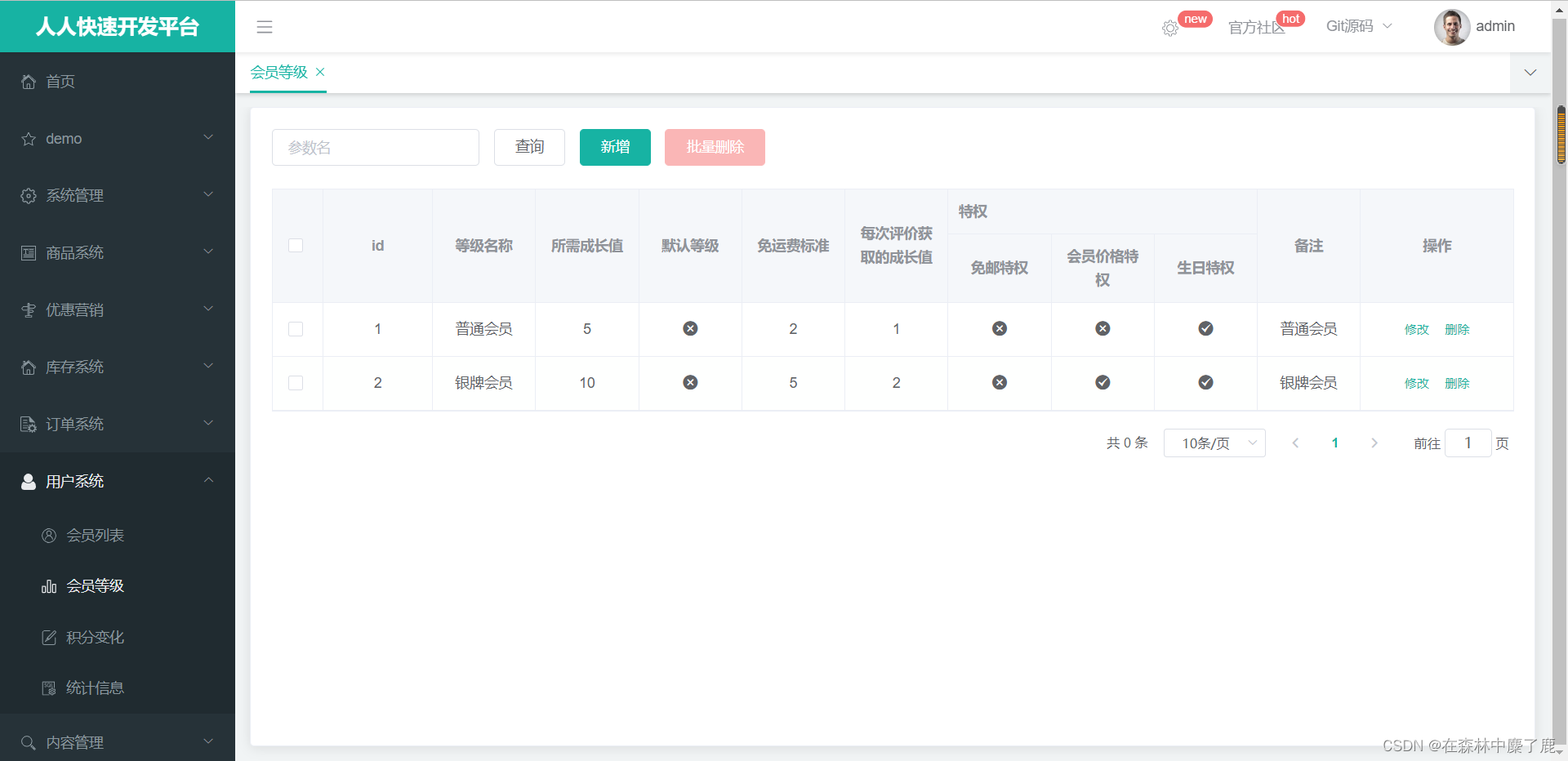
二、编写分类关联品牌的接口
创建 BrandVo

在 CategoryBrandRelationController 中: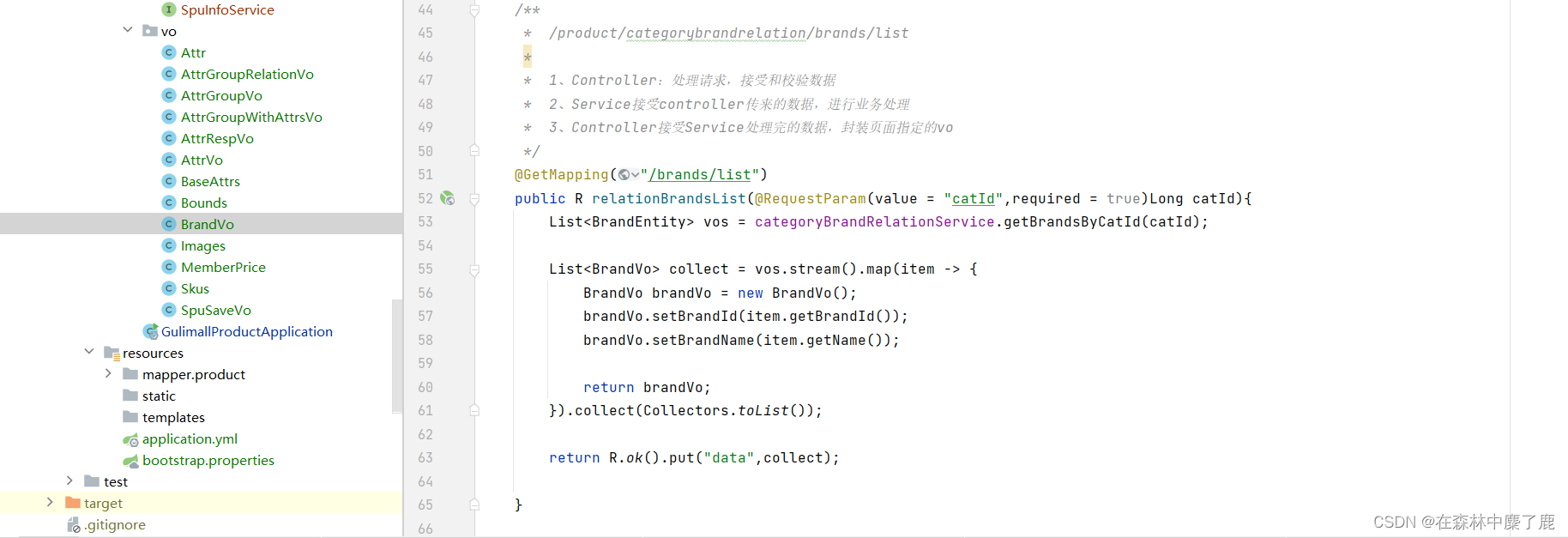
对应 Service 中方法:@Override public List<BrandEntity> getBrandsByCatId(Long catId) { List<CategoryBrandRelationEntity> catelogId = relationDao.selectList(new QueryWrapper<CategoryBrandRelationEntity>().eq("catelog_id", catId)); List<BrandEntity> collect = catelogId.stream().map(item -> { Long brandId = item.getBrandId(); BrandEntity byId = brandService.getById(brandId); return byId; }).collect(Collectors.toList()); return collect; }- 1
- 2
- 3
- 4
- 5
- 6
- 7
- 8
- 9
- 10
- 11
三、编写获取分类下所有分组及属性的接口
编写 AttrGroupWithAttrsVo
package com.fancy.gulimall.product.vo; import com.baomidou.mybatisplus.annotation.TableId; import com.fancy.gulimall.product.entity.AttrEntity; import lombok.Data; import java.util.List; @Data public class AttrGroupWithAttrsVo { /** * 分组id */ private Long attrGroupId; /** * 组名 */ private String attrGroupName; /** * 排序 */ private Integer sort; /** * 描述 */ private String descript; /** * 组图标 */ private String icon; /** * 所属分类id */ private Long catelogId; private List<AttrEntity> attrs; }- 1
- 2
- 3
- 4
- 5
- 6
- 7
- 8
- 9
- 10
- 11
- 12
- 13
- 14
- 15
- 16
- 17
- 18
- 19
- 20
- 21
- 22
- 23
- 24
- 25
- 26
- 27
- 28
- 29
- 30
- 31
- 32
- 33
- 34
- 35
- 36
- 37
- 38
- 39
在 AttrGroupController 中:
///product/attrgroup/{catelogId}/withattr @GetMapping("/{catelogId}/withattr") public R getAttrGroupWithAttrs(@PathVariable("catelogId")Long catelogId){ //1、查出当前分类下的所有属性分组, //2、查出每个属性分组的所有属性 List<AttrGroupWithAttrsVo> vos = attrGroupService.getAttrGroupWithAttrsByCatelogId(catelogId); return R.ok().put("data",vos); }- 1
- 2
- 3
- 4
- 5
- 6
- 7
- 8
- 9
在 AttrGroupServiceImpl 中实现方法
/** * 根据分类id查出所有的分组以及这些组里面的属性 * @param catelogId * @return */ @Override public List<AttrGroupWithAttrsVo> getAttrGroupWithAttrsByCatelogId(Long catelogId) { //com.atguigu.gulimall.product.vo //1、查询分组信息 List<AttrGroupEntity> attrGroupEntities = this.list(new QueryWrapper<AttrGroupEntity>().eq("catelog_id", catelogId)); //2、查询所有属性 List<AttrGroupWithAttrsVo> collect = attrGroupEntities.stream().map(group -> { AttrGroupWithAttrsVo attrsVo = new AttrGroupWithAttrsVo(); BeanUtils.copyProperties(group,attrsVo); List<AttrEntity> attrs = attrService.getRelationAttr(attrsVo.getAttrGroupId()); attrsVo.setAttrs(attrs); return attrsVo; }).collect(Collectors.toList()); return collect; }- 1
- 2
- 3
- 4
- 5
- 6
- 7
- 8
- 9
- 10
- 11
- 12
- 13
- 14
- 15
- 16
- 17
- 18
- 19
- 20
- 21
- 22
四、商品新增的 vo 抽取
/** * Copyright 2019 bejson.com */ package com.fancy.gulimall.product.vo; import lombok.Data; import java.math.BigDecimal; import java.util.List; /** * Auto-generated: 2019-11-26 10:50:34 * * @author bejson.com (i@bejson.com) * @website http://www.bejson.com/java2pojo/ */ @Data public class SpuSaveVo { private String spuName; private String spuDescription; private Long catalogId; private Long brandId; private BigDecimal weight; private int publishStatus; private List<String> decript; private List<String> images; private Bounds bounds; private List<BaseAttrs> baseAttrs; private List<Skus> skus; }- 1
- 2
- 3
- 4
- 5
- 6
- 7
- 8
- 9
- 10
- 11
- 12
- 13
- 14
- 15
- 16
- 17
- 18
- 19
- 20
- 21
- 22
- 23
- 24
- 25
- 26
- 27
- 28
- 29
- 30
- 31
- 32
五、保存 SPU 基本信息
在 SpuInfoController 中修改 save
@RequestMapping("/save") //@RequiresPermissions("product:spuinfo:save") public R save(@RequestBody SpuSaveVo vo){ //spuInfoService.save(spuInfo); spuInfoService.saveSpuInfo(vo); return R.ok(); }- 1
- 2
- 3
- 4
- 5
- 6
- 7
- 8
- 9
对应 SpuInfoServiceImpl 中
@Transactional @Override public void saveSpuInfo(SpuSaveVo vo) { //1、保存spu基本信息 pms_spu_info SpuInfoEntity infoEntity = new SpuInfoEntity(); BeanUtils.copyProperties(vo, infoEntity); infoEntity.setCreateTime(new Date()); infoEntity.setUpdateTime(new Date()); this.saveBaseSpuInfo(infoEntity); //2、保存Spu的描述图片 pms_spu_info_desc List<String> decript = vo.getDecript(); SpuInfoDescEntity descEntity = new SpuInfoDescEntity(); descEntity.setSpuId(infoEntity.getId()); descEntity.setDecript(String.join(",", decript)); spuInfoDescService.saveSpuInfoDesc(descEntity); //3、保存spu的图片集 pms_spu_images List<String> images = vo.getImages(); imagesService.saveImages(infoEntity.getId(), images); //4、保存spu的规格参数;pms_product_attr_value List<BaseAttrs> baseAttrs = vo.getBaseAttrs(); List<ProductAttrValueEntity> collect = baseAttrs.stream().map(attr -> { ProductAttrValueEntity valueEntity = new ProductAttrValueEntity(); valueEntity.setAttrId(attr.getAttrId()); AttrEntity id = attrService.getById(attr.getAttrId()); valueEntity.setAttrName(id.getAttrName()); valueEntity.setAttrValue(attr.getAttrValues()); valueEntity.setQuickShow(attr.getShowDesc()); valueEntity.setSpuId(infoEntity.getId()); return valueEntity; }).collect(Collectors.toList()); attrValueService.saveProductAttr(collect); //5、保存spu的积分信息;gulimall_sms->sms_spu_bounds Bounds bounds = vo.getBounds(); SpuBoundTo spuBoundTo = new SpuBoundTo(); BeanUtils.copyProperties(bounds, spuBoundTo); spuBoundTo.setSpuId(infoEntity.getId()); R r = couponFeignService.saveSpuBounds(spuBoundTo); if (r.getCode() != 0) { log.error("远程保存spu积分信息失败"); } //5、保存当前spu对应的所有sku信息; List<Skus> skus = vo.getSkus(); if (skus != null && skus.size() > 0) { skus.forEach(item -> { String defaultImg = ""; for (Images image : item.getImages()) { if (image.getDefaultImg() == 1) { defaultImg = image.getImgUrl(); } } // private String skuName; // private BigDecimal price; // private String skuTitle; // private String skuSubtitle; SkuInfoEntity skuInfoEntity = new SkuInfoEntity(); BeanUtils.copyProperties(item, skuInfoEntity); skuInfoEntity.setBrandId(infoEntity.getBrandId()); skuInfoEntity.setCatalogId(infoEntity.getCatalogId()); skuInfoEntity.setSaleCount(0L); skuInfoEntity.setSpuId(infoEntity.getId()); skuInfoEntity.setSkuDefaultImg(defaultImg); //5.1)、sku的基本信息;pms_sku_info skuInfoService.saveSkuInfo(skuInfoEntity); Long skuId = skuInfoEntity.getSkuId(); List<SkuImagesEntity> imagesEntities = item.getImages().stream().map(img -> { SkuImagesEntity skuImagesEntity = new SkuImagesEntity(); skuImagesEntity.setSkuId(skuId); skuImagesEntity.setImgUrl(img.getImgUrl()); skuImagesEntity.setDefaultImg(img.getDefaultImg()); return skuImagesEntity; }).filter(entity -> { //返回true就是需要,false就是剔除 return !StringUtils.hasText(entity.getImgUrl()); }).collect(Collectors.toList()); //5.2)、sku的图片信息;pms_sku_image skuImagesService.saveBatch(imagesEntities); //TODO 没有图片路径的无需保存 List<Attr> attr = item.getAttr(); List<SkuSaleAttrValueEntity> skuSaleAttrValueEntities = attr.stream().map(a -> { SkuSaleAttrValueEntity attrValueEntity = new SkuSaleAttrValueEntity(); BeanUtils.copyProperties(a, attrValueEntity); attrValueEntity.setSkuId(skuId); return attrValueEntity; }).collect(Collectors.toList()); //5.3)、sku的销售属性信息:pms_sku_sale_attr_value skuSaleAttrValueService.saveBatch(skuSaleAttrValueEntities); // //5.4)、sku的优惠、满减等信息;gulimall_sms->sms_sku_ladder\sms_sku_full_reduction\sms_member_price SkuReductionTo skuReductionTo = new SkuReductionTo(); BeanUtils.copyProperties(item, skuReductionTo); skuReductionTo.setSkuId(skuId); if (skuReductionTo.getFullCount() > 0 || skuReductionTo.getFullPrice().compareTo(new BigDecimal("0")) == 1) { R r1 = couponFeignService.saveSkuReduction(skuReductionTo); if (r1.getCode() != 0) { log.error("远程保存sku优惠信息失败"); } } }); } }- 1
- 2
- 3
- 4
- 5
- 6
- 7
- 8
- 9
- 10
- 11
- 12
- 13
- 14
- 15
- 16
- 17
- 18
- 19
- 20
- 21
- 22
- 23
- 24
- 25
- 26
- 27
- 28
- 29
- 30
- 31
- 32
- 33
- 34
- 35
- 36
- 37
- 38
- 39
- 40
- 41
- 42
- 43
- 44
- 45
- 46
- 47
- 48
- 49
- 50
- 51
- 52
- 53
- 54
- 55
- 56
- 57
- 58
- 59
- 60
- 61
- 62
- 63
- 64
- 65
- 66
- 67
- 68
- 69
- 70
- 71
- 72
- 73
- 74
- 75
- 76
- 77
- 78
- 79
- 80
- 81
- 82
- 83
- 84
- 85
- 86
- 87
- 88
- 89
- 90
- 91
- 92
- 93
- 94
- 95
- 96
- 97
- 98
- 99
- 100
- 101
- 102
- 103
- 104
- 105
- 106
- 107
- 108
- 109
- 110
- 111
- 112
- 113
- 114
- 115
- 116
- 117
- 118
其中此代码中包含远程调用其他模块的功能
想要远程调用首先必须要在注册中心中,其次要开启远程调用功能

对应的 CouponFeignService 代码如下:
远程调用之前我们要创建 TO 对象封装远程传输对象,TO我们可以直接创建在 common 中

同时对应的 saveSkuReduction 方法如下
@Override public void saveSkuReduction(SkuReductionTo reductionTo) { //1、// //5.4)、sku的优惠、满减等信息;gulimall_sms->sms_sku_ladder\sms_sku_full_reduction\sms_member_price //sms_sku_ladder SkuLadderEntity skuLadderEntity = new SkuLadderEntity(); skuLadderEntity.setSkuId(reductionTo.getSkuId()); skuLadderEntity.setFullCount(reductionTo.getFullCount()); skuLadderEntity.setDiscount(reductionTo.getDiscount()); skuLadderEntity.setAddOther(reductionTo.getCountStatus()); if(reductionTo.getFullCount() > 0){ skuLadderService.save(skuLadderEntity); } //2、sms_sku_full_reduction SkuFullReductionEntity reductionEntity = new SkuFullReductionEntity(); BeanUtils.copyProperties(reductionTo,reductionEntity); if(reductionEntity.getFullPrice().compareTo(new BigDecimal("0"))==1){ this.save(reductionEntity); } //3、sms_member_price List<MemberPrice> memberPrice = reductionTo.getMemberPrice(); List<MemberPriceEntity> collect = memberPrice.stream().map(item -> { MemberPriceEntity priceEntity = new MemberPriceEntity(); priceEntity.setSkuId(reductionTo.getSkuId()); priceEntity.setMemberLevelId(item.getId()); priceEntity.setMemberLevelName(item.getName()); priceEntity.setMemberPrice(item.getPrice()); priceEntity.setAddOther(1); return priceEntity; }).filter(item->{ return item.getMemberPrice().compareTo(new BigDecimal("0")) == 1; }).collect(Collectors.toList()); memberPriceService.saveBatch(collect); }- 1
- 2
- 3
- 4
- 5
- 6
- 7
- 8
- 9
- 10
- 11
- 12
- 13
- 14
- 15
- 16
- 17
- 18
- 19
- 20
- 21
- 22
- 23
- 24
- 25
- 26
- 27
- 28
- 29
- 30
- 31
- 32
- 33
- 34
- 35
- 36
- 37
- 38
配置完后重启服务进行测试。。。
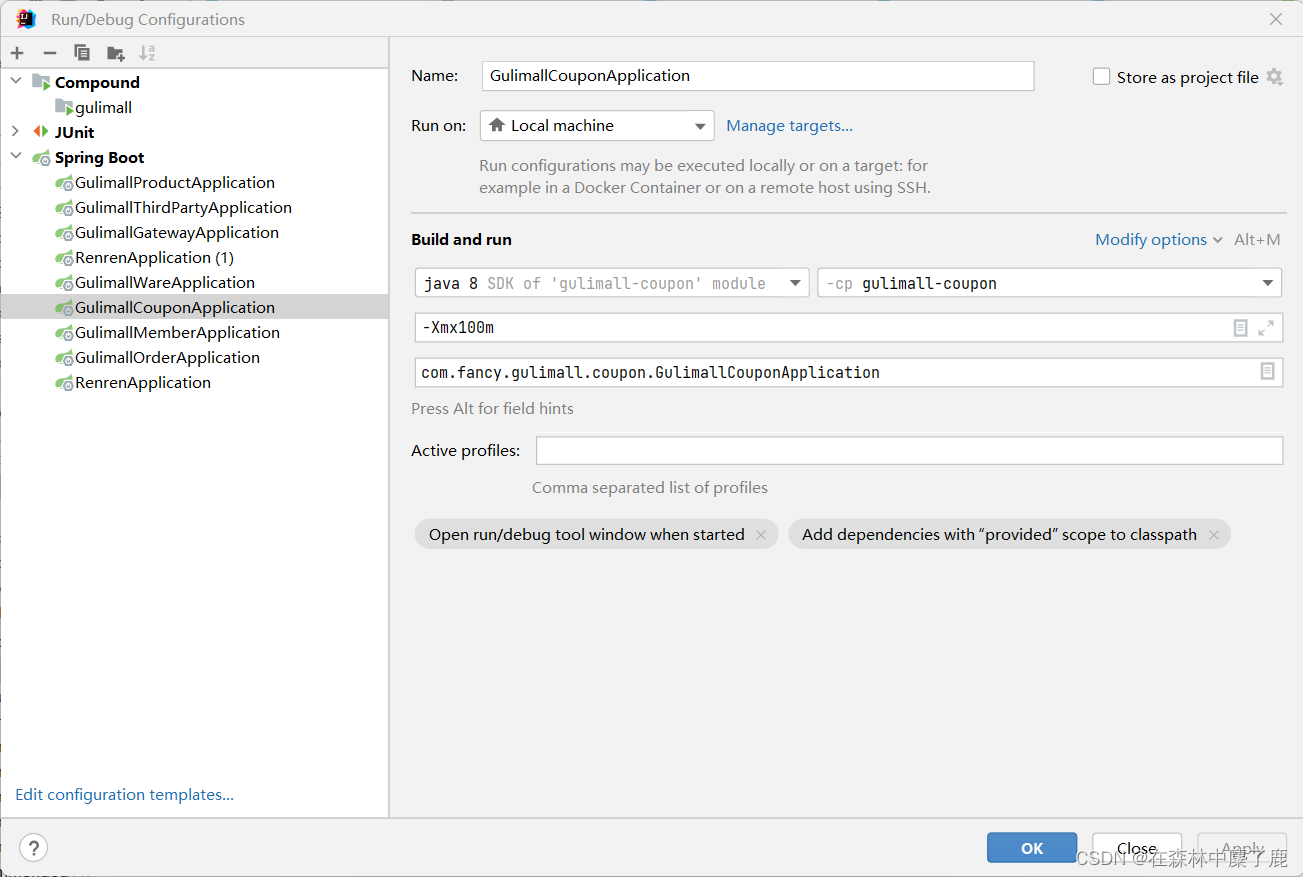
内存不够用的话可以进行 JVM 调优
-
相关阅读:
选择性集成 - MDEP (PPSN-22): Multi-objective Evolutionary Ensemble Pruning Guided by Margin Distribution
mysql总结
小红书爆款笔记的成功之道:持续更新和分享的重要性
跑步需要哪些运动装备?跑步爱好者者的装备推荐
MCU主频 服务器台式机主频 处理器主频那些事
工作中遇到的事务
聊聊FASTER和进程内混合缓存
4个顶点的无向完全图一共有多少个生成树
【unity3D】Rect Transform组件
二、VUE3 基础教程
- 原文地址:https://blog.csdn.net/m0_51111980/article/details/126788998
