-
CSS水平垂直居中
1. margin:auto
元素有宽度和高度时,利用margin:auto设置元素水平垂直居中:
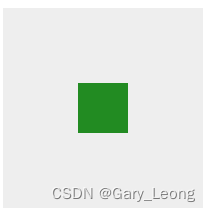
HTML代码如下:- 1
- 2
- 3
CSS代码如下:
.div1 { background-color: #eee; width: 200px; height: 200px; position: relative; } .div1 .center { width: 50px; height: 50px; background-color: forestgreen; position: absolute; margin: auto; top: 0; left: 0; right: 0; bottom: 0; }- 1
- 2
- 3
- 4
- 5
- 6
- 7
- 8
- 9
- 10
- 11
- 12
- 13
- 14
- 15
- 16
- 17
2.position:absolute
HTML代码:
- 1
- 2
- 3
当已知元素宽度和高度时,可以设置position:absolute和margin为负的宽高的一半,CSS代码:
.div2 { background-color: #eee; width: 200px; height: 200px; position: relative; margin-top: 20px; } .div2 .center { width: 50px; height: 50px; background-color: rgb(34, 71, 139); position: absolute; left: 50%; top: 50%; margin-left: -25px; margin-top: -25px; }- 1
- 2
- 3
- 4
- 5
- 6
- 7
- 8
- 9
- 10
- 11
- 12
- 13
- 14
- 15
- 16
- 17
当已知元素宽度和高度时,也可以利用calc计算属性设置top和left,CSS代码:
.center { width: 50px; height: 50px; background-color: rgb(34, 71, 139); position: absolute; left: calc(50% - 25px); top: calc(50% - 25px); }- 1
- 2
- 3
- 4
- 5
- 6
- 7
- 8
当元素宽度和高度未知时,可以设置position:absolute和transform:transate(-50%,-50%),css代码:
.center { width: 50px; height: 50px; background-color: rgb(34, 71, 139); position: absolute; left: 50%; top: 50%; transform: translate(-50%, -50%); }- 1
- 2
- 3
- 4
- 5
- 6
- 7
- 8
- 9
实现效果:

3.弹性盒子
通过为其父元素设置display:flex来实现居中
HTML代码:- 1
- 2
- 3
CSS代码:
.div4 { background-color: #eee; width: 200px; height: 200px; position: relative; margin-top: 20px; display: flex; justify-content: center; align-items: center; } .div4 .center { width: 50px; height: 50px; background-color: rgb(240, 248, 166); }- 1
- 2
- 3
- 4
- 5
- 6
- 7
- 8
- 9
- 10
- 11
- 12
- 13
- 14
- 15
4.利用水平对齐和行高
设置text-align和line-height实现单行文本水平垂直居中。
HTML代码:我要居中
- 1
- 2
- 3
CSS代码:
.div5 { background-color: #eee; width: 200px; height: 200px; margin-top: 20px; } .div5 .center { text-align: center; line-height: 200px; }- 1
- 2
- 3
- 4
- 5
- 6
- 7
- 8
- 9
- 10
5.grid
HTML代码:
我要居中
- 1
- 2
- 3
在网格项目中设置justify-self、align-self或者margin:auto,css代码:
.div6 { background-color: #eee; width: 200px; height: 200px; margin-top: 20px; display: grid; } .div6 .center { align-self: center; justify-self: center; /* margin: auto; */ }- 1
- 2
- 3
- 4
- 5
- 6
- 7
- 8
- 9
- 10
- 11
- 12
在网格容器上设置justify-items、align-items或justify-content、align-content,css代码:
.div6 { background-color: #eee; width: 200px; height: 200px; margin-top: 20px; display: grid; align-items: center; justify-items: center; /* align-content: center; justify-content: center; */ }- 1
- 2
- 3
- 4
- 5
- 6
- 7
- 8
- 9
- 10
- 11
-
相关阅读:
Spring Security 6.1.x 系列 (1)—— 初识Spring Security
mysql主从复制
《Deep learning Based Text Classification:A comprehensive Review》文本综述
机器学习简介
山东大学单片机原理与应用实验 C语言程序实验
AI美颜SDK功能算法代码解析
定时自动刷新页面油猴脚本
如果对区块链的呈现形态进行总结,虚拟化和数字化,无疑是最确切的注脚
30天Python入门(第二十九天:深入了解Python API的使用2.0)
如何在Java中读取超过内存大小的文件
- 原文地址:https://blog.csdn.net/Gary_888/article/details/126734595
