1. App Module 库 build.gradle 文件中添加依赖库或者添加xml文件刷新自动添加库
implementation 'androidx.navigation:navigation-fragment:2.5.1'
implementation 'androidx.navigation:navigation-ui:2.5.1'
2. 创建 HomeFragment,右击包名,New -> Fragment -> Fragment(Blank),填入 Fragment 和 xml 文件名称
2.1 HomeFragment.java
public class HomeFragment extends Fragment {
public View onCreateView(LayoutInflater inflater, ViewGroup container, Bundle savedInstanceState) {
return inflater.inflate(R.layout.fragment_home, container, false);
public void onViewCreated(@NonNull View view, @Nullable Bundle savedInstanceState) {
super.onViewCreated(view, savedInstanceState);
view.findViewById(R.id.button).setOnClickListener(new View.OnClickListener() {
public void onClick(View view) {
NavController controller = Navigation.findNavController(view);
controller.navigate(R.id.action_homeFragment_to_detailFragment);
2.2 fragment_home.xml
<?xml version="1.0" encoding="utf-8"?>
<FrameLayout xmlns:android="http://schemas.android.com/apk/res/android"
xmlns:app="http://schemas.android.com/apk/res-auto"
xmlns:tools="http://schemas.android.com/tools"
android:layout_width="match_parent"
android:layout_height="match_parent"
tools:context=".HomeFragment">
<androidx.constraintlayout.widget.ConstraintLayout
android:layout_width="match_parent"
android:layout_height="match_parent">
<androidx.constraintlayout.widget.Guideline
android:id="@+id/guideline2"
android:layout_width="wrap_content"
android:layout_height="wrap_content"
android:orientation="horizontal"
app:layout_constraintGuide_percent="0.5" />
android:id="@+id/textView"
android:layout_width="wrap_content"
android:layout_height="wrap_content"
app:layout_constraintBottom_toTopOf="@+id/guideline2"
app:layout_constraintEnd_toEndOf="parent"
app:layout_constraintStart_toStartOf="parent"
app:layout_constraintTop_toTopOf="parent"
app:layout_constraintVertical_bias="0.8" />
android:layout_width="wrap_content"
android:layout_height="wrap_content"
app:layout_constraintBottom_toBottomOf="parent"
app:layout_constraintEnd_toEndOf="parent"
app:layout_constraintStart_toStartOf="parent"
app:layout_constraintTop_toTopOf="@+id/guideline2"
app:layout_constraintVertical_bias="0.2" />
</androidx.constraintlayout.widget.ConstraintLayout>

3. 创建 DetailFragment
3.1 DetailFragment.java
public class DetailFragment extends Fragment {
public View onCreateView(LayoutInflater inflater, ViewGroup container, Bundle savedInstanceState) {
return inflater.inflate(R.layout.fragment_detail, container, false);
public void onViewCreated(@NonNull View view, @Nullable Bundle savedInstanceState) {
super.onViewCreated(view, savedInstanceState);
view.findViewById(R.id.button2).setOnClickListener(Navigation.createNavigateOnClickListener(R.id.action_detailFragment_to_homeFragment));
3.2 fragment_detail.xml
<?xml version="1.0" encoding="utf-8"?>
<FrameLayout xmlns:android="http://schemas.android.com/apk/res/android"
xmlns:app="http://schemas.android.com/apk/res-auto"
xmlns:tools="http://schemas.android.com/tools"
android:layout_width="match_parent"
android:layout_height="match_parent"
tools:context=".DetailFragment">
<androidx.constraintlayout.widget.ConstraintLayout
android:layout_width="match_parent"
android:layout_height="match_parent">
<androidx.constraintlayout.widget.Guideline
android:id="@+id/guideline3"
android:layout_width="wrap_content"
android:layout_height="wrap_content"
android:orientation="horizontal"
app:layout_constraintGuide_percent="0.5" />
android:id="@+id/textView2"
android:layout_width="wrap_content"
android:layout_height="wrap_content"
app:layout_constraintBottom_toTopOf="@+id/guideline3"
app:layout_constraintEnd_toEndOf="parent"
app:layout_constraintStart_toStartOf="parent"
app:layout_constraintTop_toTopOf="parent"
app:layout_constraintVertical_bias="0.8" />
android:id="@+id/button2"
android:layout_width="wrap_content"
android:layout_height="wrap_content"
app:layout_constraintBottom_toBottomOf="parent"
app:layout_constraintEnd_toEndOf="parent"
app:layout_constraintHorizontal_bias="0.5"
app:layout_constraintStart_toStartOf="parent"
app:layout_constraintTop_toTopOf="@+id/guideline3"
app:layout_constraintVertical_bias="0.2" />
</androidx.constraintlayout.widget.ConstraintLayout>
4. 创建 Navigation, 右击 res 文件,选择 New -> Android Resource File, 文件名为 my_navigation.xml ,资源文件类型为 Navigation, 添加 fragment xml 文件。
4.1 my_navigation.xml 文件
<?xml version="1.0" encoding="utf-8"?>
<navigation xmlns:android="http://schemas.android.com/apk/res/android"
xmlns:app="http://schemas.android.com/apk/res-auto"
xmlns:tools="http://schemas.android.com/tools"
android:id="@+id/my_navigation"
app:startDestination="@id/homeFragment">
android:id="@+id/homeFragment"
android:name="com.example.navigationdemo.HomeFragment"
tools:layout="@layout/fragment_home">
android:id="@+id/action_homeFragment_to_detailFragment"
app:destination="@id/detailFragment"
app:enterAnim="@anim/nav_default_enter_anim"
app:exitAnim="@anim/nav_default_exit_anim" />
android:id="@+id/detailFragment"
android:name="com.example.navigationdemo.DetailFragment"
tools:layout="@layout/fragment_detail">
android:id="@+id/action_detailFragment_to_homeFragment"
app:destination="@id/homeFragment"
app:enterAnim="@anim/nav_default_enter_anim"
app:exitAnim="@anim/nav_default_exit_anim" />
5. Activity调用
5.1 activity_main.xml 文件,画板中,选择 Containers -> NavHostFragment -> my_navigation
<?xml version="1.0" encoding="utf-8"?>
<androidx.constraintlayout.widget.ConstraintLayout xmlns:android="http://schemas.android.com/apk/res/android"
xmlns:app="http://schemas.android.com/apk/res-auto"
xmlns:tools="http://schemas.android.com/tools"
android:layout_width="match_parent"
android:layout_height="match_parent"
tools:context=".MainActivity">
<androidx.fragment.app.FragmentContainerView
android:id="@+id/fragmentContainerView"
android:name="androidx.navigation.fragment.NavHostFragment"
android:layout_width="match_parent"
android:layout_height="match_parent"
app:defaultNavHost="true"
app:navGraph="@navigation/my_navigation" />
</androidx.constraintlayout.widget.ConstraintLayout>
5.2 MainActivity.java 中调用
public class MainActivity extends AppCompatActivity {
protected void onCreate(Bundle savedInstanceState) {
super.onCreate(savedInstanceState);
setContentView(R.layout.activity_main);
NavHostFragment navHostFragment = (NavHostFragment) getSupportFragmentManager().findFragmentById(R.id.fragmentContainerView);
NavController controller = navHostFragment.getNavController();
NavigationUI.setupActionBarWithNavController(this, controller);
public boolean onSupportNavigateUp() {
NavHostFragment navHostFragment = (NavHostFragment) getSupportFragmentManager().findFragmentById(R.id.fragmentContainerView);
NavController controller = navHostFragment.getNavController();
return controller.navigateUp();
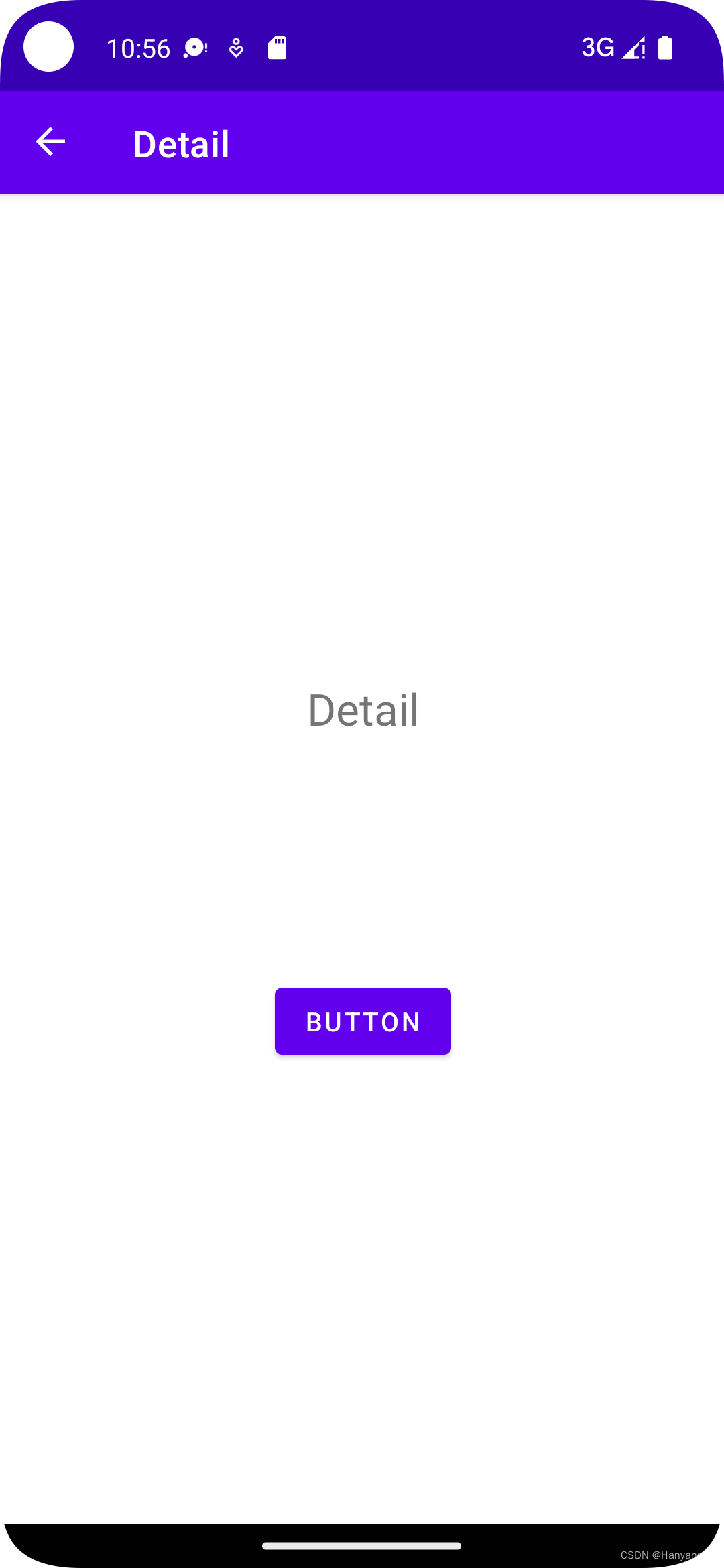
6. 效果图