-
nginx相关使用
请求某个ip和端口转向指定地址
请求某个ip和端口转向指定地址
当请求server_name + listen 时转向 proxy_pass
localhost:8081 -> 127.0.0.1:8080server { listen 8081; #监听端口 server_name localhost; #监听地址 location / { root html; #/html目录 proxy_pass http://127.0.0.1:8080; #请求转向 index index.html index.htm; #设置默认页 } }- 1
- 2
- 3
- 4
- 5
- 6
- 7
- 8
- 9
- 10


参考文章
https://zhuanlan.zhihu.com/p/431181851?utm_id=0
根据在浏览器输入的路径不同,跳转到不同端口的服务中。
请求http://127.0.0.1:9000/nginx8081/ --》 http://localhost:8081/nginx8081/
请求http://127.0.0.1:9000/nginx8083/ --》 http://localhost:8083/nginx8083/
注意‘’location ~ /nginx8081/ ‘’ 加了/#根据在浏览器输入的路径不同,跳转到不同端口的服务中。 server { listen 9000; server_name localhost; #监听地址 location ~ /nginx8081/ { proxy_pass http://localhost:8081; } location ~ /nginx8083/ { proxy_pass http://localhost:8083; } }- 1
- 2
- 3
- 4
- 5
- 6
- 7
- 8
- 9
- 10
- 11
- 12
- 13

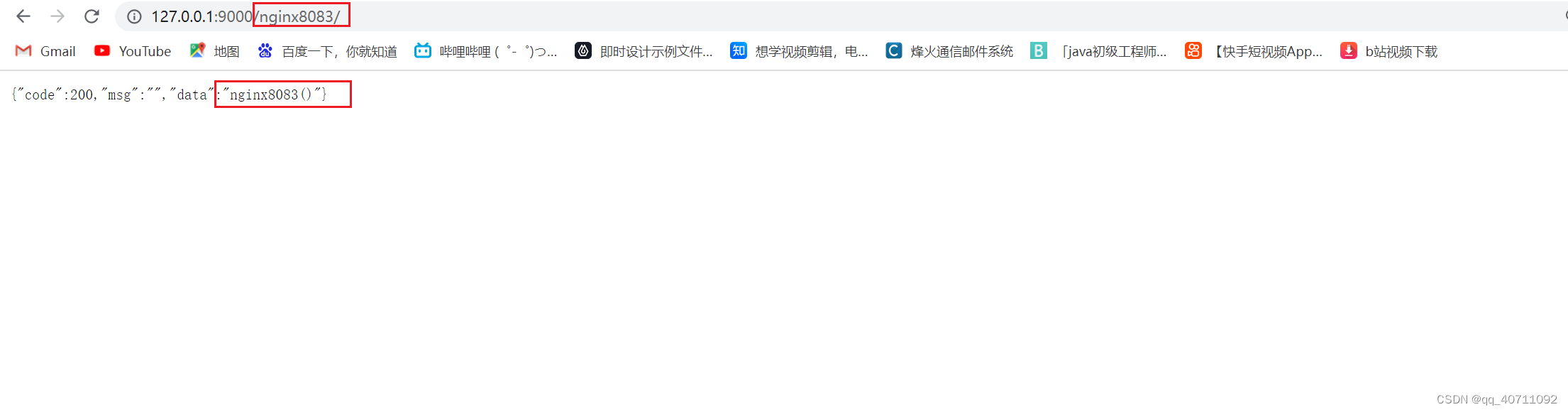
后端 起两个程序8081,8083

负载均衡
会将请求指向localhost:8081和localhost:8083两个服务。
用于实现多个服务器实现负载均衡。
两个服务器相同负载#负载均衡 upstream myserver { server localhost:8081; server localhost:8083; } server { listen 9001; #监听端口 server_name localhost; #监听地址 location / { root html; #html目录 index index.html index.htm; #设置默认页 proxy_pass http://myserver; #请求转向 myserver 定义的服务器列表 } }- 1
- 2
- 3
- 4
- 5
- 6
- 7
- 8
- 9
- 10
- 11
- 12
- 13
- 14
- 15
- 16
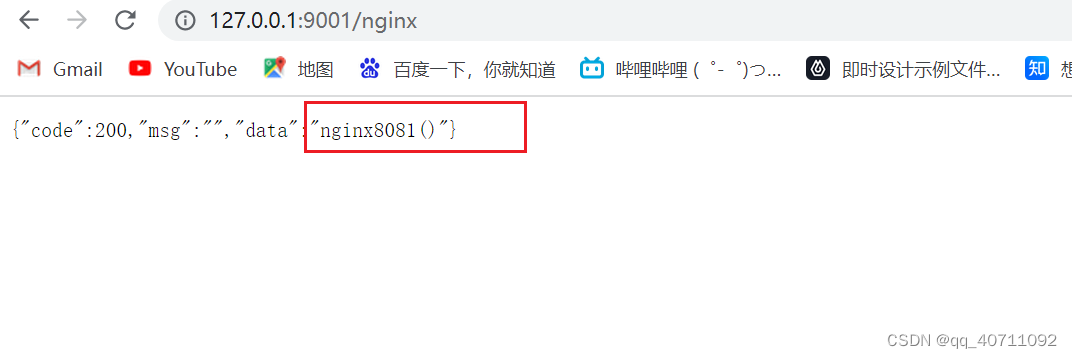
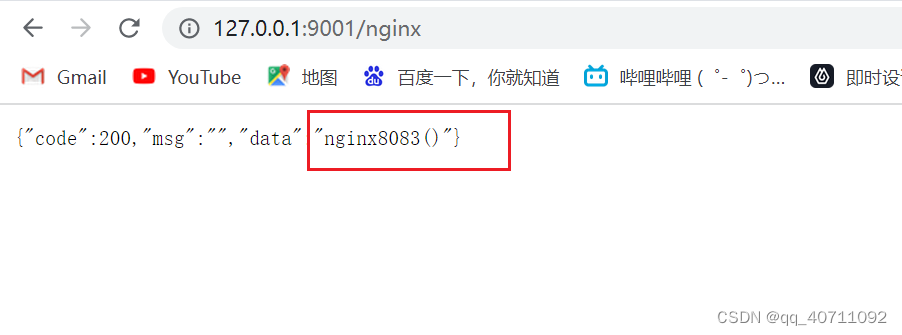
nginx 分配服务器策略
默认情况下是轮询
按权重设置
#负载均衡 upstream myserver { server localhost:8081 weight=1; server localhost:8083 weight=2; }- 1
- 2
- 3
- 4
- 5
按ip
按请求 ip 的 hash 值分配,每个访客固定访问一个后端服务器
upstream myserver { ip_hash; server localhost:8081; server localhost:8083; }- 1
- 2
- 3
- 4
- 5
自动打开文件列表
autoindex on; #自动打开文件列表- 1
location / { # root html; root E:\gzw\ROOT; index index.html index.htm; autoindex on; #自动打开文件列表 }- 1
- 2
- 3
- 4
- 5
- 6

-
相关阅读:
基于Spark的大规模日志分析
快速排序(Quick Sort)
原型(克隆)模式
让敏捷回归本源——读《敏捷整洁之道》有感
覆盖变量漏洞
搭建Python开发环境
webpack工具包
新四级冲刺需牢记的700核心词
Spark入门
elasticsearch--环境搭建
- 原文地址:https://blog.csdn.net/qq_40711092/article/details/126444898
