-
【JavaWeb】登陆页面
java登陆页面

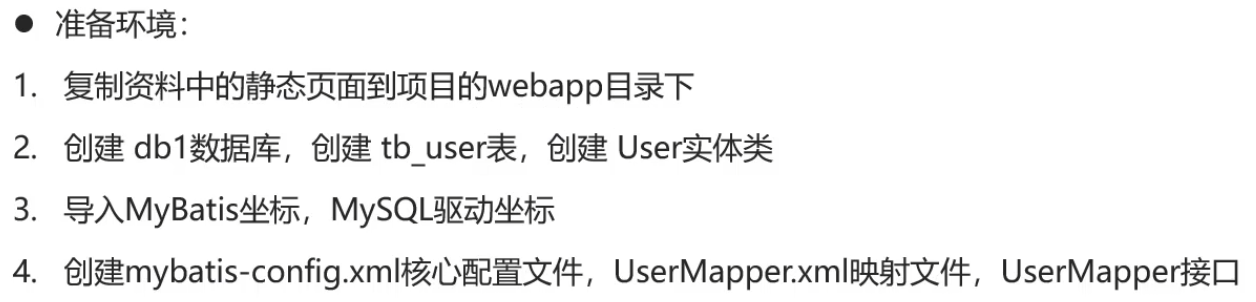
public class User { private Integer id; private String username; private String password; public Integer getId() { return id; } public String getUsername() { return username; } public String getPassword() { return password; } public void setUsername(String username) { this.username = username; } public void setPassword(String password) { this.password = password; } @Override public String toString(){ return "User{"+"id="+ id +". username='"+ username + '\'' +"}"; } }- 1
- 2
- 3
- 4
- 5
- 6
- 7
- 8
- 9
- 10
- 11
- 12
- 13
- 14
- 15
- 16
- 17
- 18
- 19
- 20
- 21
- 22
- 23
- 24
- 25
- 26
- 27
- 28
- 29
- 30
<dependency> <groupId>org.mybatis</groupId> <artifactId>mybatis</artifactId> <version>3.5.5</version> </dependency> <dependency> <groupId>mysql</groupId> <artifactId>mysql-connector-java</artifactId> <version>5.1.34</version> </dependency>- 1
- 2
- 3
- 4
- 5
- 6
- 7
- 8
- 9
- 10
- 11
mybatis-config.xml

<?xml version="1.0" encoding="UTF-8" ?> <!DOCTYPE configuration PUBLIC "-//mybatis.org//DTD Config 3.0//EN" "http://mybatis.org/dtd/mybatis-3-config.dtd"> <configuration> <!--起别名--> <typeAliases> <package name="com.lyp"/> </typeAliases> <environments default="development"> <environment id="development"> <transactionManager type="JDBC"/> <dataSource type="POOLED"> <property name="driver" value="com.mysql.jdbc.Driver"/> <property name="url" value="jdbc:mysql://www.123456.com:8086/db1?useSSL=false&useServerPrepStmts=true"/> <property name="username" value="admin"/> <property name="password" value="123456"/> </dataSource> </environment> </environments> <mappers> <!--扫描mapper--> <package name="com.lyp"/> </mappers> </configuration>- 1
- 2
- 3
- 4
- 5
- 6
- 7
- 8
- 9
- 10
- 11
- 12
- 13
- 14
- 15
- 16
- 17
- 18
- 19
- 20
- 21
- 22
- 23
- 24
- 25
- 26
html表单
<!DOCTYPE html> <html lang="en"> <head> <meta charset="UTF-8"> <title>login</title> </head> <body> <form action="/Tomcat-demo/loginServlet" method="get" id="form"> <h1 id="login-Msg"> LOGIN IN </h1> <p>Username: <input id="username" name="username" type="text"></p> <p>Password: <input id="password" name="password" type="text"></p> <input type="submit" value="login up"><br> <input type="reset" value="reset"><br> <a herf="register.html">没有账号?点击注册</a> </form> </body> </html>- 1
- 2
- 3
- 4
- 5
- 6
- 7
- 8
- 9
- 10
- 11
- 12
- 13
- 14
- 15
- 16
- 17
- 18
- 19
登陆
package com.lyp.web; public class User { private Integer id; private String username; private String password; public Integer getId() { return id; } public String getUsername() { return username; } public String getPassword() { return password; } public void setUsername(String username) { this.username = username; } public void setPassword(String password) { this.password = password; } @Override public String toString(){ return "User{"+"id="+ id +". username='"+ username + '\'' +"}"; } }- 1
- 2
- 3
- 4
- 5
- 6
- 7
- 8
- 9
- 10
- 11
- 12
- 13
- 14
- 15
- 16
- 17
- 18
- 19
- 20
- 21
- 22
- 23
- 24
- 25
- 26
- 27
- 28
- 29
- 30
- 31
- 32
package com.web; import com.lyp.mapper.UserMapper; import com.lyp.web.User; import org.apache.ibatis.io.Resources; import org.apache.ibatis.session.SqlSession; import org.apache.ibatis.session.SqlSessionFactory; import org.apache.ibatis.session.SqlSessionFactoryBuilder; import javax.servlet.ServletException; import javax.servlet.annotation.WebServlet; import javax.servlet.http.HttpServlet; import javax.servlet.http.HttpServletRequest; import javax.servlet.http.HttpServletResponse; import java.io.IOException; import java.io.InputStream; import java.io.PrintWriter; @WebServlet("/loginServlet") public class loginServlet extends HttpServlet { protected void doGet(HttpServletRequest request, HttpServletResponse response) throws ServletException, IOException { //1.接收用户名和密码 String username = request.getParameter("username"); String password = request.getParameter("password"); //2.调用MyBatis完成查询 //2.1 获取SqlSessionFactory对象 String resource = "mybatis-config.xml"; InputStream inputStream = Resources.getResourceAsStream(resource); SqlSessionFactory sqlSessionFactory = new SqlSessionFactoryBuilder().build(inputStream); //2.2 获取SqlSession对象 SqlSession sqlSession = sqlSessionFactory.openSession(); //2.3 获取Mapper UserMapper userMapper = sqlSession.getMapper(UserMapper.class); //2.4 调用方法 User user = userMapper.select(username,password); //2.5 释放资源 sqlSession.close(); //获取字符输出流,并设置ContentType response.setContentType("text/html;charset=utf-8"); PrintWriter writer = response.getWriter(); //3.判断User是否为null if (user != null){ //登陆成功 writer.write("登陆成功"); }else { //登陆失败 writer.write("登陆失败"); } } }- 1
- 2
- 3
- 4
- 5
- 6
- 7
- 8
- 9
- 10
- 11
- 12
- 13
- 14
- 15
- 16
- 17
- 18
- 19
- 20
- 21
- 22
- 23
- 24
- 25
- 26
- 27
- 28
- 29
- 30
- 31
- 32
- 33
- 34
- 35
- 36
- 37
- 38
- 39
- 40
- 41
- 42
- 43
- 44
- 45
- 46
- 47
- 48
- 49
- 50
- 51
- 52
- 53
- 54
- 55
- 56
-
相关阅读:
Spring Boot多数据源配置运行报错:No operations allowed after connection closed连接异常的解决
Python【英雄购买界面】
软考——软件工程基础知识
DOM 重点核心
回顾总结之数据结构:3 链表
从积木式到装配式云原生安全
算法综合篇专题三:二分法
深度操作系统20.5发布 deepin 20.5更新内容汇总
如何在nginx上设置html不缓存
使用watch和tail命令监控文件内容的变化
- 原文地址:https://blog.csdn.net/weixin_51614272/article/details/125624029