-
C# OpenCvSharp DNN Low Light image Enhancement
目录
C# OpenCvSharp DNN Low Light image Enhancement
介绍
github地址:https://github.com/zhenqifu/PairLIE

效果
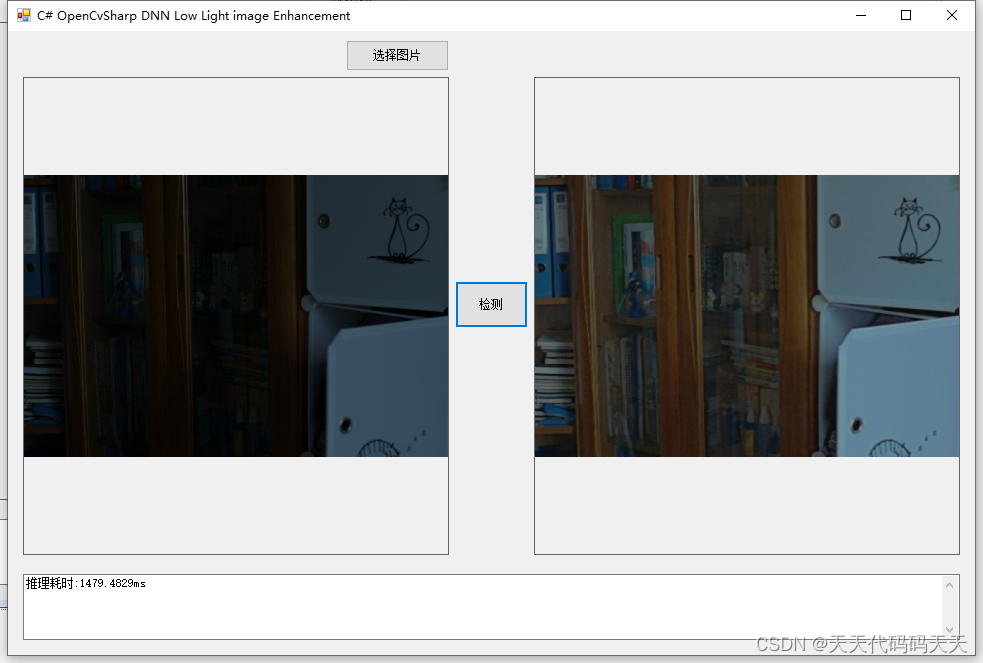
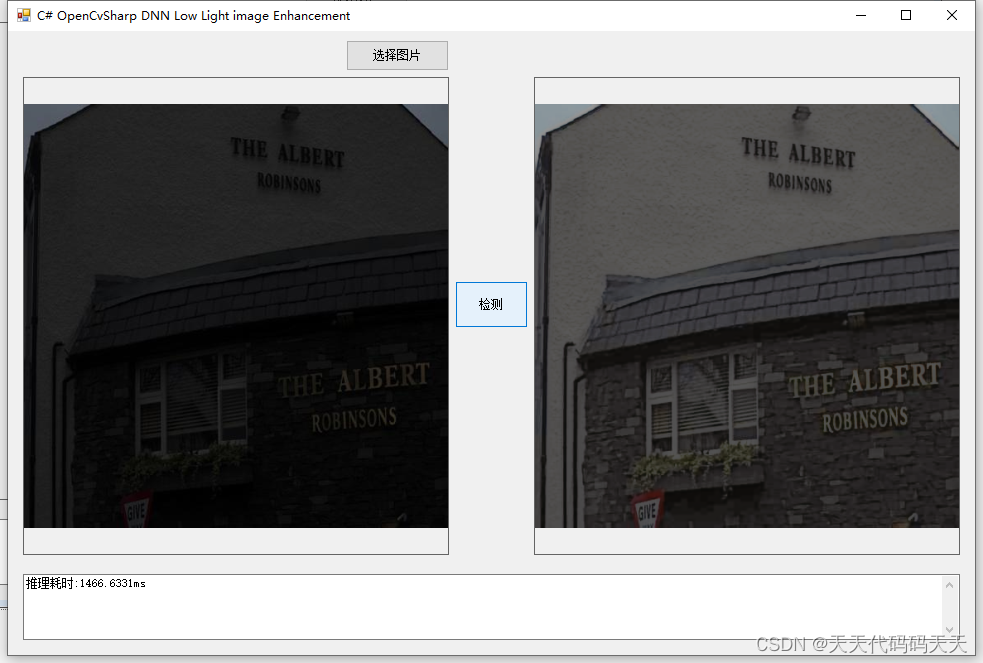
模型信息
Model Properties
-------------------------
---------------------------------------------------------------Inputs
-------------------------
name:input
tensor:Float[1, 3, 512, 512]
name:exposure
tensor:Float[1]
---------------------------------------------------------------Outputs
-------------------------
name:output
tensor:Float[1, 3, 512, 512]
---------------------------------------------------------------
项目
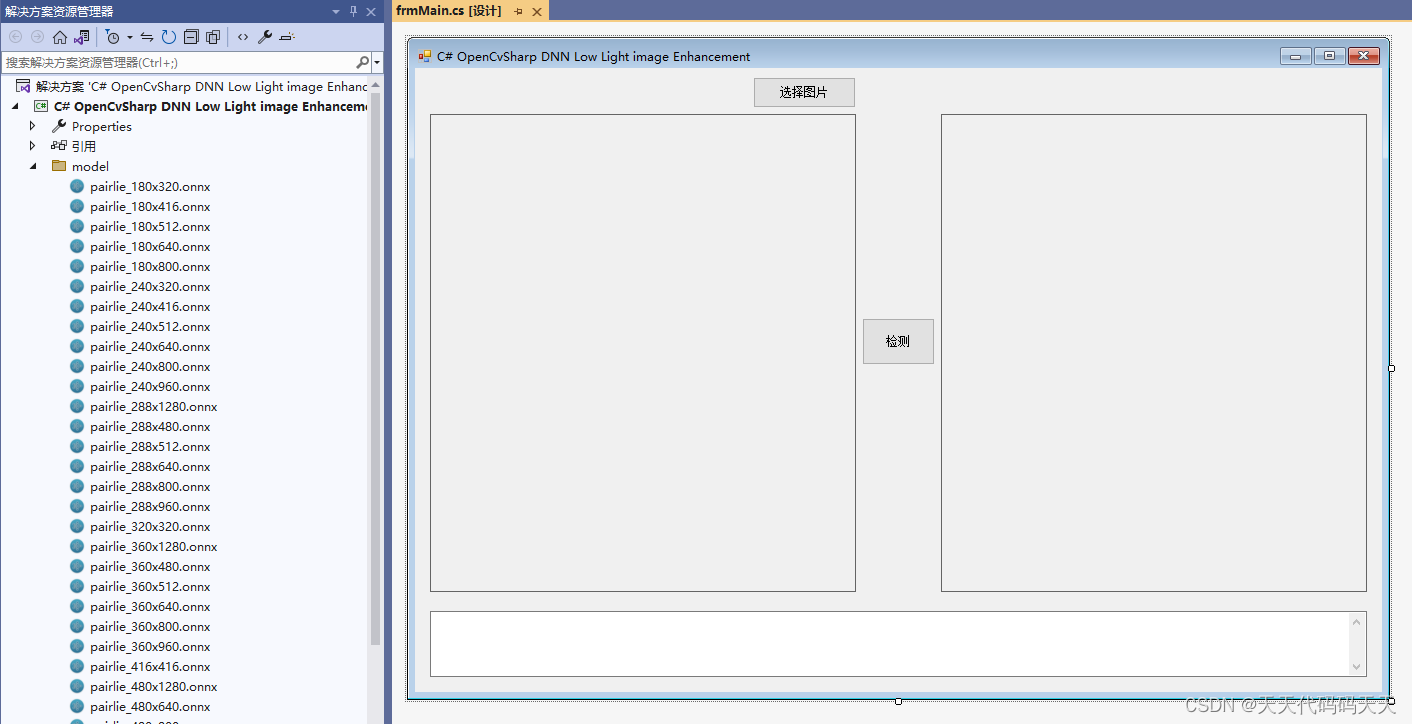
代码
- using OpenCvSharp;
- using OpenCvSharp.Dnn;
- using System;
- using System.Collections.Generic;
- using System.Drawing;
- using System.IO;
- using System.Linq;
- using System.Linq.Expressions;
- using System.Numerics;
- using System.Reflection;
- using System.Windows.Forms;
- namespace OpenCvSharp_DNN_Demo
- {
- public partial class frmMain : Form
- {
- public frmMain()
- {
- InitializeComponent();
- }
- string fileFilter = "*.*|*.bmp;*.jpg;*.jpeg;*.tiff;*.tiff;*.png";
- string image_path = "";
- DateTime dt1 = DateTime.Now;
- DateTime dt2 = DateTime.Now;
- string modelpath;
- int inpHeight;
- int inpWidth;
- Net opencv_net;
- Mat BN_image;
- Mat image;
- Mat result_image;
- private void button1_Click(object sender, EventArgs e)
- {
- OpenFileDialog ofd = new OpenFileDialog();
- ofd.Filter = fileFilter;
- if (ofd.ShowDialog() != DialogResult.OK) return;
- pictureBox1.Image = null;
- pictureBox2.Image = null;
- textBox1.Text = "";
- image_path = ofd.FileName;
- pictureBox1.Image = new Bitmap(image_path);
- image = new Mat(image_path);
- }
- private void Form1_Load(object sender, EventArgs e)
- {
- modelpath = "model/pairlie_512x512.onnx";
- inpHeight = 512;
- inpWidth = 512;
- opencv_net = CvDnn.ReadNetFromOnnx(modelpath);
- image_path = "test_img/1.png";
- pictureBox1.Image = new Bitmap(image_path);
- }
- private unsafe void button2_Click(object sender, EventArgs e)
- {
- if (image_path == "")
- {
- return;
- }
- textBox1.Text = "检测中,请稍等……";
- pictureBox2.Image = null;
- Application.DoEvents();
- image = new Mat(image_path);
- int srch = image.Rows;
- int srcw = image.Cols;
- BN_image = CvDnn.BlobFromImage(image, 1 / 255.0, new OpenCvSharp.Size(inpWidth, inpHeight), new Scalar(0, 0, 0), true, false);
- opencv_net.SetInput(BN_image, "input");
- Mat one = new Mat(1,1,MatType.CV_32F,new float[] { 0.5f});
- Mat exposure = CvDnn.BlobFromImage(one);
- opencv_net.SetInput(exposure, "exposure");
- //模型推理,读取推理结果
- Mat[] outs = new Mat[1] { new Mat() };
- string[] outBlobNames = opencv_net.GetUnconnectedOutLayersNames().ToArray();
- dt1 = DateTime.Now;
- opencv_net.Forward(outs, outBlobNames);
- dt2 = DateTime.Now;
- float* pdata = (float*)outs[0].Data;
- int out_h = outs[0].Size(2);
- int out_w = outs[0].Size(3);
- int channel_step = out_h * out_w;
- float[] data = new float[channel_step * 3];
- for (int i = 0; i < data.Length; i++)
- {
- data[i] = pdata[i] * 255;
- if (data[i] < 0)
- {
- data[i] = 0;
- }
- else if (data[i] > 255)
- {
- data[i] = 255;
- }
- }
- float[] temp_r = new float[out_h * out_w];
- float[] temp_g = new float[out_h * out_w];
- float[] temp_b = new float[out_h * out_w];
- Array.Copy(data, temp_r, out_h * out_w);
- Array.Copy(data, out_h * out_w, temp_g, 0, out_h * out_w);
- Array.Copy(data, out_h * out_w * 2, temp_b, 0, out_h * out_w);
- Mat rmat = new Mat(out_h, out_w, MatType.CV_32F, temp_r);
- Mat gmat = new Mat(out_h, out_w, MatType.CV_32F, temp_g);
- Mat bmat = new Mat(out_h, out_w, MatType.CV_32F, temp_b);
- result_image = new Mat();
- Cv2.Merge(new Mat[] { bmat, gmat, rmat }, result_image);
- result_image.ConvertTo(result_image, MatType.CV_8UC3);
- Cv2.Resize(result_image, result_image, new OpenCvSharp.Size(srcw, srch));
- pictureBox2.Image = new Bitmap(result_image.ToMemoryStream());
- textBox1.Text = "推理耗时:" + (dt2 - dt1).TotalMilliseconds + "ms";
- }
- private void pictureBox2_DoubleClick(object sender, EventArgs e)
- {
- Common.ShowNormalImg(pictureBox2.Image);
- }
- private void pictureBox1_DoubleClick(object sender, EventArgs e)
- {
- Common.ShowNormalImg(pictureBox1.Image);
- }
- }
- }
下载
-
相关阅读:
计算机大一新生,想卷却找不到方向,恳请前辈指指路?
基于安卓android微信小程序的小型企业人力资源管理系统-人事考勤app
计算机毕业设计Java教评系统(源码+系统+mysql数据库+lw文档)
初识进程以及父子进程
Rust基础学习-Rust宏
Linux - Python安装
JAVA基础——编译器报告的错误信息总结
9.30 校招 实习 内推 面经
python的类属性和实例属性
opencv识别一张图片的多个红框,并截取红框的内容
- 原文地址:https://blog.csdn.net/weixin_46771779/article/details/136338426