-
Vue typescript项目配置eslint+prettier
1.安装依赖
安装 eslint
yarn add eslint --dev- 1
安装 eslint-plugin-vue
yarn add eslint-plugin-vue --dev- 1
主要用于检查 Vue 文件语法
安装 prettier 及相关插件
yarn add prettier eslint-config-prettier eslint-plugin-prettier --dev- 1
安装 typescript 解析器、规则补充
yarn add @typescript-eslint/parser @typescript-eslint/eslint-plugin --dev- 1
2.根目录创建 .eslintrc.cjs
module.exports = { env: { browser: true, es2020: true }, extends: [ 'eslint:recommended', 'plugin:vue/vue3-recommended', 'plugin:@typescript-eslint/recommended', 'eslint-config-prettier', 'plugin:prettier/recommended' ], parser: 'vue-eslint-parser', parserOptions: { ecmaVersion: 'latest', sourceType: 'module', parser: '@typescript-eslint/parser' }, plugins: ['vue', 'prettier'], rules: { 'no-console': process.env.NODE_ENV === 'production' ? 'warn' : 'off', 'no-debugger': process.env.NODE_ENV === 'production' ? 'warn' : 'off' } };- 1
- 2
- 3
- 4
- 5
- 6
- 7
- 8
- 9
- 10
- 11
- 12
- 13
- 14
- 15
- 16
- 17
- 18
- 19
- 20
- 21

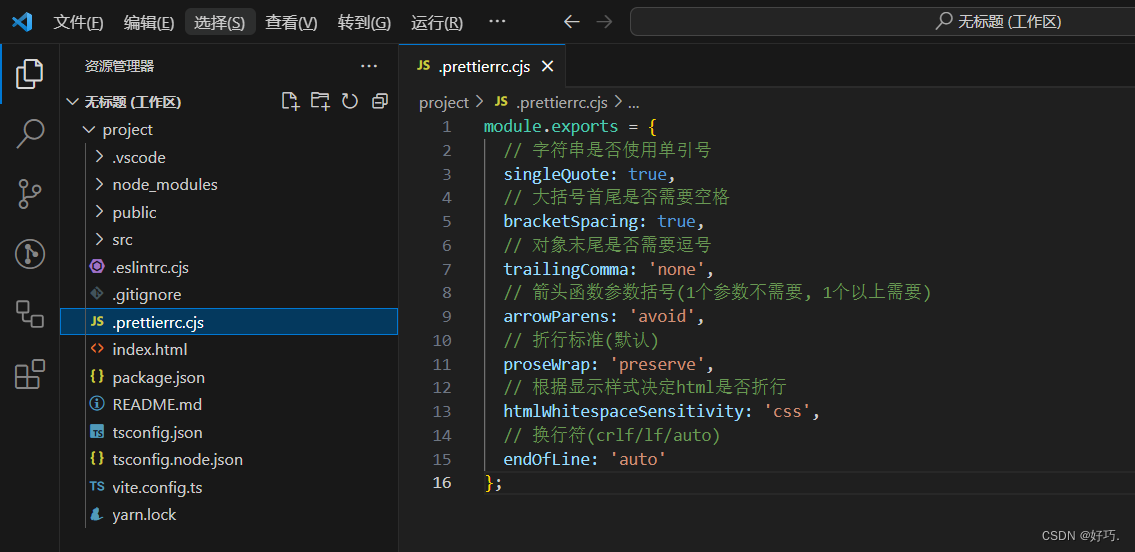
3.根目录创建 .prettierrc.cjs
module.exports = { // 字符串是否使用单引号 singleQuote: true, // 大括号首尾是否需要空格 bracketSpacing: true, // 对象末尾是否需要逗号 trailingComma: 'none', // 箭头函数参数括号(1个参数不需要, 1个以上需要) arrowParens: 'avoid', // 折行标准(默认) proseWrap: 'preserve', // 根据显示样式决定html是否折行 htmlWhitespaceSensitivity: 'css', // 换行符(crlf/lf/auto) endOfLine: 'auto' };- 1
- 2
- 3
- 4
- 5
- 6
- 7
- 8
- 9
- 10
- 11
- 12
- 13
- 14
- 15
- 16
4.配置 package.json 的 scripts 字段
"scripts": { ... "lint": "eslint . --ext vue,ts --report-unused-disable-directives --max-warnings 0" }- 1
- 2
- 3
- 4

5.测试配置
yarn lint- 1

如果本篇文章对你有帮助的话,很高兴能够帮助上你。
当然,如果你觉得文章有什么让你觉得不合理、或者有更简单的实现方法又或者有理解不来的地方,希望你在看到之后能够在评论里指出来,我会在看到之后尽快的回复你。
-
相关阅读:
Femas:云原生多运行时微服务框架
java.sql.Date、java.sql.Time 和 java.sql.Timestamp
APS生产排产在包装行业的应用
华为数通方向HCIP-DataCom H12-831题库(多选题:1-20)
HLS + ffmpeg 实现动态码流视频服务
java ssh校园拼餐系统
使用python玩转二维码!速学速用!⛵
【Vue】Router路由无法跳转问题整理
【开源】在线考试系统 JAVA+Vue.js+SpringBoot 新手入门项目
江西公安公布多起网络安全案例
- 原文地址:https://blog.csdn.net/weixin_43233914/article/details/134523706
