一.创建新项目
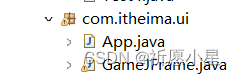
二.插入图片
三.游戏的主界面
1.代码
import java.awt.event.ActionEvent;
import java.awt.event.ActionListener;
import java.awt.event.KeyEvent;
import java.awt.event.KeyListener;
import javax.swing.ImageIcon;
import javax.swing.JFrame;
import javax.swing.JLabel;
import javax.swing.JMenu;
import javax.swing.JMenuBar;
import javax.swing.JMenuItem;
import javax.swing.border.BevelBorder;
public class GameJFrame extends JFrame implements KeyListener,ActionListener{
int[][] data = new int[4][4];
String path="images\\\\";
JMenuItem replayItem = new JMenuItem("重新游戏");
JMenuItem reLoginItem = new JMenuItem("重新登入");
JMenuItem closeItem = new JMenuItem("关闭游戏");
JMenuItem accountItem = new JMenuItem("公众号");
this.setTitle("拼图单机版1.0");
this.setAlwaysOnTop(true);
this.setLocationRelativeTo(null);
this.setDefaultCloseOperation(3);
this.addKeyListener(this);
JMenuBar jMenuBar = new JMenuBar();
JMenu functionJMenu = new JMenu("功能");
JMenu aboutJMenu = new JMenu("关于我们");
functionJMenu.add(replayItem);
functionJMenu.add(reLoginItem);
functionJMenu.add(closeItem);
aboutJMenu.add(accountItem);
replayItem.addActionListener(this);
reLoginItem.addActionListener(this);
closeItem.addActionListener(this);
accountItem.addActionListener(this);
jMenuBar.add(functionJMenu);
jMenuBar.add(aboutJMenu);
this.setJMenuBar(jMenuBar);
private void initData() {
int[] tempArr = {0,1,2,3,4,5,6,7,8,9,10,11,12,13,14,15};
for(int i=0;i
int index = r.nextInt(tempArr.length);
tempArr[i] = tempArr[index];
for(int i=0;i
data[i /4][i%4] = tempArr[i];
private void initImage() {
this.getContentPane().removeAll();
JLabel winJLabel = new JLabel(new ImageIcon("C:\\Users\\徐梦\\Desktop\\images\\s.png"));
winJLabel.setBounds(60, 59, 500, 500);
this.getContentPane().add(winJLabel);
JLabel stepCount =new JLabel("步数: " +step);
stepCount.setBounds(50, 30, 100, 20);
this.getContentPane().add(stepCount);
JLabel jLabel = new JLabel(new ImageIcon(path+num+".gif"));
jLabel.setBounds(151 * j+10, 121 *i+110, 151, 121);
jLabel.setBorder(new BevelBorder(1));
this.getContentPane().add(jLabel);
this.getContentPane().repaint();
public void keyTyped(KeyEvent e) {
public void keyPressed(KeyEvent e) {
int code = e.getKeyCode();
this.getContentPane().removeAll();
JLabel all = new JLabel(new ImageIcon("C:\\Users\\徐梦\\Desktop\\images\\all.png"));
all.setBounds(10, 110, 603, 485);
this.getContentPane().add(all);
this.getContentPane().repaint();
public void keyReleased(KeyEvent e) {
int code = e.getKeyCode();
System.out.println("向左");
data[x][y] = data[x ][y-1];
System.out.println("向上");
data[x][y] = data[x + 1][y];
System.out.println("向右");
data[x][y] = data[x ][y-1];
System.out.println("向下");
data[x][y] = data[x - 1][y];
public boolean victory() {
for(int i=0;i
for(int j=0;j
if(data[i][j] != win[i][j]) {
public void actionPerformed(ActionEvent e) {
Object obj =e.getSource();
System.out.println("重新游戏");
}else if(obj == reLoginItem) {
System.out.println("重新登入");
}else if(obj == closeItem) {
System.out.println("关闭游戏");
}else if(obj == accountItem) {
System.out.println("公众号");
2.程序的启动入口
public static void main(String[] args) {
3.结果

-
相关阅读:
基于Springboot的超市管理系统毕业设计-附源码231443
Excel的导入与导出2
Vue封装的过度与动画
【面试普通人VS高手系列】b树和b+树的理解
Luvit像Node.js一样写Lua应用
0913(051天 网络编程01 Socket+URL)
Kubectl 使用详解——k8s陈述式资源管理
SQL 优化笔记(MySQL 版)
C语言实现扫雷游戏
腾讯云南京服务器性能如何?南京服务器测速IP地址
-
原文地址:https://blog.csdn.net/m0_74981829/article/details/134497177
