-
Decord库快速抽帧
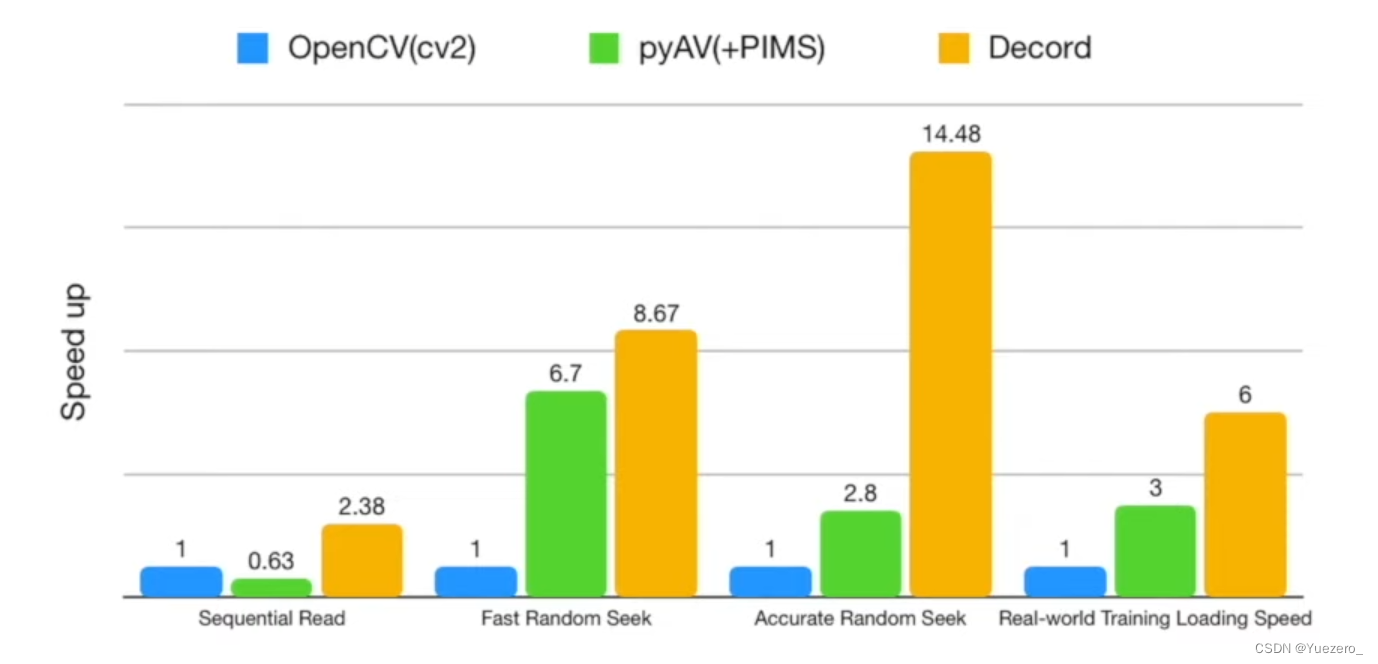
Decord比Opencv块6倍!!
1. 使用教程
读取视频
# 1、读取使用 from decord import VideoReader from decord import cpu, gpu vr = VideoReader('tiny-Kinetics-400\\abseiling\\_4YTwq0-73Y_000044_000054.mp4', ctx=cpu(0)) print('video frames:', len(vr))- 1
- 2
- 3
- 4
- 5
- 6
- 7
>>> video frames: 300- 1
加载指定帧
# 加载指定帧 frames = vr.get_batch([1, 3, 5, 7, 200]) print(frames.shape)- 1
- 2
- 3
>>> (5, 256, 454, 3)- 1
保存帧为图片
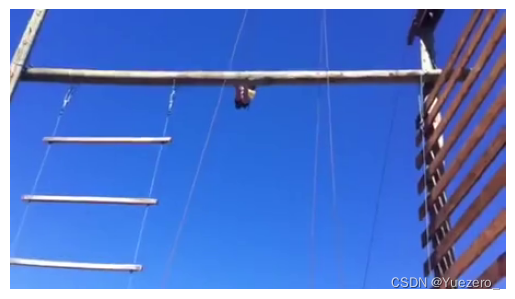
# 2、保存帧为图片 frame1 = vr[5].asnumpy() from matplotlib import pyplot as plt plt.imshow(frame1) plt.axis('off')- 1
- 2
- 3
- 4
- 5
>>> (-0.5, 453.5, 255.5, -0.5)- 1
2. 视频抽帧脚本
import cv2 import os from decord import VideoReader from decord import cpu from tqdm import tqdm video_bytes = "tiny-Kinetics-400\\abseiling\\_4YTwq0-73Y_000044_000054.mp4" # 视频路径 pic_folder = "frames" # 抽帧保存文件夹 file_basename = "abseiling" # 文件名前缀 archive_fps = 30 # 间隔帧数 # 压缩大图片的大小 def resize_image(image): height, width = image.shape[:2] n_width = int(256 * width / max(width, height)) n_height = int(256 * height / max(width, height)) img_new = cv2.resize(image, (n_width, n_height)) return img_new # 读取视频 vr = VideoReader(video_bytes, ctx=cpu(0)) fra_num = len(vr) # 所有帧长度 # 获取指定帧并进行resize保存(使用tqdm显示进度) frames = vr.get_batch(list(range(0, fra_num, archive_fps))).asnumpy() for count, frame in tqdm(enumerate(frames), total=len(frames)): frame = resize_image(frame) image_name = f"{file_basename}_{count}.jpg" cv2.imwrite(os.path.join(pic_folder, image_name), cv2.cvtColor(frame, cv2.COLOR_BGR2RGB))- 1
- 2
- 3
- 4
- 5
- 6
- 7
- 8
- 9
- 10
- 11
- 12
- 13
- 14
- 15
- 16
- 17
- 18
- 19
- 20
- 21
- 22
- 23
- 24
- 25
- 26
- 27
- 28
- 29
-
相关阅读:
MindSpore和Python中nn.Unfold的区别
球面近场多探头一致性校准方法研究
微服务(十五)——Sentinel 高可用流量管理框架
实验六 并行口8255的使用—LED静态显示
【CAN】CAN基础概念4
使用VS Code 进行.NET 开发
Java接口
vue项目 element UI input框扫码枪扫描过快 出现数据丢失问题(已解决二)
fdbus之CBaseMessage
LeetCode力扣刷题——妙用数据结构
- 原文地址:https://blog.csdn.net/weixin_54338498/article/details/132758387