-
测试.net开源敏感词检测库ToolGood.Words
微信公众号“DotNet”看到介绍.net开源敏感词检测库ToolGood.Words的文章《.NET Core一款高性能敏感词检测开源库》,根据参考文献2中的测试,该库的检测效率比C#自带的正则效率高8.8倍,如果数量量越大性能优势越明显。
ToolGood.Words的GitHub地址见参考文献1,除了支持非法词(敏感词)检测,其还支持繁体简体互换、全角半角互换、获取拼音首字母、获取拼音字母、拼音模糊搜索等功能。
本文主要测试其关键词检索功能。
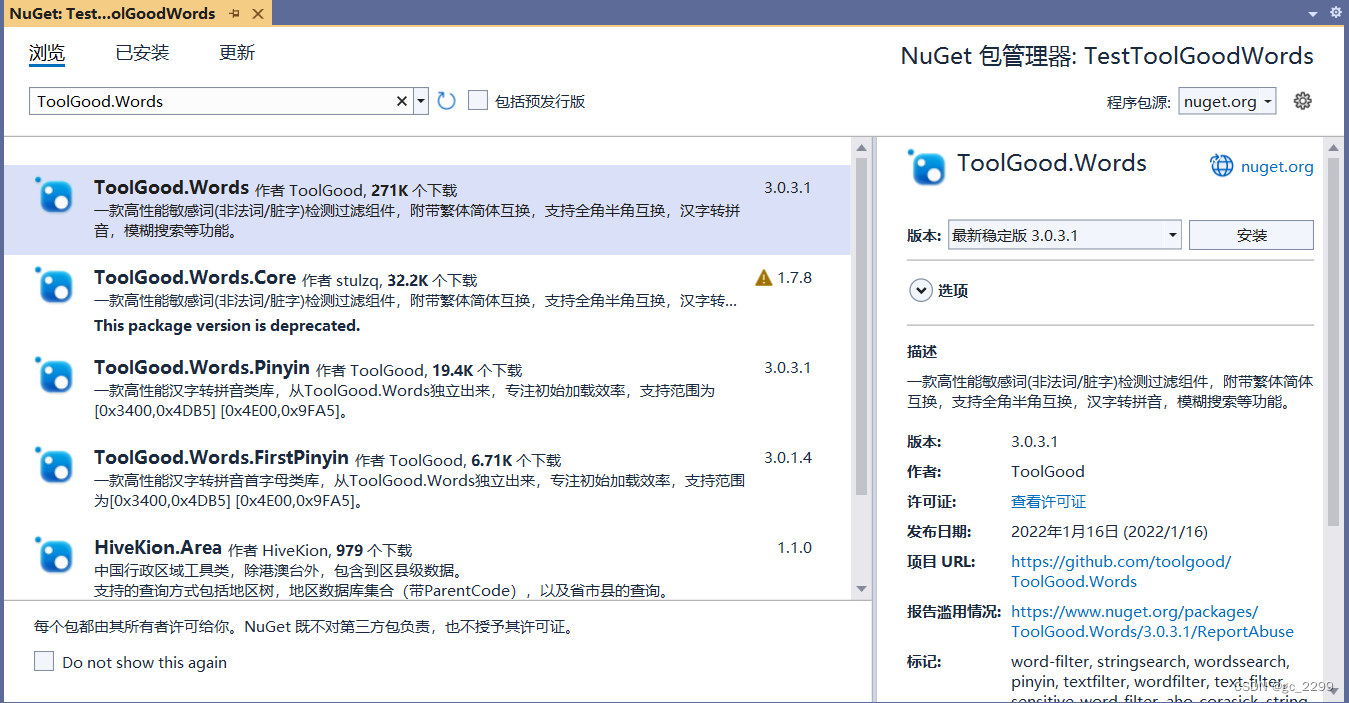
ToolGood.Words库中的StringSearch、StringSearchEx、StringSearchEx2、WordsSearch、WordsSearchEx、WordsSearchEx2、IllegalWordsSearch等类都支持敏感词检测,区别在于String开头的类的检测函数返回值均为字符串类型,而Words开头的类的检测函数返回值为WordsSearchResult ,该类记录匹配检索条件的字符串的起始和结束位置,同时IllegalWordsSearch为过滤非法词(敏感词)专用类,可设置跳字长度,默认全角转半角,忽略大小写,跳词,重复词,黑名单等。
除了固定检索词,上述检测类还支持有限的正则表达式(.(点)?(问号) (|)(括号与竖线))。本文中主要使用WordsSearch类进行敏感词检测测试,该类与WordsSearchEx、WordsSearchEx2相比性能最低,根据参考文献1中的介绍,性能从小到大 WordsSearch < WordsSearchEx < WordsSearchEx2 < WordsSearchEx3。
WordsSearch的重要函数定义如下所示,本文中主要使用FindAll函数获取所有匹配项的具体信息。返回值类型WordsSearchResult的定义如下所示。public class WordsSearch { // 判断文本是否包含关键字 public bool ContainsAny(string text); // 在文本中查找第一个关键字 public WordsSearchResult FindFirst(string text); // 在文本中查找所有的关键字 public List<WordsSearchResult> FindAll(string text); // 在文本中替换所有的关键字 public string Replace(string text, char replaceChar = '*'); //设置搜索关键字,可为固定字符串,也可为正则表达式 public virtual void SetKeywords(ICollection<string> keywords); } public class WordsSearchResult { // 匹配项的开始位置 public int Start { get; private set; } // 匹配项的结束位置 public int End { get; private set; } // 关键字 public string Keyword { get; private set; } // 索引 public int Index { get; private set; } // 匹配关键字 public string MatchKeyword { get; private set; } }- 1
- 2
- 3
- 4
- 5
- 6
- 7
- 8
- 9
- 10
- 11
- 12
- 13
- 14
- 15
- 16
- 17
- 18
- 19
- 20
- 21
- 22
- 23
- 24
- 25
- 26
- 27
- 28
- 29
- 30
- 31
- 32
- 33
- 34
- 35
对照实际的值可以更直观地看出WordsSearchResult的各个属性的意义,如下图所示:

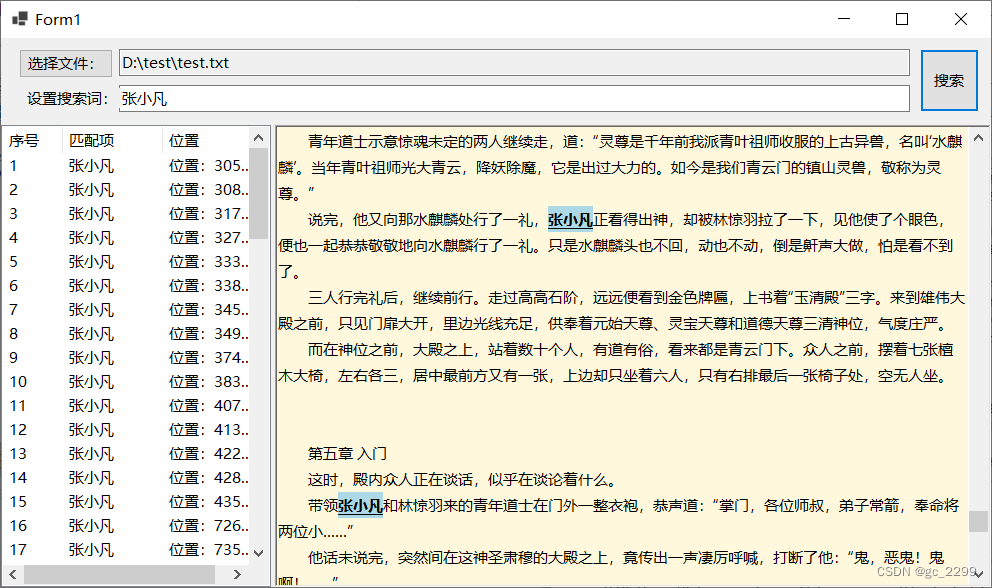
本文的测试思路是加载本地的txt文件,设置多个关键词,然后高亮显示搜索结果,并能在各个搜索项之间切换。主要使用的是WordsSearch的检测功能,同时使用RichTextbox控件的高亮显示及跳转功能。主要代码如下://检测并显示检测结果 WordsSearch ws = new WordsSearch(); ws.SetKeywords(txtResearchWord.Text.Split(';',';')); List<WordsSearchResult> results = ws.FindAll(txtContent.Text); for(int i=0;i<results.Count;i++) { ListViewItem lvi = new ListViewItem(Convert.ToString(i + 1)); lvi.SubItems.Add(results[i].MatchKeyword); lvi.SubItems.Add(string.Format("位置:{0}~{1}", results[i].Start, results[i].End)); lvi.Tag = results[i]; lstResult.Items.Add(lvi); txtContent.Select(results[i].Start, results[i].End-results[i].Start+1); txtContent.SelectionFont = new Font(txtContent.SelectionFont,FontStyle.Underline|FontStyle.Bold); txtContent.SelectionBackColor = Color.LightBlue; } //跳转到选中匹配项 WordsSearchResult result = lstResult.SelectedItems[0].Tag as WordsSearchResult; txtContent.SelectionStart = result.Start; txtContent.ScrollToCaret();- 1
- 2
- 3
- 4
- 5
- 6
- 7
- 8
- 9
- 10
- 11
- 12
- 13
- 14
- 15
- 16
- 17
- 18
- 19
- 20
- 21
- 22
测试程序的运行效果如下图所示:

参考文献:
[1]https://github.com/toolgood/ToolGood.Words
[2]https://blog.csdn.net/daremeself/article/details/127522209 -
相关阅读:
认识异常【超详细】
java面试题总结
Python 中的类与继承
计算机三级数据库数据仓库与数据挖掘(一)、快照方式、元数据、数据仓库中数据特征、机器学习、聚类方法、分类算法、决策支持系统、表数据的粒度级、分布式数据库、
基于Struts2+Hibernate开发学生信息管理系统(选课)
离散数学 --- 命题逻辑 --- 基本推理形式和自然演绎法推理
(2022版)一套教程搞定k8s安装到实战 | K8s集群安装(二进制)
【节能学院】数据机房中智能小母线与列头柜方案的对比分析
C++ enum与enum class对比
Java之各平台快递对接
- 原文地址:https://blog.csdn.net/gc_2299/article/details/127853888
