1.OpenFeign
简介
Feign
是
声明性
(
注解
)
Web
服务
客户端
。它使编写
Web
服务客户端更加容易。
要使用
Feign
,
请创建一个接口并对其进行注解
。它具有可插入注解支持,包括
Feign
注解和
JAX-RS
注解。Feign 还支持可插拔编码器和解码器。
Spring Cloud
添加了对
Spring MVC
注解的支持
,并支持使用 HttpMessageConverters
,
Spring Web
中默认使用的注解。
Spring Cloud
集成了 Ribbon
和
Eureka
以及
Spring Cloud LoadBalancer
,以
在使用
Feign
时提供负载平衡
的
http
客户端
。
Feign
是一个
远程调用
的组件
(
接口,注解
) http
调用的
Feign 集成了
ribbon
ribbon
里面集成了
eureka
3.OpenFeign
快速入门
3.1
本次调用的设计图

3.2
启动一个
eureka-server
服务,这里不重复演示,参考
eureka文档
3.3
先创建
provider-order-service
,选择依赖

3.4
provider-order-service
修改配置文件
3.5
provider-order-service
修改启动类增加一个访问接口
package com.it.controller;
import org.springframework.web.bind.annotation.GetMapping;
import org.springframework.web.bind.annotation.RestController;
public class OrderController {
3.6
provider-order-service
启动测试访问
import org.springframework.boot.SpringApplication;
import org.springframework.boot.autoconfigure.SpringBootApplication;
import org.springframework.cloud.netflix.eureka.EnableEurekaClient;
public class OrederService01Application {
public static void main(String[] args) {
SpringApplication.run(OrederService01Application.class, args);
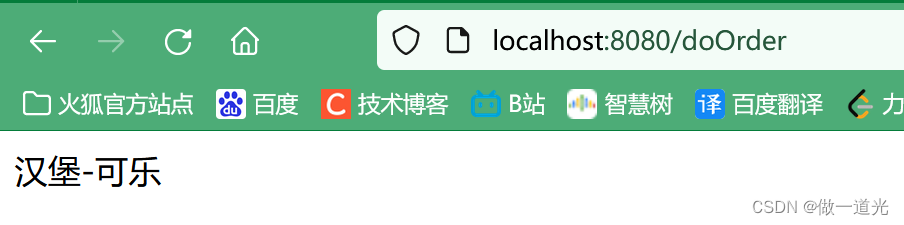
3.7
再创建
consumer-user-service
,选择依赖

3.8
consumer-user-service
修改配置文件
defaultZone: http://192.168.174.133:8761/eureka
3.9
consumer-user-service
创建一个接口(重点)
import org.springframework.cloud.openfeign.FeignClient;
import org.springframework.web.bind.annotation.GetMapping;
@FeignClient(value = "order-service")
public interface UserOrderFeign {
3.10
consumer-user-service
创建
controller
package com.it.controller;
import com.it.feign.UserOrderFeign;
import com.netflix.discovery.converters.Auto;
import org.springframework.beans.factory.annotation.Autowired;
import org.springframework.web.bind.annotation.GetMapping;
import org.springframework.web.bind.annotation.RestController;
public class UserControler {
public UserOrderFeign userOrderFeign;
@GetMapping("userDoOrder")
public String userDoOrder(){
System.out.println("有用户进来了");
String s = userOrderFeign.doOrder();
3.11
consumer-user-service
修改启动类
import org.springframework.boot.SpringApplication;
import org.springframework.boot.autoconfigure.SpringBootApplication;
import org.springframework.cloud.netflix.eureka.EnableEurekaClient;
import org.springframework.cloud.openfeign.EnableFeignClients;
public class UserService02Application {
public static void main(String[] args) {
SpringApplication.run(UserService02Application.class, args);
3.12
启动调用测试
3.13
本次调用总结
consumer-user-service---
》
/userDoOrder ---
》通过
feign
调用
/doOrder ---
》
provider-order-service
下单成功
3.14
调用超时设置
#feign 只是帮你封装了远程调用的功能,底层还是ribbon,所以修改默认等待时间需要修改ribbon的时间
ReadTimeout: 3000 #给3s的超时时间
ConnectTimeout: 3000 #连接服务的超时时间

 3.12 启动调用测试
 3.13 本次调用总结consumer-user-service--- 》 /userDoOrder --- 》通过 feign 调用 /doOrder --- 》provider-order-service 下单成功3.14 调用超时设置
