-
Android开发实例:打电话
1.首先建立一个android工程Phone 这里不再演示
PhoneActivity.java文件如下:
package jiao.jiao;
import android.app.Activity;
import android.content.Intent;
import android.net.Uri;
import android.os.Bundle;
import android.view.View;
import android.widget.Button;
import android.widget.EditText;
public class PhoneActivity extends Activity {
/** Called when the activity is first created. */
private EditText editText;
private Button button;
public void onCreate(Bundle savedInstanceState) {
super.onCreate(savedInstanceState);
setContentView(R.layout.main);
editText= (EditText)this.findViewById(R.id.editText);
button = (Button)this.findViewById(R.id.call);
button.setOnClickListener(new View.OnClickListener() {
public void onClick(View v) {
String phoneNum =editText.getText().toString();
Intent intent = new Intent(Intent.ACTION_CALL,Uri.parse("tel:"+phoneNum));
PhoneActivity.this.startActivity(intent);
}
});
}
}
main.xml文件如下:
xml version="1.0" encoding="utf-8"?>
<LinearLayout xmlns:android="http://schemas.android.com/apk/res/android"
android:orientation="vertical"
android:layout_width="fill_parent"
android:layout_height="fill_parent"
>
<TextView
android:layout_width="wrap_content"
android:layout_height="wrap_content"
android:text="@string/hello"
/>
<EditText
android:layout_width="fill_parent"
android:layout_height="wrap_content"
android:id="@+id/editText"
/>
<Button
android:layout_width="wrap_content"
android:layout_height="wrap_content"
android:id="@+id/call"
android:text="@string/call_button"
/>
LinearLayout>
strings.xml
xml version="1.0" encoding="utf-8"?>
<resources>
<string name="hello">打电话string>
<string name="app_name">Phonestring>
<string name="call_button">打电话string>
resources>
最后要加一个打电话的权限
在工程中res->AndroidManifest.xml中
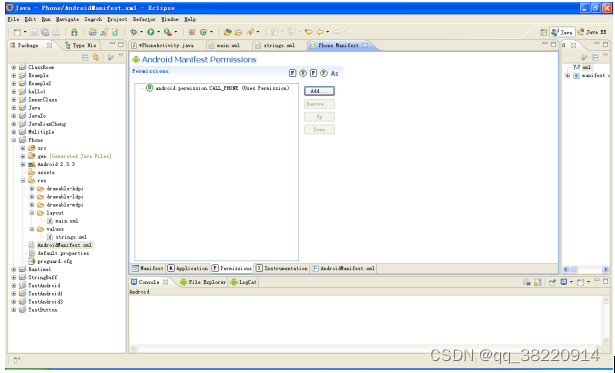
点击Add-----
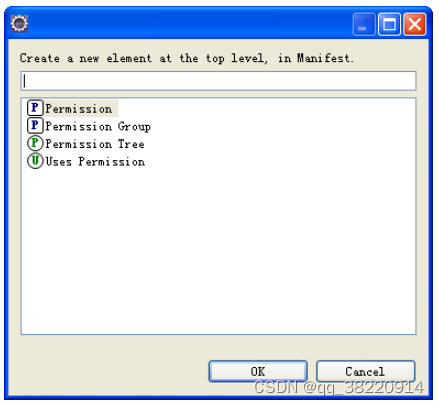
点击Uses Permission-----
然后选择
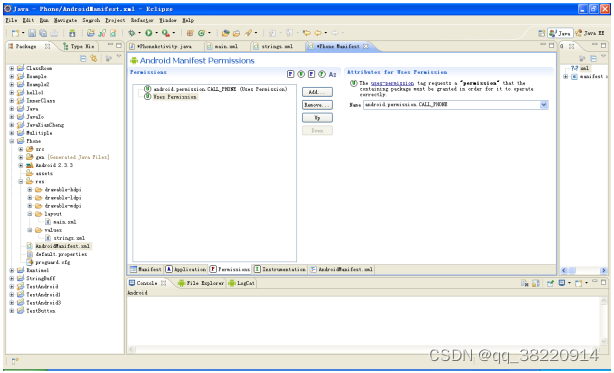
这样就可以运行了!
-
相关阅读:
【C语言】结构体+位段+枚举+联合(2)
微服务 Spring Boot 整合Redis分布式锁 Lua脚本 实现优惠卷秒杀 一人一单
Android入门第13天-动态创建CheckBox
栈的应用场景(三)
处理非线性分类的 SVM一种新方法(Matlab代码实现)
【web-攻击验证机制】(3.4.2)保障验证机制的安全:防止蛮力攻击、防止滥用密码修改、账户恢复功能、日志、监控与通知
VS Code使用clang-format自定义C++代码默认格式化样式
Cholesky分解(Matlab代码实现)
c++进阶(c++里的继承)
多线程之ConcurrentHashMap原理
- 原文地址:https://blog.csdn.net/qq_38220914/article/details/127608591