-
【Android】-- 数据存储(二)(存储卡上读写文件、Application保存数据)
目录
一、在存储卡上读写图片文件
Android的位图工具是Bitmap,App读写Bitmap可以使用性能更好的BufferedOutputStream和BufferedInputStream。
Android还提供了BitmapFactory工具用于读取各种来源的图片,相关方法如下:
- decodeResource:该方法可从资源文件中读取图片信息。
- decodeFile:该方法可将指定路径的图片读取到Bitmap对象。
- decodeStream:该方法从输入流中读取位图数据。
例:点击保存再点击读取后出现图片
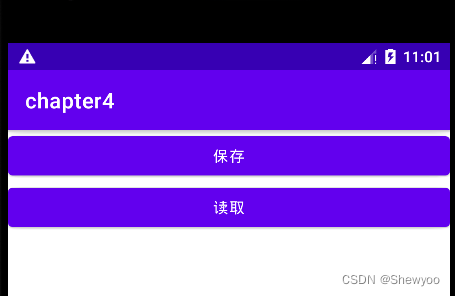
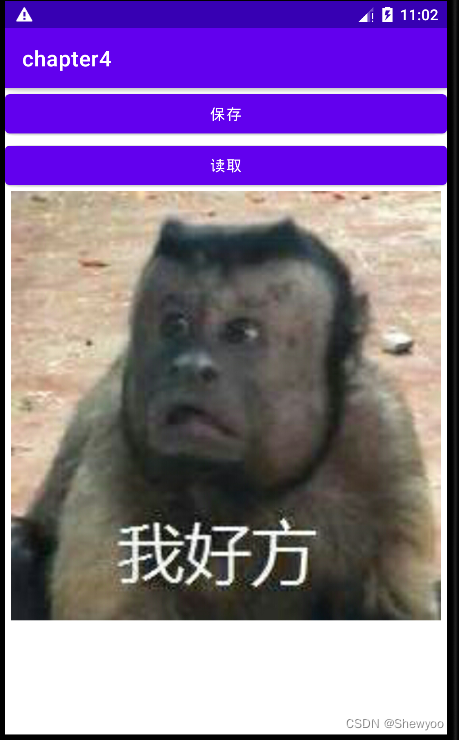
XML文件
- <LinearLayout xmlns:android="http://schemas.android.com/apk/res/android"
- android:layout_width="match_parent"
- android:layout_height="match_parent"
- android:orientation="vertical">
- <Button
- android:id="@+id/btn_save"
- android:layout_width="match_parent"
- android:layout_height="wrap_content"
- android:text="保存"/>
- <Button
- android:id="@+id/btn_read"
- android:layout_width="match_parent"
- android:layout_height="wrap_content"
- android:text="读取"/>
- <ImageView
- android:id="@+id/iv_content"
- android:layout_width="match_parent"
- android:layout_height="400dp"
- android:scaleType="fitCenter"/>
- </LinearLayout>
java代码
- public class ImageWriteActivity extends AppCompatActivity implements View.OnClickListener {
- private ImageView iv_content;
- private String path;
- @Override
- protected void onCreate(Bundle savedInstanceState) {
- super.onCreate(savedInstanceState);
- setContentView(R.layout.activity_image_write);
- iv_content = findViewById(R.id.iv_content);
- findViewById(R.id.btn_save).setOnClickListener(this);
- findViewById(R.id.btn_read).setOnClickListener(this);
- }
- @Override
- public void onClick(View view) {
- switch (view.getId()){
- case R.id.btn_save:
- String fileName = System.currentTimeMillis()+".jpeg";
- // 获取当前APP的私有下载目录
- path = getExternalFilesDir(Environment.DIRECTORY_DOWNLOADS).toString()+ File.separatorChar+fileName;
- // 从指定的资源文件中获取位图对象
- Bitmap b1 = BitmapFactory.decodeResource(getResources(),R.drawable.thing1);
- // 把位图对象保存为图片文件
- FileUtil.saveImage(path,b1);
- Toast.makeText(this,"保存成功",Toast.LENGTH_SHORT).show();
- break;
- case R.id.btn_read:
- Bitmap b2 = FileUtil.openImage(path);
- iv_content.setImageBitmap(b2);
- break;
- }
- }
- }
FileUtil类
- public class FileUtil {
- // 把位图数据保存到指定路径的图片文件
- public static void saveImage(String path, Bitmap bitmap) {
- FileOutputStream fos = null;
- try {
- fos = new FileOutputStream(path);
- // 把文件数据压缩到文件输出流
- bitmap.compress(Bitmap.CompressFormat.JPEG, 100, fos);
- } catch (Exception e) {
- e.printStackTrace();
- } finally {
- if (fos != null) {
- try {
- fos.close();
- } catch (IOException e) {
- e.printStackTrace();
- }
- }
- }
- }
- //从指定路径的图片文件中读取位图数据
- public static Bitmap openImage(String path) {
- Bitmap bitmap = null;
- FileInputStream fis = null;
- try {
- fis = new FileInputStream(path);
- bitmap = BitmapFactory.decodeStream(fis);
- } catch (Exception e) {
- e.printStackTrace();
- } finally {
- if (fis != null) {
- try {
- fis.close();
- } catch (IOException e) {
- e.printStackTrace();
- }
- }
- }
- return bitmap;
- }
- }
二、Application
1、Application生命周期
Application是Android的一大组件,在App运行过程中有且仅有一个Application对象贯穿整个生命周期。
清单文件AndroidMainifest.xml文件中有个application标签,没有指定则使用默认;
可以新建一个MyApplication类继承Application,然后在清单文件中加入以下代码指定使用自定义的application。
android:name=".MyApplication"MyApplication类
- public class MyApplication extends Application {
- //App启动时调用
- public void onCreate() {
- super.onCreate();
- mApp = this;
- }
- //App终止调用
- @Override
- public void onTerminate() {
- super.onTerminate();
- }
- //App配置改变调用,如竖屏变为横屏
- @Override
- public void onConfigurationChanged(@NonNull Configuration newConfig) {
- super.onConfigurationChanged(newConfig);
- }
- }
2、利用Application操作全局变量
全局的意思是其他代码都可以引用该变量,因此全局变量是共享数据和消息传递的好方法。
适合在Application中保存的全局变量主要有:
- 会频繁读取的信息,如用户名、手机号等。
- 不方便由意图传递的数据,如位图对象、非字符串类型的集合对象等。
- 容易因频繁分配内容而导致内存泄漏的对象,如Handler对象等。
例:输入信息点击保存,只要应用不挂掉,重新回到应用还会有输入的信息。


XML文件
- <LinearLayout xmlns:android="http://schemas.android.com/apk/res/android"
- android:layout_width="match_parent"
- android:layout_height="match_parent"
- android:orientation="vertical"
- android:padding="5dp">
- <LinearLayout
- android:layout_width="match_parent"
- android:layout_height="40dp"
- android:orientation="horizontal">
- <TextView
- android:id="@+id/tv_name"
- android:layout_width="wrap_content"
- android:layout_height="match_parent"
- android:gravity="center"
- android:text="姓名"
- android:textSize="17sp"/>
- <EditText
- android:id="@+id/et_name"
- android:layout_width="0dp"
- android:layout_height="match_parent"
- android:layout_weight="1"
- android:hint="请输入姓名"
- android:inputType="text"
- android:textSize="17sp"/>
- </LinearLayout>
- <Button
- android:id="@+id/btn_save"
- android:layout_width="match_parent"
- android:layout_height="wrap_content"
- android:text="保存"
- android:textSize="17sp"/>
- </LinearLayout>
java类
- public class AppWriteActivity extends AppCompatActivity implements View.OnClickListener {
- private EditText et_name;
- private MyApplication app;
- @Override
- protected void onCreate(Bundle savedInstanceState) {
- super.onCreate(savedInstanceState);
- setContentView(R.layout.activity_app_write);
- et_name = findViewById(R.id.et_name);
- app = MyApplication.getInstance();
- findViewById(R.id.btn_save).setOnClickListener(this);
- reload();
- }
- private void reload() {
- String name = app.infoMap.get("name");
- if(name == null)
- return;
- et_name.setText(name);
- }
- @Override
- public void onClick(View view) {
- String name = et_name.getText().toString();
- app.infoMap.put("name",name);
- }
- }
MyApplication类
- public class MyApplication extends Application {
- private static MyApplication mApp;
- // 声明一个公共的信息映射对象,可当作全局变量使用
- public HashMap<String,String> infoMap = new HashMap<>();
- public static MyApplication getInstance(){
- return mApp;
- }
- //App启动时调用
- public void onCreate() {
- super.onCreate();
- mApp = this;
- }
- //App终止调用
- @Override
- public void onTerminate() {
- super.onTerminate();
- }
- //App配置改变调用,如竖屏变为横屏
- @Override
- public void onConfigurationChanged(@NonNull Configuration newConfig) {
- super.onConfigurationChanged(newConfig);
- }
- }
-
相关阅读:
RabbitMQ死信队列与延迟队列
【设计模式】【单例模式】python实现单例模式的几种方式
Python---练习:while循环嵌套(用两次while三步走--里外各一次)
这些mysql基础命令、基础知识还记得吗?(面试,学习,复习都可以)一万三千字总结
Spring异步任务async介绍与案例实战
快速幂算法
mysql增加分区
单片机卡死的几大原因、分析、解决
这七个Github仓库,够学一辈子!
STM32H563烧录后无法擦除
- 原文地址:https://blog.csdn.net/Tir_zhang/article/details/127041057