-
39-Maven进阶
39-Maven进阶-heima-笔记
一、分模块开发

①:分模块发开与设计


②:需求
1. 分成单独的模块进行开发
③:将dao包分为单独的模块
1. 创建一个新的包并将dao包中内容复制到新的包中
1. 在原始项目包中引用新项目包坐标
2. 引入后发现新项目中方法都在报错!!!(引入依赖)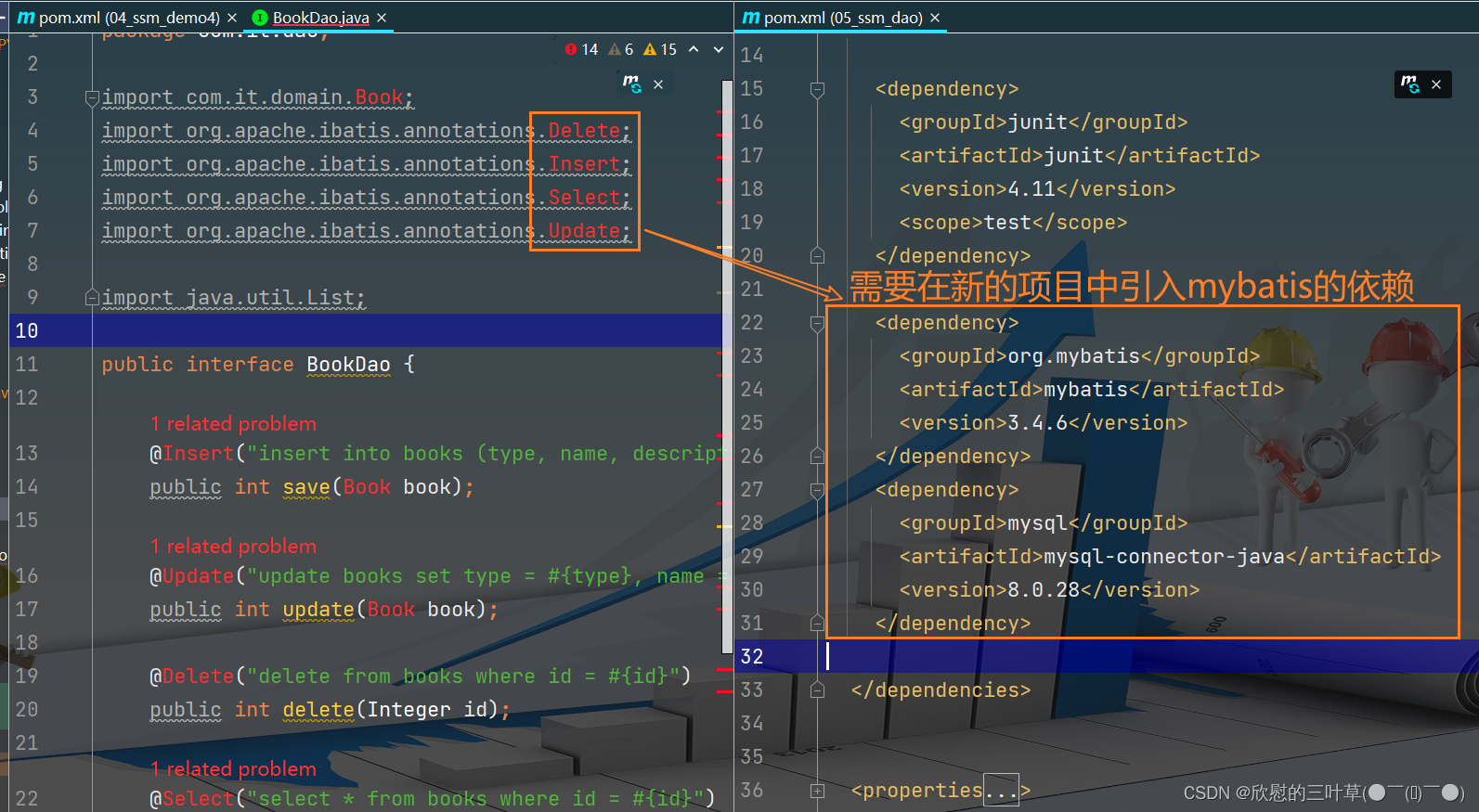

④:将domain实体类分为单独模块开发
1. 创建新的项目包将原始domain中的程序复制到新项目包中(删除原始项目包中的domain文件夹)
2. 在dao项目包中引入daomin包坐标
3. 在domain包中导入lombok依赖
⑤:将分开的项目包install到仓库
1. 将项目包install到仓库(否则会找不到而报错)
2. 测试
二、依赖管理
①:依赖传递


②:可选依赖与排除依赖


三、 继承与聚合
①:聚合

1. 创建一个Maven工程


②:继承

1. 创建Maven模块,设置打包类型为pom
2. 在父工程中配置子工程需要用的依赖
<dependencies> <dependency> <groupId>org.springframeworkgroupId> <artifactId>spring-webmvcartifactId> <version>5.3.18version> dependency> <dependency> <groupId>org.springframeworkgroupId> <artifactId>spring-jdbcartifactId> <version>5.3.18version> dependency> <dependency> <groupId>org.springframeworkgroupId> <artifactId>spring-testartifactId> <version>5.3.18version> dependency> <dependency> <groupId>org.mybatisgroupId> <artifactId>mybatisartifactId> <version>3.4.6version> dependency> <dependency> <groupId>junitgroupId> <artifactId>junitartifactId> <version>4.13version> <scope>testscope> dependency> <dependency> <groupId>javax.servletgroupId> <artifactId>servlet-apiartifactId> <version>2.5version> dependency> <dependency> <groupId>com.fasterxml.jackson.coregroupId> <artifactId>jackson-databindartifactId> <version>2.13.3version> dependency> <dependency> <groupId>mysqlgroupId> <artifactId>mysql-connector-javaartifactId> <version>8.0.28version> dependency> <dependency> <groupId>com.alibabagroupId> <artifactId>druidartifactId> <version>1.2.8version> dependency> <dependency> <groupId>org.mybatisgroupId> <artifactId>mybatis-springartifactId> <version>2.0.6version> dependency> dependencies>- 1
- 2
- 3
- 4
- 5
- 6
- 7
- 8
- 9
- 10
- 11
- 12
- 13
- 14
- 15
- 16
- 17
- 18
- 19
- 20
- 21
- 22
- 23
- 24
- 25
- 26
- 27
- 28
- 29
- 30
- 31
- 32
- 33
- 34
- 35
- 36
- 37
- 38
- 39
- 40
- 41
- 42
- 43
- 44
- 45
- 46
- 47
- 48
- 49
- 50
- 51
- 52
- 53
- 54
3. 配置子工程中可选的依赖关系

4. 在子工程中配置当前工程所继承的工程

5. 在子工程中配置使用父工程中可选依赖坐标

③:继承和聚合的区别

四、属性
①:属性
1. 定义属性及使用
②:配置文件加载属性
1. 定义属性
2. 引入属性
3.开启资源文件目录加载属性的过滤器<build> <resources> <resource> <directory>${project.basedir}/src/main/resources</directory> <filtering>true</filtering> </resource> </resources> </build>- 1
- 2
- 3
- 4
- 5
- 6
- 7
- 8

4. 配置maven打war包时,忽略web.xml检查<plugins> <plugin> <groupId>org.apache.maven.plugins</groupId> <artifactId>maven-war-plugin</artifactId> <version>3.2.2</version> <configuration> <failOnMissingWebXml>false</failOnMissingWebXml> </configuration> </plugin> </plugins>- 1
- 2
- 3
- 4
- 5
- 6
- 7
- 8
- 9
- 10

5.测试

③:版本管理

五、多环境配置与应用
①:多环境开发

1. 定义的多环境

2. 测试


②:跳过测试
1. 方法一(缺点:全部测试都会跳过)
2. 方法二(插件配置)<plugin> <groupId>org.apache.maven.plugins</groupId> <artifactId>maven-surefire-plugin</artifactId> <version>2.22.1</version> <configuration> <!-- 是否跳过测试 false --> <skipTests>false</skipTests> <!-- 排除掉不参与测试的内容--> <excludes> <exclude>**/BookServiceTest.java</exclude> </excludes> </configuration> </plugin>- 1
- 2
- 3
- 4
- 5
- 6
- 7
- 8
- 9
- 10
- 11
- 12
- 13


3. 方法三(使用命令跳过测试)
六、私服
①:私服介绍

②:私服安装(Nexus)
-
Nexus
- Sonatype公司的一款maven私服产品
- 下载地址 :https://help.sonatype.com/repomanager3/product-information/download
-
网盘下载
1. 下载
2. 绿色版的(直接解压即可)
3. 直接启动服务器(缺点:关闭cmd窗口后私服服务自动关闭)- ①.
使用管理员运行cmd - ②.进入
nexus-2.14.11-01\bin目录中执行以下命令
3.1 启动指令:nexus.exe /run nexus

3.2 如果因为其他版本而启动失败(先卸载其他版本)
3.3 将服务安装到本地(推荐使用:cmd命令窗口关闭后私服不会自动停止)nexus.exe /install <optional-service-name> //安装服务 (optional-service-name是服务别名,默认是nexus) nexus.exe /uninstall //卸载服务 nexus.exe /start <optional-service-name> //启动服务 nexus.exe /stop <optional-service-name> //停止服务- 1
- 2
- 3
- 4
- 5
- 6
扩展:
可以安装多个服务名不同的服务,分别启动
nexus.exe /install nexus01 //安装服务
nexus.exe /start nexus01 //启动服务
nexus.exe /install nexus02 //安装服务
nexus.exe /start nexus02 //启动服务安装指令
4. 访问私服:[http://localhost:8081/](http://localhost:8081/)
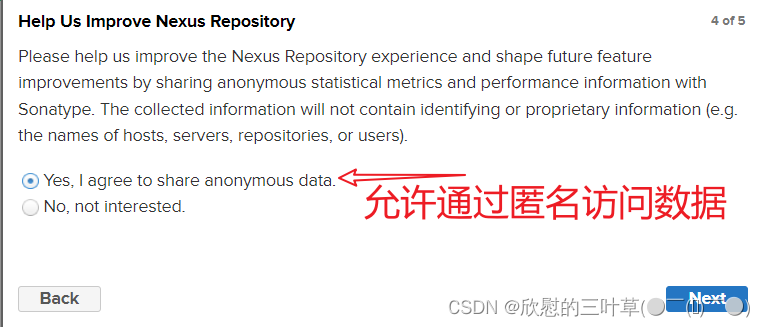
5. 根据向导完成 密码修改 及 匿名访问


③:修改基本配置信息
可根据需求进行更改(此处我并没有做修改)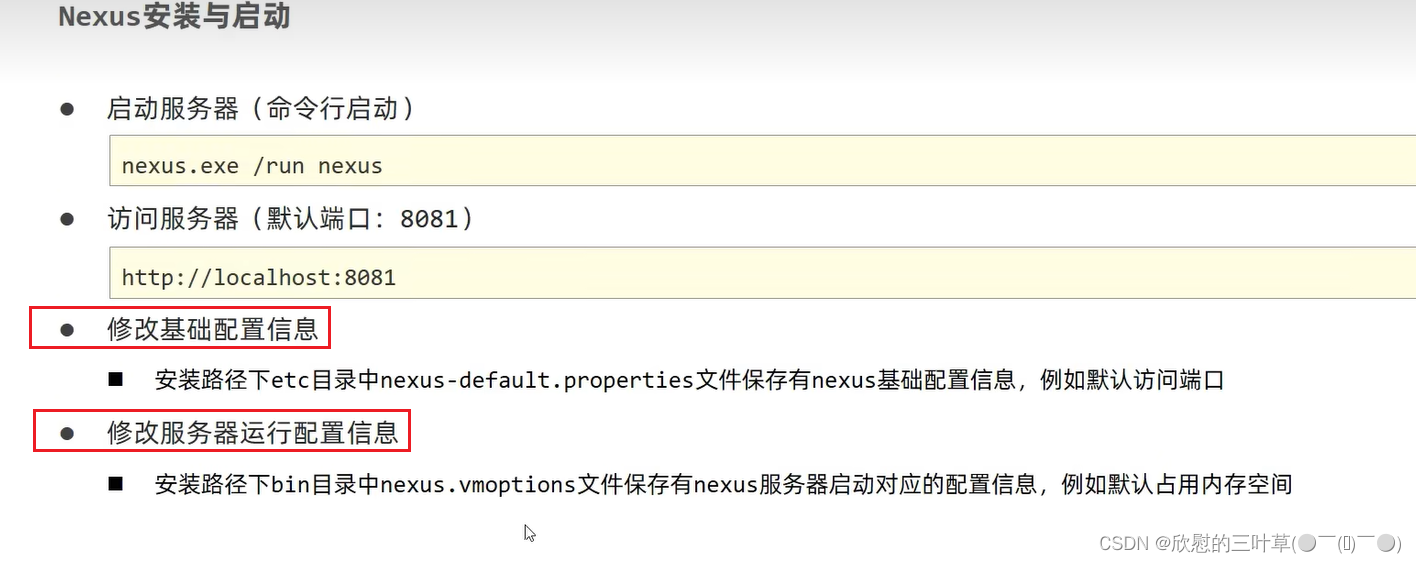
④:私服仓库分类

⑤:本地仓库访问服务配置

01. 新建仓库
1. 新建一个 Snapshot 类型的 存快照的仓库

|
2. 新建一个 Release 类型的 存发行版的仓库
02. 配置是否允许重新发布
新建的两个仓库都是同样的操作
03.添加阿里中央仓库
添加阿里中央仓库


04. 配置本地仓库访问私服的权限
配置本地仓库 (Maven) 访问私服的权限
<server> <id>coke-Releaseid> <username>adminusername> <password>admin123password> server> <server> <id>coke-Snapshotid> <username>adminusername> <password>admin123password> server> <server> <id>aliyunid> <username>adminusername> <password>admin123password> server>- 1
- 2
- 3
- 4
- 5
- 6
- 7
- 8
- 9
- 10
- 11
- 12
- 13
- 14
- 15
- 16
- 17
- 18
05. 配置映射(私服的地址URL)
<mirror> <id>maven-publicid> <mirrorOf>*mirrorOf> <url>http://localhost:8081/repository/maven-public/url> mirror>- 1
- 2
- 3
- 4
- 5
- 6
配置私服的访问地址URL为仓库组的

⑥:私服资源上传与下载
<distributionManagement> <repository> <id>coke-Releaseid> <url>http://localhost:8081/repository/coke-Release/url> repository> <snapshotRepository> <id>coke-Snapshotid> <url>http://localhost:8081/repository/coke-Snapshot/url> snapshotRepository> distributionManagement>- 1
- 2
- 3
- 4
- 5
- 6
- 7
- 8
- 9
- 10
- 11
- 12
- 13
配置当前工程保存在私服中的具体位置
2. 查看私服中的文件
3. 上传发布


4. 下载测试


-
相关阅读:
【学习记录】镭神激光雷达与PC机的NTP同步
如何做思维导图?用这两个软件就可以了
华为云云耀云服务器L实例评测|华为云上的CentOS性能监测与调优指南
SpringBoot 统一功能处理
Jetpack系列 -- ViewBinding应用
Python字符串操作总结
4、Jvm(栈)
mysql技术文档--mysql锁专精--锁全解!!!
手机怎么打包?三个方法随心选!
git学习——第4节 时光机穿梭
- 原文地址:https://blog.csdn.net/cygqtt/article/details/126761112
