-
vue模板语法下集
目录
一、事件处理器
事件修饰符
Vue通过由点(.)表示的指令后缀来调用修饰符
.stop
.prevent
.capture
.self
.once
按键修饰符
Vue允许为v-on在监听键盘事件时添加按键修饰符
- html>
- <html>
- <head>
- <meta charset="utf-8">
- <title>title>
- <script src="https://cdn.bootcdn.net/ajax/libs/vue/2.6.10/vue.js">script>
- <style>
- .red {
- width: 400px;
- height: 400px;
- background-color: red;
- }
- .yellow {
- width: 300px;
- height: 300px;
- background-color: yellow;
- }
- .blue {
- width: 200px;
- height: 200px;
- background-color: blue;
- }
- .green {
- width: 100px;
- height: 100px;
- background-color: green;
- }
- style>
- head>
- <body>
- <div id="app">
- <p冒泡事件>
- p>
- <div class="red" @click="red">
- <div class="yellow" @click.stop="yellow">
- <div class="blue" @click="blue">
- <div class="green" @click.stop="green">div>
- div>
- div>
- div>
- <p>只能发送一次请求p>
- <button @click.once="once">点我试试button>
- <p>案件修饰符p>
- <input @keyup.enter="enter"/>
- div>
- body>
- <script>
- new Vue({
- el: "#app",
- data() {
- return {
- f200: 'f200'
- };
- },
- methods: {
- red() {
- alert("red");
- },
- yellow() {
- alert("yellow");
- },
- blue() {
- alert("blue");
- },
- green() {
- alert("green");
- },
- once(){
- alert("试试就试试");
- },
- enter(){
- alert("hello,vue!");
- }
- }
- })
- script>
- html>
加.stop之前 点击yellow区域还有red弹出


加.stop之后就只有选择的区域了
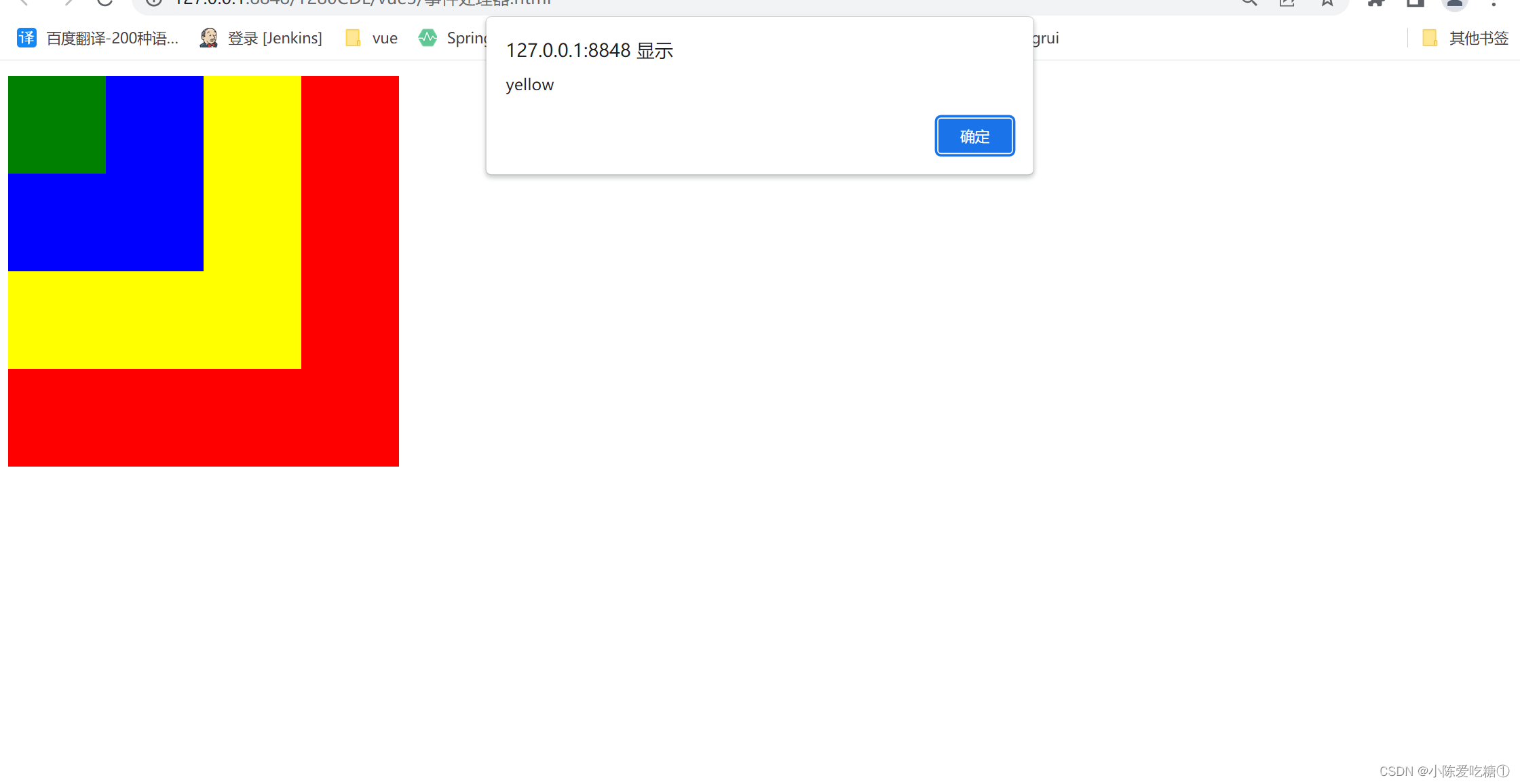

再点击就无效了

案件修饰符

二、自定义组件
组件(Component)是Vue最强大的功能之一
组件可以扩展HTML元素,封装可重用的代码
组件系统让我们可以用独立可复用的小组件来构建大型应用,几乎任意类型的应用的界面都可以抽象为一个组件树
- html>
- <html>
- <head>
- <meta charset="utf-8">
- <title>title>
- <script src="https://cdn.bootcdn.net/ajax/libs/vue/2.6.10/vue.js">script>
- head>
- <body>
- <div id="app">
- <mybutton m="cdl">mybutton>
- <mybutton m="小黄人">mybutton>
- div>
- body>
- <script>
- Vue.component('mybutton',{
- //props是定义组件中的变量的
- props:['m'],
- //template代表了自定义组件在页面上显示的内容
- template:'',
- data:function(){
- return {
- n:1
- }
- },
- methods:{
- point(){
- this.n++;
- }
- }
- });
- //绑定边界
- new Vue({
- el:"#app",
- data() {
- return {
- };
- }
- })
- script>
- html>
起始次数

组件点击一次加一次次数

三、组件通信
自定义事件
监听事件:$on(eventName)
触发事件:$emit(eventName)
Vue自定义事件是为组件间通信设计
父Vue实例->Vue实例,通过prop传递数据
子Vue实例->父Vue实例,通过事件传递数据
- html>
- <html>
- <head>
- <meta charset="utf-8">
- <title>title>
- <script src="https://cdn.bootcdn.net/ajax/libs/vue/2.6.10/vue.js">script>
- head>
- <body>
- <div id="app">
- <ul>
- <li>
- <h3>{{ts}}h3>
- <p>组件通信p>
- <mybutton m="cdl" v-on:three-click="xxx">mybutton>
- li>
- ul>
- div>
- body>
- <script>
- Vue.component('mybutton',{
- //props是定义组件中的变量的
- props:['m'],
- //template代表了自定义组件在页面上显示的内容
- template:'',
- data:function(){
- return {
- n:1
- }
- },
- methods:{
- point(){
- console.log('point方法被调用');
- this.n++;
- if(this.n % 3 ==0){//父-->子
- //触发自定义组件的事件,这里可以传递任意个参数
- //但是触发的事件绑定的函数要与参数个数一致
- this.$emit('three-click',this.n,'http://www.baidu.com','cdl');
- }
- }
- }
- });
- //绑定边界
- new Vue({
- el:"#app",
- data() {
- return {
- //ts:new Data().getTime()
- };
- },
- methods:{
- xxx:function(a,b,c){
- console.log("自定义事件绑定的函数被执行...");//子-->父
- console.log(a);
- console.log(b);
- console.log(c);
- }
- }
- })
- script>
- html>


四、表单案例
- html>
- <html>
- <head>
- <meta charset="utf-8">
- <title>表单案例title>
- <script src="https://cdn.bootcdn.net/ajax/libs/vue/2.6.10/vue.js">script>
- head>
- <body>
- <div id="app">
- <form>
- <ul>
- <li>
- <p>表单p>
- <label>姓名:label><input v-model="uname" /><br />
- <label>密码:label><input v-model="upwd" type="password" /><br />
- <label>年龄:label><input v-model.number="age" /><br />
- <label>性别:label>
- <input type="radio" v-model="sex" name="sex" value="1" />男
- <input type="radio" v-model="sex" name="sex" value="0" />女<br />
- <label>爱好:label>
- <div v-for="h in hobby">
- <input type="checkbox" v-model="hobbies" v-bind:value="h.id" />{{h.name}}
- div>
- <label>类别:label>
- <select v-model="type">
- <option value="-1">===请选择====option>
- <option v-for="t in types" v-bind:value="t.id">{{t.name}}option>
- select><br />
- <label>备注:label>
- <textarea v-bind:value="mark">textarea><br />
- 确认<input type="checkbox" v-model="flag" />
- <input type="submit" v-bind:disable="show" v-on:click="doSubmit" />
- li>
- ul>
- form>
- div>
- body>
- <script>
- new Vue({
- el: '#app',
- data() {
- return {
- uname: null,
- upwd: null,
- age: 10,
- sex: 1,
- hobby: [{
- id: 1,
- name: '篮球'
- }, {
- id: 2,
- name: '足球'
- }, {
- id: 3,
- name: '象棋'
- }],
- hobbies: [],
- types: [{
- id: 1,
- name: 'A'
- }, {
- id: 2,
- name: 'B'
- }, {
- id: 3,
- name: 'C'
- }],
- type: null,
- mark: '学生备注',
- flag: false
- }
- },
- computed: {
- show: function() {
- return !this.flag;
- }
- },
- methods: {
- doSubmit: function() {
- console.log('doSubmit')
- var obj = {
- uname: this.uname,
- upwd: this.upwd,
- age: this.age + 10,
- sex: this.sex,
- hobbies: this.hobbies,
- type: this.type,
- mark: this.mark,
- }
- console.log(obj);
- }
- }
- })
- script>
- html>

-
相关阅读:
【TI毫米波雷达笔记】MMwave毫米波雷达API配置及驱动(以IWR6843AOP为例)
【C语言】数组
Java入门必备知识你能掌握多少?
达梦数据库使用IPV6连接
类和对象(中)
NNDL 实验六 卷积神经网络
【漏洞复现-phpmyadmin-SQL注入】vulfocus/phpmyadmin-cve_2020_5504
Ribbon负载均衡
MongoDB基础之查询文档操作
Flutter 3.3 正式发布
- 原文地址:https://blog.csdn.net/weixin_62735525/article/details/126694638
