-
Python&OpenCV自动人脸打马赛克&调色系统[源码&UI操作界面&部署教程]
1.视频演示:
2.图片演示:


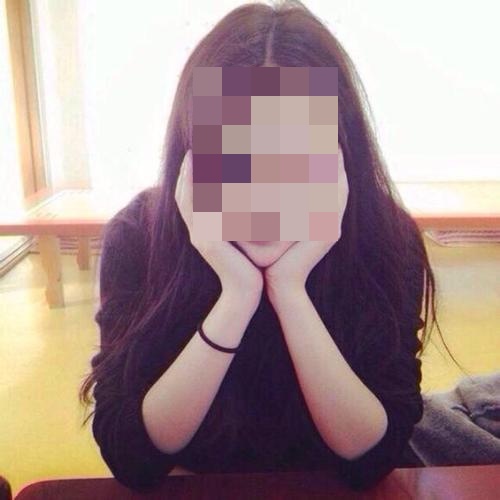
3.图像颜色检索&替换:

4.马赛克分类:
使用opencv库中的haarcascade_frontalface_default.xml进行人脸检测。
1、使用高斯噪声进行模糊处理。
2、使用高斯滤波函数,在相应的位置处进行模糊处理。高斯噪声,得到的马赛克为多重点点。原来的视频命名为output.avi,代码编译后保存的视频命名为1111.avi。记得修改自己的文件路径哦。
import numpy as np import cv2 as cv cap = cv.VideoCapture('output.avi') face_cascade = cv.CascadeClassifier("/usr/share/opencv/haarcascades/haarcascade_frontalface_default.xml") #eye_cascade = cv.CascadeClassifier("/usr/share/opencv/haarcascades/haarcascade_eye.xml")#眼睛 fourcc = cv.VideoWriter_fourcc(*'XVID') out = cv.VideoWriter('1111.avi',fourcc, 20.0, (640,480)) def facedetection(img): # gray = cv2.cvtColor(img, cv2.COLOR_BGR2GRAY) faces = face_cascade.detectMultiScale(img, 1.3, 5) for (x, y, w, h) in faces: #方框 img = cv2.rectangle(img, (x, y), (x+w, y+h), (255, 0, 0), 2) roi_gray = gray[y:y+h, x:x+w] #圆框 #cv.circle(img, (int(x+w/2), int(y+h/2)), 100, (0, 0, 255), 2) return img while True: # 读取当前帧 ret, frame = cap.read() # 转为灰度图像 gray = cv.cvtColor(frame, cv.COLOR_BGR2GRAY) Rects = face_cascade.detectMultiScale(gray, scaleFactor = 1.2, minNeighbors = 3, minSize = (32,32)) if len(Rects) > 0: for Rect in Rects: x, y, w, h = Rect # 打码:使用高斯噪声替换识别出来的人眼所对应的像素值 frame[y+10:y+h-10,x:x+w,0]=np.random.normal(size=(h-20,w)) frame[y+10:y+h-10,x:x+w,1]=np.random.normal(size=(h-20,w)) frame[y+10:y+h-10,x:x+w,2]=np.random.normal(size=(h-20,w)) im = facedetection(frame) out.write(im) cap.release() out.release() cv2.destroyAllWindows()- 1
- 2
- 3
- 4
- 5
- 6
- 7
- 8
- 9
- 10
- 11
- 12
- 13
- 14
- 15
- 16
- 17
- 18
- 19
- 20
- 21
- 22
- 23
- 24
- 25
- 26
- 27
- 28
- 29
- 30
- 31
- 32
- 33
- 34
- 35
- 36
- 37
- 38
- 39
- 40
- 41
图片是由一个三维数组,打马赛克就是把特定区域的值替换为其他值,项目在做的过程中经过一次升级,最开始用的是高斯马赛克,后来应客户的要求,升级为和其他软件手工打的马赛克一样的样式正规马赛克
高斯马赛克
特定区域值替换为高斯分布数值,可以利用numpy中的np.random.normal(size=(h,w))来生成一些随机的数值,然后进行替换即可
正规马赛克
马赛克的实现原理是把图像上某个像素点一定范围邻域内的所有点用邻域内左上像素点的颜色代替,这样可以模糊细节,但是可以保留大体的轮廓。就是用左上角的那个值,来替换右下方一个小方块的值,逐步进行替换即可。
5.代码实现:
高斯马赛克
import cv2 import numpy as np face_location=[430,500,730,870] #x1,y1,x2,y2 x1,y1为人脸左上角点;x2,y2为人脸右下角点 img=cv2.imread('./tongliya.jpg') #opencv读取的是BGR数组 ##高斯马赛克 def normal_mosaic(img, x1, y1, x2, y2): img[y1:y2, x1:x2, 0] = np.random.normal(size=(y2-y1, x2-x1)) img[y1:y2, x1:x2, 1] = np.random.normal(size=(y2-y1, x2-x1)) img[y1:y2, x1:x2, 2] = np.random.normal(size=(y2-y1, x2-x1)) return img x1=face_location[0] y1=face_location[1] x2=face_location[2] y2=face_location[3] img_mosaic=normal_mosaic(img, x1, y1, x2, y2) cv2.imwrite('img_mosaic_normal.jpg',img_mosaic)- 1
- 2
- 3
- 4
- 5
- 6
- 7
- 8
- 9
- 10
- 11
- 12
- 13
- 14
- 15
- 16
- 17
- 18
- 19
- 20
正规马赛克
import cv2 import numpy as np face_location=[430,500,730,870] #x1,y1,x2,y2 x1,y1为人脸左上角点;x2,y2为人脸右下角点 img=cv2.imread('./tongliya.jpg') #opencv读取的是BGR数组 #正规马赛克 def do_mosaic(img, x, y, w, h, neighbor=9): """ :param rgb_img :param int x : 马赛克左顶点 :param int y: 马赛克左顶点 :param int w: 马赛克宽 :param int h: 马赛克高 :param int neighbor: 马赛克每一块的宽 """ for i in range(0, h , neighbor): for j in range(0, w , neighbor): rect = [j + x, i + y] color = img[i + y][j + x].tolist() # 关键点1 tolist left_up = (rect[0], rect[1]) x2=rect[0] + neighbor - 1 # 关键点2 减去一个像素 y2=rect[1] + neighbor - 1 if x2>x+w: x2=x+w if y2>y+h: y2=y+h right_down = (x2,y2) cv2.rectangle(img, left_up, right_down, color, -1) #替换为为一个颜值值 return img x=face_location[0] y=face_location[1] w=face_location[2]-face_location[0] h=face_location[3]-face_location[1] img_mosaic=do_mosaic(img, x, y, w, h, neighbor=15) cv2.imwrite('img_mosaic.jpg',img_mosaic)- 1
- 2
- 3
- 4
- 5
- 6
- 7
- 8
- 9
- 10
- 11
- 12
- 13
- 14
- 15
- 16
- 17
- 18
- 19
- 20
- 21
- 22
- 23
- 24
- 25
- 26
- 27
- 28
- 29
- 30
- 31
- 32
- 33
- 34
- 35
- 36
- 37
- 38
6.完整源码&环境部署视频教程&自定义UI界面:
7.参考文献:
- [1]基于Adaboost的安全带检测系统[J]. 陈雁翔,李赓. 电子测量技术. 2015(04)
- [2]基于高斯混合模型的运动目标检测方法研究[J]. 马德智,李巴津,董志学. 电子测量技术. 2013(10)
- [3]基于超球支持向量机的多姿态协同人脸检测[J]. 滕少华,陈海涛,张巍. 计算机应用. 2013(07)
- [4]基于LBP算子和类覆盖捕获图的人脸检测算法[J]. 赵海峰,孙姗姗,闫伟红,王宜龙,孙登第. 数学的实践与认识. 2013(07)
- [5]基于类Haar特征与级联AdaBoost算法的防震锤识别[J]. 金立军,闫书佳,刘源. 系统仿真学报. 2012(09)
- [6]改进的高斯肤色模型及其在人脸检测中的应用[J]. 刘春生,常发亮,陈振学,李爽. 仪器仪表学报. 2012(05)
- [7]复杂光照下的人脸肤色检测方法[J]. 李全彬,王小明,刘锦高,李明. 计算机应用. 2010(06)
- [8]复杂背景和光照多变的人脸检测方法[J]. 李全彬,孙巧榆,刘锦高,李明. 计算机工程与应用. 2009(18)
-
相关阅读:
有一个项目管理软件,名字叫8Mnaage PM!
Linux 磁盘扩容及挂载新盘
【机器学习12】集成学习
kaldi 报错:data/lang/L_disambig.fst is not olabel sorted
数字孪生的技术开发平台
SpringBoot+SpringMVC+MybatisPlus
【绩效季】遇到一个好领导有多重要,从被打差绩效到收获成长
聚观早报 | iPhone 14 系列正式发布;腾讯增持育碧股票至9.99%
第十四章《多线程》第9节:ThreadLocal类
合合TextIn - 大模型加速器
- 原文地址:https://blog.csdn.net/cheng2333333/article/details/126641642
- 最新文章
-
沪漂五周年了:我越来越迷茫了
Agentic Skill Routing 实战:别再把所有 Skill 塞进 AI Agent 上下文
MySQL-Seconds_behind_master的精度误差
[MAF预定义ChatClient中间件-03]CachingChatClient——利用缓存省钱省时间
AI的至暗历史:从万众期待到被政府撤资,AI的两次死亡徘徊
Agent OS :五种驯服不确定性的范式
PortSwigger SQL注入LAB11
数据库即时编译JIT
[Begin]AI Learn Data Day 0
深度学习进阶(二十七)现代 LLM 的核心架构设计其二:SwiGLU