-
基于javaweb的学生作业管理系统
一、系统简介
本项目采用eclipse工具开发,jsp+servlet+jquery技术编写,数据库采用的是mysql,navicat开发工具。系统一共分为3个角色分别是:管理员,学生,教师
二、模块简介
管理员
1、登录
2、个人信息管理
3、统计管理
4、学生管理
5、教师管理
6、班级管理
7、公告管理
8、教学资料管理
9、留言管理
学生
1、登录
2、个人信息管理
3、查看公告
4、查看教学资料
5、留言管理
6、查看作业
7、下载作业
8、完成并上传作业
9、历史数据查询
教师
1、登录
2、个人信息管理
3、查看公告
4、查看教学资料
5、留言管理
6、作业管理
7、评阅学生作业
项目简介
难度等级:✩✩✩
用户类型:3角色(管理员,学生,教师)
设计模式:MVC
项目架构:B/S架构
开发语言:Java语言
前端技术:HTML、CSS、JS、JQuery等
后端技术:JSP、servlet框架
运行环境:Windows7或10、JDK1.8
运行工具:本系统采用Eclipse开发,仅支持Eclipse运行,不支持MyEclipse和IDEA运行,因为三者的骨架不一样,强行导入打开运行可能会导致出现未知的错误。(如若想用idea运行,需要转换!!!!)
数 据 库:MySQL5.5/5.7/8.0版本
运行服务器:Tomcat7.0/8.0/8.5/9.0等版本
是否基于Maven环境:否
是否采用框架:是
数据库表数量:9张表
JSP页面数量:20多张
是否有分页:有分页
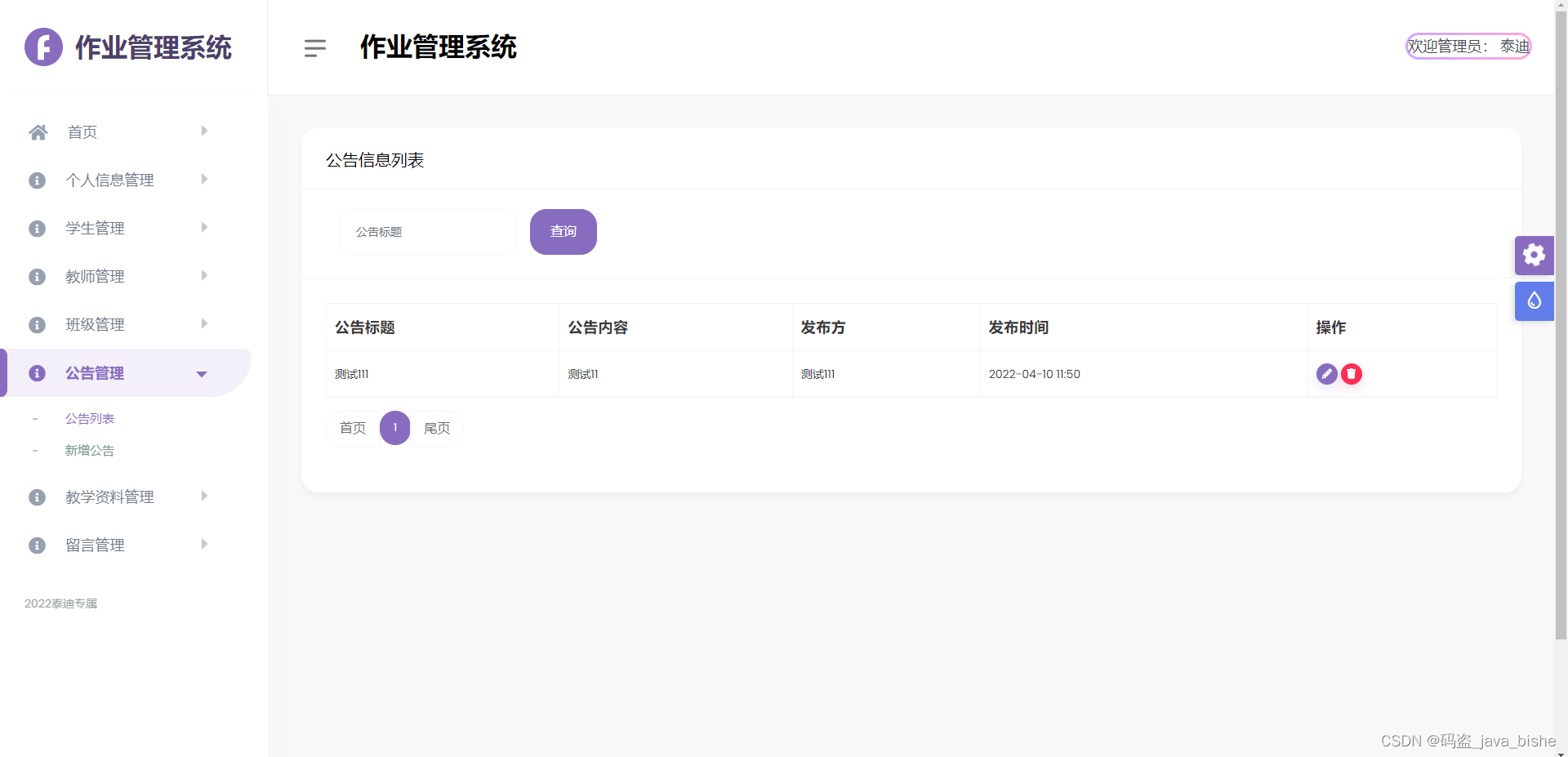
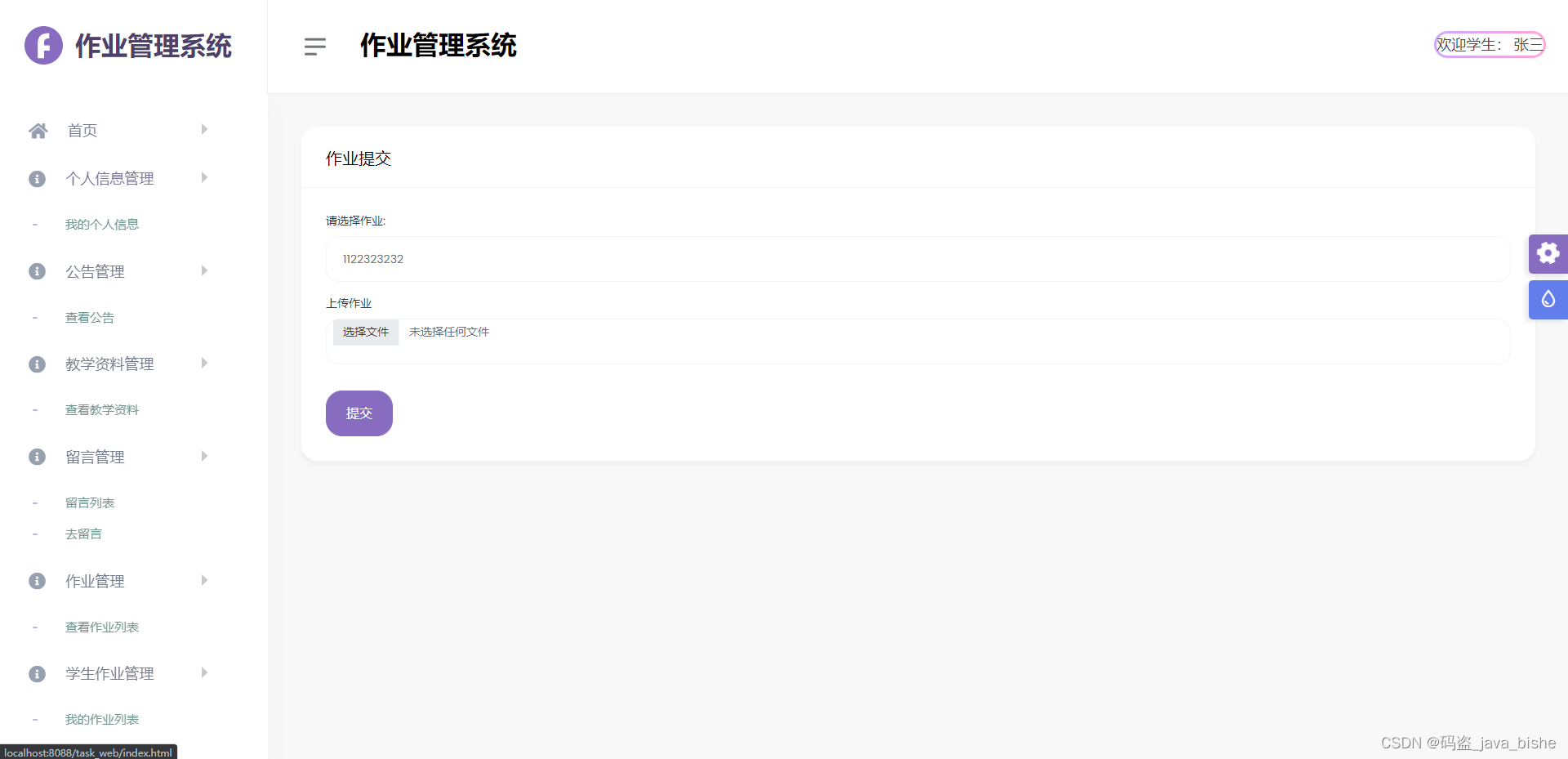
相关截图






相关代码
登录
- <%@ page language="java" contentType="text/html; charset=utf-8"
- pageEncoding="utf-8"%>
- <%@ taglib uri="http://java.sun.com/jsp/jstl/core" prefix="c"%>
- <%
- String path = request.getContextPath();
- String basePath = request.getScheme() + "://" + request.getServerName() + ":" + request.getServerPort() + path + "/";
- %>
- html>
- <html lang="en" class="h-100">
- <head>
- <meta charset="utf-8">
- <meta http-equiv="X-UA-Compatible" content="IE=edge">
- <meta name="keywords" content="" />
- <meta name="author" content="" />
- <meta name="robots" content="" />
- <meta name="viewport" content="width=device-width, initial-scale=1">
- <meta name="description" content="Fillow : Fillow Saas Admin Bootstrap 5 Template" />
- <meta name="format-detection" content="telephone=no">
- <title>作业管理系统title>
- <link rel="shortcut icon" type="image/png" href="images/favicon.png" />
- <link href="resource/css/style.css" rel="stylesheet">
- head>
- <body class="vh-100">
- <div class="authincation h-100">
- <div class="container h-100">
- <div class="row justify-content-center h-100 align-items-center">
- <div class="col-md-6">
- <div class="authincation-content">
- <div class="row no-gutters">
- <div class="col-xl-12">
- <div class="auth-form">
- <h4 class="text-center mb-3">作业管理系统登录h4>
- <form id="loginForm" >
- <div class="mb-3">
- <label class="mb-1"><strong>用户名strong>label>
- <input type="text" name="userName" id="userName" class="form-control" value="">
- div>
- <div class="mb-3">
- <label class="mb-1"><strong>密码strong>label>
- <input type="password" name="password" id="password" class="form-control" value="Password">
- div>
- <div class="row d-flex justify-content-between mt-4 mb-2">
- <div class="mb-3">
- <input type="radio" class="form-check-input" name="type" value="1" checked id="basic_checkbox_1">
- <label class="form-check-label" for="basic_checkbox_1">管理员label>
- <input type="radio" class="form-check-input" name="type" value="2" id="basic_checkbox_2">
- <label class="form-check-label" for="basic_checkbox_2">学生label>
- <input type="radio" class="form-check-input" name="type" value="3" >
- <label class="form-check-label" >教师label>
- div>
- div>
- <div class="text-center">
- <button type="button" id="login" class="btn btn-primary btn-block">登录button>
- div>
- form>
- div>
- div>
- div>
- div>
- div>
- div>
- div>
- div>
- <script src="resource/vendor/global/global.min.js">script>
- <script src="resource/js/custom.min.js">script>
- <script src="resource/js/dlabnav-init.js">script>
- <script src="resource/js/styleSwitcher.js">script>
- <script src="resource/layui/jquery-1.9.1.min.js">script>
- body>
- <script>
- $("#login").on("click", function() {
- var userName = $("#userName").val().trim(); // trim()去除空格
- var password = $("#password").val().trim();
- var type = $("#type").val();
- if(userName == ""){
- alert('用户名不能为空!');
- return false;
- }
- if(password == ""){
- alert('密码不能为空!');
- return false;
- }
- if(type == ""){
- alert('请选择角色!');
- return false;
- }
- $.ajax({
- cache : true,
- type : "post",
- url : "LoginServlet?action=login",
- data : $("#loginForm").serialize(),
- async : false,
- success : function(e) {
- if (e == 'yes') {
- alert("登录成功!");
- window.parent.location.href = "LoginServlet?action=toMain";
- } else {
- alert("登录失败,账号或者密码错误!");
- }
- }
- })
- });
- script>
- html>
- protected void login(HttpServletRequest request, HttpServletResponse response) throws Exception {//跳转到添加用户界�?
- String userName = request.getParameter("userName");
- String password = request.getParameter("password");
- String type = request.getParameter("type");
- String message = "no";
- if(type != null && type.equals("1")){//admin
- Admin admin = service.selectAdmin(userName,password);
- if (admin != null) {
- message = "yes";
- request.getSession().setAttribute("flag",1);
- request.getSession().setAttribute("admin",admin);
- }
- }else if(type != null && type.equals("2")){
- Student student = service.selectStudent(userName,password);
- if (student != null) {
- message = "yes";
- request.getSession().setAttribute("flag",2);
- request.getSession().setAttribute("student",student);
- }
- }else if(type != null && type.equals("3")){
- Teacher teacher = service.selectTeacher(userName,password);
- if (teacher != null) {
- message = "yes";
- request.getSession().setAttribute("flag",3);
- request.getSession().setAttribute("teacher",teacher);
- }
- }
- response.getWriter().print(message);
- }
其他相关代码都是类似的,主要是前端jsp和后端servlet交互比较重要!!!非开源!!!!!!
项目截图中的数据,很多是用来测试的,需要自行添加合适的数据图片!!!
喜欢的朋友的点赞加关注,感兴趣的同学可以研究!!!!!
感谢 = v = -
相关阅读:
不小心清空了回收站怎么恢复,回收站删除的东西可以恢复吗
“懒宅经济”崛起,智能家电品牌快收好这份软文推广指南
mysql 中 in 的用法
【gitlab】从其他仓库创建项目
小微企业低成本获客攻略,媒介盒子无偿分享
关于 yield 关键字【C# 基础】
我要写整个中文互联网界最牛逼的JVM系列教程 | 「JVM与Java体系架构」章节:JVM的发展历程
2021icpc南京 H. Crystalfly
【无标题】LeetCode题解:19. 删除链表的倒数第 N 个结点,JavaScript,详细注释
非零基础自学Java (老师:韩顺平) 第8章 面向对象编程(中级部分) 8.12 Object类详解
- 原文地址:https://blog.csdn.net/qq_43485489/article/details/126391296

- 最新文章
-
沪漂五周年了:我越来越迷茫了
Agentic Skill Routing 实战:别再把所有 Skill 塞进 AI Agent 上下文
MySQL-Seconds_behind_master的精度误差
[MAF预定义ChatClient中间件-03]CachingChatClient——利用缓存省钱省时间
AI的至暗历史:从万众期待到被政府撤资,AI的两次死亡徘徊
Agent OS :五种驯服不确定性的范式
PortSwigger SQL注入LAB11
数据库即时编译JIT
[Begin]AI Learn Data Day 0
深度学习进阶(二十七)现代 LLM 的核心架构设计其二:SwiGLU