-
pytest+allure生成测试报告
前言
Allure Framework是一种灵活的轻量级多语言测试报告工具,不仅可以以简洁的网络报告形式非常简洁地显示已测试的内容,而且还允许参与开发过程的每个人从日常执行中提取最大程度的有用信息。
一、安装
使用pip安装pytest和allure-pytest,加上--index-url地址,下载会快一些
- pip install pytest==4.5.0 --index-url https://pypi.douban.com/simple
- pip install allure-pytest==2.8.6 --index-url https://pypi.douban.com/simple
allure是一个命令行工具,需要去github上下载最新版 Releases · allure-framework/allure2 · GitHub
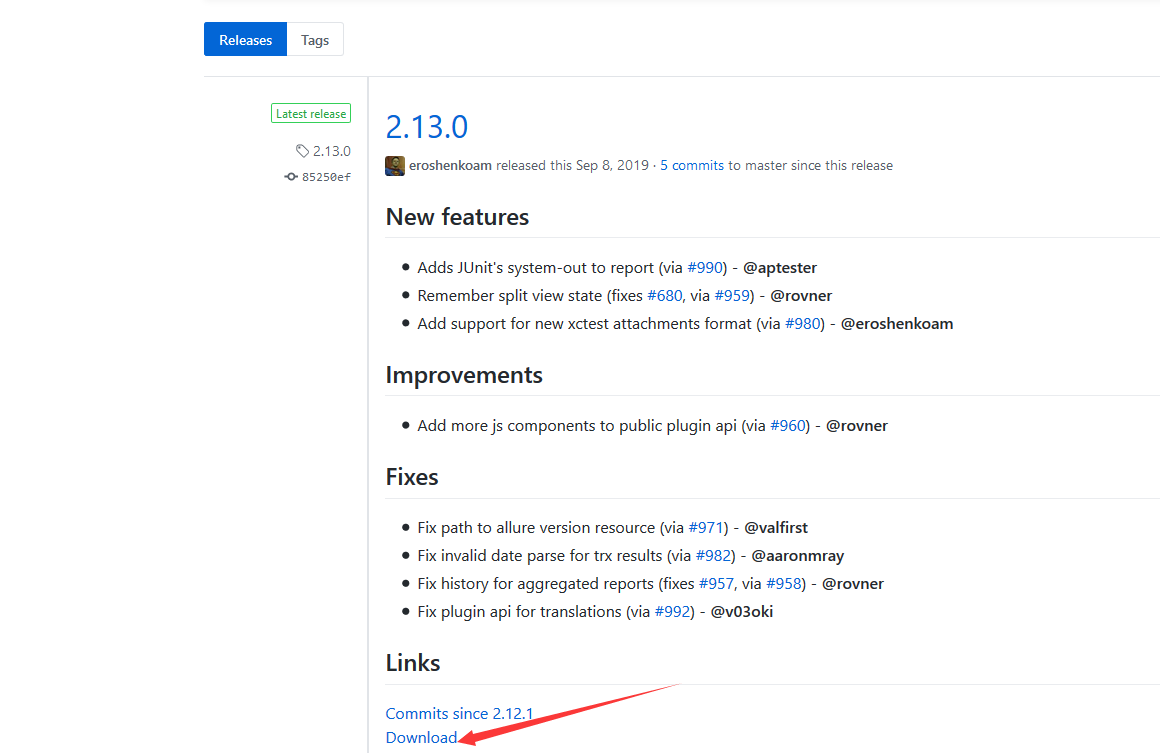
下载完成之后,解压到本地电脑
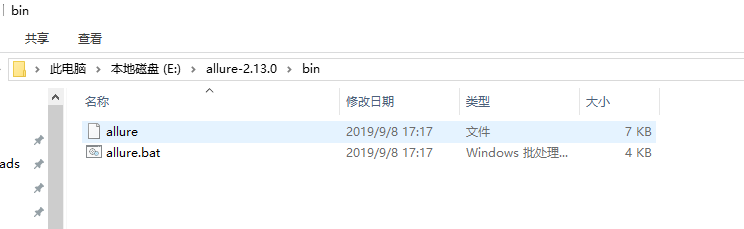
把bin目录添加到环境变量Path下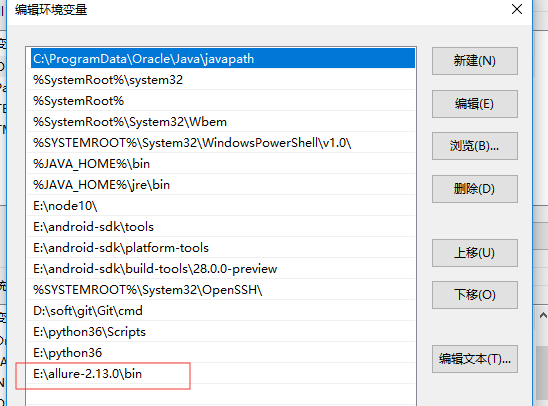
三、使用说明
@allure.feature # 用于定义被测试的功能,被测产品的需求点
@allure.story # 用于定义被测功能的用户场景,即子功能点
with allure.step # 用于将一个测试用例,分成几个步骤在报告中输出
allure.attach # 用于向测试报告中输入一些附加的信息,通常是一些测试数据信息
@pytest.allure.step # 用于将一些通用的函数作为测试步骤输出到报告,调用此函数的地方会向报告中输出步骤
四、示例
- import allure
- import pytest
- @allure.step("步骤1:点xxx")
- def step_1():
- print("111")
- @allure.step("步骤2:点xxx")
- def step_2():
- print("222")
- @allure.feature("编辑页面")
- class TestEditPage():
- '''编辑页面'''
- @allure.story("这是一个xxx的用例")
- def test_1(self, login):
- '''用例描述:先登录,再去执行xxx'''
- step_1()
- step_2()
- print("xxx")
- @allure.story("打开a页面")
- def test_2(self, login):
- '''用例描述:先登录,再去执行yyy'''
- print("yyy")
cd到test_allure_demo.py所在的目录文件,命令行执行
pytest --alluredir ./report/allure_raw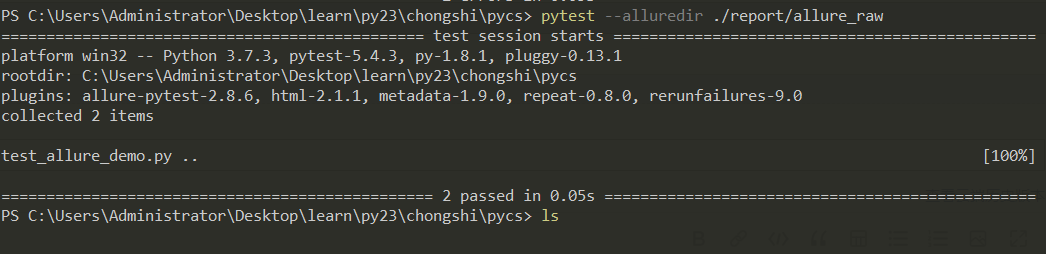
执行完成后,在当前目录下生成report目录,report目录下生成一个allure_raw的目录,这里存放了测试报告的JSON格式原始文件,不能打开成html的报告
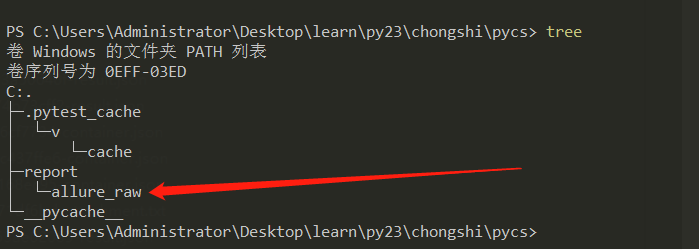
启动allure报告服务,输入生成的IP地址和端口即可访问
allure serve report/allure_raw 
5|0Jenkins + allure生成报告
安装插件
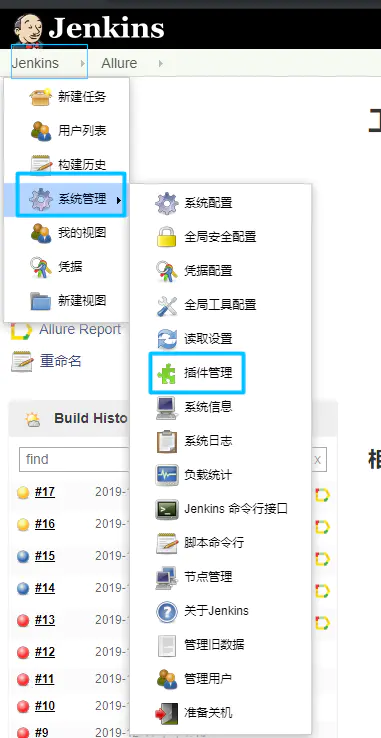
安装后选择重启
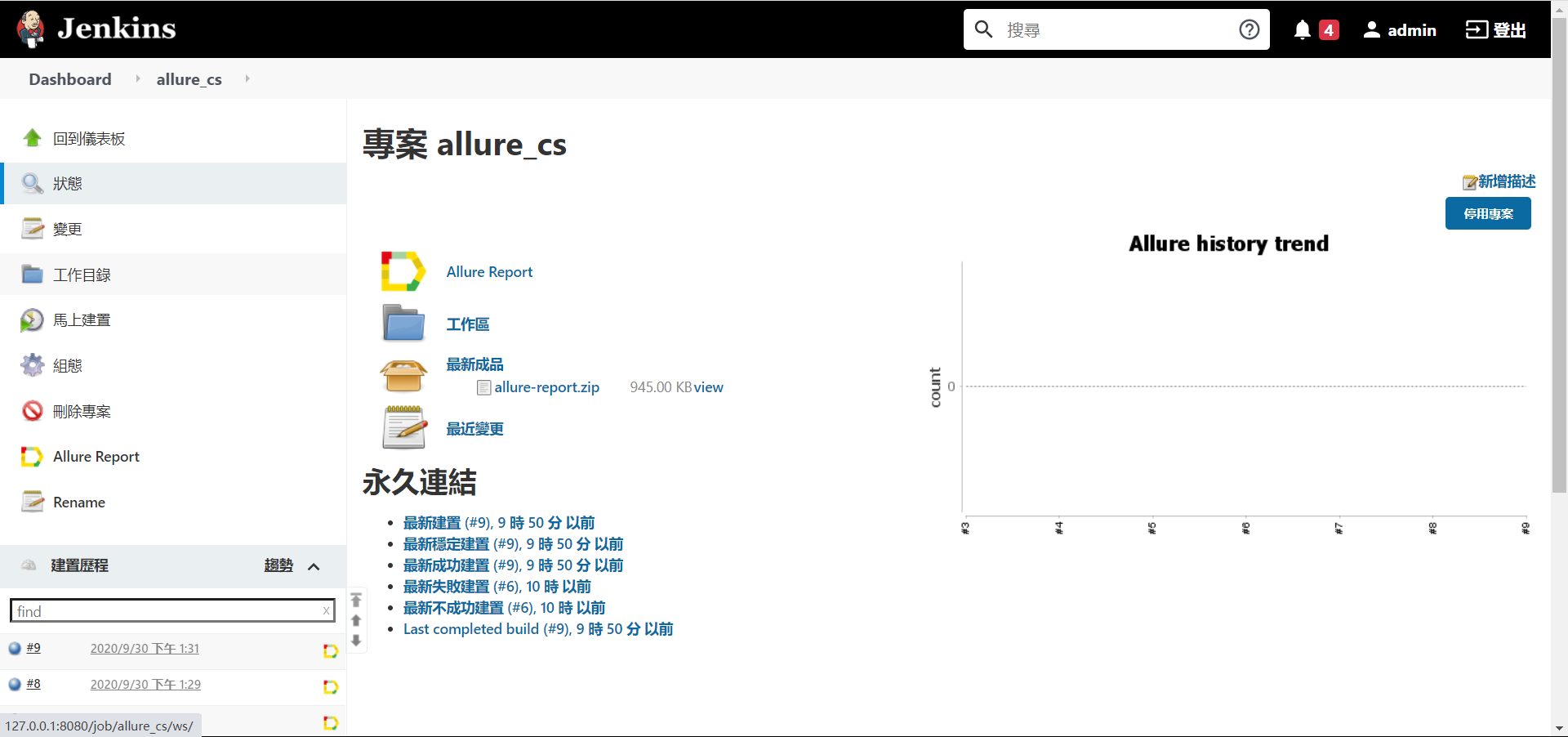
安装完成后打开jenkins首页-系统管理-全局工具配置-Allure Commandline, 安装 allure 命令行工具构建运行命令
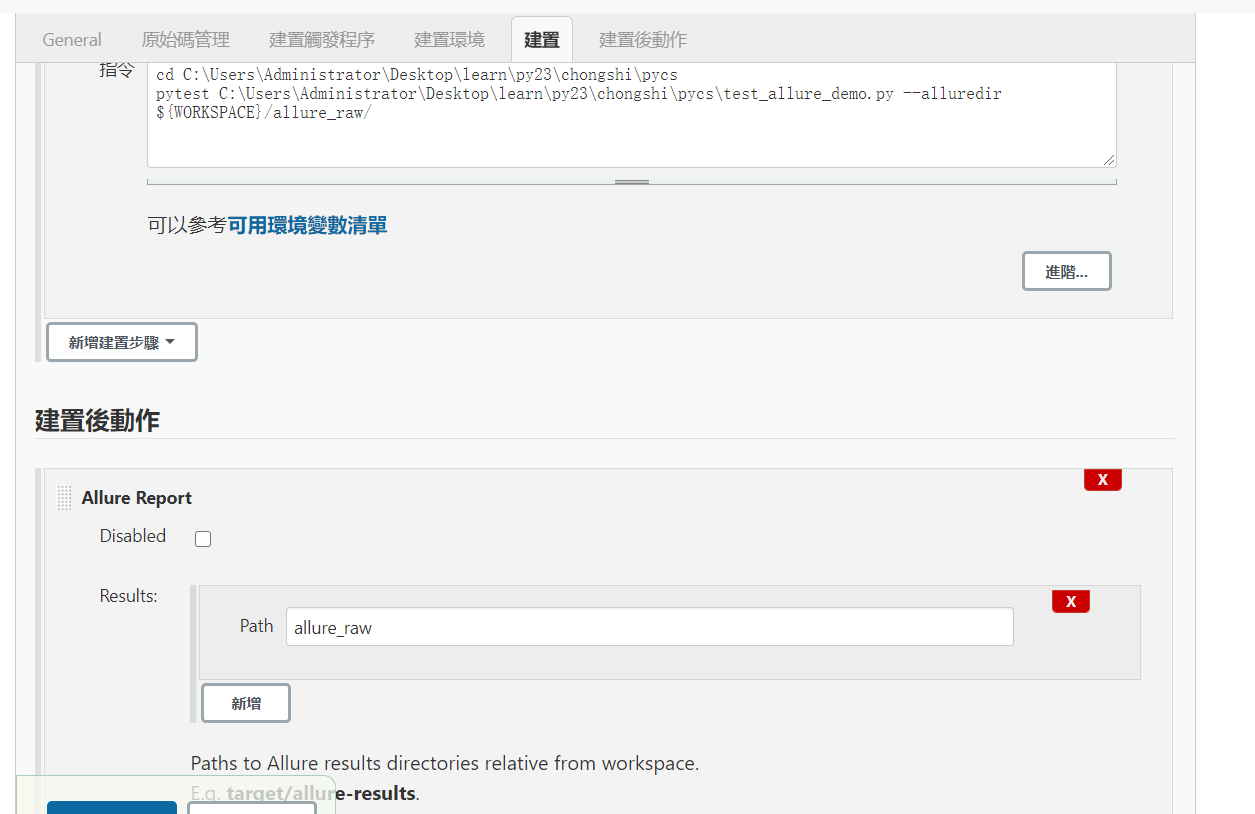
- cd C:\Users\Administrator\Desktop\learn\py23\chongshi\pycs
- pytest C:\Users\Administrator\Desktop\learn\py23\chongshi\pycs\test_allure_demo.py --alluredir ${WORKSPACE}/allure_raw/
最后在我的QQ技术交流群里整理了我这10几年软件测试生涯整理的一些技术资料,包括:电子书,简历模块,各种工作模板,面试宝典,自学项目等。如果在学习或工作中遇到问题,群里也会有大神帮忙解答,群号 798478386 ( 备注CSDN555 )
全套软件测试自动化测试教学视频

300G教程资料下载【视频教程+PPT+项目源码】

全套软件测试自动化测试大厂面经

-
相关阅读:
Taurus.MVC V3.0.3 微服务开源框架发布:让.NET 架构在大并发的演进过程更简单。
领域模型优先于数据库表
Fiddler抓包原理及其配置
Bored Ape Yacht Club NFT 概览与数据分析
C++、C++-OpenCV、Python、Python-Numpy、MATLAB的除法取余方法总结
kubernetes(K8S)学习笔记P2:搭建K8s集群2种方式
(部署服务器系列二)服务器上安装springboot运行环境,发布并运行项目
contentEditable属性
Sui的动态可组合NFT为Cosmocadia增加游戏趣味性
Java对指定不规则的jsonString读取并操作
- 原文地址:https://blog.csdn.net/caixiangting/article/details/126043572

- 最新文章
-
【FHE】我们如何实现同态加密推理(八):SiLU 的密文化——两条路径,和一个 8 字节的开关
SQLcl 中 c/old/new 替换变量为何失效?先定位再替换
不让模型写作文,直接从它脑子里读答案:Jev 决策在 .NET 的两条路线
Halo插件:支持GitHub的图床附件策略
电视投屏界的“一股清流”!SimpleTVCast 6.0.0-beta 抢先体验:无需TV端App,界面大换血!✨
华三VXLAN集中式网关实战指南:Spine多活网关 + 双活接入(M-LAG)
软件更好写之后口碑会更重要
大 O、大 Omega、大 Theta 的区别,O(n) 复杂度是什么意思
Java标签跳转:一个鲜为人知但却很实用的小技巧
多智能体系统论文速读