-
HTML 实现仿 Windows 桌面主题特效
给大家安利一个免费且实用的前端刷题(面经大全)网站,??点击跳转到网站。
本文章为系列文章,共100个摸鱼小游戏。初学者可以尝试实现这些项目,并在HTML、CSS、JS编译环境中动手操作。所有项目都已收集在专栏:
??【100个摸鱼小游戏】(源码永久免费开源)
直接跳到末尾 参与评论送书
直接跳到末尾 领取完整源码
快速跳转 如何高效学习
目前已上线的小游戏有50+个
游戏入口地址有多个:
- 摸鱼入口:https://haiyong.site/moyu/
- 海拥开发文档:https://haiyong.site/doc/
- GitHub 源码:https://github.com/wanghao221/moyu
HTML 实现仿 Windows 桌面主题特效
在线演示地址:https://haiyong.site/win/
源码可在文末免费获取
项目基本结构
目录结构如下:
├── jsLib │ ├── jquery.winResize.js │ ├── jquery-1.6.2.js │ ├── jquery-1.6.2.min.js │ ├── jquery-ui-1.8.16.custom.min.js │ ├── myLib.js │ ├── external │ ├── jquery-smartMenu │ ├── themes │ └── ui ├── icon ├── images ├── wallpapers └── index.html- 1
- 2
- 3
- 4
- 5
- 6
- 7
- 8
- 9
- 10
- 11
- 12
- 13
- 14

?? HTML 代码
HTML 主要代码:
Powered by haiyong.site 注意:双击桌面应用即可点开-
 海拥
海拥 -
 CSDN
CSDN -
 掘金
掘金 -
 bilibili
- 1
- 2
- 3
- 4
- 5
- 6
- 7
- 8
- 9
- 10
- 11
- 12
- 13
- 14
- 15
- 16
- 17
- 18
- 19
- 20
- 21
- 22
- 23
- 24
- 25
- 26
- 27
- 28
- 29
- 30
- 31
- 32
- 33
- 34
- 35
- 36
- 37
- 38
- 39
- 40
- 41
- 42
- 43
- 44
- 45
- 46
- 47
- 48
- 49
- 50
- 51
- 52
- 53
- 54
?? CSS 代码
CSS主要代码:
body, div, dl, dt, dd, ul, ol, li, h1, h2, h3, h4, h5, h6, pre, form, fieldset, input, textarea, p, blockquote, th, td { margin:0; padding:0; } table { border-collapse:collapse; border-spacing:0; } fieldset, img { border:0; } address, caption, cite, code, dfn, em, strong, th, var { font-style:normal; font-weight:normal; } ol, ul, li { list-style:none; } caption, th { text-align:left; } h1, h2, h3, h4, h5, h6 { font-size:100%; font-weight:normal; } q:before, q:after { content:”; } abbr, acronym { border:0; } * { margin:0; padding:0 }- 1
- 2
- 3
- 4
- 5
- 6
- 7
- 8
- 9
- 10
- 11
- 12
- 13
- 14
- 15
- 16
- 17
- 18
- 19
- 20
- 21
- 22
- 23
- 24
- 25
- 26
- 27
- 28
- 29
- 30
- 31
- 32
- 33
- 34
- 35
页面基础样式
/*页面基础样式*/ html { overflow:hidden; } body { font-size: 12px; background:#06C url(wallpapers/menglong2.jpg) repeat scroll center center; font-family: Tahoma, Geneva, sans-serif; margin:0; padding:0 } a { font-size: 12px; } a:link { text-decoration: none; color: #FFF; } a:visited { text-decoration: none; color: #FFF; } a:hover { text-decoration: none; color: #FFF; } a:active { text-decoration: none; color: #FFF; } .corner {/*只在支持css3的高级浏览器起作用*/ -moz-border-radius: 5px; -webkit-border-radius: 5px; border-radius: 5px; -moz-box-shadow: 2px 2px 8px #444; -webkit-box-shadow: 2px 2px 8px #444; box-shadow:2px 2px 8px #444; } .loading { background:url(images/loading.gif) no-repeat center center }- 1
- 2
- 3
- 4
- 5
- 6
- 7
- 8
- 9
- 10
- 11
- 12
- 13
- 14
- 15
- 16
- 17
- 18
- 19
- 20
- 21
- 22
- 23
- 24
- 25
- 26
- 27
- 28
- 29
- 30
- 31
- 32
- 33
- 34
- 35
- 36
- 37
- 38
- 39
- 40
- 41
界面布局样式
/*界面布局样式*/ .powered_by { width:160px; height:25px; line-height:25px; background:url(images/powered-by.png) no-repeat left center; color:#CCC; text-indent:26px; display:block; outline:none; position:absolute; right:20px; bottom:60px; }- 1
- 2
- 3
- 4
- 5
- 6
- 7
- 8
- 9
- 10
- 11
- 12
- 13
- 14
任务栏样式
#taskBar { width:100%; height:40px; line-height:40px; position:absolute; right:0; bottom:0; } #leftBtn { width:100px; height:40px; float:left; display:none; } #rightBtn { width:100px; height:40px; float:right; display:none; } #leftBtn a, #rightBtn a { display:block; width:100px; height:40px; outline:none; background-image:url(images/lr_btn.png); background-repeat:no-repeat; } #leftBtn a { background-position:left top; } #rightBtn a { background-position:right top; } #leftBtn a:hover { background-position:left bottom } #rightBtn a:hover { background-position:right bottom } #task_lb_wrap { height:40px; line-height:40px; overflow:hidden; position:relative; } #task_lb { width:auto; height:auto; position:absolute; top:0; right:0; } #task_lb a { display:inline-block; outline:none; width:100px; height:40px; background-image:url(images/taskHdBtn.png); background-repeat:no-repeat; text-align:center; line-height:40px; float:right } #task_lb .defaultTab { background-position:right top; color:#ccc } #task_lb .defaultTab:hover { background-position:right bottom; } #task_lb .selectTab { background-position:left top; color:#FFF } #task_lb .selectTab:hover { background-position:left bottom } #shizhong_btn { background:url(images/timer.png) no-repeat center center } #weather_btn { background:url(images/wheather.png) no-repeat center center } #sound_btn { background:url(images/sound_open.png) no-repeat center center } #showZm_btn { background:url(images/show-desktop.png) no-repeat center center } #them_btn { background:url(images/skin.png) no-repeat center center }- 1
- 2
- 3
- 4
- 5
- 6
- 7
- 8
- 9
- 10
- 11
- 12
- 13
- 14
- 15
- 16
- 17
- 18
- 19
- 20
- 21
- 22
- 23
- 24
- 25
- 26
- 27
- 28
- 29
- 30
- 31
- 32
- 33
- 34
- 35
- 36
- 37
- 38
- 39
- 40
- 41
- 42
- 43
- 44
- 45
- 46
- 47
- 48
- 49
- 50
- 51
- 52
- 53
- 54
- 55
- 56
- 57
- 58
- 59
- 60
- 61
- 62
- 63
- 64
- 65
- 66
- 67
- 68
- 69
- 70
- 71
- 72
- 73
- 74
- 75
- 76
- 77
- 78
- 79
- 80
- 81
- 82
- 83
- 84
- 85
- 86
- 87
- 88
- 89
- 90
- 91
- 92
- 93
侧边浮动栏
#lr_bar { width:73px; height:auto; position:absolute; left:0; top:30px; background:url(images/dock_top.png) repeat-y left top; z-index:90; -moz-box-shadow: 0px 3px 15px #444; -webkit-box-shadow: 0px 3px 15px #444; box-shadow:0px 3px 15px #444; padding-top:5px; }- 1
- 2
- 3
- 4
- 5
- 6
- 7
- 8
- 9
- 10
- 11
- 12
- 13
开始按钮样式
#start_block { width:73px; height:56px; position:absolute; left:0; bottom:-56px; background:url(images/dock_b.png) no-repeat left bottom; -moz-box-shadow: 0px 5px 15px #444; -webkit-box-shadow: 0px 5px 15px #444; box-shadow:0px 5px 15px #444; } #start_btn { display:block; width:48px; height:48px; background:url(images/start-btn.png) no-repeat center bottom; margin:4px auto 0 auto; outline:none; z-index:501; cursor:pointer; } #start_btn:hover { background-position:center top }- 1
- 2
- 3
- 4
- 5
- 6
- 7
- 8
- 9
- 10
- 11
- 12
- 13
- 14
- 15
- 16
- 17
- 18
- 19
- 20
- 21
- 22
- 23
- 24
开始菜单样式
#start_item { width:180px; height:auto; padding:5px 0; background: url(images/start_item_bg.png) repeat; position:absolute; z-index:500; left:75px; bottom:0px; display:none; -moz-border-radius: 5px; -webkit-border-radius: 5px; border-radius: 5px; -moz-box-shadow: 2px 2px 5px #444; -webkit-box-shadow: 2px 2px 5px #444; box-shadow:2px 2px 5px #444; } #start_item .item { width:100%; height:auto; border-top:1px solid #999 } #start_item .item li { width:98%; height:24px; overflow:hidden; zoom:-1; padding:6px 0; line-height:24px; margin:0 auto; color:#FFF; } #start_item .item li:hover { background:url(images/start_item_over.png) repeat-x left bottom; cursor:pointer } #start_item .item li span { display:inline-block; width:24px; height:24px; background-image:url(images/start_itembtn.png); background-repeat:no-repeat; margin:0 10px; float:left; } #start_item .item li b { width:10px; height:24px; background:url(images/item-child.png) no-repeat center center; display:inline-block; float:right; margin-right:10px; } #start_item .sitting_btn { background-position:left -140px; } #start_item .help_btn { background-position:left -44px; } #start_item .about_btn { background-position:left -164px; } #start_item .logout_btn { background-position:left -20px; } #start_item .admin { border-bottom:1px solid #444; padding:5px 0; border-top:none; } #start_item .item li .adminImg { border:1px solid #E0E0E0; background-position:left -92px; background-color:#FFF; }- 1
- 2
- 3
- 4
- 5
- 6
- 7
- 8
- 9
- 10
- 11
- 12
- 13
- 14
- 15
- 16
- 17
- 18
- 19
- 20
- 21
- 22
- 23
- 24
- 25
- 26
- 27
- 28
- 29
- 30
- 31
- 32
- 33
- 34
- 35
- 36
- 37
- 38
- 39
- 40
- 41
- 42
- 43
- 44
- 45
- 46
- 47
- 48
- 49
- 50
- 51
- 52
- 53
- 54
- 55
- 56
- 57
- 58
- 59
- 60
- 61
- 62
- 63
- 64
- 65
- 66
- 67
- 68
- 69
- 70
- 71
- 72
- 73
- 74
- 75
默认小工具
#default_tools { width:71px; height:auto; overflow:hidden; zoom:-1; padding:5px 0; border-top:1px solid #555; margin:0 auto; } #default_tools span { width:30px; height:30px; display:inline-block; margin:0 0 0 3px; cursor:pointer; float:left; }- 1
- 2
- 3
- 4
- 5
- 6
- 7
- 8
- 9
- 10
- 11
- 12
- 13
- 14
- 15
- 16
- 17
默认应用程序
#default_app { width:73px; height:auto; padding:5px 0; position:relative; } #default_app li { width:48px; height:48px; overflow:hidden; margin:3px auto; padding:6px; } #default_app li img { width:48px; height:48px; cursor:pointer; } #default_app .btnOver { background:url(images/default_appbtn_bg.png) no-repeat center center }- 1
- 2
- 3
- 4
- 5
- 6
- 7
- 8
- 9
- 10
- 11
- 12
- 13
- 14
- 15
- 16
- 17
- 18
- 19
- 20
- 21
重写右键菜单样式
.smart_menu_box .smart_menu_a { color:#333 } .smart_menu_box .smart_menu_li_separate { border-bottom:1px solid #d6d5d5; }- 1
- 2
- 3
- 4
- 5
- 6
窗口样式
.windows { min-width:240px; min-height:200px; width:700px; height:560px; position:absolute; display:none; background-color:#E0E0E0; } .win_title { width:100%; height:26px; line-height:26px; background:#E0E0E0 url(images/titlebar_bg_cur.png) repeat-x left center; -moz-border-radius: 5px; -webkit-border-radius: 5px; border-radius: 5px; } .win_title b { color:#333; margin-left:10px; } .win_title .win_btnblock { width:auto; padding:0 5px; float:right; height:17px; margin:4px 3px 0 0; } .win_title .win_btnblock a { display:inline-block; width:26px; height:17px; background-image:url(images/windowBtn.png); background-repeat:no-repeat; float:left; margin:0 1px; outline:none; } .winMaximize { background-position:right bottom; } .winMaximize:hover { background-position:right top; } .winHyimize { background-position:-26px bottom; } .winHyimize:hover { background-position:-26px top; } .winClose { background-position:-52px top; } .winClose:hover { background-position:-52px bottom; } .winMinimize { background-position:left bottom; } .winMinimize:hover { background-position:left top; } .winframe { width:100%; height:auto; margin:0 0 0 3px; padding:0 }- 1
- 2
- 3
- 4
- 5
- 6
- 7
- 8
- 9
- 10
- 11
- 12
- 13
- 14
- 15
- 16
- 17
- 18
- 19
- 20
- 21
- 22
- 23
- 24
- 25
- 26
- 27
- 28
- 29
- 30
- 31
- 32
- 33
- 34
- 35
- 36
- 37
- 38
- 39
- 40
- 41
- 42
- 43
- 44
- 45
- 46
- 47
- 48
- 49
- 50
- 51
- 52
- 53
- 54
- 55
- 56
- 57
- 58
- 59
- 60
- 61
- 62
- 63
- 64
- 65
- 66
- 67
- 68
- 69
桌面图标
#deskIcon { width:100%; height:auto; overflow:hidden; zoom:-1; position:relative; } .desktop_icon { width:86px; height:88px; cursor:pointer; margin-left:-1000px; text-align:center; } .desktop_icon span { display:block; } .desktop_icon .icon { width:50px; height:50px; margin:5px auto; } .desktop_icon .icon img { width:50px; height:50px; } .desktop_icon .text { display:inline-block; width:auto; height:22px; line-height:22px; text-align:center; color:#fff; background:url(images/iconTextbg.png) no-repeat left center; position:relative; padding-left:10px; margin-right:10px; } .desktop_icon .right_cron { width:10px; height:22px; position:absolute; right:-10px; top:0; background:url(images/iconTextbg_right.png) left center no-repeat; } .desktop_icon_over { background:url(images/icon_over.png) no-repeat center center; }- 1
- 2
- 3
- 4
- 5
- 6
- 7
- 8
- 9
- 10
- 11
- 12
- 13
- 14
- 15
- 16
- 17
- 18
- 19
- 20
- 21
- 22
- 23
- 24
- 25
- 26
- 27
- 28
- 29
- 30
- 31
- 32
- 33
- 34
- 35
- 36
- 37
- 38
- 39
- 40
- 41
- 42
- 43
- 44
- 45
- 46
- 47
- 48
- 49
?? JS 代码
JS代码较多这里只展示部分JS代码,完整源码可在文末获取
//声明desktop空间,封装相关操作 myLib.NS("desktop"); myLib.desktop={ winWH:function(){ $('body').data('winWh',{'w':$(window).width(),'h':$(window).height()}); }, desktopPanel:function(){ $('body').data('panel',{ 'taskBar':{ '_this':$('#taskBar'), 'task_lb':$('#task_lb') }, 'lrBar':{ '_this':$('#lr_bar'), 'default_app':$('#default_app'), 'start_block':$('#start_block'), 'start_btn':$('#start_btn'), 'start_item':$('#start_item'), 'default_tools':$('#default_tools') }, 'deskIcon':{ '_this':$('#deskIcon'), 'icon':$('li.desktop_icon') }, 'powered_by':$('a.powered_by') }); }, getMydata:function(){ return $('body').data(); }, mouseXY:function(){ var mouseXY=[]; $(document).bind('mousemove',function(e){ mouseXY[0]=e.pageX; mouseXY[1]=e.pageY; }); return mouseXY; }, contextMenu:function(jqElem,data,menuName,textLimit){ var _this=this ,mXY=_this.mouseXY(); jqElem .smartMenu(data,{ name: menuName, textLimit:textLimit, afterShow:function(){ var menu=$("#smartMenu_"+menuName); var myData=myLib.desktop.getMydata(), wh=myData.winWh;//获取当前document宽高 var menuXY=menu.offset(),menuH=menu.height(),menuW=menu.width(); if(menuXY.top>wh['h']-menuH){ menu.css('top',mXY[1]-menuH-2); } if(menuXY.left>wh['w']-menuW){ menu.css('left',mXY[0]-menuW-2); } } }); $(document.body).click(function(event){ event.preventDefault(); $.smartMenu.hide(); }); } }- 1
- 2
- 3
- 4
- 5
- 6
- 7
- 8
- 9
- 10
- 11
- 12
- 13
- 14
- 15
- 16
- 17
- 18
- 19
- 20
- 21
- 22
- 23
- 24
- 25
- 26
- 27
- 28
- 29
- 30
- 31
- 32
- 33
- 34
- 35
- 36
- 37
- 38
- 39
- 40
- 41
- 42
- 43
- 44
- 45
- 46
- 47
- 48
- 49
- 50
- 51
- 52
- 53
- 54
- 55
- 56
- 57
- 58
- 59
- 60
- 61
- 62
- 63
- 64
- 65
?? 如何让学习不再盲目
学习技巧篇
1. 编程小白
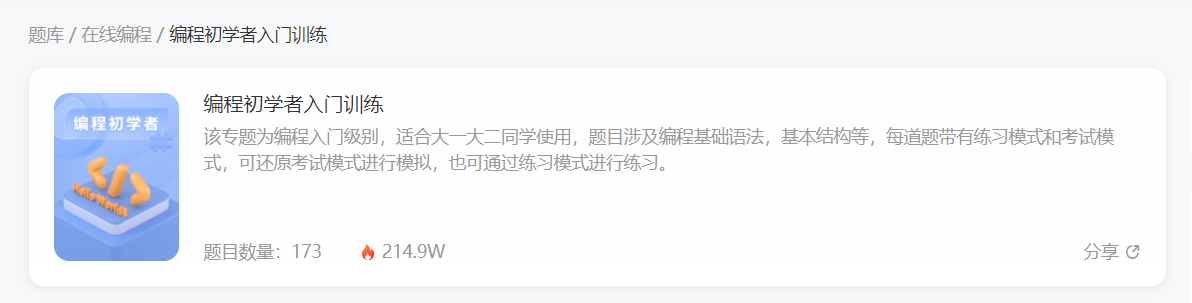
很多刚入门编程的小白学习了基础语法,却不知道语法的用途,不知道如何加深映像,不知道如何提升自己,这个时候每天刷自主刷一些题就非常重要(百炼成神),可以去牛客网上的编程初学者入门训练。该专题为编程入门级别,适合刚学完语法的小白练习,题目涉及编程基础语法,基本结构等,每道题带有练习模式和考试模式,可还原考试模式进行模拟,也可通过练习模式进行练习。
链接地址:牛客网 | 编程初学者入门训练
2. 编程进阶
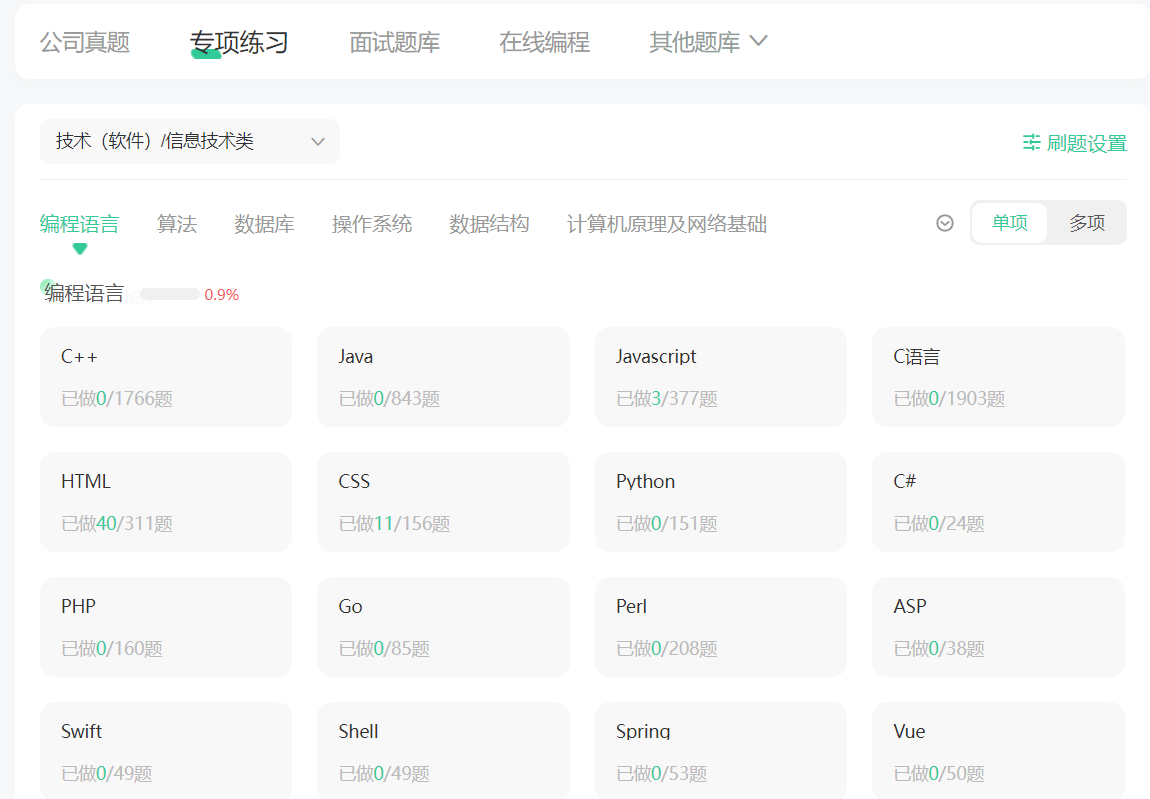
当基础练习完已经逐步掌握了各知识要点后,这个时候去专项练习中学习数据结构、算法基础、计算机基础等。先从简单的入手,感觉上来了再做中等难度,以及较难的题目。这三样是面试中必考的知识点,我们只有坚持每日自己去多加练习,拒绝平躺持续刷题,不断提升自己才能冲击令人满意的公司。
链接地址:牛客网 | 专项练习
?? 参与评论送书
?? 以后每周新文评论区至少抽三位朋友送书,大家可持续关注我:海拥
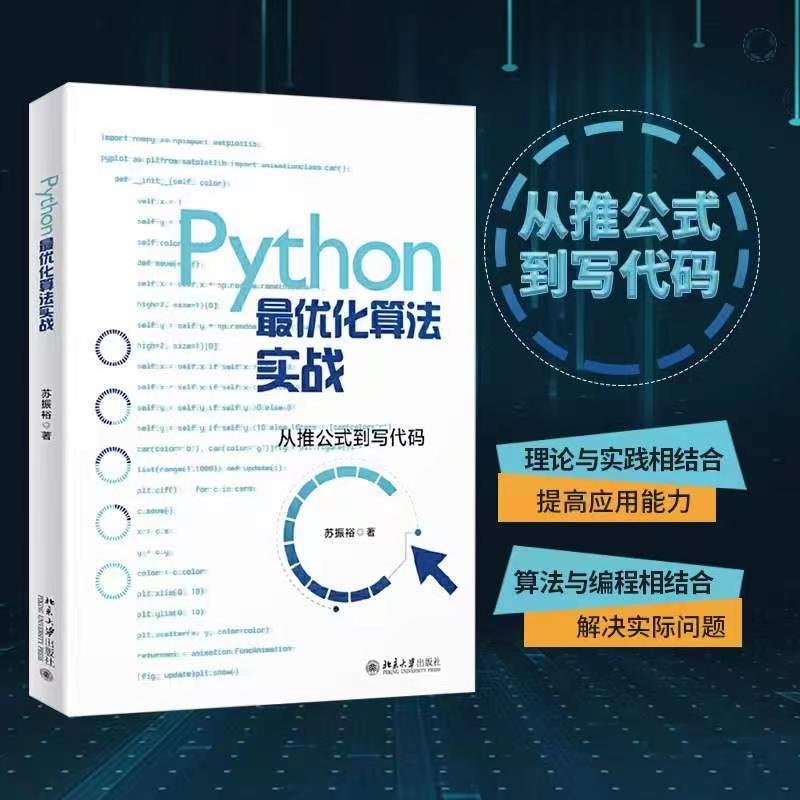
内容简介
本书以理论结合编程开发为原则,使用Python作为开发语言,讲解*化算法的原理和应用,详细介绍了Python基础、Gurobi 优化器、线性规划、整数规划、多目标优化、动态规划、图与网络分析、智能优化算法。对于算法部分的每一种算法都包含原理和编程实践,使读者对优化算法的认识更加深入。
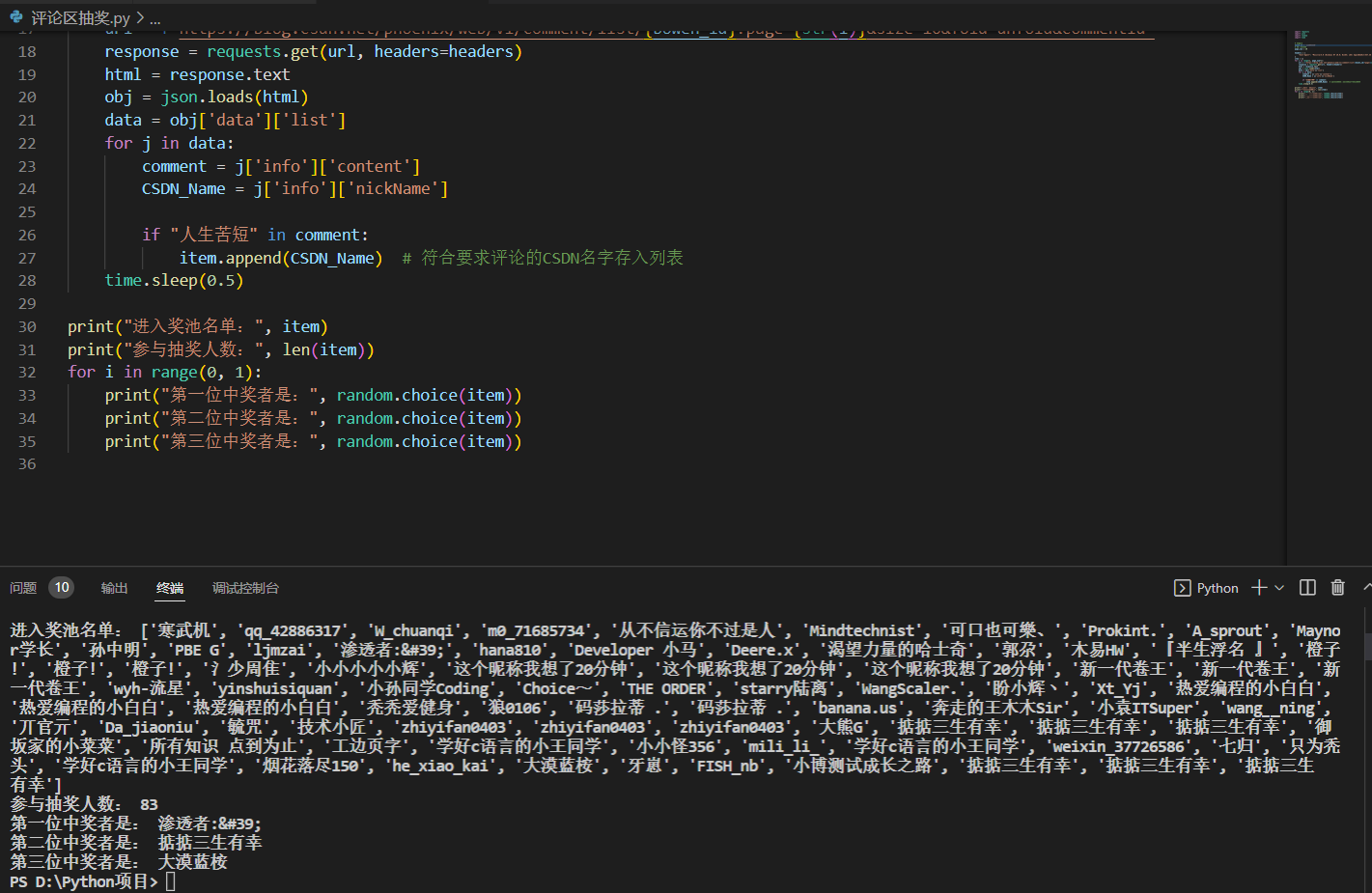
【抽奖方式】关注博主、点赞收藏文章后,评论区留言:人生苦短,我爱摸鱼!!!博主会用爬虫代码随机抽取三人送书!
【开奖时间】:截止到周日晚8点,博主会用爬虫代码随机抽取三人送书!本期中奖名单:
?? 完整源码下载
一共三种下载方式,推荐后两种(免费)
1.CSDN资源下载:https://download.csdn.net/download/qq_44273429/85524325
2.GitHub 地址:https://github.com/wanghao221/moyu
3.通过下方卡片添加作者VX(wh18363)备注:仿 Windows 桌面先自我介绍一下,小编13年上师交大毕业,曾经在小公司待过,去过华为OPPO等大厂,18年进入阿里,直到现在。深知大多数初中级java工程师,想要升技能,往往是需要自己摸索成长或是报班学习,但对于培训机构动则近万元的学费,着实压力不小。自己不成体系的自学效率很低又漫长,而且容易碰到天花板技术停止不前。因此我收集了一份《java开发全套学习资料》送给大家,初衷也很简单,就是希望帮助到想自学又不知道该从何学起的朋友,同时减轻大家的负担。添加下方名片,即可获取全套学习资料哦


Hive之函数
解决windows下WslRegisterDistribution failed with error: 0x80070050的问题
java计算机毕业设计小小银动漫网站源码+系统+数据库+lw文档+mybatis+运行部署
有哪些可以投稿软件工程/系统软件/程序设计语言类外文期刊、会议?
常用的电子邮件服务提供商有哪些?
本地消息表分布式事务
node基础之七:Mongodb 数据库
GCC是什么?
TIM(4)Encoder_interface